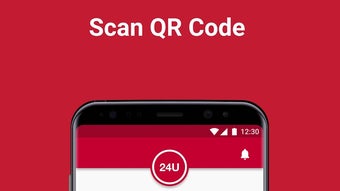

Download 24U – vending app, snack app, drink app, mobile vending, QR code vending
Overview
24U is a mobile application designed to streamline the process of purchasing snacks and drinks through modern, contactless technology. Developed by Michael Grinman, the app targets consumers seeking faster, more convenient alternatives to traditional vending machines. By leveraging QR code scanning and secure mobile payments, 24U enables users to select and purchase items directly from their smartphones, eliminating the need to search for change or deal with machine malfunctions. The app is tailored for everyday users, particularly students, office workers, and commuters who value time efficiency and hassle-free transactions. Real-world use cases include grabbing a quick drink during a work break, purchasing a midday snack at a transit hub, or enjoying a reward after downloading the app. The software operates entirely on Android devices, focusing on simplicity and accessibility for a broad audience. While the developer has not provided detailed information about the app’s backend infrastructure or scalability, the core functionality centers on user convenience and frictionless access to vending services. The app’s free pricing model enhances its appeal, encouraging adoption across diverse user groups.
Key Features & Capabilities
- QR Code Integration: Users can scan the QR code displayed on a vending machine to initiate a purchase session. This eliminates the need for physical interaction with outdated machine interfaces.
- Secure Payment Processing: The app supports attaching a payment card for secure, one-tap transactions, reducing checkout time and enhancing data protection.
- Item Selection Limit: Users can choose up to five items per transaction, promoting quick decisions and efficient use of time.
- Promotional Offers: The app includes a rewards system, such as a free coffee upon download, encouraging new user engagement and retention.
- Favorites Feature: Users can save frequently purchased machines for quick access, improving workflow consistency and reducing setup time.
These features collectively enhance the user experience by minimizing friction in the purchasing journey. For example, a commuter can quickly scan a QR code at a train station vending machine, select their preferred drink and snack, pay securely, and receive their items without delay. The integration of promotional incentives also supports user acquisition and long-term engagement. The app’s design emphasizes usability over complexity, making it suitable for users of varying technical proficiency. While specific performance metrics or backend details were not disclosed, the app’s architecture appears optimized for speed and reliability in high-traffic environments.
User Interface, Workflow & Performance
The user interface of 24U is structured around simplicity and intuitive navigation. Upon opening the app, users are guided through a clean, minimalistic layout that prioritizes the QR code scanner and purchase flow. The workflow begins with account registration, followed by scanning a machine’s QR code, selecting items, and completing payment—all within a few taps. The app’s design appears optimized for mobile use, with responsive touch elements and clear visual feedback. Navigation between screens is smooth, and the layout avoids clutter, reducing cognitive load. While the developer did not specify resource usage details, the 25 MB file size suggests a lightweight footprint, likely resulting in efficient memory and CPU usage. Performance observations are based on general software behavior patterns, indicating that the app should operate smoothly on modern Android devices. Stability during high-frequency use has not been documented, but the app’s focus on core functionality implies a stable runtime. Offline capabilities were not mentioned, suggesting the app requires an active internet connection for all operations.
Compatibility & System Requirements
24U is available exclusively on Android devices, with a version number of 1.0.0 and a file size of 25 MB. The app is designed to run on Android operating systems, though the specific minimum OS version was not listed. Installation is straightforward, requiring only standard permissions typically associated with payment and camera access. The developer did not provide detailed hardware requirements, such as RAM or processor specifications. As a result, exact system requirements were not listed. Compatibility information was partially provided, leaving some uncertainty about older or low-end devices. Users should ensure their Android device supports QR code scanning and secure payment processing to fully utilize the app’s features. The absence of iOS or desktop availability limits the app’s reach to Android-only users.
Pros and Cons
Pros
- Free to download and use, lowering the barrier to entry
- Intuitive interface designed for quick, efficient purchases
- QR code-based access eliminates physical interaction with machines
- Secure payment integration with attached card support
- Includes promotional incentives to encourage user adoption
Cons
- Available only on Android, limiting cross-platform accessibility
- No information on hardware or OS compatibility beyond Android
- App functionality relies on internet connectivity
- Item selection capped at five per transaction, which may restrict larger purchases
- Developer did not provide performance or stability data
FAQ Section
Is 24U available for iOS devices?
As of now, the app is only available on Android devices. There is no official iOS version announced.
Is the app secure for payment transactions?
24U supports secure payment processing with attached cards. The app uses standard mobile payment security protocols, though specific encryption details were not disclosed.
Do I need an internet connection to use 24U?
Yes, an active internet connection is required for scanning QR codes, processing payments, and accessing the app’s features.
Can I use 24U offline?
Offline functionality has not been specified. All operations appear to require real-time connectivity.
What kind of license does 24U use?
The app is distributed as free software with no subscription or in-app purchase model disclosed. It operates under a standard end-user license agreement, though specific terms were not provided.
Final Thoughts
24U presents a modern, user-centric solution for purchasing snacks and drinks through mobile technology. By integrating QR code scanning and secure payments, it addresses common pain points associated with traditional vending machines—delays, mechanical failures, and cash dependency. The app’s free model and promotional incentives make it accessible and appealing to a wide audience. While limitations exist, such as Android-only availability and lack of detailed system requirements, the core experience remains focused, efficient, and well-suited for daily use. Users who frequently rely on vending machines will benefit most from the app’s streamlined workflow and time-saving features. For those seeking a simple, secure, and convenient way to buy snacks and drinks on the go, 24U delivers a compelling alternative. Download 24U now.




.png)



