
Screenshots
App details
- Updated
- Jan 8, 2015
- Language
- English,German
- Developer
- AbbelsSoft
- Category
- Mobile
About AbAlarm
Download AbAlarm – alarm, timer, cooking timer, planning calendar, PC alarm, reminder, task management, time management, productivity tool
Overview
AbAlarm is a streamlined productivity tool designed for users who rely on timely reminders to manage daily routines and critical tasks. Developed specifically for the PC environment, it serves as a focused solution for individuals seeking a no-frills approach to time management. The app’s core purpose is to eliminate missed appointments, forgotten deadlines, and delayed cooking or brewing tasks through reliable alarm functionality. Its primary use cases include managing weekly schedules via the built-in planning calendar, setting precise timers for kitchen activities, and automating alerts based on system actions such as website access or shutdown events. While the app limits users to a single active alarm at a time, this constraint is balanced by intuitive design and efficient workflow. The developer, AbAlarm, has focused on delivering a minimal yet effective experience without unnecessary complexity. Although no additional background about the developer was provided, the app’s longevity—first released in 2015—suggests a stable, user-tested foundation. In the broader context of productivity software, AbAlarm occupies a niche role as a lightweight, task-specific utility that enhances personal organization without overwhelming users with features. It is particularly valuable for users who prefer simplicity and dependability over feature-heavy alternatives.
Key Features & Functionality
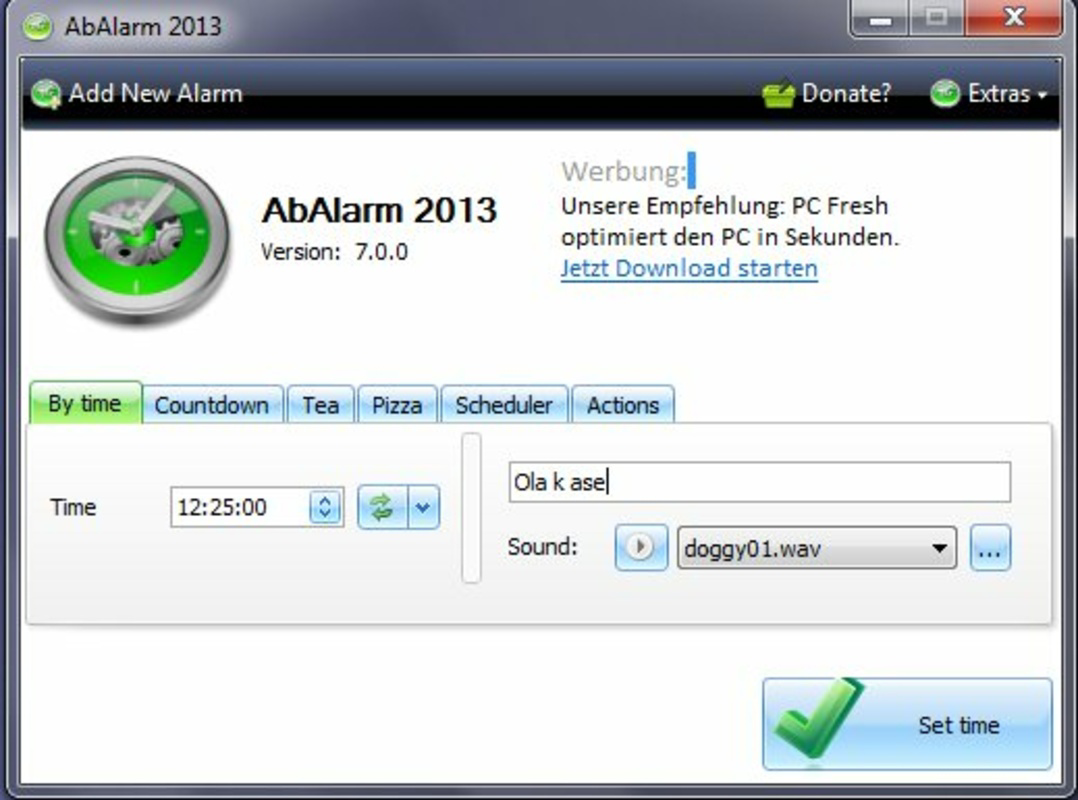
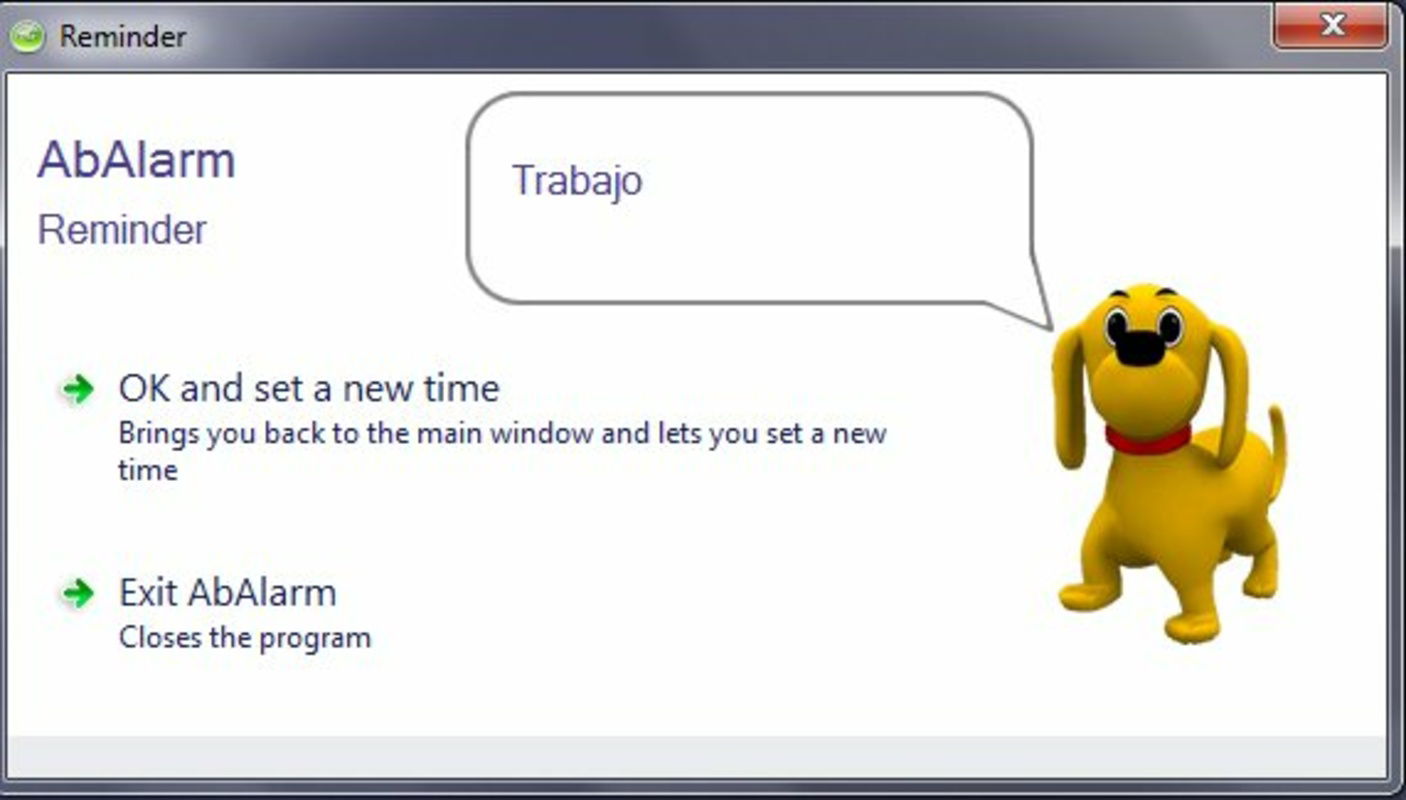
- Single Alarm Functionality: Users can set one alarm at a time with customizable repeat intervals, mimicking traditional snooze behavior for flexible wake-up or reminder timing.
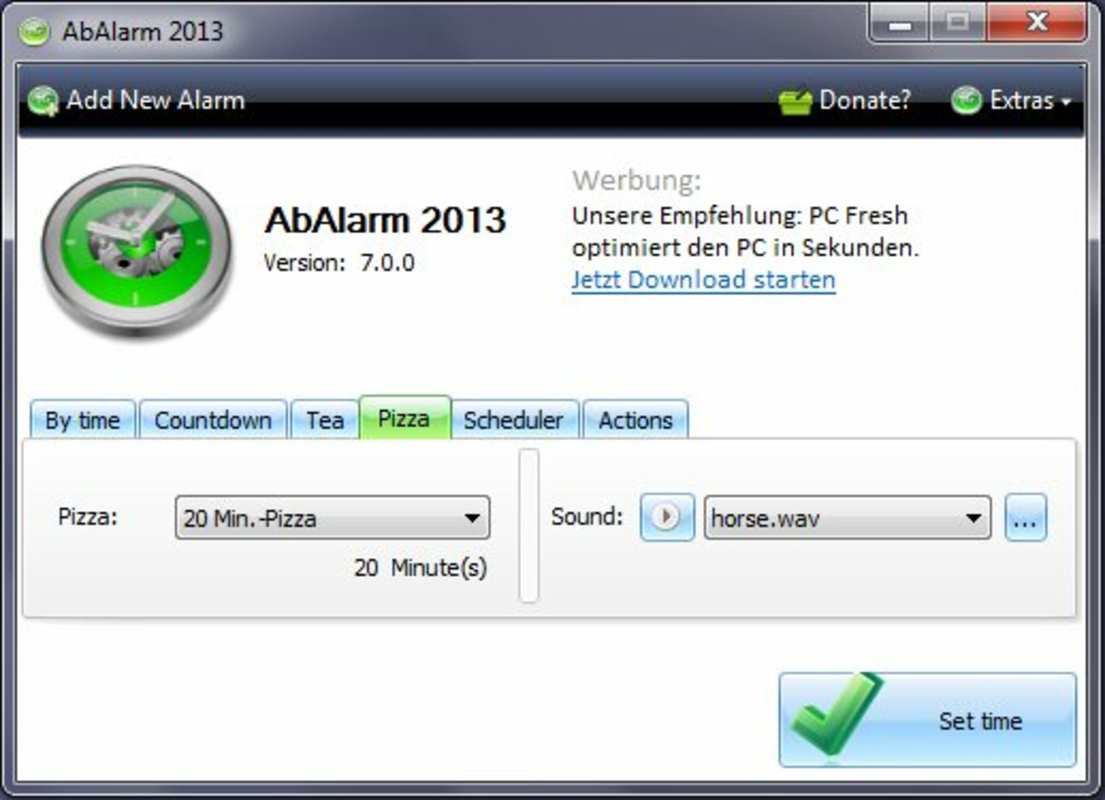
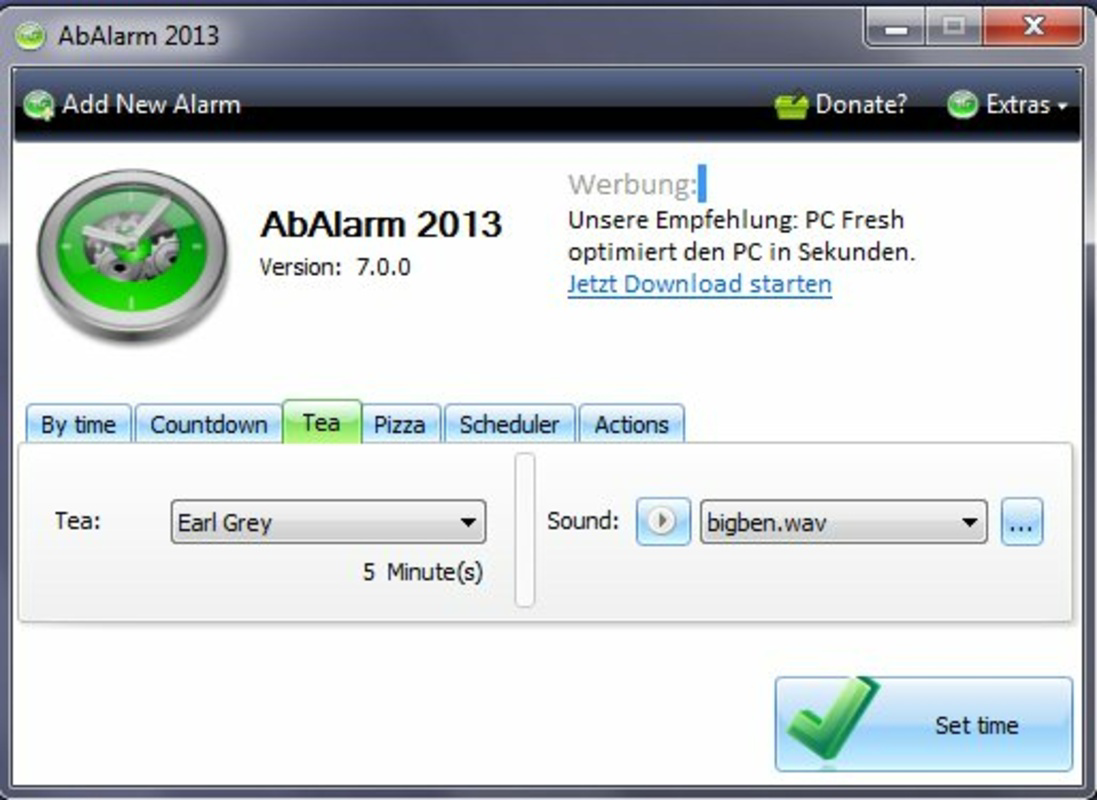
- Cooking Timers: Specialized timers for common kitchen tasks like baking pizza or steeping tea, accessible via a pre-filled drop-down list to ensure optimal timing.
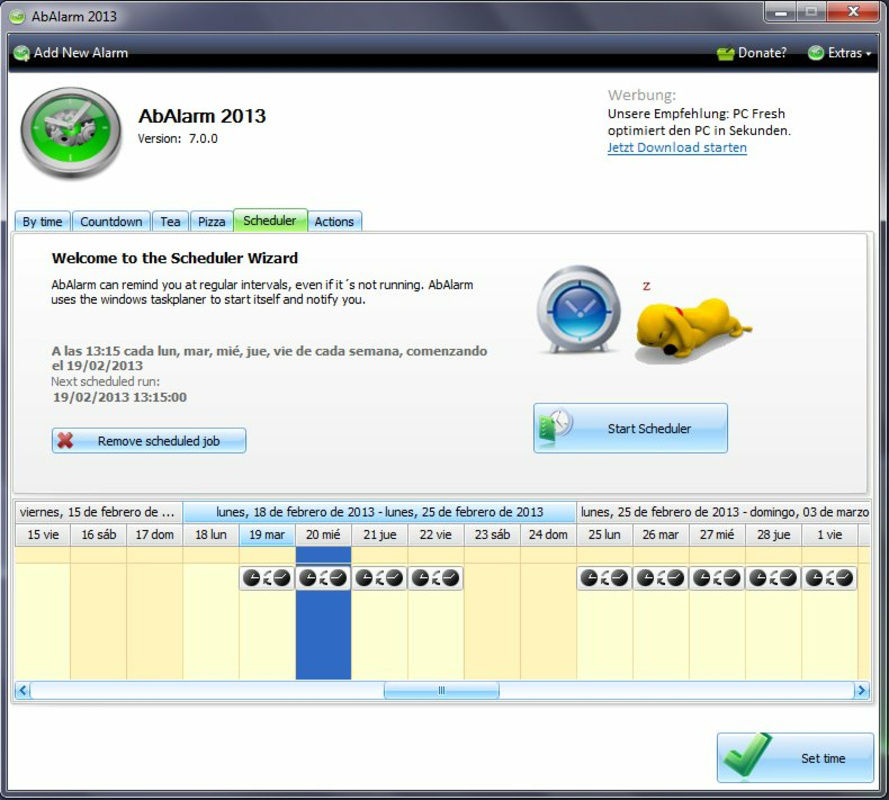
- Planning Calendar: A weekly calendar interface that allows users to schedule recurring alarms for specific days, supporting consistent task management and routine adherence.
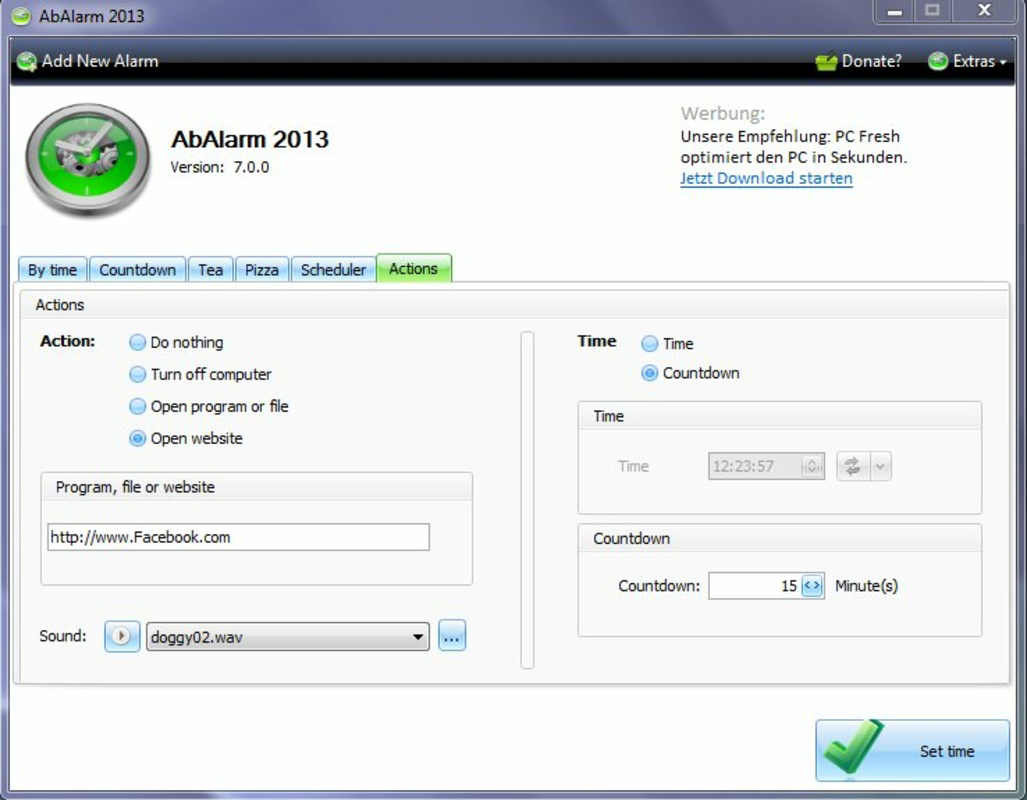
- Automated Actions: The app can trigger alarms in response to system-level events such as opening a website or shutting down the computer, aiding in time discipline and distraction control.
- Memory Function: Stores frequently used alarm settings, enabling quick reprogramming without starting from scratch, improving efficiency for regular users.
Each feature is designed to serve practical, real-world scenarios. For example, a user preparing dinner can select “Pizza” from the cooking timer list and set a 15-minute countdown, reducing the risk of burning food. Similarly, someone managing weekly study sessions can use the planning calendar to schedule recurring alarms every Tuesday and Thursday at 7 PM. The automated action feature is especially useful for professionals aiming to reduce screen time—by setting an alarm to sound when a distracting website opens, they can reinforce healthy digital habits. While the single-alarm limitation may restrict multitasking, the memory function compensates by enabling rapid reconfiguration. These capabilities collectively support users in maintaining structure, improving focus, and enhancing daily productivity through predictable, timely alerts.
Interface, UX & Performance
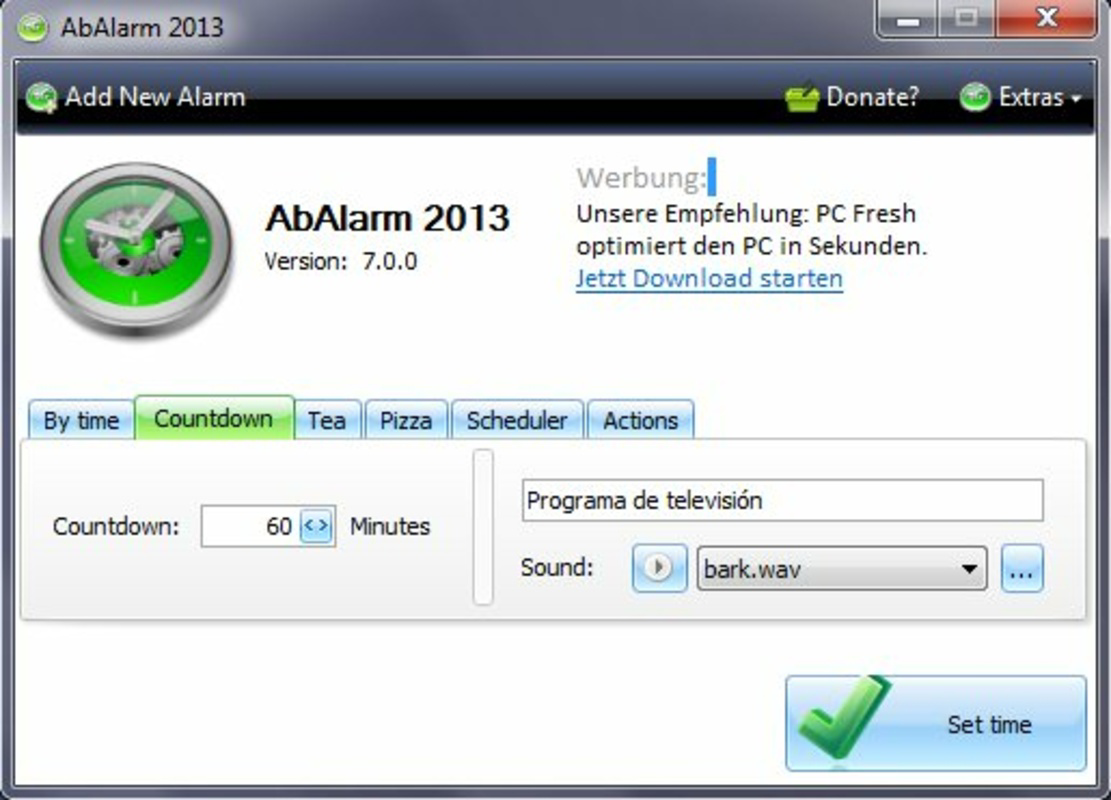
AbAlarm presents a clean, minimalist interface optimized for ease of use on desktop systems. The layout centers around a central alarm timer display, with clearly labeled controls for setting time, enabling repeat options, and accessing the planning calendar. Navigation is linear and intuitive, with minimal visual clutter, allowing users to configure alarms quickly. The app’s visual style is functional rather than decorative, prioritizing readability and accessibility. Menus are logically organized, and key actions such as starting or pausing an alarm are accessible through large, clearly marked buttons. Although the developer did not list formal performance metrics, the app’s small file size of 3.8 MB suggests efficient resource usage. It is expected to operate smoothly on a wide range of PC configurations, including older or low-spec systems. Responsiveness appears consistent, with minimal lag during alarm setup and activation. Stability is implied by the app’s long-standing presence since 2015, though no official crash reports or update logs were provided. The user experience is consistent across different screen sizes and resolutions, though compatibility with touch-based interfaces was not specified. Overall, the app delivers a dependable, distraction-free interaction that aligns with its productivity-focused mission.
Platform Compatibility & Technical Requirements
AbAlarm is designed exclusively for the PC platform, making it suitable for desktop and laptop users running compatible operating systems. The app version is 2.0.2, with a file size of 3.8 MB, indicating a lightweight footprint ideal for systems with limited storage. The developer did not specify minimum OS requirements, nor did they list compatibility details for specific Windows versions or hardware configurations. As such, users are advised to verify system compatibility before installation. No information was provided regarding cloud sync, cross-device functionality, or support for alternative platforms such as mobile devices or web browsers. The app is distributed as a free tool, with no in-app purchases or subscription models. While no explicit details were given about update frequency or release history, the app’s presence since 2015 suggests ongoing maintenance. Users seeking the latest version should ensure they download from official sources to maintain security and functionality.
Pros and Cons
- Lightweight and fast, with a small file size of 3.8 MB
- Simple, intuitive interface ideal for users who prefer minimalism
- Specialized cooking timers with preset options for common tasks
- Planning calendar for recurring weekly alarms
- Automated triggers based on system actions
- Free to download and use with no hidden costs
- Only one alarm can be active at a time, limiting multitasking
- No cross-platform support beyond PC
- Developer did not provide detailed technical specifications
- Limited customization options for alarm sounds or notifications
- Compatibility with specific OS versions was not disclosed
FAQ
Is AbAlarm safe to download and install?
Yes, AbAlarm is a free tool that has been available since 2015. It does not require administrative privileges and is distributed as a standalone executable. Users should ensure they download it from trusted sources to maintain security.
Can I use AbAlarm on multiple PCs?
Yes, since the app is free and does not require licensing, it can be installed on multiple computers. No activation or account registration is needed.
Does AbAlarm support mobile devices?
No, the app is designed exclusively for PC use. There is no official mobile version available for Android or iOS devices.
How often does AbAlarm receive updates?
The developer has not disclosed update frequency. However, the app has remained available since its initial release in 2015, suggesting ongoing maintenance.
Can I customize the alarm sound?
Specific details about sound customization were not provided. The app may use default system sounds or offer a limited selection.
Final Thoughts
AbAlarm stands out as a focused, reliable tool for users who value simplicity and precision in time management. Its combination of a planning calendar, cooking timers, and automated triggers makes it a practical companion for daily routines, whether for meal prep, study schedules, or digital discipline. While the limitation of a single active alarm may not suit power users managing multiple tasks, the memory function and intuitive layout ensure efficient workflow for regular users. The app’s minimal design, small size, and free availability enhance its appeal as a no-nonsense productivity utility. For anyone seeking a dependable PC alarm system without complexity, AbAlarm delivers consistent value. Its enduring presence in the productivity space is a testament to its effectiveness. Download AbAlarm now.
Guides & Tutorials
How to install AbAlarm
- Click the Download button above.
- Once redirected, accept the terms and click Install.
- Wait for the AbAlarm download to finish on your device.
How to use AbAlarm
This software is primarily used for its core features described above. Open the app after installation to explore its capabilities.
User Reviews
No reviews yet. Be the first to share your experience.
You may also like
more
Que no te pillen¡
About !Que no te pillen¡Reviewed by Jason A. BilbreyShow MoreShow Less

3D Combat Zone
About 3D Combat ZoneOriginally released in 1983, 3D Combat Zone immerses players...

666: El día del portal
About 666: El día del portalOn June 6, 2006, Agent P. Stone uncovers a sinister...

80 in 1 Best Flash games
About 80 in 1 Best Flash games 80 in 1 Best Flash games is a collection of 80 fl...

ABYSS SEEKERーーWhat Do You See Deep in The Abyss
About ABYSS SEEKERーーWhat Do You See Deep in The AbyssIn ABYSS SEEKER, players...

ACA NEOGEO THE KING OF FIGHTERS 2002 for Windows
About ACA NEOGEO THE KING OF FIGHTERS 2002 for WindowsTHE KING OF FIGHTERS 2002,...
