
Download Active Keys – Keyboard Shortcuts, Productivity Tool, System Automation, Utility App, Shortcut Manager, Windows Utility
Overview
Active Keys is a lightweight utility application designed for Windows users seeking to streamline repetitive computing tasks through customizable keyboard shortcuts. The app functions as a system automation tool, enabling users to assign specific key combinations to perform a range of actions, from launching applications to executing scripts. This functionality is particularly beneficial for individuals managing multiple programs or workflows, where frequent navigation through menus and interfaces can slow down productivity. By reducing reliance on mouse interactions and manual command entry, Active Keys enhances efficiency and supports faster task execution.
Target users include power users, professionals, and anyone who performs routine digital tasks across various software environments. Whether managing files, switching between programs, or automating system-level commands, Active Keys offers a straightforward solution to minimize time spent on repetitive actions. Its non-intrusive design ensures it runs quietly in the background without consuming significant system resources, preserving performance on both older and modern Windows systems.
Although the developer did not provide additional technical details, the app’s long-standing presence since its release on February 17, 2015, suggests a stable and reliable foundation. The fact that it remains free to download and use further underscores its value as a practical productivity tool within the Windows ecosystem. Despite its simplicity, Active Keys fills a niche in the utility category by offering focused automation without bloat.
Key Features & Functionality
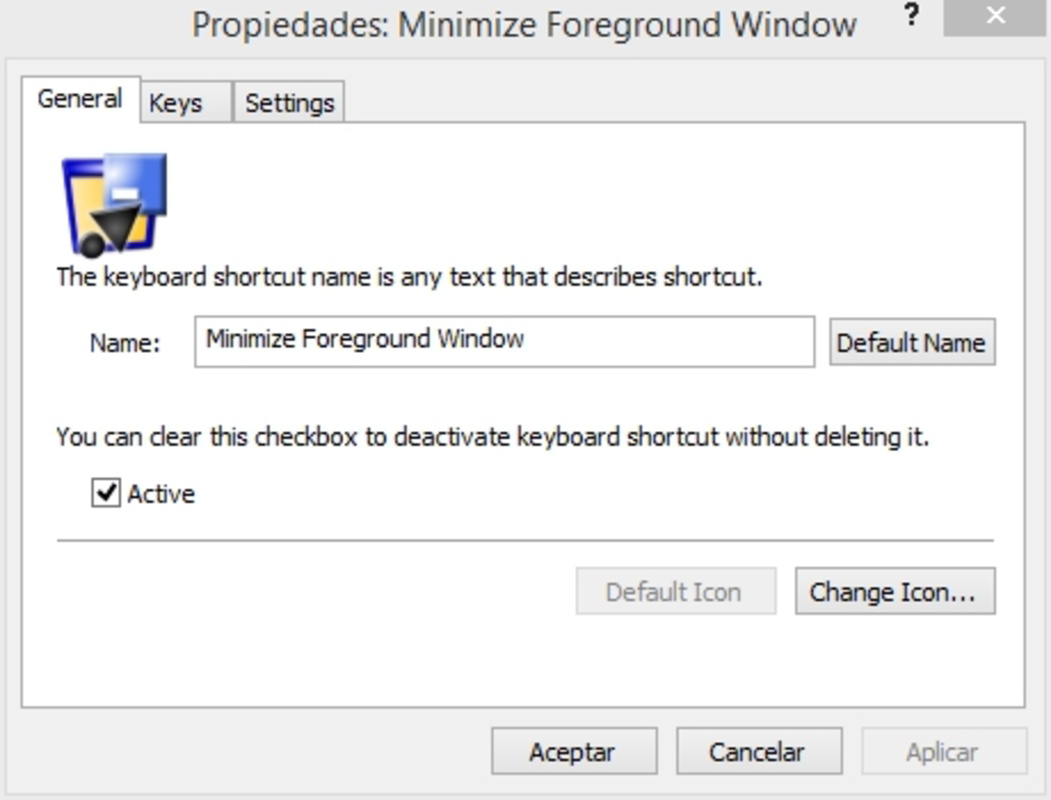
- Easy Shortcut Creation: The app features an intuitive interface that allows users to create custom keyboard shortcuts with minimal effort. Even users with limited technical experience can define key combinations and link them to specific actions without needing to access complex system settings.
- Custom Hot Key Definitions: Users can tailor hot keys to match their most frequently used commands, applications, or system functions. This level of personalization enables rapid access to tools that might otherwise require multiple clicks or navigation steps.
- Eliminates Repetitive Tasks: By automating routine actions—such as opening a specific document, launching a development environment, or running a batch file—Active Keys reduces the cognitive load and physical effort associated with repetitive workflows.
- Lightweight and Non-Intrusive: At just 1.8 MB in size, the application is designed to operate efficiently without impacting system performance. It runs silently in the background, ensuring that users remain focused on their primary tasks without interruptions.
- Supports Multiple Functions: The tool is versatile enough to handle a variety of system-level actions, including launching programs, executing scripts, manipulating files, and triggering predefined commands. This broad functionality makes it adaptable to diverse user needs.
For example, a software developer could assign a single key combination to open their code editor, start a local server, and launch a debugging console—all with one keystroke. Similarly, a content creator might use it to quickly open their design suite and import a template file, significantly cutting down on startup time.
Interface, UX & Performance
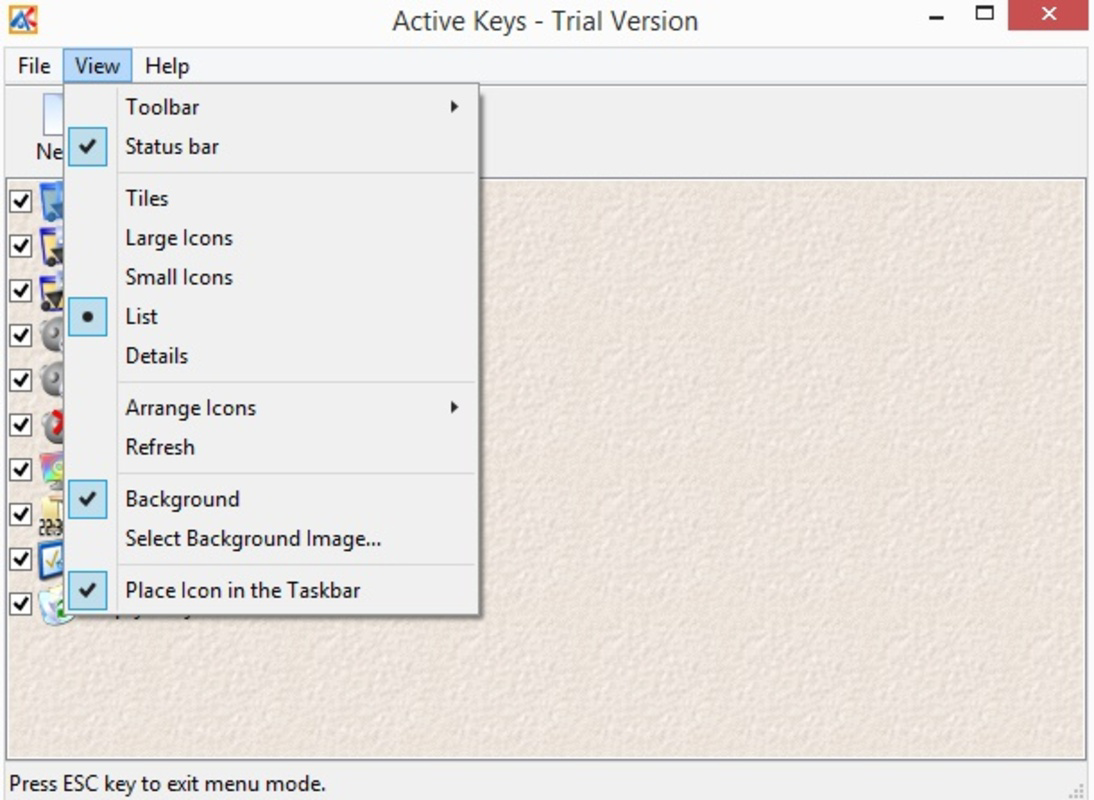
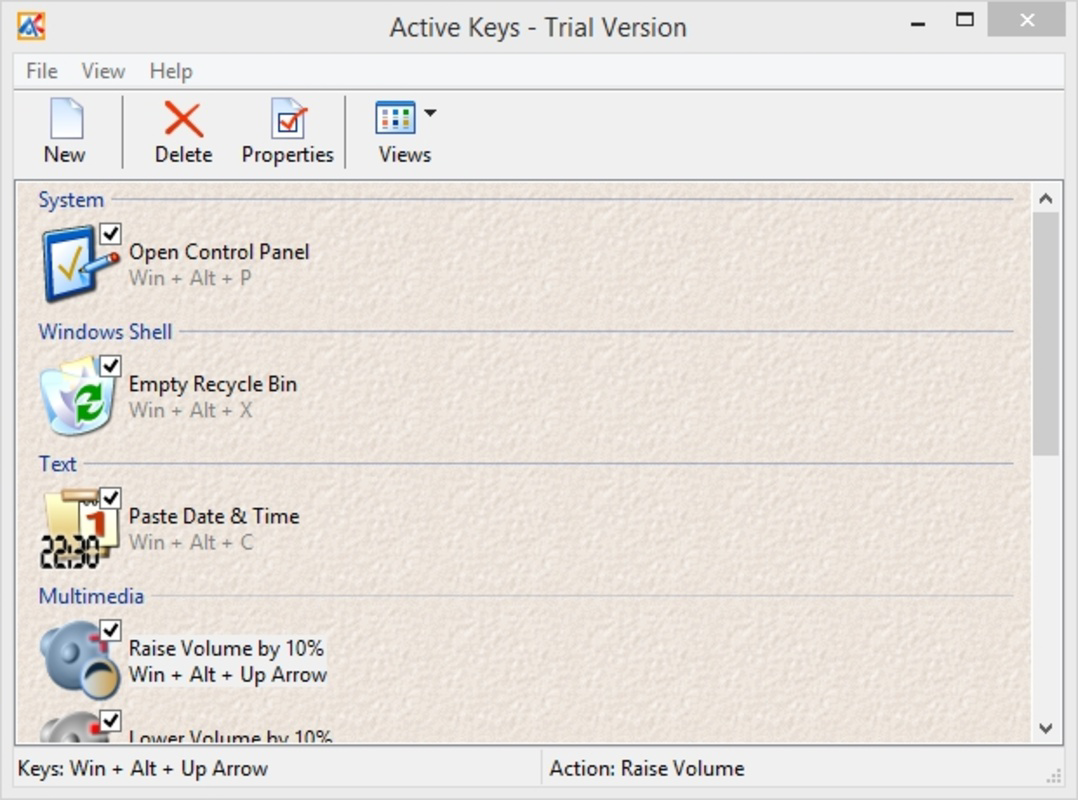
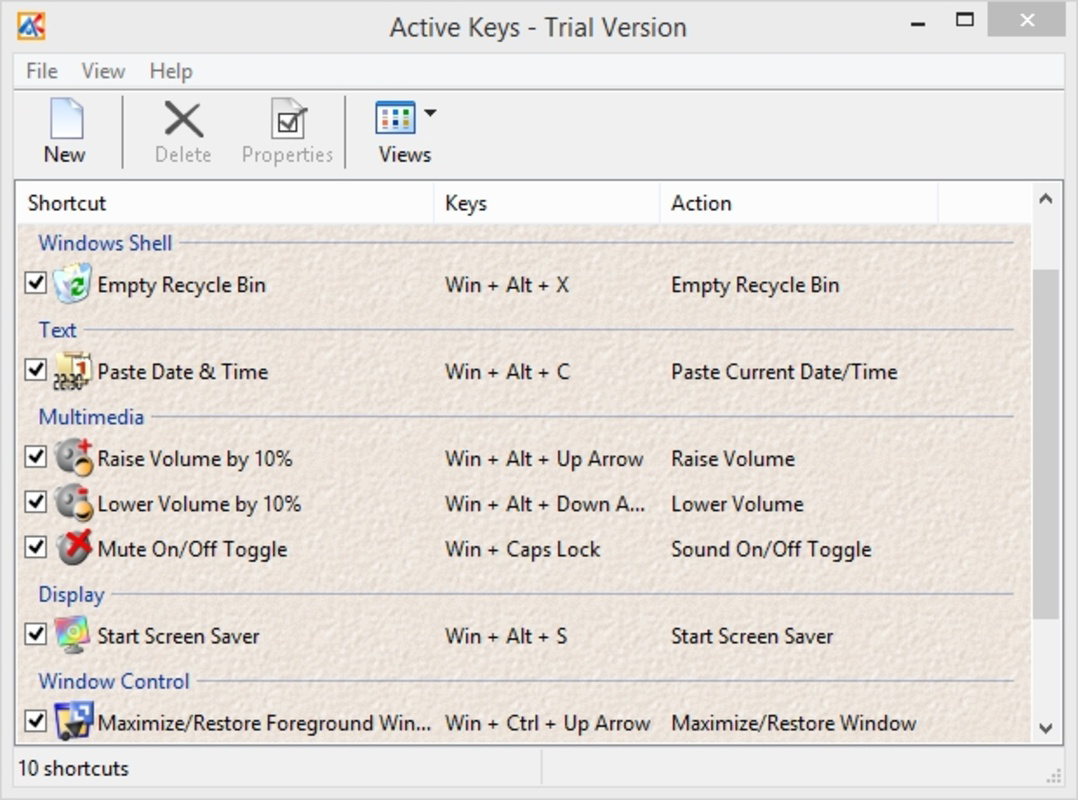
The user interface of Active Keys is designed with simplicity and functionality in mind. It presents a clean layout that prioritizes ease of access to core features, such as shortcut creation and management. Navigation is straightforward, allowing users to quickly define, edit, or remove hot keys without confusion. The visual style is minimalistic, avoiding unnecessary elements that could distract from the primary task.
Although the developer did not list formal performance metrics, the app’s lightweight nature suggests it performs efficiently across a wide range of Windows devices. Its low file size and background operation indicate that it is optimized for stability and responsiveness, even on systems with limited resources. Users can expect consistent performance without noticeable lag or crashes during regular use.
Responsiveness is maintained through a streamlined codebase that avoids excessive background processes. The application remains active and ready to trigger shortcuts at any time, ensuring that automation functions are reliable. While specific compatibility details were not disclosed, the app’s long-standing availability suggests it maintains compatibility with multiple versions of Windows.
Platform Compatibility & Technical Requirements
Active Keys is designed exclusively for the Windows operating system. The app is available in a single version, currently listed as 1.0, and has a file size of 1.8 MB. This compact footprint makes it suitable for installation on systems with limited storage capacity.
The developer did not specify minimum OS requirements, nor did they list any hardware or software dependencies. As such, compatibility with specific Windows versions (such as Windows 7, 8, 10, or 11) cannot be confirmed. However, given its release date in 2015 and continued availability, it is likely compatible with most mainstream Windows platforms.
Users are advised to verify system compatibility before installation, especially on newer or less common configurations. No additional permissions or background services were mentioned in the provided information.
Pros and Cons
Pros
- Lightweight design with minimal system impact
- Free to download and use
- Simple, intuitive interface for quick setup
- Supports a wide range of system actions and functions
- Non-intrusive operation in the background
Cons
- Developer did not provide detailed system requirements
- Specific compatibility with newer Windows versions was not confirmed
- No visible update history or changelog available
- Limited visual feedback or customization options for shortcut indicators
- No built-in backup or export feature for shortcut configurations
FAQ
Is Active Keys safe to download and install?
Yes, the app is free and available from official sources. As a lightweight utility with no known security risks, it is considered safe for standard Windows installations.
Can I use Active Keys on Windows 10 or Windows 11?
While the developer did not confirm compatibility with specific versions, the app’s long history suggests it may work on Windows 10 and 11. Users are advised to test it on their system for full functionality.
Does Active Keys require administrative privileges?
Specific permission details were not provided. However, due to its lightweight nature and system-level functionality, it may require elevated rights in some environments.
Is there a mobile version of Active Keys?
Active Keys is designed exclusively for Windows and is not available on Android or iOS platforms.
How often is Active Keys updated?
The developer did not publish an update history or changelog. The current version is listed as 1.0, with no indication of recent updates.
Final Thoughts
Active Keys stands out as a focused, no-frills solution for users looking to boost productivity through keyboard automation on Windows. Its lightweight design, ease of use, and ability to streamline repetitive tasks make it a valuable addition to any workflow. While it lacks advanced features like configuration backups or detailed logging, its core functionality is executed efficiently and reliably.
For professionals, developers, and power users who rely on quick access to tools and commands, Active Keys delivers tangible benefits without complexity. It’s a secure, free utility that enhances efficiency without slowing down the system. Despite limited documentation and no recent updates, its enduring presence speaks to its stability and usefulness.
Download Active Keys now


