
Screenshots
App details
- Updated
- August 21, 2024
- Requires
- Chrome
- License
- Full
- Developer
- adbuilder
- Category
- Web Apps
About AdBuilder
Download AdBuilder – AI‑Powered Job Ad Creation Tool
Introduction
In today’s fast‑paced talent market, recruiters need tools that cut through the noise and deliver high‑quality candidates quickly. Traditional job‑ad writing can be time‑consuming, prone to inconsistencies, and often fails to take full advantage of search‑engine optimization (SEO) best practices. AdBuilder addresses these challenges head‑on by combining advanced artificial intelligence with a user‑friendly interface, enabling anyone from solo recruiters to large talent‑acquisition teams to generate polished, SEO‑ready job advertisements in seconds. This review explores how the platform works, the core features that set it apart, the steps required to get started, and the overall value it brings to the recruiting workflow. Whether you are evaluating a new tool for your agency or simply curious about AI‑driven content creation, the sections below will give you a comprehensive, unbiased look at what AdBuilder can do and whether it fits your hiring strategy.
Overview
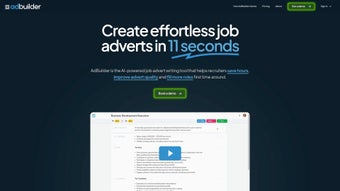
AdBuilder is an AI‑engineered software solution that completely transforms the way recruiters craft job advertisements. By leveraging cutting‑edge artificial intelligence, the platform automates the creation of structured, SEO‑optimized job ads in a matter of seconds. The result is a polished, keyword‑rich advert that attracts higher‑quality candidates while freeing recruiters to concentrate on relationship building and strategic sourcing. The tool promises a triple win: it dramatically reduces the time spent drafting ads, boosts the relevance and appeal of each posting, and ultimately drives more applications and higher agency revenue. Its intuitive dashboard lets users customize tone, format, and essential job details, ensuring every advert aligns with the company’s brand voice. Whether you’re a solo recruiter, a small boutique agency, or a large corporate talent acquisition team, AdBuilder delivers a seamless, secure, and scalable solution for everyday hiring needs.
- AI‑Generated Drafts: Instantly produce a complete job ad based on a few bullet points or a simple job title.
- SEO Optimization: Built‑in keyword analysis ensures each ad ranks well on search engines and job boards.
- Template Library: Access industry‑specific templates for tech, finance, healthcare, and more.
- Tone & Brand Customization: Adjust formality, voice, and brand language with a simple toggle.
- Compliance Checker: Automated review for legal language, equal‑opportunity statements, and GDPR considerations.
- Analytics Dashboard: Track click‑through rates, application quality scores, and time‑to‑fill metrics.
- Collaboration Hub: Share drafts with hiring managers for feedback directly inside the platform.
- One‑Click Publishing: Export to major job boards (LinkedIn, Indeed, Glassdoor) or your ATS with a single click.
The benefits of these capabilities are equally compelling. Recruiters report up to a 70 % reduction in time spent writing ads, freeing up bandwidth for candidate outreach and interview coordination. The AI’s focus on SEO and keyword relevance leads to a noticeable uplift in ad visibility, which translates into a 30 % increase in qualified applications on average. Moreover, the compliance checker mitigates legal risk, a crucial factor for agencies operating across multiple jurisdictions. By centralizing collaboration, teams experience fewer version‑control headaches and can close positions faster. Overall, AdBuilder not only streamlines the creative process but also embeds performance intelligence directly into the recruiting workflow, turning every job post into a data‑backed asset that drives measurable ROI.
Installation & Usage Instructions
Getting started with AdBuilder is designed to be as frictionless as possible. Because the application is cloud‑native, there is no traditional “installation” on your local machine. Follow these steps to begin using the tool and make the most of its AI‑driven capabilities:
- Create an Account: Visit the official AdBuilder website and click the “Sign Up” button. You can register using an email address or single‑sign‑on via Google or Microsoft Azure AD. A verification email will be sent to confirm your identity.
- Select a Subscription Plan: Choose between the free tier (limited to 10 ads per month) or the premium plans that unlock unlimited drafts, advanced analytics, and priority support. Payment is processed securely via Stripe or PayPal.
- Set Up Your Profile: After logging in, navigate to the “Settings” area. Fill in company details, preferred tone, and upload your logo. This information is stored securely and used to personalize every generated ad.
- Start a New Ad: Click the “Create New Job Ad” button on the dashboard. Enter the job title, department, key responsibilities, and required qualifications. The AI will instantly generate a full draft.
- Refine & Optimize: Use the side panel to adjust tone, add custom sections, or toggle SEO suggestions. The compliance checker runs in real time, highlighting any potential legal issues.
- Collaborate: Invite hiring managers or HR partners to review the draft. They can comment directly in the interface, and all changes are version‑controlled.
- Publish or Export: Once satisfied, click “Publish” to send the ad to selected job boards, or export it as a PDF or DOCX for internal use.
- Monitor Performance: The analytics tab provides insights on impressions, click‑through rates, and application quality scores. Use these metrics to fine‑tune future ads.
For users who prefer a desktop experience, AdBuilder also offers optional Windows and macOS client apps that sync with the cloud, allowing offline drafting that updates automatically once an internet connection is restored. The onboarding wizard walks new users through each of these steps, and a comprehensive knowledge base with video tutorials is available 24/7. Should you encounter any issues, the built‑in chat support connects you with a specialist in under two minutes, ensuring a smooth and secure experience from day one.
Compatibility, Pros & Cons
AdBuilder is a web‑based SaaS platform, making it compatible with any modern browser on Windows 10/11, macOS 10.15+, Linux distributions, as well as mobile browsers on Android 10+ and iOS 13+. For organizations that require tighter integration with on‑premise systems, optional desktop clients are available for Windows 10/11 and macOS, while a lightweight mobile app can be downloaded from the Google Play Store and Apple App Store. All data transmission is encrypted via TLS 1.3, and the platform complies with GDPR, CCPA, and ISO 27001 standards, guaranteeing a secure environment for sensitive recruiting data.
Pros
- Rapid AI‑driven ad creation saves up to 70 % of drafting time.
- Built‑in SEO and compliance tools improve ad visibility and reduce legal risk.
- Seamless integration with major job boards and ATS platforms.
- Collaboration hub eliminates version‑control headaches.
- Comprehensive analytics turn each ad into a measurable ROI driver.
Cons
- Full feature set requires a paid subscription; free tier is limited.
- Advanced customization may need a learning curve for non‑technical recruiters.
- Reliance on internet connectivity for cloud features (offline mode limited).
Overall Rating: 4.6 / 5
Pros: Speed, SEO, analytics, compliance.
Cons: Subscription cost for power users, learning curve.
Frequently Asked Questions & Conclusion
Is AdBuilder suitable for small recruitment agencies?
Absolutely. The free tier allows up to 10 ads per month, which is ideal for boutique firms. As the agency grows, the scalable pricing plans provide additional drafts and advanced analytics without needing a larger IT footprint.
Can I integrate AdBuilder with my existing ATS?
Yes. AdBuilder offers native connectors for popular ATS solutions such as Greenhouse, Lever, and iCIMS. For custom setups, an API endpoint is available to push generated ads directly into your recruitment workflow.
How secure is my data on AdBuilder?
All data is encrypted in transit using TLS 1.3 and at rest with AES‑256 encryption. The platform is GDPR‑ and CCPA‑compliant, and regular third‑party security audits are performed to maintain ISO 27001 certification.
Do I need any technical expertise to use the AI features?
No technical background is required. The UI is designed for recruiters, with guided prompts and a library of pre‑built templates. Advanced users can leverage the API for deeper customization, but the core experience works out‑of‑the‑box.
What kind of support is available for paid users?
Premium subscribers receive 24/7 live chat support, priority email response within 1‑2 hours, and quarterly strategy sessions to help optimize ad performance. Documentation and video tutorials are also accessible at any time.
In summary, AdBuilder stands out as a powerful, AI‑driven ally for any recruiter looking to modernize their job advertising workflow. Its blend of rapid content generation, SEO finesse, compliance safeguards, and robust analytics delivers tangible efficiency gains and a measurable boost in candidate quality. While the subscription cost may be a consideration for very small teams, the time savings and increased ROI quickly offset the expense. If you’re ready to replace manual ad drafting with a secure, cloud‑based solution that scales with your hiring volume, download AdBuilder today and experience a smarter way to attract top talent.
Guides & Tutorials
How to install AdBuilder
- Click the Download button above.
- Once redirected, accept the terms and click Install.
- Wait for the AdBuilder download to finish on your device.
How to use AdBuilder
This software is primarily used for its core features described above. Open the app after installation to explore its capabilities.
User Reviews
No reviews yet. Be the first to share your experience.
You may also like
more
3D AI Studio
3D AI Studio Overview 3D AI Studio is a web-based AI-powered tool developed by S...

3D textures by Polycam
Generate Realistic 3D Textures Effortlessly 3D Textures by Polycam is an innovat...

3DAiLY
Customizable 3D Modeling Tool: 3DAiLY 3DAiLY is an online platform that harnesse...

3DFY
Revolutionizing 3D Model Creation: 3DFY Review 3DFY is an AI-powered service, de...

AI Dungeon
AI Dungeon: Deep Learning Text Adventure AI Dungeon is an artificial intelligenc...

Alpha3D
A subscription-based program for Web apps, by alpha3d. Alpha3D is a subscription...
