
Screenshots
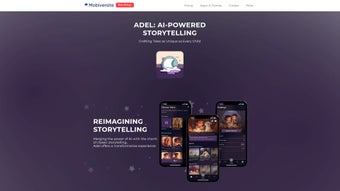
App details
- Updated
- May 13, 2025
- Requires
- Chrome
- License
- Full
- Developer
- mobiversite
- Category
- Web Apps
About Adel
Download Adel – AI Bedtime Storytelling Tool for Parents
Why Adel is Changing Bedtime for Families
Adel is an innovative AI‑powered storytelling platform that puts the magic of bedtime narratives back into the hands of parents. By blending cutting‑edge voice‑cloning technology with a rich library of environments, characters, and plot templates, Adel lets caregivers craft truly personalized stories that feel as if they were written just for their child. The web‑based interface is intuitive: select a setting that matches a child’s current fascination—whether it’s a pirate ship, a moon‑lit forest, or a futuristic city—pick characters that resonate, and then speak the story in your own voice. Adel’s AI engine instantly adapts the narration, ensuring smooth pacing, age‑appropriate language, and a seamless blend of imagination and structure. The result is a bedtime ritual that feels intimate, interactive, and uniquely tailored, fostering stronger bonds and encouraging children to explore their creativity.
Beyond the emotional benefits, Adel addresses practical concerns for modern families. The platform guarantees that all generated content adheres to age‑appropriate guidelines, and it stores user data with end‑to‑end encryption, providing peace of mind for privacy‑conscious parents. Whether you’re a tech‑savvy millennial or a grandparent who prefers a simple click‑through experience, Adel scales to meet your comfort level. Available as a responsive web app and native mobile apps for iOS and Android, the service ensures that the storytelling experience is always just a tap away, no matter where you are. In a world where screen time is scrutinized, Adel offers a purposeful alternative—an interactive, creative tool that transforms screens into portals for imagination rather than passive consumption.
Key Features That Set Adel Apart
- Voice‑Cloning Narration: Record a short sample of your voice and let Adel replicate it, delivering stories in a tone that feels unmistakably yours.
- Customizable Settings & Characters: Choose from dozens of themed worlds and a growing cast of characters that can be mixed, matched, and personalized.
- AI‑Generated Plotlines: The underlying language model crafts coherent, age‑appropriate story arcs based on your input, ensuring each tale is fresh and engaging.
- Interactive Editing: Parents can edit AI suggestions in real time, adding personal touches, inside jokes, or family traditions.
- Cross‑Platform Access: Use Adel on any modern browser or download the dedicated iOS and Android apps for offline storytelling.
- Secure Data Handling: All voice recordings and story drafts are encrypted both in transit and at rest, with strict GDPR compliance.
- Progressive Difficulty Levels: Tailor vocabulary and complexity to the child’s age, supporting growth from preschool to early elementary years.
- Bookmark & Replay: Save favorite stories, create a library, and replay them with a single tap for nightly consistency.
Each feature is designed with the bedtime routine in mind. The voice‑cloning module eliminates the need for parents to read aloud every night, which can be a challenge after a long workday. Yet, because the voice is your own, children still hear the comforting timbre they recognize, reinforcing emotional security. The customizable environment library ensures relevance—if a child is currently obsessed with dinosaurs, selecting a prehistoric valley instantly makes the story more compelling. The AI‑generated plotlines are not static; they adapt to the child’s name, favorite colors, and even recent experiences you input, weaving a narrative that feels lived‑in.
Adel also supports collaborative storytelling. Grandparents or distant relatives can log in, add a paragraph, and send the updated story back to the primary caregiver, fostering family involvement across distances. This feature, combined with secure cloud storage, means that stories can become cherished family artifacts, archived for future generations. By focusing on both emotional resonance and practical convenience, Adel positions itself as more than an app—it becomes a nightly tradition that grows with the child.
Getting Started, Compatibility, and Real‑World Pros & Cons
Installation & First‑Time Use
Downloading Adel is straightforward. For desktop users, navigate to Adel’s official website and click the “Start Free Trial” button. The web app loads instantly—no heavy installer required. Mobile users can find the app in the Apple App Store or Google Play Store under the name “Adel – AI Bedtime Stories.” After installing, launch the app and create a free account using an email address or social login. The onboarding wizard walks you through recording a 30‑second voice sample; this step is optional but recommended for the full experience.
Once logged in, you’ll land on the dashboard where you can:
- Browse story templates by theme.
- Enter your child’s name, age, and interests.
- Choose voice settings (original voice, cloned voice, or AI narrator).
- Hit “Generate” to produce a first draft within seconds.
Editing is performed in an intuitive rich‑text editor. Highlight any sentence to replace, add a personal anecdote, or adjust the pacing. When satisfied, press “Save & Play” to hear the story narrated in real time. You can also export the audio file as an MP3 for offline playback on any device.
Operating System Compatibility
Adel runs on all major operating systems: Windows 10 and newer, macOS 10.13+, iOS 12+, and Android 8+. The responsive web version works on Chrome, Firefox, Safari, and Edge, ensuring that families using older hardware can still access the service without sacrificing core functionality.
Pros and Cons
- Pros:
- Highly personalized storytelling experience.
- Voice cloning creates a familiar, comforting narration.
- Secure, privacy‑first data handling.
- Cross‑platform availability (web, iOS, Android).
- Free tier with generous story generation limits.
- Cons:
- Initial voice sample setup may be intimidating for non‑tech users.
- Premium features (unlimited stories, advanced character packs) require a subscription.
- Internet connection needed for AI generation (offline mode limited to playback of saved stories).
Overall Verdict: Adel bridges the gap between technology and tradition, delivering a bedtime companion that feels both modern and deeply personal.
Frequently Asked Questions & Final Thoughts
Is Adel really free to use?
Adel offers a free tier that includes up to five story generations per month and access to core voice‑cloning features. For families that need unlimited stories or premium character packs, a subscription starting at $4.99 per month is available.
How secure is my child's data?
All user data, including voice recordings and story drafts, are encrypted both in transit (TLS 1.3) and at rest (AES‑256). Adel complies with GDPR, CCPA, and COPPA, ensuring that children’s information is never shared with third parties without explicit consent.
Can I use Adel without an internet connection?
Story generation requires an online connection because the AI engine runs on cloud servers. However, once a story is generated and saved, you can download the audio file and play it offline on any device.
What age range is Adel suitable for?
Adel is designed for children aged 3 to 10 years. The platform automatically adjusts vocabulary and plot complexity based on the age you set during profile creation.
Do I need any special hardware for voice cloning?
No special hardware is required. A standard smartphone microphone or laptop built‑in mic is sufficient to capture the short voice sample needed for cloning.
Conclusion – Bring Your Voice to Bedtime Stories
Adel transforms the age‑old ritual of bedtime storytelling into a modern, interactive experience without sacrificing the warmth that comes from a parent’s voice. By leveraging AI to generate fresh, age‑appropriate narratives and allowing parents to infuse them with personal flair, Adel nurtures imagination while strengthening family bonds. The platform’s commitment to privacy, cross‑device accessibility, and a generous free tier makes it an appealing choice for tech‑savvy families and traditionalists alike. If you’re looking for a tool that encourages creativity, reduces nightly reading fatigue, and provides a secure space for your child’s imagination to thrive, Adel is a compelling option. Download Adel today from the App Store, Google Play, or directly via the website, and start crafting unforgettable bedtime adventures that your child will cherish for years to come.
Guides & Tutorials
How to install Adel
- Click the Download button above.
- Once redirected, accept the terms and click Install.
- Wait for the Adel download to finish on your device.
How to use Adel
This software is primarily used for its core features described above. Open the app after installation to explore its capabilities.
User Reviews
No reviews yet. Be the first to share your experience.
You may also like
more
3D AI Studio
3D AI Studio Overview 3D AI Studio is a web-based AI-powered tool developed by S...

3D textures by Polycam
Generate Realistic 3D Textures Effortlessly 3D Textures by Polycam is an innovat...

3DAiLY
Customizable 3D Modeling Tool: 3DAiLY 3DAiLY is an online platform that harnesse...

3DFY
Revolutionizing 3D Model Creation: 3DFY Review 3DFY is an AI-powered service, de...

AI Dungeon
AI Dungeon: Deep Learning Text Adventure AI Dungeon is an artificial intelligenc...

Alpha3D
A subscription-based program for Web apps, by alpha3d. Alpha3D is a subscription...
