
Screenshots
App details
- Version
- 2.0.88
- Size
- 2.92 MB
- Updated
- June 1, 2006
- Requires
- Windows XP
- Language
- English
- License
- Free
- Developer
- Afreecodec
- Category
- Windows OS
About afreeCodecVT
Download afreeCodecVT – free codec detector, video preview tool and codec guide
Overview – Why afreeCodecVT matters for every video enthusiast
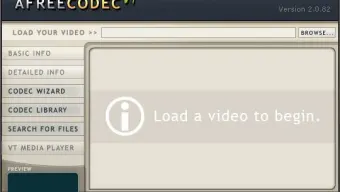
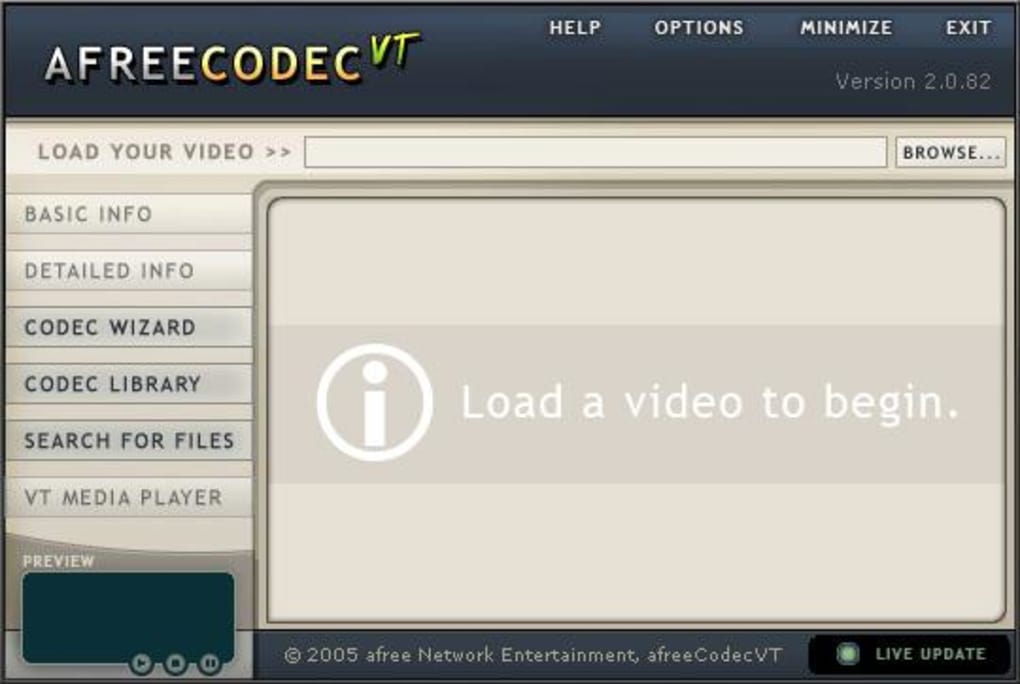
If you have ever tried to watch an AVI file only to be stopped by a cryptic error message, you already know the frustration that missing codecs can cause. afreeCodecVT is designed to eliminate that guess‑work by acting as a smart assistant that identifies exactly which video and audio codecs a file needs. Rather than bundling a massive, often outdated codec pack, afreeCodecVT maintains a continuously updated database of codec definitions, FourCC codes and real‑world usage statistics. The application’s core philosophy is simple: let the user know what is missing, then point them to a reliable download source. By loading a video into its built‑in VT Media Player, the program analyses the file header, extracts metadata, and instantly presents a clear list of required codecs. For users who already rely on popular packs such as K‑Lite or CCCP, afreeCodecVT still offers value as a diagnostic tool that confirms the presence of the right components or highlights hidden incompatibilities. The interface is intentionally lightweight – a single window with a “Load Video” button, a preview pane, and a results panel that displays detailed information about video resolution, audio channels, container format, and the exact codec identifiers needed. While the preview function currently supports only AVI files, the underlying detection engine works with any container that the Windows Media Foundation can read. In short, afreeCodecVT is a free, secure, and constantly updated gateway for anyone who wants to keep their media playback smooth without wading through endless forum threads.
Key Features & Compatibility
- Automatic codec detection for AVI, MP4, MKV and other common containers.
- Embedded VT Media Player for instant video preview (AVI only).
- Extensive, regularly updated codec database with FourCC definitions.
- One‑click links to official codec download pages.
- Lightweight UI – no background services or intrusive pop‑ups.
- Free, ad‑free distribution with regular bug‑fix updates.
- Search function to explore codec information by name, FourCC, or file type.
afreeCodecVT runs natively on Windows 7, 8, 10 and 11 (32‑bit and 64‑bit). The software leverages the operating system’s native multimedia framework, meaning there is no need for additional runtime libraries such as .NET or Java. This tight integration ensures fast start‑up times and low memory usage – typically under 30 MB while the player is open. Although the primary focus is Windows, the underlying codec‑lookup engine can be accessed through a portable version that works on any PC with basic Windows API support. macOS, Linux, Android and iOS users can still benefit from the online codec database by visiting the afreeCodecVT website, but the desktop application itself is currently Windows‑only. The developers have promised future cross‑platform support, so users can expect a macOS build in upcoming releases.
Installation, Usage & Pros / Cons
Installing afreeCodecVT is a straightforward three‑step process. First, download the installer from the official website – the file is a small .exe (approximately 4 MB) and is digitally signed for security. Second, run the installer and follow the wizard; it offers a default installation path (C:\Program Files\afreeCodecVT) and an optional desktop shortcut. Third, launch the program; the main window opens with a “Load Video” button at the top. Click the button, browse to the AVI file you want to test, and press “Open”. The embedded player starts playing the video while the analysis engine works in the background. Within seconds, the “Codec Required” panel lists the exact video and audio codecs, their FourCC codes, and provides direct hyperlinks to the most reputable download sources (e.g., official codec vendor sites, reputable open‑source projects). If the required codec is already present on your system, the panel simply shows a green “Installed” badge.
Pros
- Free and ad‑free – no hidden costs or trial periods.
- Highly accurate detection thanks to an up‑to‑date codec database.
- Minimal system impact – low CPU and memory usage.
- One‑click access to official codec downloads reduces security risk.
- Helpful for troubleshooting playback issues on older Windows PCs.
Cons
- Preview limited to AVI files; other containers only show metadata.
- Windows‑only – no native macOS or Linux client yet.
- Does not automate codec installation; user must click download links.
- Relies on external codec sources – quality depends on third‑party sites.
FAQ & Conclusion
Is afreeCodecVT a codec pack?
No. afreeCodecVT is a detection and guidance tool. It tells you which codec you need and provides links to download it, but it does not install codecs itself.
Can I use afreeCodecVT on macOS or Linux?
Currently the desktop application is Windows‑only. macOS and Linux users can still browse the online codec database through a web browser.
Does afreeCodecVT automatically update its codec database?
Yes. The program checks for updates each time it starts and downloads the latest FourCC definitions and codec information from the official server.
What video formats does the preview player support?
The built‑in VT Media Player can preview AVI files only. Other formats are still analyzed, but you will not see a playback preview.
Is the software safe to download?
Absolutely. The installer is digitally signed, and the program does not contain any adware or telemetry components.
In summary, afreeCodecVT offers a focused, free solution for anyone who regularly encounters missing‑codec errors. Its accurate detection engine, lightweight design, and direct links to reputable codec sources make it a valuable addition to any Windows media setup. While the lack of a built‑in installer and the Windows‑only limitation may deter power users, the tool excels as a diagnostic companion for home users, video hobbyists, and IT support staff. If you want to stop guessing which codec to install and start fixing playback problems with confidence, download afreeCodecVT today and let the wizard do the heavy lifting.
afreeCodecVT delivers exactly what its name promises – a clear, free way to discover missing codecs. The UI is simple, the detection is reliable, and the links to official codec sites keep the process secure. The only real drawbacks are the AVI‑only preview and the lack of automatic installation, but for most users the guidance alone saves hours of trial‑and‑error. Overall, a solid 4‑star utility for Windows media enthusiasts.
Guides & Tutorials
How to install afreeCodecVT
- Click the Download button above.
- Once redirected, accept the terms and click Install.
- Wait for the afreeCodecVT download to finish on your device.
How to use afreeCodecVT
This software is primarily used for its core features described above. Open the app after installation to explore its capabilities.
User Reviews
No reviews yet. Be the first to share your experience.
You may also like
more
Llama 2
Free-to-use large language model As the new addition to Meta’s arsenal of langua...

NotebookLM
Revolutionizing the note-taking and idea-generation process NotebookLM is an exp...

Github co pilot
AI-inspired software development and coding platform GitHub Copilot is a browser...

Google Gemma
Google’s lightweight AI models Introducing Google Gemma , a family of cutting-ed...

AI Image Enlarger
A free app for Windows, by ai-image-larger. AI Image Enlarger is a free software...

DALL E
AI-driven text-to-image transformation engine DALL·E is a free graphic and desig...
