
Screenshots
App details
- Updated
- November 28, 2024
- Requires
- Chrome
- License
- Subscription
- Developer
- agentops
- Category
- Web Apps
About Agentops
Download AgentOps – AI Agent Performance Analytics & Debugging Tool
Overview – Why AgentOps Is Essential for Modern AI Development
In the rapidly expanding arena of generative AI, developers are confronted with agents that often act like opaque black boxes. These agents can produce unexpected responses, hide state transitions, and make it difficult to trace the reasoning behind a particular output. When a chatbot drops a conversation, an autonomous workflow stalls, or a research assistant returns irrelevant data, the time spent hunting for the root cause can quickly become a project‑killing expense. AgentOps was created to eliminate that guesswork. As a cloud‑native analytics platform, it captures every interaction—prompt, model selection, token usage, confidence score, and response payload—and transforms raw logs into intuitive visualizations, real‑time dashboards, and replay‑ready timelines. By presenting a single pane of glass where each decision point is searchable and filterable, developers gain the insight needed to fine‑tune prompts, adjust model parameters, and address performance regressions before they reach end users. The platform is built on a secure SaaS model, which means there is no bulky on‑prem installation, no dependency nightmares, and instant access from any modern browser. Early adopters report up to a 50 % reduction in debugging cycles and a measurable improvement in agent reliability. Whether you are building a customer‑service chatbot, a multi‑step workflow orchestrator, or an autonomous research assistant, AgentOps delivers the data‑driven discipline required to ship trustworthy AI products at scale.
Features, Compatibility, and Pros & Cons – A Deep Dive
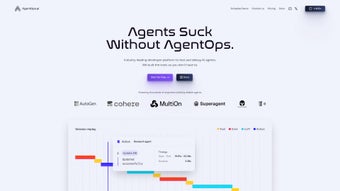
- Visual Performance Graphs: Real‑time line, heat‑map, and bar charts that illustrate latency, token consumption, and confidence trends across sessions.
- Continuous Monitoring Dashboard: Live feed of agent actions, including prompt inputs, model selections, output payloads, and system metrics.
- Replay Analytics: One‑click playback of any interaction, allowing step‑by‑step reconstruction of decision pathways and pinpointing of anomalies.
- Prompt‑Guessing Insights: Automated suggestions that flag ambiguous prompts and recommend concrete refinements.
- Alert Engine: Customizable thresholds that trigger email, Slack, or Teams notifications when performance deviates from expected ranges.
- API‑First Integration: RESTful endpoints and language‑agnostic SDKs (Python, Node.js, Java, Go) for seamless log ingestion.
- Security & Compliance: End‑to‑end TLS 1.3 encryption, GDPR‑ready data handling, role‑based access control, and audit logs for enterprise governance.
Compatibility: Because AgentOps lives in the browser, it runs on any operating system that supports Chrome, Edge, Firefox, or Safari. Whether you are on Windows 10/11, macOS Ventura, a popular Linux distro, or even a mobile device running Android 13 or iOS 17, the dashboard renders consistently. The backend APIs are platform‑neutral, so you can send logs from on‑prem servers, cloud VMs, or edge devices without modification.
Pros
- Instant visual feedback cuts debugging time by up to 50 %.
- Replay feature eliminates guesswork when reproducing complex bugs.
- SaaS delivery removes infrastructure overhead and ensures automatic updates.
- Robust security measures meet enterprise compliance requirements.
- Flexible alerting keeps teams proactive rather than reactive.
Cons
- Access is currently gated behind a waitlist, which can delay onboarding.
- Advanced predictive analytics are slated for future releases, not yet available.
- Real‑time dashboards depend on a stable internet connection.
- Pricing tiers are not publicly disclosed, which may pose budgeting challenges for early‑stage startups.
Installation, Setup, and Daily Usage Guide
Getting started with AgentOps is intentionally frictionless. Because the product lives in the cloud, there is no traditional “installation” step. Follow these three phases to move from sign‑up to daily operational use:
1. Join the Waitlist & Secure Your API Key
Visit the official AgentOps landing page and submit your email to join the waitlist. Once approved, you’ll receive a welcome email containing a unique API key and a direct link to the dashboard. Store the key securely—treat it like a password—because it grants write access to your agent logs.
2. Integrate the Logging SDK
AgentOps provides lightweight SDKs for the most common programming environments. For Python, a typical integration looks like this:
pip install agentops-sdk
import agentops

agentops.init(api_key="YOUR_API_KEY", project="my-agent-project")

def my_agent(prompt):
    response = model.generate(prompt)
    agentops.log_interaction(
        prompt=prompt,
        response=response,
        metadata={"model":"gpt‑4","temperature":0.7}
    )
    return response
The log_interaction call streams data to the AgentOps backend in real time, where it is instantly visualised on your dashboard. Equivalent snippets exist for Node.js, Java, and Go, all documented in the online developer portal.
3. Explore the Dashboard & Set Alerts
After the first few interactions, log in to the web UI. The home screen presents a high‑level health summary: average latency, error rate, and token consumption. Dive into the “Graphs” tab to view time‑series visualisations, or switch to “Replay” to step through a specific conversation. To stay ahead of issues, navigate to the “Alerts” section, define a rule (e.g., latency > 2 seconds for three consecutive calls), and choose your notification channel—email, Slack webhook, or Microsoft Teams.
Daily usage typically involves two habits: (1) monitoring the health widgets for anomalies and (2) reviewing replay logs of any flagged sessions. Because all data is retained for 30 days by default, you can also run retrospective analyses to identify long‑term trends such as prompt drift or model degradation. The platform’s export feature lets you download CSVs for offline BI tooling if deeper statistical work is required.
FAQ and Final Verdict – Download AgentOps Today
-
Is AgentOps free to use?
AgentOps offers a free tier for developers who want to explore basic logging and visualization. Paid plans unlock higher data retention, advanced alerting, and team collaboration features.
-
Can I integrate AgentOps with existing CI/CD pipelines?
Yes. The SDKs can be called from test suites, and the platform provides webhook endpoints that can post build‑time metrics back to your CI dashboard.
-
How does AgentOps ensure data privacy?
All logs are transmitted over TLS 1.3, stored encrypted at rest, and never shared with third parties without explicit consent. Role‑based access control lets you restrict who can view sensitive interactions.
-
What models does AgentOps support?
The platform is model‑agnostic. You can log interactions from OpenAI, Anthropic, Cohere, local LLaMA instances, or any custom inference service as long as you send the payload through the SDK.
-
Is there a limit on the number of agents I can monitor?
Free accounts are limited to three distinct projects. Paid tiers allow unlimited agents and provide bulk‑upload options for large‑scale deployments.
Final Verdict: AgentOps fills a critical gap in the AI development toolbox by turning opaque agent behavior into clear, actionable data. Its visual analytics, replay capabilities, and proactive alerts empower teams to iterate faster, reduce downtime, and ship more trustworthy AI products. While the waitlist model may delay immediate access for some, the promise of a secure, cross‑platform SaaS solution makes it a worthwhile investment for anyone serious about scaling AI agents. Ready to bring transparency to your AI projects? Join the waitlist, grab your API key, and start visualising your agents today.
AgentOps transformed our AI debugging workflow—visual graphs and replay made it easy to pinpoint issues and improve prompt design, cutting our iteration cycles in half.
Guides & Tutorials
How to install Agentops
- Click the Download button above.
- Once redirected, accept the terms and click Install.
- Wait for the Agentops download to finish on your device.
How to use Agentops
This software is primarily used for its core features described above. Open the app after installation to explore its capabilities.
User Reviews
No reviews yet. Be the first to share your experience.
You may also like
more
3D AI Studio
3D AI Studio Overview 3D AI Studio is a web-based AI-powered tool developed by S...

3D textures by Polycam
Generate Realistic 3D Textures Effortlessly 3D Textures by Polycam is an innovat...

3DAiLY
Customizable 3D Modeling Tool: 3DAiLY 3DAiLY is an online platform that harnesse...

3DFY
Revolutionizing 3D Model Creation: 3DFY Review 3DFY is an AI-powered service, de...

AI Dungeon
AI Dungeon: Deep Learning Text Adventure AI Dungeon is an artificial intelligenc...

Alpha3D
A subscription-based program for Web apps, by alpha3d. Alpha3D is a subscription...
