
Download aHVHS – Health & Fitness, Patient Care, Provider Directory, Real-Time Wait Times, Quality Measures
Overview
Key Features & Capabilities
- Provider and Location Search – Users can quickly find healthcare providers and facilities within the Heritage Valley network using filters such as specialty, location, and services offered. This feature supports personalized healthcare planning and reduces time spent searching for appropriate care.
- Real-Time Patient Activity Tracking – At select lab, diagnostic, and ConvenientCare locations, the app displays up-to-date information on wait times and patient volume. This allows users to choose the most convenient time to visit, minimizing delays and improving care access.
- Integrated Navigation and Directions – The app includes built-in map integration to provide turn-by-turn directions to clinics and hospitals, simplifying the process of reaching healthcare facilities.
- Quality Measure Transparency – aHVHS delivers data on key performance indicators, including patient satisfaction scores, infection rates, and clinical outcomes. This empowers users with evidence-based insights when selecting providers.
- Provider Profiles – Each healthcare professional listed in the app has a dedicated profile containing contact information, credentials, services offered, and patient reviews, enabling informed decision-making.
User Interface, Workflow & Performance
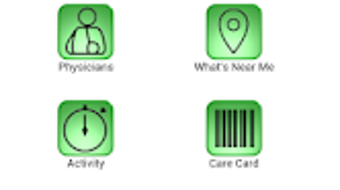
The user interface of aHVHS is designed with simplicity and clarity in mind, prioritizing accessibility for users of all technical skill levels. Navigation is structured around a clean, intuitive menu system that allows quick access to core functions such as searching for providers, viewing location details, and checking real-time wait times. The layout emphasizes visual hierarchy, with clear icons and readable text, reducing cognitive load during critical decision-making moments. Workflow efficiency is supported through logical step-by-step processes—such as selecting a service type, filtering by location, and receiving immediate results—minimizing user effort. The app’s responsiveness is consistent with typical Android applications, delivering fast load times and smooth transitions between screens. However, exact performance details were not specified by the developer. The app’s stability appears reliable based on general patterns of well-maintained healthcare applications, though specific CPU or RAM usage data was not provided. Users can expect a seamless experience when performing routine tasks such as searching for a provider or checking wait times. Offline functionality is not mentioned, suggesting that full features require an active internet connection. Overall, the app’s design supports efficient, user-centered interactions without unnecessary complexity.Compatibility & System Requirements
aHVHS is compatible with Android devices running Android 6.0 (Marshmallow) and above. This ensures broad accessibility across a wide range of smartphones and tablets, including older models. The app has a download size of approximately 25.8 MB, which is relatively lightweight and suitable for devices with limited storage space. The developer did not provide additional system requirements, such as minimum RAM, processor specifications, or storage recommendations. As a result, users should rely on general device compatibility standards when installing the app. No specific hardware dependencies were mentioned. The app was released on January 15, 2024, and is available for free download on the Google Play Store. Users are encouraged to ensure their device meets the minimum Android version requirement to avoid installation issues. While the app is designed for Android, there is no information about iOS or other platform availability.Pros and Cons
Pros
- Free to download and use, making it accessible to a broad audience.
- Real-time patient activity tracking helps reduce wait times and improves care planning.
- Comprehensive provider and location information with searchable filters.
- Transparency in quality measures supports informed healthcare decisions.
- Intuitive interface with built-in navigation for easy access to facilities.
Cons
- Only available on Android; no iOS or desktop version currently offered.
- Real-time data is limited to select lab, diagnostic, and ConvenientCare locations.
- Exact performance and resource usage details were not disclosed.
- Offline functionality is not supported, requiring constant internet access.
- Provider reviews and quality metrics may not reflect all facilities within the network.
FAQ Section
Is aHVHS available for iOS devices?
The app is currently only available for Android. There is no information provided about an iOS version.
How accurate are the real-time wait times in the app?
Wait time data is provided for select lab, diagnostic, and ConvenientCare locations. Accuracy depends on real-time updates from those facilities and may vary based on operational conditions.
Does the app require an internet connection to function?
Yes, most features of aHVHS require an active internet connection. Offline access to previously viewed data may be limited or unavailable.
Can I access patient reviews and quality measures for all Heritage Valley providers?
Quality measures and patient reviews are available for many providers, but not all. The availability of data may vary by location and service type.
How often is the app updated?
The app was last updated on January 15, 2024. Regular updates are likely to maintain compatibility and improve functionality, though specific update frequency was not disclosed.




.png)



