
Download AIKTP – AI‑Powered Blog Content Creator, SEO Optimizer & Free Tool
Overview
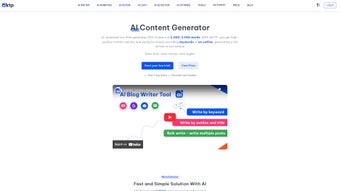
AIKTP is a cloud‑based, AI‑driven blog content creation platform that promises to turn a handful of keywords or a rough outline into a polished, SEO‑optimized article in seconds. Built for freelancers, agencies, and busy bloggers, the tool blends natural‑language generation with real‑time Google data, ensuring that every piece of content is not only well‑written but also aligned with current search trends. Users can generate full‑length posts, enhance existing drafts, or bulk‑write multiple articles at once. Beyond text, AIKTP incorporates a paraphrasing engine, an image and video search module, and a robust set of SEO criteria—more than fifteen checks ranging from keyword density to readability scores. The platform also offers a one‑click WordPress publishing feature, letting creators manage and schedule posts across several sites without leaving the dashboard. In short, AIKTP aims to be the all‑in‑one productivity hub for anyone looking to scale content output while keeping quality and search visibility high.
Core Features & SEO Tools
- Keyword‑to‑Article Generation: Input a primary keyword and let the AI craft a complete, structured article with headings, sub‑headings, and supporting paragraphs.
- Outline Enhancement: Paste an outline and receive expanded sections, natural transitions, and refined language.
- Bulk Writing Mode: Generate dozens of posts in a single batch, ideal for content farms or large‑scale campaigns.
- Paraphrasing Engine: Re‑write existing paragraphs to avoid duplication while preserving meaning and SEO value.
- Real‑Time Google Data Integration: Pull the latest search intent signals, trends, and related queries to keep content relevant.
- Image & Video Search: Search royalty‑free media directly from the editor and embed it with proper attribution.
- 15+ SEO Optimization Criteria: Automated checks for keyword placement, meta description length, readability, outbound links, and more.
- WordPress Multi‑Site Publishing: Connect up to five WordPress sites and publish, schedule, or update posts without leaving AIKTP.
- Content Calendar Sync: Export drafts to Google Calendar or integrate with popular project‑management tools.
- Secure Cloud Storage: All drafts are saved in encrypted servers, allowing access from any device.
Each feature is designed with a focus on speed and accuracy. For example, the real‑time Google integration means that AIKTP doesn’t rely on stale keyword data; it constantly refreshes its knowledge base, which translates into higher click‑through rates and lower bounce rates for published posts. The SEO checker works like a virtual editor, flagging issues such as over‑optimization or missing alt‑text before the article ever reaches the web. Users also appreciate the seamless WordPress workflow—no need to copy‑paste HTML or deal with FTP uploads. The platform’s UI is clean, with a left‑hand navigation pane that separates “Write,” “Optimize,” and “Publish,” making it easy for newcomers to locate the exact tool they need.
Installation, Usage, Compatibility & Pros / Cons
Installation & Usage Instructions
AIKTP is delivered as a SaaS solution, so there is no traditional installation process. To get started, follow these steps:
- Visit the official AIKTP website and click the “Sign Up Free” button.
- Enter your email address, create a secure password, and verify your account via the confirmation link.
- Once logged in, you’ll be prompted to connect your WordPress sites (optional). Use the generated API token to authorize each site.
- Navigate to the “Write” tab, input a keyword or paste an outline, and select the desired article length.
- Click “Generate”. The AI will produce a draft within 10‑30 seconds depending on length.
- Switch to the “Optimize” tab to run the 15+ SEO checks. Address any highlighted issues directly in the editor.
- When satisfied, move to the “Publish” section to post instantly to your connected WordPress sites or export the article as a .docx file.
Compatibility
Because AIKTP runs entirely in the browser, it works on any modern operating system that supports Chrome, Edge, Firefox, or Safari. This includes Windows 10/11, macOS Monterey and later, Linux distributions, as well as mobile browsers on Android 9+ and iOS 13+. The responsive design ensures that the full editor experience is available on tablets and smartphones, although bulk‑writing and extensive SEO analysis are best performed on a desktop or laptop for maximum screen real‑estate.
Pros and Cons
- Pros:
- Fast article generation saves hours of manual writing.
- Comprehensive SEO suite reduces reliance on third‑party tools.
- Bulk mode accelerates large content campaigns.
- Direct WordPress integration streamlines publishing workflow.
- Free tier available with generous monthly limits.
- Secure cloud storage and GDPR‑compliant data handling.
- Cons:
- Advanced features (e.g., multi‑site publishing) require a paid subscription.
- AI‑generated text may need human editing for brand voice consistency.
- No offline desktop application for users who prefer local software.
- Image search is limited to royalty‑free libraries; premium stock requires external purchase.
Frequently Asked Questions
Is AIKTP really free to use?
AIKTP offers a free tier that includes up to 10 articles per month, basic SEO checks, and single‑site WordPress publishing. For unlimited articles, bulk mode, and multi‑site management, you’ll need to upgrade to the Pro plan, which starts at $19.99 per month.
Can I export my articles to formats other than WordPress?
Yes. Besides direct WordPress publishing, AIKTP lets you download drafts as .docx, .pdf, or plain .txt files. You can also copy HTML code for use in other CMS platforms.
How does AIKTP ensure the content is unique and not plagiarized?
The AI model is trained on a diverse dataset and generates text from scratch rather than copying existing sources. However, AIKTP includes an integrated plagiarism checker that scans the final draft against major search engines, giving you an extra layer of confidence before publishing.
Does AIKTP support multiple languages?
Currently, AIKTP focuses on English (US/UK) content. The development roadmap includes plans for Spanish, French, and German in the next major release, based on user demand.
Is my data safe when using AIKTP?
All user data, including drafts and API tokens, are stored on encrypted servers that comply with GDPR and CCPA regulations. AIKTP never sells your content to third parties.
Conclusion & Call‑to‑Action
AIKTP stands out in the crowded market of AI writing assistants by coupling rapid content generation with a deep, built‑in SEO engine and seamless WordPress integration. For freelancers juggling multiple client blogs, agencies managing dozens of sites, or solo creators looking to boost output without sacrificing quality, the platform delivers tangible time savings and better search visibility. While the free tier is generous enough for occasional use, serious publishers will quickly appreciate the value of the Pro plan’s bulk‑writing and multi‑site features. If you’re ready to streamline your content workflow, improve rankings, and keep your editorial calendar full, download AIKTP today and experience the future of blog writing.



.png)




