
Download Airlight – Fast, Secure Web‑App Spotlight for Productivity
Overview
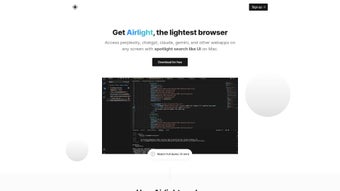
Airlight is a modern web‑based productivity tool that brings the elegance of a Mac‑style spotlight search to any browser. By pressing option + space, the lightweight overlay appears, giving you instant access to the apps and services you use most—ChatGPT, Perplexity, GitHub, Twitter, and many others. The concept behind Airlight is simple yet powerful: eliminate the constant tab‑hopping that fragments attention, and replace it with a single, searchable pane that lives on top of your workflow. Because the interface is built as a web app, it works on any modern browser without the need for heavyweight extensions or native installations. Airlight also integrates a default search powered by Perplexity, so you can retrieve information, documentation, or code snippets without leaving the screen. For developers, the tool provides a “coding‑friendly” environment where you can query ChatGPT for code assistance while staying immersed in your editor or IDE. Airlight is offered as a one‑time purchase with a generous 7‑day free trial, and it respects privacy by storing only the essential license data—nothing else. If you’re looking for a secure, fast, and unobtrusive way to streamline your web workflow, Airlight may be the missing piece that turns a chaotic tab landscape into a clean, searchable command center.
Core Features that Boost Your Workflow
- Instant Spotlight Overlay – Open the interface with
option + spacefrom any browser tab, instantly surfacing your favorite web apps. - Unified Search Powered by Perplexity – Type a query and receive AI‑enhanced results, links, and snippets without leaving the overlay.
- One‑Click Access to Popular Services – Pre‑configured shortcuts for ChatGPT, GitHub, Twitter, and more; add custom URLs in seconds.
- Coding‑Friendly Mode – Keep ChatGPT open in a side panel while you code, eliminating context switches.
- Privacy‑First Architecture – No browsing history or personal data is stored; only a minimal license record is kept.
- Cross‑Browser Compatibility – Works on Chrome, Safari, Edge, and Firefox on any device that supports modern JavaScript.
- Lightweight & Responsive – The overlay loads in under a second and adapts to different screen sizes, from laptops to tablets.
- One‑Time Purchase with 7‑Day Free Trial – Test all features risk‑free before deciding to buy.
What sets Airlight apart from typical bookmark bars or browser extensions is its focus on speed and minimalism. The overlay never interferes with the underlying page; you can continue scrolling, typing, or selecting text while the search bar remains at the top. Because Airlight is a web app, updates are delivered automatically—no need to download patches or restart the browser. The tool also supports dark mode, syncing with your operating system’s theme, which helps reduce eye strain during long coding sessions. For teams, Airlight can be shared via a simple URL, allowing new members to adopt the same quick‑access workflow without complex onboarding. Overall, the feature set is designed to keep you in the flow, whether you’re researching a new API, drafting a tweet, or debugging code.
Installation, Usage & Compatibility
How to Install Airlight
Installing Airlight is straightforward because it lives entirely in the cloud. Begin by visiting the official Airlight website and clicking the Download button. You will be prompted to create a free account or sign in with an existing email address. After confirming your email, the system generates a personalized URL (e.g., https://airlight.app/your‑username) that serves as your gateway to the overlay. Bookmark this URL in your browser for quick access. When you first open the link, a short onboarding wizard walks you through the basic configuration—choosing a hotkey (default option + space), selecting default services, and enabling dark mode if desired.
Using Airlight in Daily Tasks
Once set up, the real power of Airlight emerges. Press the hotkey from any web page, and the overlay slides down from the top. Start typing the name of an app (e.g., “GitHub”) or a search term. Airlight instantly filters your shortcuts and displays relevant results. Hitting Enter opens the selected service in a new tab, while Ctrl + Enter loads it in the same tab, preserving your workspace. For research, type a question and let the Perplexity engine return concise answers, links, and even code snippets. If you’re coding, activate the “ChatGPT panel” and ask for function implementations; the response appears without shifting focus away from your editor. The overlay can be hidden at any time by pressing Esc or the hotkey again, returning you to the underlying page instantly.
Compatibility
Airlight is built on HTML5, CSS3, and modern JavaScript, making it compatible with the latest versions of macOS (10.13+), Windows 10/11, Linux distributions, and Chrome‑OS. The web app runs flawlessly in Chrome, Safari, Edge, and Firefox, and it automatically detects the host operating system to adapt its shortcuts (e.g., Ctrl + Space on Windows/Linux). Because the overlay is rendered client‑side, there are no heavy server requirements; a stable internet connection is the only prerequisite. Mobile browsers are also supported, though the hotkey functionality is limited to desktop keyboards. Overall, Airlight aims to be a truly cross‑platform solution that respects the nuances of each OS while delivering a consistent user experience.
Pros, Cons, FAQ & Final Thoughts
Pros
- Instant access to frequently used web apps without leaving the current tab.
- AI‑enhanced search powered by Perplexity for fast information retrieval.
- Zero‑bloat, lightweight overlay that loads in under a second.
- Privacy‑first design—no browsing data is stored.
- One‑time purchase model with a 7‑day free trial.
- Cross‑browser and cross‑OS compatibility.
Cons
- Requires an internet connection for the overlay to function.
- Custom shortcut creation is limited to URLs; deeper integration (e.g., native OS apps) is not supported.
- Mobile hotkey support is unavailable, limiting the experience on smartphones.
Frequently Asked Questions
Is Airlight completely free?
Airlight offers a 7‑day free trial that includes all premium features. After the trial, you can purchase a one‑time license; there are no recurring subscription fees.
Which browsers are officially supported?
Airlight works with the latest versions of Chrome, Safari, Microsoft Edge, and Mozilla Firefox on desktop platforms. It also functions on Chrome‑OS and Linux browsers.
Can I add my own custom web apps?
Yes. Within the settings panel you can add any URL, assign a shortcut name, and even choose an icon. These entries appear alongside the built‑in services.
Does Airlight store any of my personal data?
Only minimal license information (email hash and purchase receipt) is stored. No browsing history, search queries, or content from the overlay is retained on the server.
How do updates work?
Because Airlight is a web app, updates are applied automatically on the server side. Users always see the latest version the next time they open the overlay—no manual download required.
Final Verdict
Airlight delivers on its promise of a fast, secure, and privacy‑focused spotlight tool for the modern web worker. Its intuitive hotkey, AI‑backed search, and ability to keep essential services a keystroke away make it a compelling addition to any productivity stack. While the reliance on an internet connection and the lack of deep native integrations may be drawbacks for a niche audience, the overall value—especially given the one‑time purchase model—far outweighs these limitations. If you spend a significant portion of your day juggling multiple tabs, researching code snippets, or switching between ChatGPT and GitHub, Airlight can reduce friction and help you stay in the flow.
Ready to streamline your browsing? Download Airlight now, start your 7‑day free trial, and experience a cleaner, faster web workflow today.



.png)




