Recent Discussions

My printer isn't working on Windows 11
I am having a frustrating issue with my printer and I cannot figure out what is causing it. The printer is connected to my computer, and it used to work perfectly fine, but now whenever I try to print anything, the document just sits in the print queue with a status that says "pending" or "error," and nothing ever actually comes out of the printer. Sometimes I get a pop-up message saying the printer is not responding, even though I have checked all the cables, restarted both the printer and my computer multiple times, and even reinstalled the printer drivers. I have also tried running the Windows Printer Troubleshooter, but it either finds nothing wrong or says it fixed something that clearly isn't fixed. Has anyone else dealt with this kind of printer13Views0likes1Comment
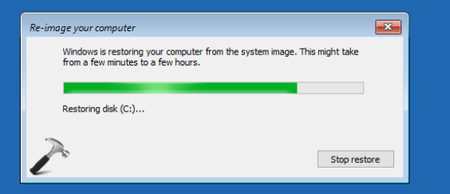
Parameter is Incorrect on post-crash re-image from restore on Windows 10
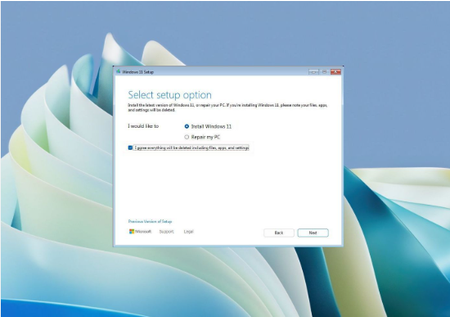
I recently got a system crash and attempted to restore my Windows 10 to its previous state, but after the re-image process, I keep encountering an error message stating "Parameter is Incorrect." This issue occurs during or after the restore, preventing my system from functioning properly and making it difficult to complete the recovery process, leading to frustration and uncertainty about how to resolve the problem.14Views0likes1Comment
How can I d/load files to desktop on Windows 10?
I am trying to download files directly to my desktop on Windows 10, but everything keeps saving to my Downloads folder instead. I have already gone into my browser settings and found the download location option, but I am not sure what path to enter to make files land on my desktop. Can someone tell me the exact folder path I need to type in, or is there a simpler way to set the desktop as my default download location? Thank you for any help.3Views0likes0CommentsInternet speed problems on my Windows 10 PC
Hi, I have recently upgraded my internet plan to 1bg from 100mb through Superloop Australia. I am using the correct EERO 7 router with the cable supplied. When doing a speedtest on my phone I am getting around 800-850mb which is normal. I then went to check my pc and found it was running much slower (220 mb). I have the MSI B550M PRO-VDH WiFi AM4 mATX Motherboard which is how I am connecting wirelessly. I have checked the automatic driver update through windows and found nothing. Windows is also up to date if that has any effect. Just wondering if anyone has any insight. Thank you17Views0likes1Commenthow do i get back audio on windows 10?
long story short, i never had a dedicated gpu before until last month until then i only used my ryzen 5 5600g which has integrated graphics and now with the gpu, amd rx 9060xt i had alot of latency and found out i had to reinstall/delete my graphics drivers/shaders so i did, i first removed directx data which didnt work so i downloaded amd cleanup tool which deletes audio drivers aswell but when i go to device manager it shows: amd high definition audio device amd high definition audio device -------- its show twice amd streaming audio device high definition audio device vb-audio voicemeeter vaio (i have downloaded voicemeter before this) there are also no updates in amd adrenaline nor windows update and when problem analysing on windows my audio problem it says that the audio services doesnt respond.28Views0likes2CommentsMy Windows Computer Won't Turn on, Why?
I am having a serious issue where my computer will not turn on at all. When I press the power button, absolutely nothing happens—no fans spin, no lights come on, no beeping sounds, and the screen remains completely black. I have already tried checking the power cable to make sure it is plugged in securely, tested the wall outlet with another device to confirm it is working, and even tried a different power cord, but the computer still shows no signs of life. I also attempted to hold the power button down for thirty seconds to drain any residual charge, but that did nothing either. Has anyone else experienced a complete failure to power on like this, and is there anything else I can try before assuming the power supply or motherboard has died? Any step-by-step troubleshooting advice would be greatly appreciated. Thank you.13Views0likes0CommentsCan not unlock laptops after meeting, when laptop is offline then it works.
Users can sometimes not unlock laptop after break. Since a few weeks we have this ugly problem in our company domain. Users who went in a meeting or go for lunch can sometimes not unlock their laptops when they come back. Windows often says "Password incorrect" or "your password have been changed on an other device" but the password is not wrong. There are users they had this issue a few times in the last weeks, other users never had it since we know about this issue. People work in the same team with the same group policies there are no differences but some people in the team have it, other never had it. When we plug out the network cable and also Wi-Fi on these computers the users then can log in, then the stored credentials are used. We already checked the power settings so that the laptop does not shutdown the network adapters but that does not fix the problem. Domain controllers are always reachable there are no replication errors, or network timeouts. We use Windows 11 25H2 in our company network.41Views0likes3CommentsCan't end multiple processes at once in Windows 10 Task Manager?
I tried holding down the Ctrl or Shift key in Task Manager to select multiple processes and end them all at once, but it didn’t work, and there’s no batch option in the right-click menu either. Does the Windows 10 Task Manager not support ending multiple processes at once, or is there a specific way to do this?52Views0likes2Comments
Alternatives to mandatory profiles windows 10/11
Hello everyone, I am a new system administrator in the K12 sector. Do you have any free alternatives to mandatory profiles for Windows 10 and 11 machines? I am having difficulty setting up mandatory profiles, permissions on ntuser.dat, and file associations. So we have 20 computers in the computer lab and one computer for each classroom. Teachers teach one class and then move on to the next, and so on. What are you using in your schools?22Views0likes1CommentWhich version of Windows 10 is the most stable for 12th Gen Intel processors?
I have a 12th Gen Core processor, and when I play games on Windows 10 24H2, the screen freezes, and applications take a long time to open. I’d like to ask everyone which version of Windows 10 is more stable and runs more smoothly?38Views0likes2CommentsWindows PC says something to the effect of "User Not Found"
When I start my computer in the morning, it normally says something to the effect of "User Not Found". In order for it to load properly with all of my files, pictures etc., I have to restart it. The version is 22H2 (OS Build 19045.7184)14Views0likes1CommentThe Wi-Fi of this computer has been turned off
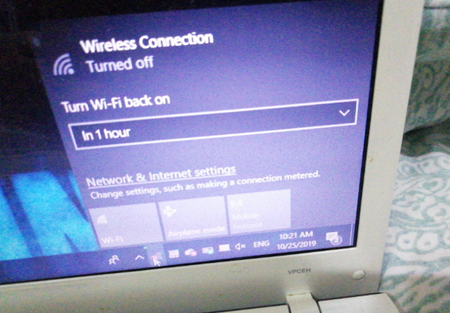
I'm experiencing an issue where the Wi-Fi connection suddenly disappears on my computer, and I am unable to connect to the internet wirelessly. Despite restarting my router and checking other devices, only this computer seems to have lost its Wi-Fi functionality, and I don't know how to resolve the problem or get my Wi-Fi back on this device.11Views0likes0Comments
My USB stick not working on Windows 11
Where my USB stick is not being recognized or functioning properly when I plug it into my computer. Despite trying multiple USB ports and restarting my device, the drive does not show up in File Explorer or Disk Management, and I am unable to access or transfer any files. The USB stick used to work fine, but now it seems completely unresponsive, and the computer does not detect it at all. I have also tested the USB stick on other computers, and it still does not work, indicating that the problem might be with the drive itself rather than the computer. I am looking for advice on how to troubleshoot this issue, recover data if possible, or fix the USB stick so it can be used again. Any suggestions or solutions would be greatly appreciated.5Views0likes0Comments- 16Views0likes1Comment
It's time to get a new PC and install Windows 11.
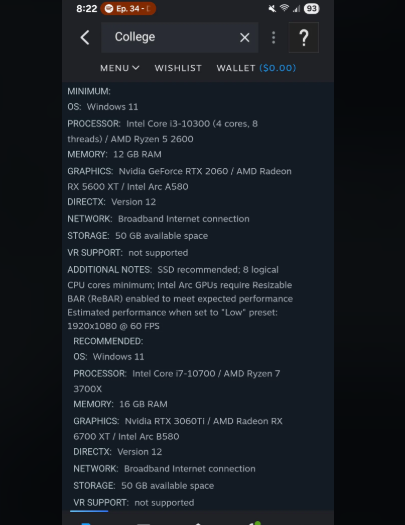
I'm considering upgrading to a new PC and planning to install Windows 11, but I want to make sure it's the right move for my needs. I'm looking for advice on whether Windows 11 will run smoothly on a new machine, what to expect in terms of performance and compatibility, and if there are any common issues I should be aware of before making the switch.23Views0likes1Comment
Best AI Object Remover for Windows 11: Automatically Remove Unwanted Objects from Photos
Looking for the best AI tool to remove unwanted objects from photos on Windows 11? Discover powerful AI-powered photo editors that can automatically erase people, backgrounds, text, watermarks, and distracting elements with just a few clicks. Compare the top object removal software for Windows 11 based on accuracy, ease of use, speed, and image quality to find the perfect solution for your photo editing needs.28Views0likes2CommentsI want to keep Windows 11 install
I purchased a CPU/ motherboard combo that was very cost-effective (the motherboard was basically free, so I decided to use it). Therefore, I plan to upgrade the motherboard. I want to keep the existing Windows 11 Pro system because it's only been installed for a few months. Windows 11 version: 10.0.26200 build 26200 What steps should I take to ensure that my Windows 11 installation is not affected when replacing the motherboard? 1) Create a system image and drive clone (I will do both at the same time because I have a spare SSD) as a backup. 2) All drives have BitLocker disabled. 3) Should I disable AMD fTPM in the motherboard BIOS before replacing the motherboard? Or should I disable Secure Boot or other similar functions? 4) Before removing the old motherboard, should I uninstall the old chipset drivers from Windows 11 first? 5) After installing the new motherboard, before rebooting to Windows 11, what settings do I need to turn off or enable? 6) Windows 11 needs to be reactivated. Before replacing the motherboard, should I remove the computer from the Microsoft account and then re-add it after starting the new motherboard's Windows system? I don't remember how I reactivated it before.6Views0likes0Comments









Events
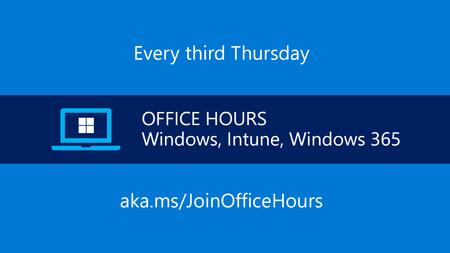
Get answers to your questions about adopting Windows 11 and managing Windows devices across your organization. Find out how to proactively implement and monitor Zero Trust practices. Get tips on keep...
Thursday, Jun 18, 2026, 08:00 AM PDTOnline
1like
15Attendees
0Comments
Recent Blogs
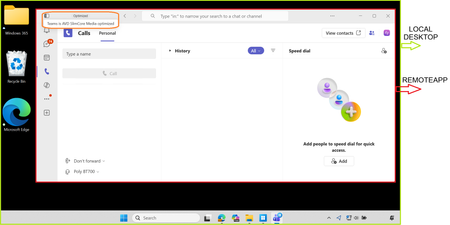
- Enhanced Teams Remote App experiences now available on Windows 365 and Azure Virtual Desktop with SlimCore optimizationJun 04, 2026395Views0likes0Comments
- 3 MIN READNew contextual policy controls to help organizations better protect their data in Windows 365Jun 02, 2026719Views0likes0Comments