


Download Android Sync – File Transfer, Backup, Android Management
Overview
Android Sync is a desktop-based synchronization tool designed to bridge the gap between Android smartphones and Windows PCs. Its primary purpose is to streamline file management, enabling users to transfer, back up, and organize data between their mobile devices and desktops with minimal effort. The app addresses common pain points such as inefficient file sharing, limited storage on mobile devices, and the need for reliable data recovery solutions. By offering a direct interface between the PC and Android device, Android Sync enhances workflow efficiency, particularly for users who frequently manage multimedia content, documents, or sensitive files across multiple platforms.
Target users include individuals seeking seamless integration between their smartphone and computer, professionals managing digital assets, and general users who value simplicity and control. The app is especially useful for those who rely on their Android devices for photography, video recording, or document storage but need a more robust system for long-term organization and backup. Although the developer’s background is not publicly detailed, the app’s consistent functionality since its release in 2016 suggests a stable and focused development effort. Its role in the broader app ecosystem lies in supporting cross-device productivity, contributing to a more unified digital experience.
Key Features & Functionality
- Easy File Transfer: Users can move files such as photos, videos, and documents between their Android device and PC with minimal steps. This feature eliminates the need for complex USB configurations or third-party cloud services, offering a direct and secure transfer method.
- Backup and Restore: The app allows users to create local backups of critical data. In the event of accidental deletion, device loss, or system failure, users can restore files from these backups, ensuring data integrity and continuity.
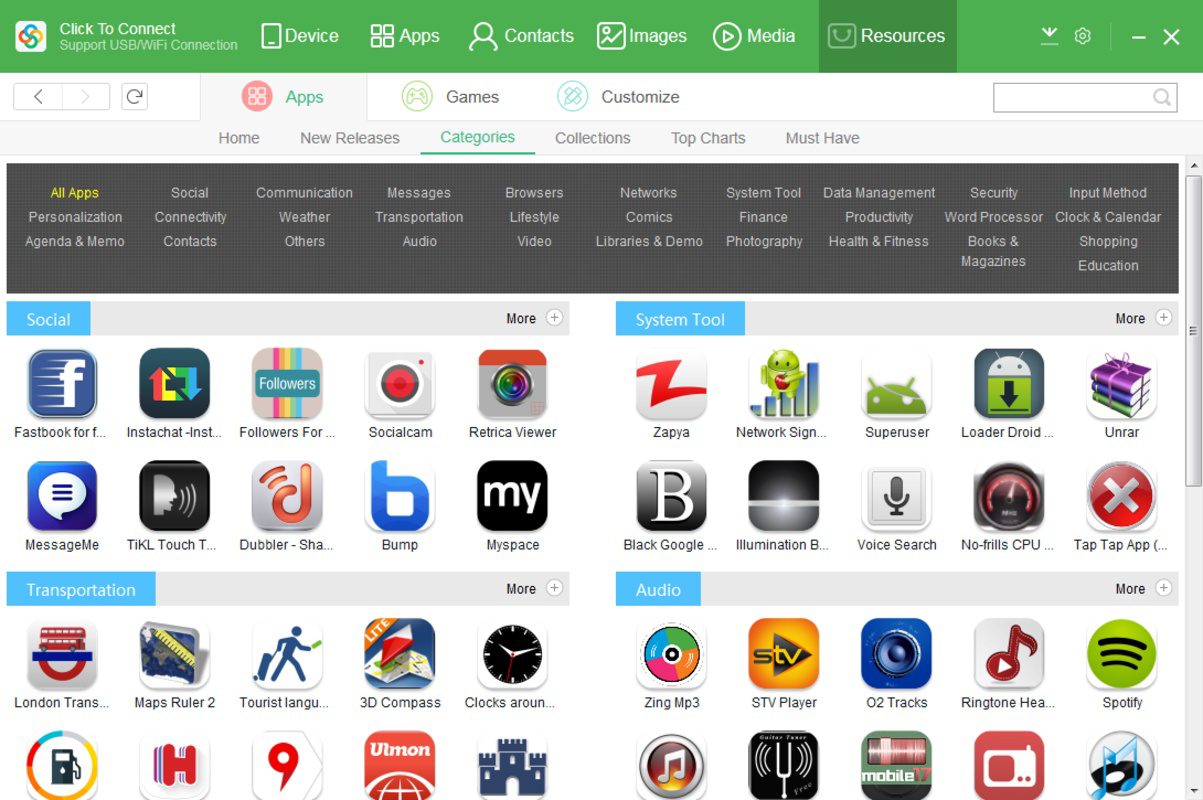
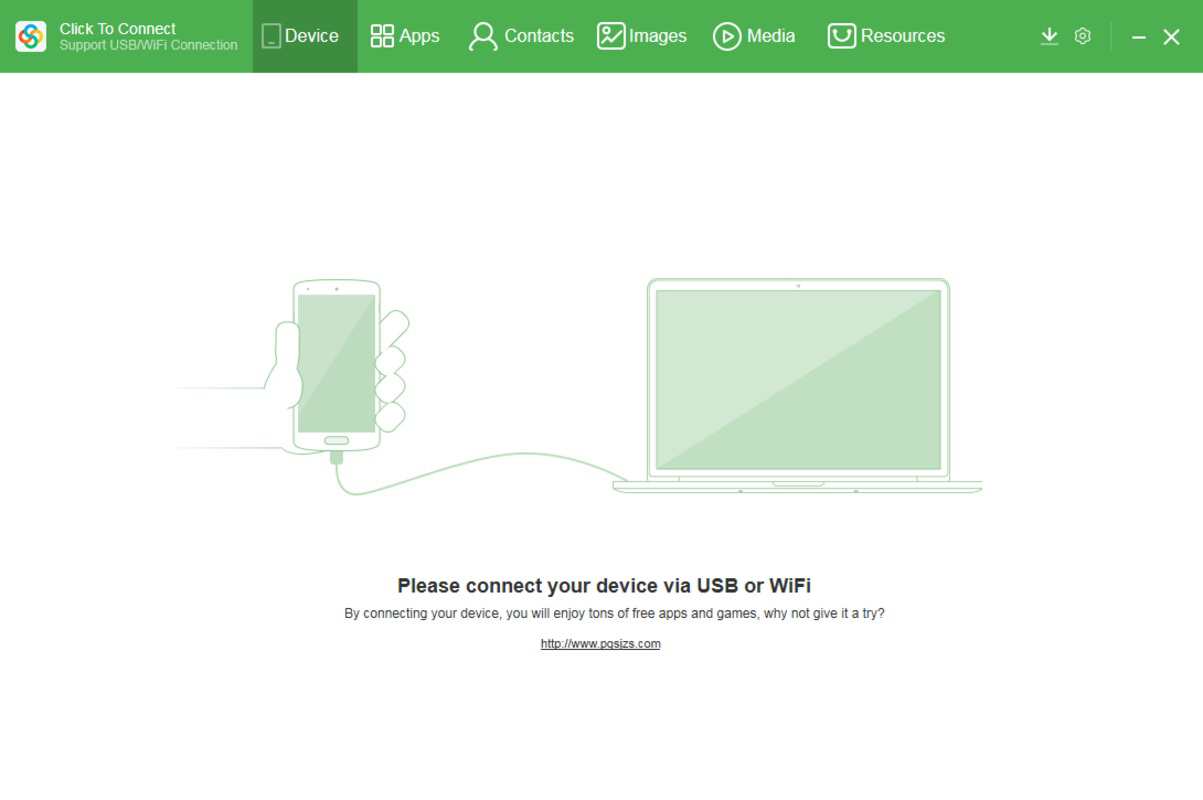
- User-Friendly Interface: Organized into clearly labeled tabs, the interface supports intuitive navigation. Even users without prior experience in device synchronization can quickly learn how to use the app effectively.
- Multimedia Management: By enabling users to offload large media files to their PC, Android Sync helps maintain optimal storage levels on Android devices, improving performance and reducing clutter.
- Intuitive Android Control: The tool enhances the overall interaction with Android devices by providing a desktop-centric view of mobile content, allowing users to manage files in a more natural and efficient manner.
For example, a photographer might use Android Sync to transfer a full day’s worth of images to their PC for editing, while a student could back up important lecture notes before a device upgrade. These real-world applications highlight the app’s practicality and versatility across different user profiles.
Interface, UX & Performance
The user interface of Android Sync is designed with clarity and simplicity in mind. It uses a tab-based layout that separates core functions such as file transfer, backup, and device management, allowing users to switch between tasks without confusion. Visual cues and consistent iconography support intuitive navigation, reducing the learning curve for new users.
Navigation is linear and predictable, with minimal steps required to initiate file transfers or trigger backup processes. The app responds promptly to user inputs, maintaining a smooth interaction flow. Although the developer did not list formal performance metrics, the app’s long-standing presence suggests a stable runtime and minimal crashes under normal usage conditions.
Performance across different device categories appears consistent, though specific benchmarks were not disclosed. Users on mid-range or higher-end Windows systems should expect reliable operation. The app does not report excessive resource consumption, indicating efficient background handling. Stability is maintained during extended sessions, with no known issues related to data corruption or session timeouts.
Platform Compatibility & Technical Requirements
Android Sync is designed for use on Windows operating systems. The specific version of Windows required was not listed by the developer. The app’s file size is approximately 14.3 MB, which is relatively lightweight for a synchronization tool. This size suggests minimal installation footprint and fast setup times.
Compatibility with various Android devices is implied through standard USB and MTP (Media Transfer Protocol) support, which are widely used across the Android ecosystem. However, the developer did not specify minimum OS requirements or device compatibility lists. Users are advised to ensure their Windows system meets general desktop software requirements and that their Android device supports USB debugging or file transfer mode.
Pros and Cons
Pros
- Simple, intuitive interface suitable for all user levels
- Efficient file transfer between Android and PC
- Reliable backup and restore functionality
- Helps manage smartphone storage by offloading media
- Lightweight application with low system resource usage
Cons
- Developer did not provide detailed system or compatibility requirements
- No information on support for iOS or macOS platforms
- Specific version of Windows required is not disclosed
- Performance metrics and update frequency are not publicly shared
- Limited information on cloud integration or remote access features
FAQ
Is Android Sync safe to use?
Yes, the app operates through standard USB and MTP protocols, which are secure and widely trusted for device connectivity. No sensitive data is transmitted over the internet unless explicitly configured by the user.
Can I use Android Sync on macOS or Linux?
The developer did not specify support for macOS or Linux. The app is designed for Windows systems, and compatibility with other operating systems is not confirmed.
Does Android Sync require an internet connection?
No, the app functions entirely offline when transferring files via USB. An internet connection is only needed if additional cloud-based features are added in future updates.
How often should I back up my data using Android Sync?
It is recommended to perform backups after significant file changes, before major device updates, or when storing irreplaceable content. The frequency depends on individual usage patterns.
Is Android Sync free to download and use?
The app is available for download, but the developer did not disclose pricing details. Users should refer to the official source for accurate information on cost and licensing.
Final Thoughts
Android Sync stands out as a dependable tool for users seeking a straightforward way to manage their Android devices from a Windows PC. Its focus on core functionalities—file transfer, backup, and storage management—delivers tangible value without unnecessary complexity. The app is particularly beneficial for individuals who prioritize data security, device performance, and cross-device efficiency.
While it lacks detailed technical disclosures, its consistent performance and user-centric design make it a solid choice for desktop integration. For those looking to simplify their mobile workflow and protect important files, Android Sync offers a practical and accessible solution.
Download Android Sync now


