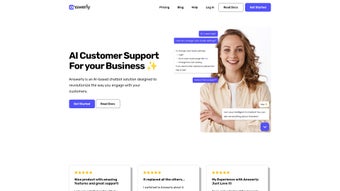

Download Answerly – AI Chatbot for Customer Engagement
Answerly is a next‑generation AI‑powered chatbot designed to transform the way businesses interact with their customers. Built on a flexible Knowledge Hub, Answerly learns from each conversation, enabling it to deliver accurate, brand‑aligned responses in real time. Companies can give their virtual assistant a unique name, personality, and visual style that mirrors their brand ethos, turning every chat into a personalized experience. Whether you need to field support tickets, showcase product images, or direct users to relevant web pages, Answerly’s toolkit includes Answers with Pictures or Links, Workspace Collaboration for team‑based response management, and powerful Webhooks that let you connect to any third‑party service. The platform also provides a Chatbot SDK for deeper customization and an Instant Embed feature that drops a ready‑to‑use widget onto any website with a single line of code. A built‑in contact form captures leads that slip through the chat, while stored conversation histories give you insight into common pain points and opportunities for improvement. In short, Answerly is more than a chatbot—it’s a scalable, secure, and continuously learning customer‑engagement engine that helps businesses boost satisfaction, reduce support costs, and capture valuable data without the need for a large support team.
Key Features & Benefits of Answerly
- Customizable AI Persona: Create a chatbot with a name, avatar, and tone that matches your brand, fostering a human‑like connection.
- Knowledge Hub: Centralized repository that ingests FAQs, product manuals, and support tickets, allowing the bot to answer with up‑to‑date information.
- Answers with Pictures or Links: Enrich responses with visual assets or direct URLs, improving clarity and conversion rates.
- Workspace Collaboration: Multiple agents can monitor, edit, and take over conversations, ensuring complex issues are resolved promptly.
- Webhooks & API Integration: Seamlessly push chat data to CRMs, ticketing systems, or analytics platforms for real‑time workflow automation.
- Chatbot SDK: Developers can extend functionality, embed custom logic, or integrate with existing mobile apps on iOS and Android.
- Instant Embed: One‑line JavaScript snippet drops a responsive chat widget onto any web page, no coding required.
- Built‑in Contact Form: Capture leads when the bot reaches its limits, converting missed chats into actionable prospects.
- Conversation History & Analytics: Review past dialogs, identify frequent topics, and spot gaps in knowledge for continuous improvement.
- Secure Data Handling: End‑to‑end encryption and GDPR‑compliant storage keep customer information safe.
Pros
- Highly customizable persona aligns with brand identity.
- AI learns continuously, reducing the need for manual updates.
- Rich media responses boost user engagement and conversion.
- Collaboration tools prevent bottlenecks in support workflows.
- Extensive integration options via webhooks and SDK.
- Quick deployment with Instant Embed – no developer required.
- Secure, GDPR‑ready infrastructure builds trust with users.
- Comprehensive analytics drive data‑backed improvements.
Cons
- Advanced customization (SDK) may require developer resources.
- Pricing tiers can become costly for very high‑volume enterprises.
- Learning curve for setting up the Knowledge Hub effectively.
- Limited offline functionality – primarily a web‑based solution.
- Some integrations (e.g., legacy CRMs) may need additional middleware.
Installation, Usage & Compatibility
Getting started with Answerly is intentionally straightforward. After signing up on the official website, you’ll receive a secure API key and access to the admin dashboard. From there, follow these steps:
- Create Your Bot Persona: Choose a name, upload a logo or avatar, and set the tone (formal, friendly, technical, etc.). This step personalizes the chatbot and ensures consistent brand messaging.
- Populate the Knowledge Hub: Upload PDFs, CSVs, or copy‑paste FAQs. The AI automatically indexes the content, extracting key concepts and linking related topics.
- Configure Answers with Pictures or Links: For product‑related queries, attach high‑resolution images or direct links to product pages, simplifying the buying journey.
- Set Up Webhooks: Provide endpoint URLs for events like “new lead captured” or “chat escalated.” Answerly will POST JSON payloads, allowing you to trigger workflows in Zapier, HubSpot, or custom back‑ends.
- Deploy the Instant Embed: Copy the generated JavaScript snippet and paste it before the closing
tag on any website. The widget automatically adjusts to desktop, tablet, and mobile viewports. - Enable Workspace Collaboration: Invite team members, assign roles (admin, agent, viewer), and start monitoring live chats from the dashboard.
- Test & Iterate: Use the built‑in sandbox to simulate user interactions, refine responses, and train the AI on edge cases.
Answerly is a cloud‑based SaaS platform, accessible from any modern browser on Windows, macOS, Linux, iOS, and Android. The chatbot widget runs on JavaScript, making it compatible with WordPress, Shopify, Squarespace, and custom HTML sites alike. For deeper integration, the Chatbot SDK supports native iOS (Swift) and Android (Kotlin) development, letting you embed Answerly directly into mobile apps.
Frequently Asked Questions
How does Answerly learn from previous conversations?
Answerly stores each interaction in a secure conversation log. The AI model analyzes these logs to identify recurring questions, new terminology, and gaps in the Knowledge Hub. Administrators can review suggested updates directly in the dashboard, approve them, and the bot will automatically incorporate the new information into future responses.
Is there a free trial or free tier?
Yes, Answerly offers a 14‑day free trial with full access to all features, including the SDK and webhooks. After the trial, a free tier remains available, limited to 500 monthly chat sessions and basic Knowledge Hub functionality, which is ideal for small businesses or testing purposes.
Can Answerly integrate with my existing CRM?
Absolutely. Answerly’s webhook system can push lead data, chat transcripts, and satisfaction scores to any CRM that accepts HTTP POST requests. Pre‑built connectors are available for Salesforce, HubSpot, Zoho, and Microsoft Dynamics, but custom integrations are also possible using the generic webhook endpoint.
What security measures protect my data?
Answerly employs AES‑256 encryption for data at rest and TLS 1.3 for data in transit. All servers are hosted in GDPR‑certified data centers, and the platform provides role‑based access controls, two‑factor authentication, and regular security audits to ensure compliance with industry standards.
How can I customize the chat widget’s appearance?
Within the dashboard, the “Design” tab lets you adjust colors, fonts, button shapes, and the position of the widget on the screen. You can also upload a custom background image or use CSS overrides for granular control. All changes are reflected instantly without needing to redeploy code.
Conclusion – Why You Should Download Answerly Today
Answerly combines the intelligence of modern AI with the flexibility required by today’s fast‑moving businesses. Its ability to personalize the chatbot persona, learn from real‑world interactions, and integrate seamlessly with existing tools makes it a standout choice for companies looking to boost customer satisfaction while trimming support costs. The platform’s instant embed, rich media answers, and robust analytics give you the power to turn every conversation into a revenue‑generating touchpoint. Whether you run an e‑commerce store, a SaaS company, or a traditional brick‑and‑mortar business expanding online, Answerly offers a secure, scalable, and user‑friendly solution that grows with you. Ready to experience a smarter way to engage visitors? Download Answerly now, start the free trial, and watch your customer engagement metrics climb.



.png)




