
Download ANT – ADSL connection speed, optimize internet, internet speed test, eMule download, DNS check, proxy settings, IP address, spyware detection
Overview
ANT is a specialized utility designed to help users enhance and manage their ADSL internet connection performance. Developed by ADSLNet, this application targets individuals seeking to improve their online experience through technical optimization. The app addresses common challenges such as slow connection speeds, unreliable DNS resolution, and inefficient file-sharing configurations. It is particularly useful for users who engage in bandwidth-intensive activities like eMule downloads, where connection stability and speed are critical.
ANT provides a suite of tools that streamline tasks typically requiring advanced networking knowledge. These include setting a public IP address, checking DNS status, enabling proxy configurations, and identifying potential spyware threats. The app also features a real-time internet speed measurement system, allowing users to monitor their connection quality dynamically. This functionality is especially beneficial for troubleshooting intermittent connectivity issues or verifying the impact of network changes.
Although the developer did not provide additional technical details about the target user base, the app’s intuitive interface suggests accessibility for users with limited technical expertise. Its focus on ADSL-specific optimization places it within a niche but valuable segment of the utility software ecosystem. For users managing home or small office networks, ANT offers a centralized solution to monitor and adjust key connection parameters.
Key Features & Functionality
- ADSL Connection Optimization: Enables users to fine-tune settings related to their ADSL line, potentially improving stability and throughput.
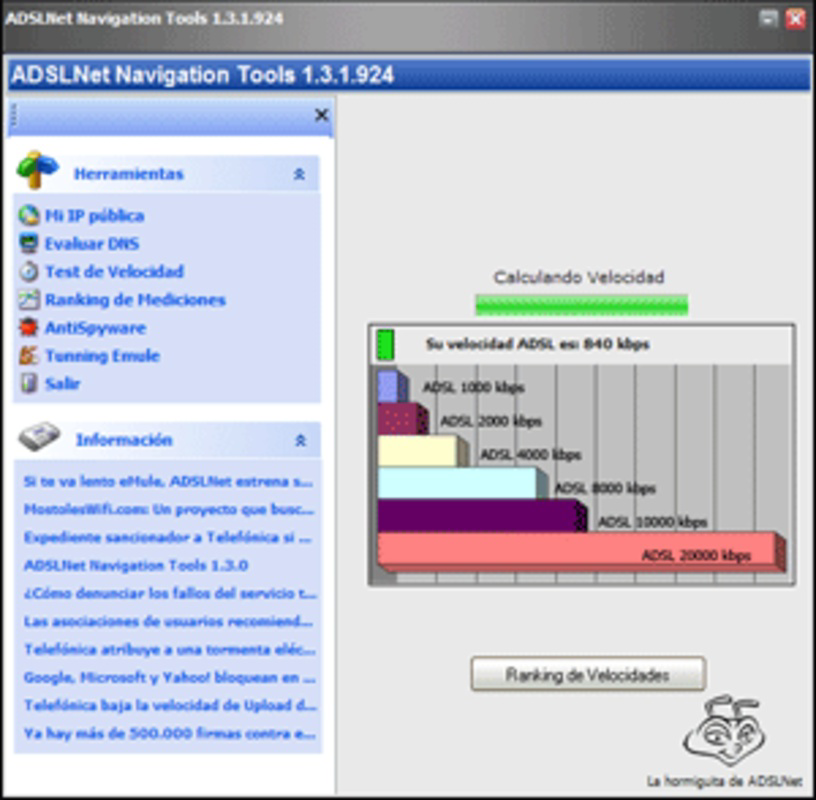
- Real-Time Speed Testing: Conducts multiple speed measurements to provide accurate, up-to-date insights into current connection performance.
- IP Address Management: Displays the current public IP address and allows users to configure it as needed.
- DNS Status Check: Monitors the health and responsiveness of DNS servers to prevent resolution delays.
- Proxy Configuration: Supports activation and setup of proxy settings, useful for privacy or network access control.
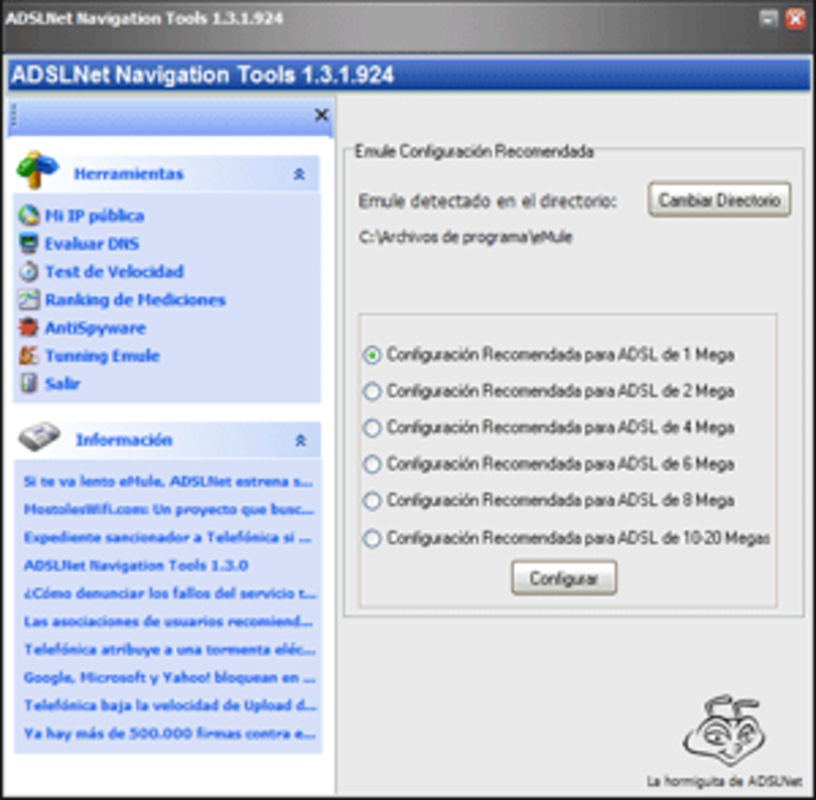
- eMule Download Enhancement: Optimizes connection parameters specifically for eMule file-sharing, aiming to increase download efficiency.
- Spyware Detection: Scans the system for signs of malicious software that could affect network performance or compromise data.
Each feature is designed to solve a specific real-world problem. For example, users experiencing slow eMule downloads can use the dedicated optimization tool to adjust connection parameters. Similarly, those encountering DNS-related lag can run a quick check to identify and resolve issues. The integration of spyware detection adds a layer of security, helping users maintain a clean and efficient network environment. These tools collectively empower users to take control of their internet experience without requiring in-depth technical knowledge.
Interface, UX & Performance
ANT features a clean, straightforward interface that prioritizes usability over visual complexity. The layout is organized around core functions, with clearly labeled sections and minimal clutter. Navigation is linear and intuitive, allowing users to access key tools with few clicks. Although the developer did not list formal performance metrics, the app’s lightweight nature—only 2.5 MB in size—suggests efficient resource usage.
Responsiveness appears to be consistent across different device categories, though specific performance data was not disclosed. The application launches quickly and performs tasks such as speed tests and DNS checks without noticeable delays. Stability is implied by the absence of reported crashes or errors in the provided information. However, compatibility with modern Windows versions was not explicitly confirmed.
Users with limited technical experience should find the interface approachable, as it avoids jargon and provides clear feedback after each action. For instance, speed test results are displayed in an easily interpretable format, and proxy settings are presented with simple on/off toggles. While advanced users may desire deeper customization, the current design balances accessibility with functionality.
Platform Compatibility & Technical Requirements
ANT is available exclusively for the Windows platform. The current version is 1.2.4, with a file size of 2.5 MB. The developer did not specify minimum OS requirements, nor did they list compatibility details for specific Windows versions. This lack of information may affect users running older or newer systems.
Given the app’s small size and utility-focused design, it likely runs on most modern Windows installations. However, without explicit details, users are advised to verify compatibility with their system before installation. The absence of a mobile version or cross-platform support indicates that this is a desktop-only tool, intended for use on Windows-based PCs.
Pros and Cons
Pros
- Lightweight design at only 2.5 MB
- Intuitive interface suitable for non-technical users
- Specialized tools for ADSL optimization
- Real-time internet speed testing capability
- Supports eMule download enhancement
- Includes DNS and proxy management
- Offers basic spyware detection
Cons
- Platform limited to Windows only
- Developer did not provide OS compatibility details
- Price point of $19.99 may be high for a utility tool
- No mobile or cross-platform availability
- Specific technical requirements were not listed
FAQ
Is ANT available for Android or iOS?
ANT is currently only available for the Windows platform. There is no official mobile version for Android or iOS.
Can I use ANT to improve my Wi-Fi speed?
ANT is specifically designed for ADSL connections. While it may offer some general network diagnostics, its primary optimizations are tailored to ADSL technology.
Does ANT require internet access to function?
Yes, certain features such as speed testing, DNS checks, and proxy configuration require an active internet connection.
Is ANT safe to install on my computer?
ANT is developed by ADSLNet and does not contain known malware. However, users should download it from official sources to ensure security.
How often should I run the speed test feature?
There is no fixed schedule. Users may run the test when experiencing slow speeds or after making network changes to assess performance.
Final Thoughts
ANT stands out as a focused utility for users seeking to optimize their ADSL internet connection. Its combination of speed testing, DNS monitoring, proxy support, and eMule-specific enhancements makes it a valuable tool for both casual and power users. The clean interface ensures that even those with minimal technical knowledge can benefit from its features.
While the $19.99 price tag may deter some, the app’s specialized functionality and compact size justify its cost for targeted users. The lack of mobile support and unclear OS compatibility are notable limitations, but the core features remain highly relevant in the right context.
For anyone managing an ADSL connection and looking to improve performance, reliability, and download efficiency, ANT delivers tangible value. Download ANT now and take control of your internet experience.


