
Screenshots
App details
- Version
- 1.6.1
- Updated
- July 11, 2023
- Requires
- Mac
- Language
- English | German | Russian
- License
- Full
- Developer
- AntLogic
- Category
- Mac OS
About Antnotes
Download Antnotes – Elegant Mac Note‑Taking Tool, Free & Secure
Overview
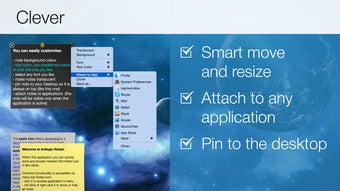
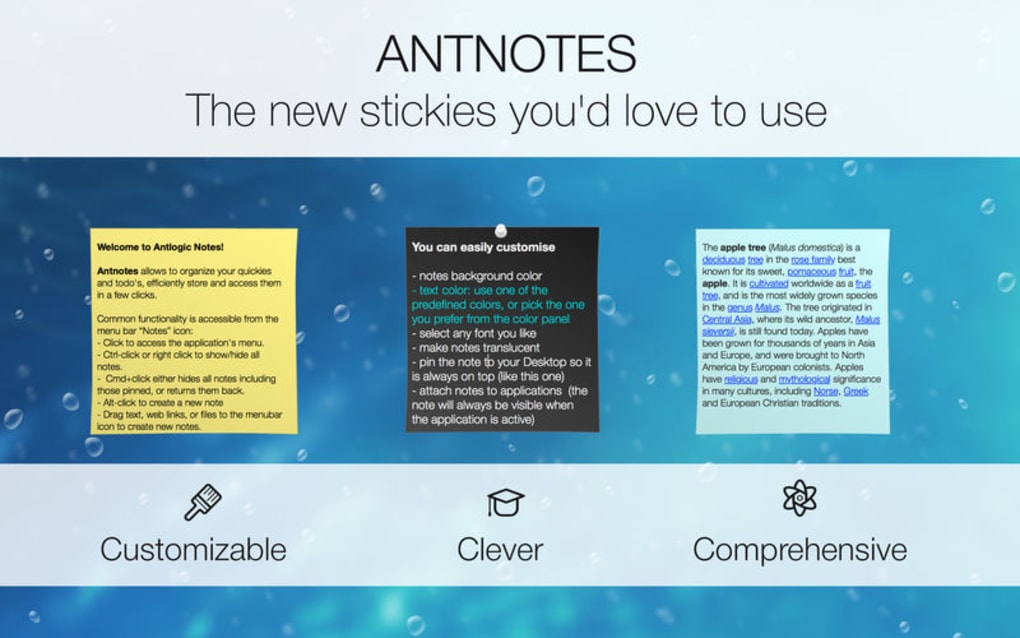
Antnotes is a sleek, menu‑bar‑resident note‑taking application built specifically for macOS. Designed with simplicity and speed in mind, it lets you capture ideas, to‑do items, and quick reminders without ever leaving your desktop. The moment you click the Antnotes icon perched in the menu bar, a compact window slides out, inviting you to type, format, and save your note in a matter of seconds. The app’s minimalist interface hides a surprisingly powerful set of customization options, from colour themes to font choices, ensuring that each user can tailor the experience to match personal workflow preferences. Because Antnotes lives in the menu bar, it remains instantly reachable, eliminating the need to open a full‑screen window or switch between applications just to jot something down. Whether you’re a student gathering lecture snippets, a developer keeping track of code snippets, or a busy professional managing daily tasks, Antnotes offers a frictionless way to stay organized. The application also supports native macOS notifications, reminding you of upcoming deadlines or recurring tasks directly from the system’s notification centre. All data is stored locally on your Mac, providing an extra layer of privacy for users who prefer not to sync sensitive information to the cloud. In short, Antnotes combines elegance, speed, and customization into a single, free‑to‑try utility that fits naturally into the macOS ecosystem.
Key Features
- Menu‑Bar Access: Launch notes instantly from the menu bar without interrupting your current workflow.
- Rich Text Formatting: Apply bold, italics, underline, bullet points, and headings to make notes scannable.
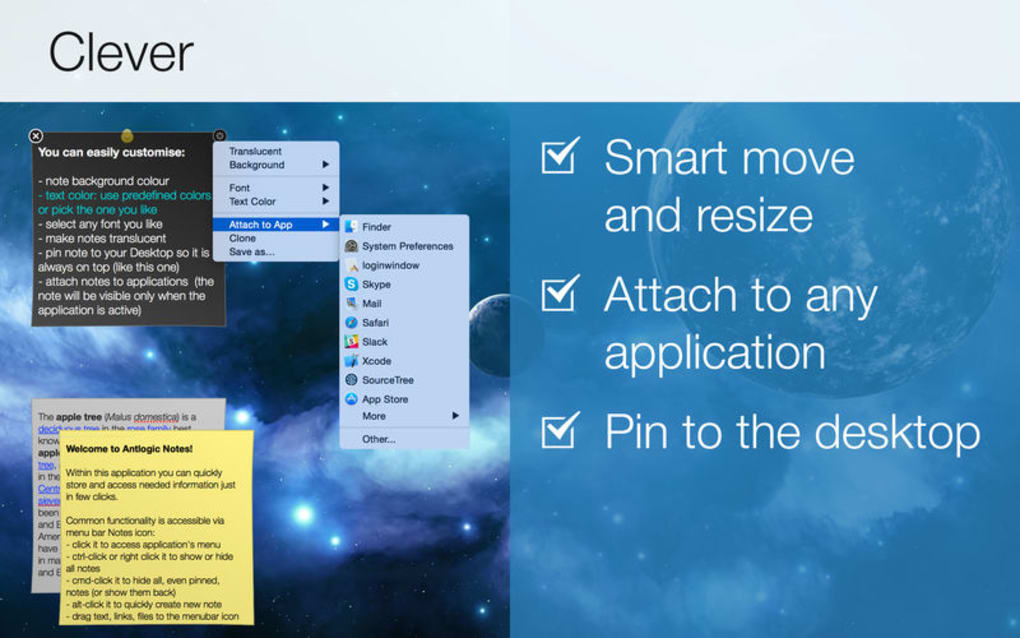
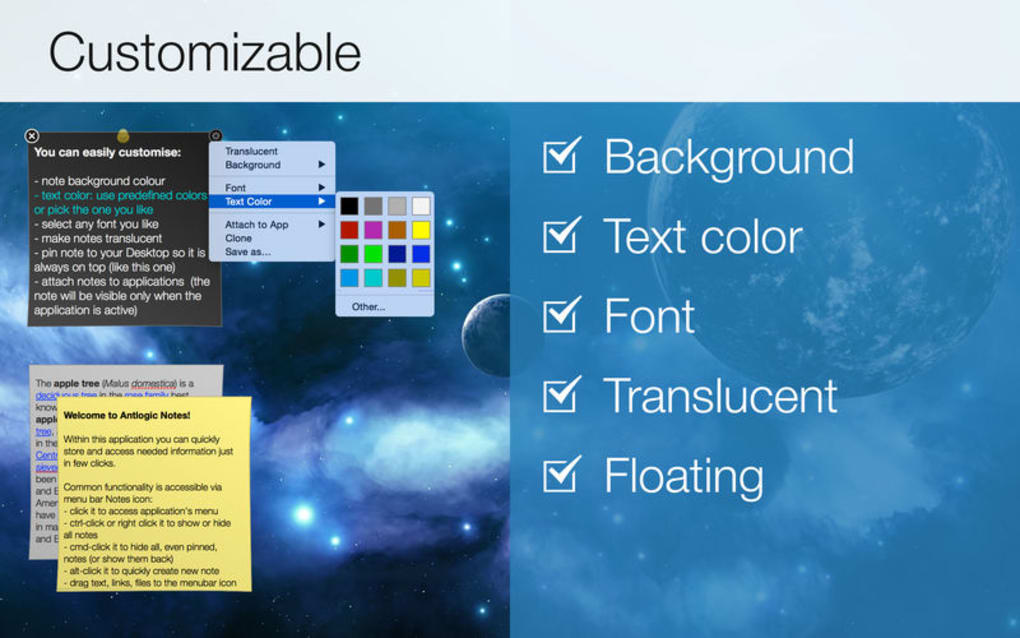
- Custom Themes & Fonts: Choose from a variety of colour schemes and font families to match your aesthetic.
- Quick Reminders: Attach a date‑time stamp to any note and receive native macOS notifications when the reminder triggers.
- Search & Filter: Powerful search bar lets you locate notes by keyword, tag, or creation date.
- Secure Local Storage: All notes are saved on your Mac’s disk, ensuring privacy without reliance on external servers.
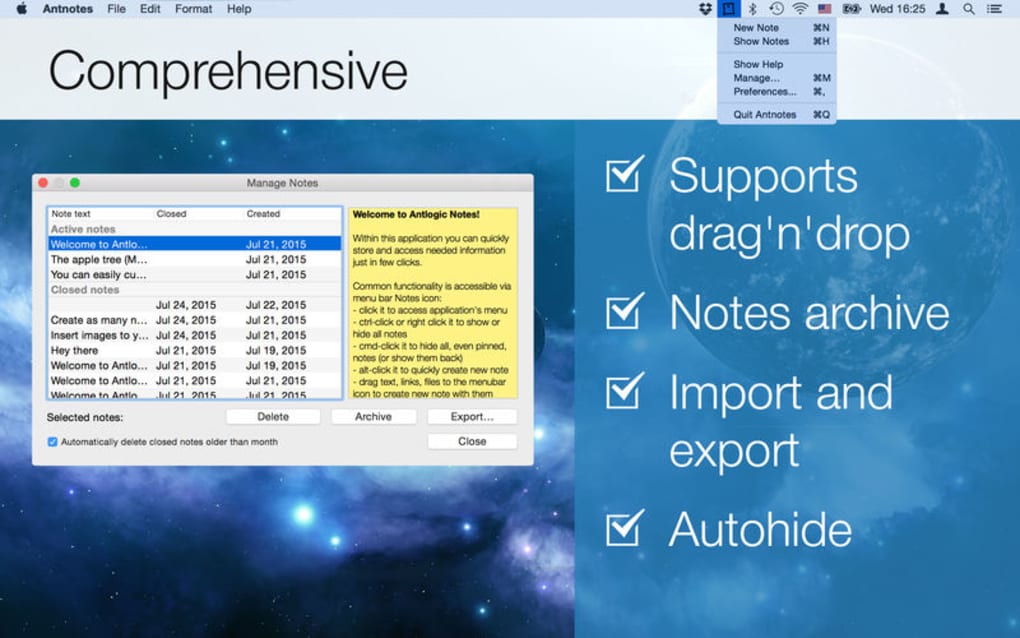
- Export Options: Export individual notes or entire collections as PDF, TXT, or Markdown files.
- Keyboard Shortcuts: Create, edit, and delete notes using customizable shortcuts for lightning‑fast operation.
- Sync Ready (Future‑Proof): Built‑in framework ready for iCloud or third‑party sync services in upcoming updates.
- Lightweight & Fast: Minimal memory footprint, keeping your Mac responsive even when the app runs continuously.
Installation & Usage Guide
Getting started with Antnotes is straightforward. Follow these steps to install and begin capturing notes immediately:
- Download the Installer: Visit the official Antnotes website and click the “Download for macOS” button. The file is a signed
.dmgpackage, ensuring it’s safe and free from malware. - Mount the Disk Image: Double‑click the downloaded
.dmgfile. macOS will open a new Finder window displaying the Antnotes app icon. - Drag to Applications: Drag the Antnotes icon into your
Applicationsfolder. This copies the app to the standard location for macOS applications. - Launch & Grant Permissions: Open Antnotes from the Applications folder or via Spotlight. The first launch will prompt you to allow the app to appear in the menu bar and send notifications; click “Allow” to enable full functionality.
- Initial Setup: Upon opening, Antnotes presents a quick‑start wizard. Choose your preferred theme, set default font size, and decide whether you want the app to start automatically at login.
- Create Your First Note: Click the Antnotes icon in the menu bar, then hit the “+” button or press the default shortcut ⌘+N. A small window appears where you can type your note, apply formatting, and optionally set a reminder.
- Organize & Search: Use the search bar at the top of the Antnotes window to filter notes by keyword. Tags can be added by typing
#tagnamewithin the note body, making future retrieval effortless. - Export & Backup: Right‑click any note and select “Export.” Choose PDF, TXT, or Markdown based on your needs. For comprehensive backups, copy the
~/Library/Application Support/Antnotesfolder to an external drive or cloud storage. - Update Regularly: Antnotes checks for updates automatically. When a new version is available, a discreet badge appears on the menu‑bar icon. Click it to download and install the latest improvements, including security patches and new features.
Overall, the installation process mirrors that of any native macOS app, and the usage workflow is designed to be intuitive enough for newcomers while still offering depth for power users.
Compatibility, Pros & Cons
Antnotes is compatible with macOS 10.13 High Sierra and later, including macOS Ventura (13) and macOS Sonoma (14). The app runs natively on Apple Silicon (M1, M2) as well as Intel‑based Macs, taking advantage of Apple’s Universal Binary technology for optimal performance across both architectures.
Pros
- Instant access from the menu bar eliminates context switching.
- Rich text editing provides enough styling without overwhelming the user.
- Local‑only storage keeps sensitive information off the internet.
- Highly customizable themes and fonts allow a personalized look.
- Lightweight footprint ensures the app never slows down the system.
- Built‑in reminder system integrates with macOS notifications.
- Keyboard shortcuts boost productivity for frequent note‑takers.
- Future‑proof sync framework prepares the app for iCloud integration.
- Free to download with optional paid upgrades for advanced features.
- Regular updates maintain security and add useful enhancements.
Cons
- Currently macOS‑only; no Windows, Android, or iOS versions available.
- No built‑in cloud sync yet, meaning manual backup is required for multi‑device use.
- Limited collaboration features; notes cannot be shared directly from the app.
- Advanced formatting (tables, embedded media) is not supported.
- Search is keyword‑based; no full‑text indexing for massive note libraries.
Overall Rating: 4.5/5 – Antnotes delivers a fast, elegant note‑taking experience for macOS users, with only a few feature gaps that are likely to be filled in future updates.
Frequently Asked Questions
Is Antnotes completely free?
Antnotes offers a fully functional free version that includes note creation, reminders, and basic customization. A premium upgrade is available for users who want advanced themes, cloud sync, and priority support.
Can I sync my notes across multiple Macs?
At present Antnotes stores notes locally on each device. However, the developers have announced an upcoming iCloud sync feature that will enable seamless cross‑device synchronization in a future release.
How secure is my data?
All notes are saved on your Mac’s internal drive and are never uploaded to external servers unless you manually export them. This local‑only approach ensures that your data remains private and under your control.
Does Antnotes support markdown?
Antnotes includes a simple markdown export option, allowing you to convert notes to .md files. The editor itself works with rich text, but you can switch to markdown view for export or sharing purposes.
Can I set recurring reminders?
Yes, Antnotes lets you attach a date‑time stamp to any note and choose whether the reminder repeats daily, weekly, or monthly. The reminder will appear in macOS Notification Center at the scheduled time.
Conclusion & Call to Action
Antnotes fills a niche that many macOS users have long desired: a lightweight, instantly accessible note‑taking utility that lives in the menu bar and never interrupts your workflow. Its combination of rich text editing, customizable appearance, and native reminder integration makes it a compelling alternative to larger, more cumbersome note apps. While the lack of cross‑platform support and built‑in cloud sync are current limitations, the roadmap promises to address these gaps without compromising the app’s core philosophy of simplicity and speed. If you’re looking for a free, secure, and elegant way to capture thoughts, to‑dos, or quick code snippets on your Mac, Antnotes is ready for download today.
Click here to download Antnotes now and start organizing your ideas the convenient way!
Guides & Tutorials
How to install Antnotes
- Click the Download button above.
- Once redirected, accept the terms and click Install.
- Wait for the Antnotes download to finish on your device.
How to use Antnotes
This software is primarily used for its core features described above. Open the app after installation to explore its capabilities.
User Reviews
No reviews yet. Be the first to share your experience.
You may also like
more
DiffusionBee
Generate unique art with this app DiffusionBee is a free and accessible artifici...

Excire Foto Light
Organize your snapshots Excire Foto Light is a free-to-download AI -powered phot...

Topaz Photo AI
Photo enhancement tool with AI Topaz Photo AI is a premium AI image editor for P...

anonymoX
Surf anonymously with Firefox anonymoX for Firefox is an add-on that gives you f...

DownThemAll
Download Them All! Downloading anything or everything on a webpage can be a labo...
.webp)
DuckDuckGo Privacy Essentials
A free program for Mac, by DuckDuckGo, Inc.. DuckDuckGo Privacy Essentials is a...
