
Download Apache Maven – Free, Secure Project Management & Build Automation Tool
Overview
Apache Maven is a free, open‑source software project management and comprehension tool that has become a cornerstone for Java developers worldwide. Built around the powerful Project Object Model (POM), Maven centralizes every piece of information required to build, test, package, and deploy an application. By abstracting repetitive tasks—such as dependency resolution, compilation, and report generation—Maven lets developers focus on writing clean code instead of wrestling with build scripts. The tool promotes a uniform build lifecycle, enforces best‑practice conventions, and provides a clear, declarative way to describe a project's structure, making onboarding of new team members faster and more reliable. Whether you are creating a small library or a large enterprise system, Maven’s plugin ecosystem and robust repository management dramatically reduce the time spent on configuration and increase overall project stability.
Key Features of Apache Maven
- Standardized Build Lifecycle: Maven defines a consistent sequence of phases (validate, compile, test, package, verify, install, deploy) that work the same way across all projects.
- Dependency Management: Automatic retrieval of libraries from central repositories, transitive dependency resolution, and version conflict handling.
- Extensible Plugin Architecture: Over 1,000 plugins cover tasks such as code analysis, site generation, Docker image creation, and more.
- Convention over Configuration: Default directory layouts and naming conventions reduce the need for custom scripts.
- Project Object Model (POM): A single XML file that describes the project, its dependencies, plugins, and build settings.
- Multi‑Module Support: Manage complex, multi‑module projects with a parent POM that propagates configuration to child modules.
- Continuous Integration Friendly: Works seamlessly with Jenkins, GitLab CI, GitHub Actions, and other CI tools.
- Site Generation: Automatically generate documentation, reports, and project websites directly from the POM.
- Cross‑Platform Compatibility: Runs on any operating system with a Java Runtime Environment (JRE).
- Secure Repository Access: Supports HTTPS, authentication, and signed artifacts for safe dependency retrieval.
Installation & Usage Instructions
Getting started with Apache Maven is straightforward, regardless of whether you are on Windows, macOS, or Linux. Follow these steps to download, install, and run your first Maven build:
1. Prerequisites
- Java Development Kit (JDK) 8 or higher installed. Verify with
java -version. - Internet connection to download Maven binaries and remote dependencies.
2. Download Maven
Visit the official Apache Maven download page and choose the binary zip (for Windows/macOS) or tar.gz (for Linux). The download is free and includes the latest stable release.
3. Extract & Set Environment Variables
Windows: Extract the zip to C:\Program Files\Apache\Maven. Add %MAVEN_HOME%\bin to the PATH system variable.
macOS/Linux: Extract the archive to /opt/maven (or any preferred location). Append the following lines to ~/.bashrc or ~/.zshrc:
export MAVEN_HOME=/opt/maven
export PATH=$MAVEN_HOME/bin:$PATH
4. Verify Installation
Open a new terminal and run mvn -v. You should see the Maven version, Java version, and operating system details, confirming a successful setup.
5. Create Your First Project
Use Maven’s archetype generator to scaffold a new Java project:
mvn archetype:generate -DgroupId=com.example -DartifactId=my-app -DarchetypeArtifactId=maven-archetype-quickstart -DinteractiveMode=false
This command creates a directory named my-app with a ready‑to‑run App.java and a pom.xml pre‑filled with basic configuration.
6. Build, Test, and Package
Navigate into the project folder and execute the default lifecycle:
cd my-app
mvn clean package
The target directory will contain a runnable JAR file. Run it with java -jar target/my-app-1.0-SNAPSHOT.jar. From here you can add dependencies, plugins, or modules by editing the pom.xml file, and Maven will handle the rest.
Compatibility, Pros & Cons
Apache Maven is written in Java, which means it runs on any platform that provides a compatible Java Runtime Environment. Whether you are on Windows 10/11, macOS Ventura, Ubuntu, Fedora, or even a lightweight Docker container, Maven behaves the same way. The only real limitation is the underlying JDK version; Maven 3.9.x requires JDK 8 or newer, while Maven 4.x (currently in beta) will raise that baseline to JDK 11. This cross‑platform nature makes Maven an ideal choice for distributed teams that work on diverse environments.
Pros
- Free & Open Source: No licensing costs, with a vibrant community that contributes plugins and improvements.
- Dependency Management: Automatic handling of transitive dependencies saves hours of manual configuration.
- Standardized Build Process: Consistency across projects reduces onboarding time and eliminates “it works on my machine” issues.
- Extensible Plugin Ecosystem: From code quality checks to containerization, there is likely a plugin that fits your workflow.
- Strong Integration with CI/CD: Seamless use with Jenkins, GitHub Actions, GitLab CI, and other automation tools.
- Robust Documentation: Official guides, books, and community tutorials make learning straightforward.
Cons
- Steep Learning Curve for Beginners: The XML‑based POM can be intimidating for developers new to build automation.
- Verbose Configuration: Complex projects may require large POM files, which can become hard to maintain.
- Performance Overhead: Initial dependency resolution can be slow on low‑bandwidth connections.
- Limited Support for Non‑Java Languages: While Maven can technically build any language, its ecosystem is heavily Java‑centric.
- Fragmented Plugin Quality: Not all community plugins follow the same standards, leading to occasional compatibility issues.
Frequently Asked Questions
Is Apache Maven really free to use for commercial projects?
Yes. Apache Maven is released under the Apache License 2.0, which permits free use, modification, and distribution in both open‑source and commercial environments without any licensing fees.
Can Maven manage dependencies for languages other than Java?
While Maven is primarily designed for Java, it can be extended to handle other JVM languages (like Kotlin or Scala) and even non‑JVM languages through custom plugins. However, the ecosystem is most mature for Java‑centric workflows.
How does Maven differ from Gradle?
Maven follows a declarative, XML‑based approach with a fixed lifecycle, whereas Gradle uses a Groovy/Kotlin DSL that allows more imperative scripting. Maven emphasizes convention over configuration, while Gradle offers greater flexibility at the cost of a steeper learning curve for complex builds.
What is the recommended way to update Maven to the latest version?
Download the newest binary archive from the official Apache Maven site, replace the old MAVEN_HOME directory, and verify the update with mvn -v. Because Maven is independent of the JDK, no additional system changes are required.
Is there a graphical user interface for Maven?
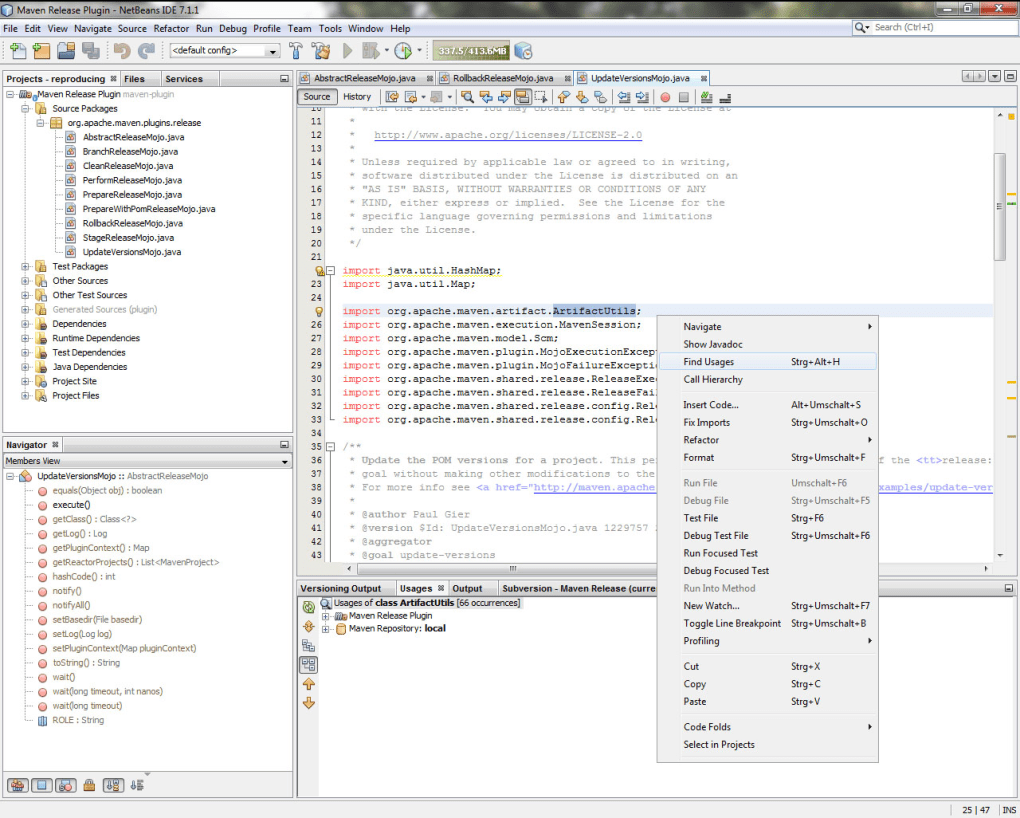
Maven itself is command‑line driven, but many IDEs—such as IntelliJ IDEA, Eclipse, and NetBeans—provide integrated Maven support with visual project explorers, dependency graphs, and one‑click build actions.
Conclusion & Call to Action
Apache Maven remains one of the most reliable, free, and secure tools for Java project management and build automation. Its standardized lifecycle, powerful dependency handling, and extensive plugin catalog make it an indispensable asset for both small teams and large enterprises. While the XML‑centric POM can pose an initial learning hurdle, the long‑term benefits—consistent builds, reduced manual errors, and smoother CI/CD pipelines—far outweigh the drawbacks. If you are looking to streamline your development workflow, accelerate packaging, and enforce best practices across your codebase, Maven is the solution to download today.
Ready to boost your Java productivity? Download Apache Maven now, follow the quick‑start guide above, and experience a more efficient, uniform build process across all your projects.








