
Screenshots
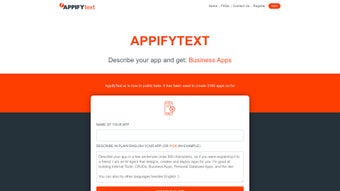
App details
- Updated
- October 8, 2024
- Requires
- Chrome
- License
- Full
- Developer
- appifytext
- Category
- Web Apps
About AppifyText
Download AppifyText – AI‑Powered Custom Business App Builder
Overview
AppifyText is a cloud‑native, AI‑driven platform that empowers entrepreneurs, small‑business owners, and IT teams to create fully functional custom business applications without writing a single line of code. The service combines a large library of industry‑specific templates with a powerful drag‑and‑drop visual editor and an AI assistant that automatically proposes database schemas, UI components, and workflow automations based on the user’s input. Whether you need a lightweight inventory tracker for a boutique shop, a full‑featured ERP system for a growing manufacturer, or a niche solution for a coffee bar, bike‑service shop, or scooter‑rental fleet, AppifyText delivers a ready‑made foundation that can be reshaped to match any unique workflow. The platform’s core promise is speed: from the moment you select a template to the moment you publish a live, secure web app, the process can take as little as a few minutes. This rapid‑prototyping capability dramatically reduces the time‑to‑market for new digital products and eliminates the need for costly external developers or lengthy internal coding cycles. In addition to speed, AppifyText focuses on affordability; a single flat‑rate license grants unlimited projects, making budgeting predictable for small‑to‑medium enterprises. Security is baked in with SSL/TLS encryption, role‑based access controls, and automated daily backups, ensuring that sensitive business data remains protected at all times. While the platform shines in ease of use, template variety, and cloud reliability, it does have notable gaps. Offline access is not available, API integration options are limited, and there is no built‑in version control for collaborative development. Nevertheless, for organizations that prioritize rapid digital transformation, cost‑effective scaling, and a low learning curve, AppifyText offers a compelling, secure environment to launch custom applications quickly and reliably.
Key Features & Benefits
- AI‑Generated Application Logic: The platform’s AI engine suggests database schemas, UI components, and workflow automations based on the selected template.
- Extensive Template Library: Pre‑built solutions for customer management, inventory control, library systems, ERP, coffee bar operations, bike service shops, and scooter rentals.
- Drag‑and‑Drop Builder: Intuitive visual editor that lets users place forms, tables, charts, and navigation menus without coding.
- One‑Click Deployment: After customization, the app is instantly hosted on AppifyText’s secure cloud, and a ready‑to‑use installation link is generated.
- Responsive Design: All apps are automatically optimized for desktop, tablet, and mobile browsers, ensuring a consistent experience across devices.
- Secure Data Handling: Built‑in SSL encryption, role‑based access control, and regular backups protect sensitive business information.
- Scalable Pricing Model: A single full‑version license grants unlimited projects, making it cost‑effective for growing companies.
Why These Features Matter
Each feature is crafted to eliminate the most common bottlenecks in custom software development. The AI‑generated logic means you spend less time on database design and more time on defining business rules. Templates accelerate the launch phase, letting you focus on branding and specific process tweaks rather than reinventing the wheel. The drag‑and‑drop interface reduces the learning curve dramatically; even non‑technical staff can contribute to app creation, fostering cross‑department collaboration. One‑click deployment eliminates the need for separate hosting services or DevOps pipelines, while responsive design ensures your employees can access the tools from any device without additional mobile app development. Security is baked in, giving peace of mind to companies handling customer data or financial records. Finally, the flat‑rate licensing removes surprise costs, a critical factor for small to medium enterprises that need predictable budgeting.
Beyond the core list, AppifyText continuously updates its AI models to incorporate the latest best practices in UX design and data modeling. Users benefit from a growing ecosystem of community‑contributed templates and a knowledge base that covers everything from basic form creation to advanced workflow automation. The platform also offers built‑in analytics dashboards that provide real‑time insights into app usage, performance metrics, and error logs, enabling quick iteration and continuous improvement without leaving the browser.
Installation, Usage & Compatibility
Getting started with AppifyText is straightforward because it is delivered as a pure web application. No traditional “installation” on a local machine is required, and the platform works in any modern browser. Follow these steps to begin building your first custom app:
- Create an Account: Visit appifytext.com and register using your email address or single‑sign‑on (SSO) with Google or Microsoft.
- Select a Template: After logging in, browse the template gallery. Click “Use Template” on the business scenario that matches your needs.
- Customize the Layout: The drag‑and‑drop editor opens. Add, remove, or rename fields, set validation rules, and arrange UI components to reflect your workflow.
- Leverage AI Assistance: Click the “AI Suggest” button to let the platform propose additional fields, automation scripts, or data relationships based on your inputs.
- Configure Access Controls: Define user roles, permissions, and authentication methods (email/password, SSO, or OAuth).
- Deploy the App: Press “Publish”. AppifyText provisions a secure sub‑domain (e.g., yourcompany.appifytext.com) and generates an installation link you can share with your team.
- Monitor & Update: Use the built‑in analytics dashboard to track usage, performance, and error logs. Updates are applied automatically; you only need to republish when you make structural changes.
Compatibility: Because AppifyText runs entirely in the browser, it is compatible with Windows 10/11, macOS Ventura and later, most Linux distributions, as well as mobile browsers on Android 9+ and iOS 13+. No additional plugins, extensions, or runtime environments are required, making it a truly cross‑platform solution.
Best Practices for Smooth Operation
To maximize reliability, ensure that your internet connection meets the minimum bandwidth of 3 Mbps for optimal loading times, especially when handling large data sets in ERP‑style templates. Regularly back up critical data exported from the app to your own storage solutions; while AppifyText provides automated backups, an extra layer of redundancy is advisable for compliance‑heavy industries. Keep your user accounts up to date with strong passwords or multi‑factor authentication (MFA) to safeguard against unauthorized access. Finally, use a modern, up‑to‑date browser such as Google Chrome, Microsoft Edge, or Mozilla Firefox to benefit from the latest security patches and performance optimizations.
Pros, Cons & Frequently Asked Questions
Pros
- Fast application creation – launch a functional prototype in under an hour.
- Rich library of industry‑specific templates reduces design time.
- AI‑driven suggestions help users without technical backgrounds.
- Responsive, cloud‑hosted apps accessible from any device.
- Secure, SSL‑encrypted environment with role‑based access control.
- Single‑price licensing eliminates hidden costs.
- Continuous AI updates keep templates and best practices current.
Cons
- No offline mode – requires a constant internet connection.
- Lacks native API integration for external system connectivity.
- Missing multi‑language support for global teams.
- No built‑in version control or collaborative editing features.
- Mobile‑app specific features (push notifications, native gestures) are unavailable.
- Advanced customization may still require some scripting knowledge.
Below you will find answers to the most common questions about AppifyText, helping you decide whether this AI‑powered builder fits your business needs.
Is AppifyText truly free to use?
AppifyText offers a free trial with limited projects, but the full‑version license is a paid subscription. The pricing is transparent, with a single annual fee that grants unlimited app creation and deployment.
Can I export the data generated by my custom apps?
Yes. All apps include built‑in export tools that allow you to download data in CSV, Excel, or JSON formats for further analysis or migration.
Does AppifyText provide any training or onboarding resources?
The platform includes an extensive knowledge base, video tutorials, and live webinars. New users also receive a step‑by‑step onboarding guide after registration.
How secure is the data stored in AppifyText’s cloud?
Data is encrypted in transit using TLS 1.3 and at rest with AES‑256 encryption. Role‑based access control and optional MFA further protect sensitive information.
Can I integrate third‑party services like Stripe or Zapier?
Direct API integration is not currently supported, but you can use webhooks and Zapier’s email parser as a workaround to connect external services.
Is there a way to collaborate with teammates on the same app?
Collaboration is possible by sharing user accounts with appropriate roles. However, real‑time co‑editing and version control are not yet built into the platform.
Conclusion & Call to Action
AppifyText stands out as a fast, AI‑enhanced solution for businesses that need custom applications without the overhead of traditional software development. Its extensive template library, intuitive drag‑and‑drop editor, one‑click cloud deployment, and built‑in security features create a compelling value proposition for small‑to‑medium enterprises seeking to digitize workflows quickly and cost‑effectively. While the platform currently lacks offline functionality, deep API integration, and native mobile‑app features, these limitations are outweighed for most use cases by the speed, simplicity, and predictable pricing it offers.
If you are ready to replace paper‑based processes, spreadsheets, or clunky legacy tools with responsive web apps that your team can access from any device, AppifyText provides a secure, scalable environment to get you there. Start your free trial today, explore the diverse template gallery, and experience firsthand how AI can accelerate your business innovation. The journey from idea to live application has never been this straightforward.
Start Free Trial NowGuides & Tutorials
How to install AppifyText
- Click the Download button above.
- Once redirected, accept the terms and click Install.
- Wait for the AppifyText download to finish on your device.
How to use AppifyText
This software is primarily used for its core features described above. Open the app after installation to explore its capabilities.
User Reviews
No reviews yet. Be the first to share your experience.
You may also like
more
3D AI Studio
3D AI Studio Overview 3D AI Studio is a web-based AI-powered tool developed by S...

3D textures by Polycam
Generate Realistic 3D Textures Effortlessly 3D Textures by Polycam is an innovat...

3DAiLY
Customizable 3D Modeling Tool: 3DAiLY 3DAiLY is an online platform that harnesse...

3DFY
Revolutionizing 3D Model Creation: 3DFY Review 3DFY is an AI-powered service, de...

AI Dungeon
AI Dungeon: Deep Learning Text Adventure AI Dungeon is an artificial intelligenc...

Alpha3D
A subscription-based program for Web apps, by alpha3d. Alpha3D is a subscription...
