
Screenshots
App details
- Updated
- September 5, 2025
- Requires
- Chrome
- License
- Full
- Developer
- arcanotes
- Category
- Web Apps
About ArcaNotes
Download ArcaNotes – AI‑Powered Micro‑Note Manager for Secure Productivity
In a world where information overload threatens to drown our most valuable ideas, ArcaNotes emerges as a breath of fresh air. This AI‑driven web application is built around the concept of micro‑notes—tiny, bite‑sized snippets of information that you can capture in seconds and retrieve instantly. Whether you’re a student juggling lecture notes, a professional managing project insights, or a creative mind collecting fleeting inspirations, ArcaNotes offers a streamlined workflow that eliminates the friction of traditional note‑taking. The moment you think of something worth remembering, you can drop it into ArcaNotes without worrying about formatting or categorization; the AI engine takes care of organization later. What truly sets ArcaNotes apart is its blend of cutting‑edge artificial intelligence and iron‑clad security. The AI runs locally on your device, ensuring that no data ever leaves your browser, while every piece of information is encrypted with 256‑bit AES. This combination of speed, convenience, and privacy makes ArcaNotes a compelling choice for anyone looking to boost productivity without compromising on security. In the sections that follow, we’ll explore the core features, walk through the installation process, examine platform compatibility, and weigh the pros and cons to help you decide if ArcaNotes is the right tool for your workflow.
Key Features & AI Capabilities of ArcaNotes
- Micro‑Note Capture: Create notes instantly with a single keystroke; no titles or tags required at entry time.
- AI‑Driven Retrieval: Ask natural‑language questions directly to your note database and receive instant, context‑aware answers.
- Local AI Engine: All AI processing happens on your device, guaranteeing that your data never touches external servers.
- One‑Click Sharing: Export notes or share them via a secure link with a single click, preserving formatting and encryption.
- Smart Organization: The AI automatically suggests categories, tags, and related notes after the initial capture phase.
- 256‑Bit AES Encryption: End‑to‑end encryption secures every byte of your data, both at rest and in transit.
- Cross‑Device Sync (Optional): When enabled, encrypted sync allows you to access notes on any browser without exposing raw data.
- Version History: Track changes to each note and revert to previous versions if needed.
- Search Highlighting: Real‑time highlight of search terms within notes for faster navigation.
- Offline Access: Work without an internet connection; notes are stored locally and sync when you’re back online.
The AI layer is more than a simple keyword matcher. It leverages transformer‑based models that understand context, enabling you to pose questions like “What were the three main points from my meeting on 12 May?” and receive a concise summary drawn from multiple micro‑notes. This is especially useful for knowledge workers who need to synthesize information quickly. Additionally, the “Review Content” feature lets the AI generate quick flash‑card style prompts from your notes, turning raw data into actionable study material. For teams, the one‑click sharing function respects the same encryption standards, meaning collaborators can view shared notes without ever seeing the underlying unencrypted data. All of these capabilities are wrapped in a clean, minimalist UI that keeps distractions at bay, allowing you to focus on the content rather than the tool itself.
Installation, Usage Instructions & Compatibility
Step‑by‑Step Installation
Getting started with ArcaNotes is intentionally simple. Because it is a web‑based application, there is no heavy installer to download. Follow these steps:
- Visit the official ArcaNotes website at arcaneotes.com.
- Click the “Get Started – Free” button. You will be prompted to create a password‑protected account; this password is the only key needed to decrypt your notes.
- After account creation, the browser will download a small service worker script (under 2 MB) that enables offline functionality and local AI processing.
- Allow the browser to store data in its IndexedDB storage. This is where your encrypted notes reside.
- Optionally, enable the “Sync Across Devices” toggle. You will be asked to generate a secondary encryption key that is stored in your cloud storage of choice (Google Drive, Dropbox, etc.).
The entire setup takes less than a minute on a standard broadband connection, and because the AI runs locally, there are no ongoing server‑side charges or data‑privacy concerns.
Using ArcaNotes Effectively
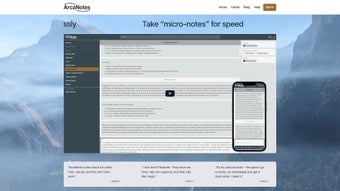
Once installed, the main dashboard presents a single input field at the top of the screen. To capture a note, simply type and press Enter. The note appears instantly in a chronological feed. If you need to add context later, click the note to expand a sidebar where you can add tags, attach files, or let the AI suggest related content. To retrieve information, click the “Ask AI” button, type your natural‑language query, and watch as the system scans your entire micro‑note corpus, returning relevant excerpts and a brief summary. The “Review” mode converts selected notes into a question‑answer format, perfect for quick study sessions. Sharing works by generating a short, encrypted URL that you can copy to clipboard; recipients can view the note after entering a shared passphrase, ensuring privacy remains intact.
Platform Compatibility
ArcaNotes is a browser‑based progressive web app (PWA), which means it works on any modern operating system that supports recent versions of Chrome, Edge, Firefox, or Safari. Specific compatibility details include:
- Windows 10/11: Fully supported on Chrome, Edge, and Firefox.
- macOS Monterey and later: Native support via Safari, Chrome, or Firefox.
- Linux distributions: Works flawlessly on Ubuntu, Fedora, and other mainstream distros with a compatible browser.
- Android 8.0+: Install as a PWA from Chrome; offline mode and local AI function identically to desktop.
- iOS 14+: Add to Home Screen from Safari to get a native‑app feel; note that AI processing may be slightly slower due to iOS sandboxing.
Because ArcaNotes runs in the browser, there is no need for separate binaries or app store approvals. Users who prefer a desktop‑like experience can “install” the PWA, creating an icon on their start menu or dock that opens a dedicated window without the typical browser UI.
Pros, Cons, Frequently Asked Questions & Final Verdict
Pros & Cons
- Pros:
- Lightning‑fast micro‑note capture eliminates friction.
- Local AI processing ensures privacy and low latency.
- 256‑bit AES encryption protects data at rest and in transit.
- Cross‑platform availability via any modern browser.
- Offline access and optional encrypted sync for multi‑device workflows.
- Intuitive UI designed for minimal distraction.
- Cons:
- Requires a relatively modern browser; older versions may not support the AI engine.
- Advanced AI features consume more local CPU/memory on low‑end devices.
- No native desktop client (relies on PWA approach).
- Sync feature is optional and requires manual setup of encryption keys.
Frequently Asked Questions (FAQ)
Is ArcaNotes really free?
Yes, ArcaNotes offers a completely free tier that includes unlimited micro‑note creation, local AI queries, and 256‑bit encryption. A premium plan is available for users who need larger cloud sync storage and priority AI model updates.
Where is my data stored?
All notes are stored locally in your browser’s IndexedDB and encrypted with AES‑256. If you enable the optional sync feature, the encrypted blob is uploaded to your chosen cloud provider, but the provider never sees the unencrypted content.
Can I use ArcaNotes on multiple devices?
Absolutely. By turning on the “Sync Across Devices” option, an encrypted backup is saved to your cloud storage. When you log in on another device, the app downloads and decrypts the notes using your password, keeping everything secure.
How does the AI stay local?
ArcaNotes loads a lightweight transformer model into the browser via WebAssembly. All inference happens in the client’s memory, meaning no queries are sent to external servers. This design protects your privacy while still delivering fast answers.
What browsers are supported?
The application supports the latest versions of Chrome, Edge, Firefox, and Safari. Mobile browsers on Android and iOS also work when the site is added as a PWA.
Conclusion & Call to Action
If you’ve ever felt frustrated by clunky note‑taking apps that force you to organize before you can even think, ArcaNotes offers a refreshing alternative. Its micro‑note philosophy captures ideas instantly, while the built‑in AI does the heavy lifting of organization, retrieval, and review. The commitment to privacy—local AI processing and AES‑256 encryption—means you can trust the platform with sensitive information, whether it’s personal research, business strategies, or creative drafts. Although it leans heavily on modern browsers and may be a bit demanding on low‑end hardware, the benefits far outweigh these minor limitations for most users. In short, ArcaNotes is a powerful, secure, and user‑friendly tool that can transform the way you manage knowledge.
Ready to boost your productivity with AI‑enhanced micro‑notes? Download ArcaNotes now and start capturing ideas without delay. Experience the freedom of instant note capture, secure storage, and intelligent retrieval—all in one free, privacy‑first application.
ArcaNotes delivers a seamless micro‑note experience backed by local AI and strong encryption. Its strengths lie in speed, privacy, and cross‑platform accessibility, while the main drawbacks are its reliance on modern browsers and the lack of a native desktop client. Overall, it earns a solid 4.5 out of 5 for anyone seeking a secure, AI‑driven productivity boost.
Guides & Tutorials
How to install ArcaNotes
- Click the Download button above.
- Once redirected, accept the terms and click Install.
- Wait for the ArcaNotes download to finish on your device.
How to use ArcaNotes
This software is primarily used for its core features described above. Open the app after installation to explore its capabilities.
User Reviews
No reviews yet. Be the first to share your experience.
You may also like
more
3D AI Studio
3D AI Studio Overview 3D AI Studio is a web-based AI-powered tool developed by S...

3D textures by Polycam
Generate Realistic 3D Textures Effortlessly 3D Textures by Polycam is an innovat...

3DAiLY
Customizable 3D Modeling Tool: 3DAiLY 3DAiLY is an online platform that harnesse...

3DFY
Revolutionizing 3D Model Creation: 3DFY Review 3DFY is an AI-powered service, de...

AI Dungeon
AI Dungeon: Deep Learning Text Adventure AI Dungeon is an artificial intelligenc...

Alpha3D
A subscription-based program for Web apps, by alpha3d. Alpha3D is a subscription...
