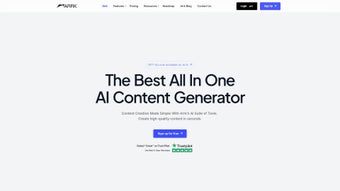

Download Arrk – AI Content Generator for Writers, Designers, and Developers
Overview
Arrk positions itself as a **comprehensive AI content generator** that tackles the entire creative workflow from a single browser window. Whether you are a freelance writer hunting for fresh blog ideas, a graphic designer needing unique visuals, a support team looking to automate chat responses, a developer seeking code snippets, or a podcaster searching for natural‑sounding narration, Arrk promises to deliver a “one‑stop‑shop” experience. The platform is subscription‑based but also offers a **free tier** that grants limited daily credits for each AI module, allowing new users to test the waters without a financial commitment. Its web‑centric design means you can access the tools from any modern device—desktop, laptop, tablet, or smartphone—making it a versatile ally for remote teams and solo entrepreneurs alike. The UI follows a clean, card‑based layout that groups the five core engines (Writer, Image, Chat, Code, Voice) into intuitive sections, each equipped with real‑time previews and export options. Under the hood, Arrk leverages large language models for text generation, diffusion models for image creation, and transformer‑based speech synthesis for voiceovers, all hosted on secure cloud infrastructure with regular updates. Security‑focused users will appreciate the GDPR‑compliant data handling and end‑to‑end encryption for chat sessions. In short, Arrk is built to **streamline content creation, reduce manual effort, and accelerate time‑to‑market** for individuals and businesses that rely heavily on digital assets.
Key Features and Capabilities
- AI Writer – Generates articles, marketing copy, social media posts, product descriptions, and even long‑form reports with customizable tone, length, and keyword focus.
- AI Image Generator – Produces royalty‑free graphics, illustrations, and marketing banners using text prompts; includes style presets such as “flat design,” “photorealistic,” and “retro pixel.”
- AI Chat – Deploys a conversational agent that can answer FAQs, qualify leads, and handle basic troubleshooting 24/7; integrates with popular CRM platforms via webhooks.
- AI Code Assistant – Suggests code snippets, debug suggestions, and full function implementations for languages like Python, JavaScript, Java, and C#; supports IDE integration through a browser extension.
- AI Voice – Generates natural‑sounding voiceovers in multiple accents and languages; includes adjustable speed, pitch, and emotion settings for podcasts, explainer videos, and e‑learning modules.
- Collaboration Hub – Enables teams to share projects, comment on drafts, and track revision history in real time.
- Template Library – Offers pre‑built templates for blog outlines, ad copy, email sequences, and product mockups to jump‑start the creative process.
- Usage Analytics – Provides dashboards that show token consumption, most used prompts, and ROI metrics for paid subscriptions.
Why These Features Matter
The synergy between the five AI engines is where Arrk truly shines. For example, a marketing manager can draft a blog post with the Writer, instantly generate a matching header image with the Image tool, and then use the Voice engine to create an audio version for accessibility—all without leaving the platform. Developers benefit from the Code assistant’s ability to turn plain‑English descriptions into syntactically correct snippets, reducing the time spent on boilerplate code. Meanwhile, the AI Chat can be trained on a knowledge base extracted from the Writer’s output, ensuring brand‑consistent communication across channels. This **interconnected workflow** not only cuts down on context‑switching but also ensures that all assets share a unified style and messaging framework, which is a massive productivity boost for any content‑heavy operation.
Installation, Usage & Compatibility
Because Arrk is a **web‑based SaaS**, there is no traditional installation process. Getting started involves three simple steps:
- Create an account on arrk.com using an email address or single sign‑on via Google or Microsoft.
- Choose a plan – the free tier grants 10 credits per tool daily, while the Pro plan (USD 29.99/month) unlocks unlimited credits, priority processing, and API access.
- Launch the dashboard – after login you are taken to the main canvas where each AI module appears as a clickable card.
The service runs on all major browsers (Chrome, Edge, Firefox, Safari) and adapts to screen sizes ranging from 320 px (mobile) to 4 K displays. Since the heavy lifting occurs on Arrk’s cloud servers, even low‑end devices can generate high‑resolution images or lengthy articles without performance lag.
First‑time usage tips:
- Start with the “Template Library” to understand prompt structures that produce the best results.
- Enable “Auto‑Save” in the settings to prevent loss of drafts if you close the browser unexpectedly.
- Use the “Export” button to download content in multiple formats (TXT, MD, PDF, PNG, MP3) or push directly to Google Drive, Dropbox, or WordPress via built‑in integrations.
- For developers, generate an API key from the “Account > API” section and follow the documentation to embed AI capabilities into custom applications.
Security‑conscious users will find that all data transmitted between the browser and Arrk’s servers is encrypted with TLS 1.3, and session tokens are stored in HttpOnly cookies. The platform also offers a “Data Retention” toggle that, when enabled, automatically deletes generated assets after 30 days, helping organizations stay compliant with data‑privacy regulations.
Pros, Cons & Frequently Asked Questions
Pros
- All‑in‑one suite eliminates the need for multiple third‑party tools.
- Free tier provides enough credits for occasional users and evaluation.
- High‑quality outputs across text, image, code, chat, and voice.
- Responsive web design works on desktops, tablets, and smartphones.
- Robust collaboration features streamline team workflows.
Cons
- Heavy reliance on internet connectivity; offline use is not possible.
- Pro plan pricing may be steep for solo freelancers on a tight budget.
- Advanced image styles sometimes require longer processing times.
- Limited language support for the Voice engine (currently 12 languages).
- API rate limits for free users can restrict high‑volume automation.
FAQ – Arrk (FAQPage)
Can I use Arrk on a mobile device?
Yes. Arrk’s responsive UI works in any modern mobile browser, and the AI tools are fully functional on Android and iOS devices.
Is there a limit to how many words the AI Writer can generate?
The free tier caps each generation at 800 words per request, while the Pro plan removes this restriction and allows up to 10,000 words per prompt.
How does the AI Image Generator handle copyrighted material?
All images are created from scratch based on textual prompts; they do not reuse existing copyrighted assets. However, users should still verify compliance with local regulations when using generated visuals commercially.
Can I integrate the AI Chat with my existing help‑desk software?
Yes. Arrk provides webhook endpoints and native plugins for platforms such as Zendesk, Freshdesk, and Intercom, allowing seamless handoff between the AI bot and human agents.
What payment methods are accepted for the Pro subscription?
Arrk accepts major credit cards (Visa, MasterCard, American Express), PayPal, and Stripe invoices for enterprise accounts.
Arrk delivers a surprisingly cohesive experience for creators who juggle multiple content formats. The AI Writer’s contextual awareness, paired with instant image generation, cuts my article production time in half. The only drawback is the occasional latency on high‑resolution image renders, but overall the platform feels robust and future‑proof.
Conclusion & Call to Action
In a market saturated with single‑purpose AI tools, **Arrk stands out as a truly integrated content powerhouse**. Its ability to handle writing, imaging, chatting, coding, and voiceover tasks from a unified dashboard not only saves time but also ensures brand consistency across all output. While the reliance on a constant internet connection and a modestly priced subscription may give some users pause, the productivity gains—especially for teams producing multi‑modal assets—are hard to ignore. Whether you are a solo freelancer looking to scale output, a marketing agency aiming to streamline campaign creation, or a development shop seeking on‑demand code snippets, Arrk provides a secure, regularly updated, and user‑friendly environment that scales with your needs.
Ready to experience a smarter way to create? Sign up for a free account today and explore the full suite of AI tools without any credit‑card commitment. For businesses ready to unlock unlimited capacity, the Pro plan offers priority processing, API access, and advanced collaboration features that can transform your workflow overnight. Don’t let repetitive content tasks hold you back—download Arrk now and let artificial intelligence do the heavy lifting while you focus on strategy and growth.



.png)




