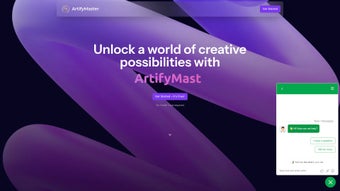
Screenshots
App details
- Updated
- April 7, 2025
- Requires
- Chrome
- License
- Subscription
- Developer
- artifymaster
- Category
- Web Apps
About ArtifyMaster
Download ArtifyMaster – AI Image Editing Tool for Creators, Marketers & Designers
Introduction
ArtifyMaster is a web‑based, AI‑powered image editing platform built specifically for creators, marketers, and designers who need fast, reliable, and high‑quality visual enhancements. The application runs entirely in the browser, which means you can start editing without a bulky download or a complex installation process. Its core engine combines deep‑learning models for background removal, image upscaling, face swapping, artistic realism, and QR code generation, delivering a versatile toolbox that covers the most common visual‑content challenges faced by modern professionals. Whether you are preparing a social‑media ad, a product catalog, a promotional video thumbnail, or a brand‑centric QR code, ArtifyMaster streamlines the workflow by automating time‑consuming tasks while preserving—or even improving—image fidelity. The interface is clean, intuitive, and responsive, adapting seamlessly to desktop monitors, laptops, and even tablets. Security is baked in: all uploads are processed over HTTPS, and the platform automatically deletes files after a short processing window, ensuring that proprietary assets stay private. The free tier offers generous daily limits, while a modest subscription unlocks higher‑resolution outputs, batch processing, and priority support. In addition to its core capabilities, ArtifyMaster integrates seamlessly with popular content‑management systems through a RESTful API, enabling developers to embed AI‑driven image enhancements directly into websites, e‑commerce platforms, or marketing automation tools. The service also benefits from a rapid development cycle; new AI models and feature enhancements are released monthly, keeping the tool at the forefront of image‑processing technology. In short, ArtifyMaster is a comprehensive, secure, and cost‑effective solution that empowers anyone—from seasoned graphic designers to small‑business owners—to produce polished visuals without mastering complex software suites.
Key Features of ArtifyMaster
ArtifyMaster bundles a suite of AI‑driven capabilities that would otherwise require several separate applications. Each feature is designed to be accessible with a single click, yet powerful enough for professional‑grade results. Below is an in‑depth look at what the platform offers, why each tool matters, and how it can accelerate typical design workflows.
- Background Removal: One‑click AI extraction of subjects, delivering clean, transparent PNGs ready for any design. Ideal for e‑commerce product photos, marketing banners, and composite artwork.
- Image Upscaling: Boost resolution up to 4× without pixelation, perfect for printing, large‑format displays, or retina‑ready web graphics. The algorithm preserves fine details such as textures and edges.
- Face Swap: Creative face‑replacement powered by facial landmark detection, ideal for marketing mock‑ups, influencer collaborations, or playful social‑media content.
- Artistic Realism: Transform photos into painterly, sketch, or watercolor styles while retaining realistic detail, allowing designers to generate concept art or stylized brand assets instantly.
- QR Code Generation: Instantly generate scannable QR codes with custom colors, logos, and embedded URLs for campaigns, packaging, or event signage.
- Batch Processing: Upload multiple images and apply the same AI tool across the set, saving hours of manual work and ensuring consistency across large projects.
- Secure Cloud Processing: All files travel over encrypted HTTPS; they are auto‑deleted after 15 minutes, providing peace of mind for confidential brand assets.
- Cross‑Platform Accessibility: Works on any modern browser—Chrome, Edge, Firefox, Safari—on Windows, macOS, Linux, Android, and iOS, including a progressive web app for offline‑like experience.
- Regular Updates: The development team pushes new AI models and feature enhancements monthly, ensuring the tool stays cutting‑edge and compatible with emerging design trends.
- Affordable Pricing: Free tier with daily limits; Pro plan at $9.99 / mo includes unlimited upscales, batch processing, and priority support, making it accessible for freelancers and agencies alike.
Each of these features is built on a scalable cloud infrastructure that balances speed and accuracy. Users report average processing times of under three seconds per image for most tasks, and the platform’s auto‑scaling architecture can handle spikes in demand during large campaigns. Whether you need a single background removal for a product shot or bulk upscaling of a photo library, ArtifyMaster provides a reliable, cost‑effective solution without compromising quality.
Installation, Compatibility, and How to Use the AI Tools
Because ArtifyMaster is a web application, there is no traditional installation required. Simply navigate to artifymaster.com, create a free account, and you are ready to start editing. For users who prefer a desktop shortcut, the platform offers a progressive web app (PWA) that can be “installed” on Windows, macOS, Android, or iOS with a single click—this creates an app‑like icon while still running the cloud‑based engine.
Compatibility is a major selling point. The tool adheres to the latest web standards, meaning it runs smoothly on:
- Windows 10/11 (any modern browser)
- macOS 11+ (Safari, Chrome, or Firefox)
- Linux distributions with a recent Chromium‑based browser
- Android 9+ (Chrome or the native PWA wrapper)
- iOS 13+ (Safari or the installed PWA)
Getting started is straightforward. After logging in, you are greeted by a dashboard displaying the five primary tools. To remove a background, click the “Background Removal” tile, drag‑and‑drop your image, and watch the AI isolate the subject within seconds. For upscaling, select “Image Upscaling,” upload the low‑resolution file, choose a scaling factor (2×, 3×, or 4×), and hit “Enhance.” The face‑swap feature asks you to upload two images—the source and the target—then automatically aligns facial landmarks before swapping. The artistic realism module offers style presets; simply pick “Watercolor” or “Oil Painting” and let the algorithm reinterpret your photo. QR code generation requires you to type a URL, choose size, color, and optional logo, then click “Create.” Every output can be downloaded instantly as PNG, JPEG, or SVG, depending on the tool.
For power users, ArtifyMaster provides an API key (available in the Pro plan) that lets you integrate these AI functions into your own workflow, CMS, or e‑commerce platform. Detailed documentation and code snippets for RESTful calls are accessible from the “Developers” section of the site. The API supports batch requests, custom authentication headers, and webhooks for processing notifications, making it suitable for high‑volume enterprises. Additionally, the platform offers a set of keyboard shortcuts and drag‑and‑drop bulk upload zones that speed up repetitive tasks, and a “History” panel that lets you revert to previous versions of an edited image.
Because all processing occurs in the cloud, system resources on the user’s device are minimal. This means even low‑end laptops or older smartphones can handle complex AI operations without lag, provided a stable internet connection is available. The platform also includes a lightweight offline mode for viewing previously downloaded results, though new edits still require connectivity.
Pros, Cons, and Frequently Asked Questions
ArtifyMaster’s all‑in‑one approach brings both strengths and trade‑offs. Below is a balanced view of what users love and where the service could improve, followed by answers to the most common questions new users tend to ask.
Pros
- All‑in‑one AI suite eliminates the need for multiple specialized apps.
- No heavy software download; works instantly in a browser.
- High‑quality upscaling that truly preserves details.
- Secure, encrypted processing with automatic file deletion.
- Affordable pricing with a generous free tier.
- Cross‑platform support, including mobile PWAs.
- Regular feature updates keep the tool ahead of competitors.
- API access enables automation and integration for developers.
- User‑friendly dashboard reduces the learning curve for beginners.
- Batch processing saves time on large projects (Pro plan).
Cons
- Requires an internet connection; offline editing isn’t possible.
- Free tier imposes daily limits on high‑resolution upscales.
- Batch processing is limited to the Pro plan.
- Face‑swap works best with well‑lit, front‑facing portraits.
- Advanced customization (e.g., fine‑tuning AI parameters) is not yet available.
- Processing speed can vary with server load during peak times.
Frequently Asked Questions
Is ArtifyMaster really free to use?
Yes, ArtifyMaster offers a free tier that allows up to 10 background removals, 5 upscales, and unlimited QR code generations per day. Premium features such as batch processing and higher‑resolution outputs require a paid subscription.
How secure are my uploaded images?
All uploads travel over HTTPS and are processed on secure servers. Files are automatically deleted from the server after 15 minutes, ensuring that your proprietary assets never linger in the cloud.
Can I use ArtifyMaster on my mobile device?
Absolutely. The platform works on any modern mobile browser, and you can install it as a progressive web app on both Android and iOS for a native‑like experience.
What image formats are supported?
ArtifyMaster accepts JPEG, PNG, and WebP for input. Outputs can be downloaded as PNG, JPEG, or SVG (for QR codes and certain artistic styles).
Is there an API for developers?
Yes. Pro subscribers receive an API key that grants RESTful access to all AI tools. Documentation, code examples, and rate‑limit details are available in the “Developers” section of the dashboard.
How often are new features released?
The ArtifyMaster team follows a monthly release cadence, rolling out new AI models, UI refinements, and performance improvements. Users are notified via in‑app messages and email newsletters.
Overall Rating: 4.5/5 – ArtifyMaster delivers a powerful, secure, and user‑friendly AI editing experience that stands out in a crowded market.
Its blend of background removal, upscaling, face‑swap, artistic rendering, and QR code generation makes it a one‑stop shop for creators. The only real drawbacks are the reliance on an internet connection and the need for a paid plan to unlock batch workflows. For freelancers, small agencies, and anyone looking to boost visual content quickly, the free tier is already a game‑changer.
Conclusion – Why You Should Download ArtifyMaster Today
If you’ve been juggling multiple plugins, desktop suites, and cloud services just to get a single image ready for a campaign, ArtifyMaster is the answer. Its AI‑driven engine handles the heavy lifting, letting you focus on creativity rather than technical minutiae. The secure, browser‑based environment means you can start working instantly on any device, and the affordable pricing ensures you never pay for features you don’t need. Whether you’re a marketer crafting eye‑catching ads, a designer polishing client mock‑ups, or a social‑media influencer looking for quick visual upgrades, ArtifyMaster equips you with the tools to produce professional‑grade results in seconds.
Ready to transform your workflow? Create your free account now, explore the AI toolbox, and experience the speed and quality that only a dedicated image‑editing AI can provide. Upgrade to Pro whenever you’re ready for unlimited power—no credit card required for the trial. Download ArtifyMaster today and let your visuals speak louder than words.
Guides & Tutorials
How to install ArtifyMaster
- Click the Download button above.
- Once redirected, accept the terms and click Install.
- Wait for the ArtifyMaster download to finish on your device.
How to use ArtifyMaster
This software is primarily used for its core features described above. Open the app after installation to explore its capabilities.
User Reviews
No reviews yet. Be the first to share your experience.
You may also like
more
3D AI Studio
3D AI Studio Overview 3D AI Studio is a web-based AI-powered tool developed by S...

3D textures by Polycam
Generate Realistic 3D Textures Effortlessly 3D Textures by Polycam is an innovat...

3DAiLY
Customizable 3D Modeling Tool: 3DAiLY 3DAiLY is an online platform that harnesse...

3DFY
Revolutionizing 3D Model Creation: 3DFY Review 3DFY is an AI-powered service, de...

AI Dungeon
AI Dungeon: Deep Learning Text Adventure AI Dungeon is an artificial intelligenc...

Alpha3D
A subscription-based program for Web apps, by alpha3d. Alpha3D is a subscription...
