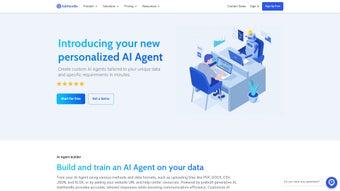

Download AskHandle – AI‑Powered Customer Support Tool for Faster, Personalized Service
Overview
AskHandle is a subscription‑based AI support platform that redefines how businesses interact with customers. By combining generative AI with Codeless Retrieval Augmented Generation (CRAG) technology, AskHandle can ingest data from simple text files, web URLs, or plain‑text snippets and instantly turn that information into context‑aware responses. The system is pre‑trained in more than 90 languages, allowing it to converse empathetically with users across the globe. Whether you operate a hotel chain, a public‑transport service, or an online retailer, AskHandle adapts to industry‑specific vocabularies and workflows, delivering real‑time assistance that reduces wait times and boosts satisfaction scores. Its subscription model includes regular updates, security patches, and a support portal, ensuring that the tool remains both secure and future‑proof. Companies that have deployed AskHandle report measurable improvements in key metrics such as tour scheduling efficiency, occupancy rates, and overall customer engagement, making it a compelling choice for any organization looking to upgrade its service desk without massive engineering overhead.
Key Features of AskHandle
- Codeless Retrieval Augmented Generation (CRAG): Import data via text files, URLs, or plain text without writing code, and let the AI generate accurate answers.
- Multilingual Support: Native‑level interaction in over 90 languages, enabling global customer service from a single platform.
- Contextual Personalization: The AI leverages user‑specific information (order history, preferences, location) to tailor each response.
- Real‑Time Query Handling: Immediate assistance for high‑volume inquiries, reducing average handling time.
- Industry‑Specific Templates: Pre‑built conversation flows for transportation, hospitality, e‑commerce, and more.
- Secure Cloud Hosting: End‑to‑end encryption, GDPR compliance, and regular security audits.
- Analytics Dashboard: Track response accuracy, satisfaction scores, and agent performance in real time.
- Scalable Subscription: Tiered plans that grow with your business, from startups to enterprise‑level deployments.
Installation & Usage Instructions
Getting started with AskHandle is intentionally frictionless. After purchasing a subscription, you receive a personalized onboarding link that guides you through three primary steps: account creation, data import, and agent configuration.
Step 1 – Create Your Workspace
Visit the AskHandle portal, enter your company details, and set up admin credentials. The platform automatically provisions a secure cloud instance, so there’s no need for on‑premise servers. A quick verification email completes the account setup.
Step 2 – Import Knowledge Base
Navigate to the “Data Hub” section and choose your preferred import method. For a text file, simply drag‑and‑drop the .txt or .csv file. To pull from a website, paste the URL; AskHandle’s crawler extracts relevant FAQs, policy pages, and product specs. If you have legacy documents, copy‑paste the content into the plain‑text editor. Within minutes, the CRAG engine indexes the information and makes it searchable for the AI.
Step 3 – Configure Agents and Channels
Assign roles (support agent, supervisor, analytics viewer) and connect communication channels such as web chat, WhatsApp, or SMS. The UI provides a visual flow builder where you can map typical conversation paths, add escalation rules, and enable the “human‑in‑the‑loop” feature for complex tickets. Once saved, activate the bot and monitor the live dashboard for real‑time performance metrics.
Ongoing usage is streamlined through a single “Control Center” where you can update the knowledge base, adjust language models, and review analytics. AskHandle also offers a mobile app for agents on the go, ensuring that updates and alerts are always within reach.
Compatibility, Pros and Cons
AskHandle runs entirely in the cloud, making it compatible with any modern operating system that supports a web browser. Whether your team uses Windows 10/11, macOS Ventura, Linux distributions, or mobile platforms like Android 13 and iOS 17, the web‑based interface delivers a consistent experience. The optional mobile companion app is available on the Google Play Store and Apple App Store, providing push notifications and quick reply capabilities.
Pros
- Zero‑code data import accelerates deployment.
- Extensive multilingual coverage eliminates the need for separate language packs.
- Context‑aware responses increase first‑contact resolution rates.
- Scalable pricing fits startups and large enterprises alike.
- Robust analytics help refine support strategies over time.
Cons
- Subscription cost may be higher than basic ticketing tools for very small teams.
- Initial knowledge‑base structuring requires thoughtful planning to maximize AI accuracy.
- Advanced customization of AI behavior may need assistance from AskHandle’s professional services.
FAQ & Final Thoughts
Is there a free trial available for AskHandle?
Yes. AskHandle offers a 14‑day free trial that includes full access to all core features, allowing you to test data import, multilingual support, and the analytics dashboard without commitment.
How secure is the data stored in AskHandle?
All data is encrypted in transit (TLS 1.3) and at rest (AES‑256). AskHandle complies with GDPR, CCPA, and ISO 27001 standards, and regular third‑party audits verify its security posture.
Can I integrate AskHandle with my existing CRM?
Absolutely. AskHandle provides RESTful APIs and native connectors for popular CRMs such as Salesforce, HubSpot, and Zoho. This enables ticket synchronization, customer profile enrichment, and unified reporting.
What kind of support does AskHandle offer to subscribers?
Subscribers receive 24/7 email support, live chat during business hours, and access to a dedicated knowledge base. Premium plans also include a personal onboarding specialist and quarterly strategy sessions.
How does AskHandle handle updates and new AI models?
Updates are rolled out automatically on the cloud platform. New language models and feature enhancements are deployed without downtime, ensuring your support team always works with the latest AI capabilities.
In summary, AskHandle stands out as a versatile, AI‑driven support solution that balances technical depth with ease of use. Its ability to ingest data without code, coupled with extensive multilingual support, makes it a strategic asset for businesses aiming to improve customer experience while streamlining operations. If you’re ready to replace slow ticket queues with instant, personalized assistance, download AskHandle today and start your free trial. Experience the difference that smart automation can bring to your support team and watch satisfaction scores climb.



.png)




