
Screenshots
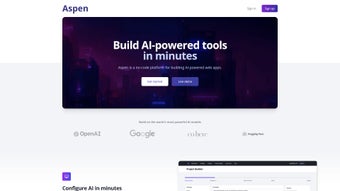
App details
- Updated
- January 13, 2025
- Requires
- Chrome
- License
- Full
- Developer
- getaspenai
- Category
- Web Apps
About Aspen
Download Aspen – AI‑Powered Low‑Code Tool for Web Development
Overview
Aspen is an AI‑driven low‑code platform that targets modern JavaScript web development. Built from the ground up with a focus on rapid prototyping, Aspen blends a visual drag‑and‑drop interface with a powerful machine‑learning engine that suggests optimal code snippets, component structures, and third‑party integrations based on the context of your project. Whether you are a solo developer building a portfolio site, a startup sprinting to launch an MVP, or an agency delivering multiple client projects, Aspen promises to shrink the time‑to‑market by handling repetitive tasks such as user authentication, payment gateway setup, and data visualization. The core runtime is pure JavaScript, which means generated applications run flawlessly in browsers, on Node.js servers, or within serverless environments like AWS Lambda. Aspen’s free tier grants access to a curated set of templates, AI suggestions, and a limited number of active projects, allowing you to evaluate the platform without any financial commitment. Paid plans start at $35 USD per month and unlock unlimited projects, advanced AI models, premium support, and additional deployment options. While the tool excels at CRUD‑centric applications, developers working on highly specialized or performance‑critical systems should weigh the benefits of rapid low‑code generation against the need for deep custom logic. Overall, Aspen positions itself as a bridge between the ease of visual development and the flexibility of hand‑crafted code, making it a compelling choice for anyone looking to accelerate JavaScript‑based web projects while retaining full control over the final source.
Core Features That Empower Developers
- AI‑Guided Code Generation: Real‑time suggestions adapt to your project’s architecture, reducing boilerplate and improving code quality.
- Extensive Template Library: Over 60 pre‑built templates for e‑commerce, SaaS dashboards, blogs, landing pages, and more, all fully customizable.
- One‑Click Authentication: Integrated OAuth, JWT, and social‑login providers (Google, Facebook, GitHub) with auto‑generated secure flows.
- Payment Gateway Connectors: Ready‑made integrations for Stripe, PayPal, Square, and the ability to add custom providers via plugins.
- Drag‑and‑Drop Data Visualization: Charts, heat maps, and real‑time dashboards that sync automatically with your data sources.
- Cross‑Platform Compatibility: Generates code that runs on browsers, Node.js, and can be bundled for mobile via React Native.
- Version‑Control Sync: Direct connections to GitHub, GitLab, and Bitbucket with automatic branch creation for each scaffold.
- Secure Deployment Pipeline: Automated SSL provisioning, vulnerability scanning, and one‑click deployment to Vercel, Netlify, or custom Docker hosts.
- Plugin Architecture: Open SDK lets you extend Aspen with custom modules, third‑party APIs, or internal tooling.
- CLI & API Access: `aspen-cli` for headless project creation, CI/CD integration, and batch operations across multiple environments.
Each feature lives behind an intuitive UI that balances simplicity for beginners with depth for power users. The AI engine continuously learns from your code commits, usage patterns, and community‑shared best practices, ensuring recommendations stay relevant as the JavaScript ecosystem evolves. Moreover, Aspen’s modular design means you can adopt only the components you need—whether that’s the visual builder, the AI assistant, or the deployment automation—without being forced into a monolithic workflow. This flexibility not only shortens onboarding time but also reduces the risk of vendor lock‑in, as you retain full access to the generated source code at any stage of the development cycle.
Installation, Usage & Compatibility
Step‑by‑Step Installation
- Navigate to aspen.dev/download and select the installer that matches your operating system (Windows, macOS, or Linux).
- Run the installer; the wizard will prompt you to create an admin account, choose a default Git provider, and set your preferred UI theme.
- After the first launch, open the Template Gallery, pick a starter kit (e.g., “E‑commerce React” or “SaaS Dashboard Vue”), and let Aspen analyze the template to propose additional modules.
- Configure authentication and payment settings via the Integrations Panel. Test each service in sandbox mode before going live.
- Use the built‑in code editor to fine‑tune AI‑generated snippets. The editor provides real‑time linting, autocomplete, and inline documentation for every suggested line.
- When you’re ready, click Deploy. Aspen packages the app, provisions an SSL certificate, and pushes the code to your chosen hosting platform (Vercel, Netlify, AWS Amplify, or a custom Docker host).
Supported Operating Systems
Aspen runs natively on Windows 10/11, macOS 11 (Big Sur) and later, and major Linux distributions such as Ubuntu, Fedora, and Debian. Because the generated applications rely on Node.js ≥ 14, any environment that can execute Node.js—whether a local dev machine, a cloud VM, or a serverless runtime—will be fully compatible. Aspen also offers a lightweight Docker image for containerized deployments, making it easy to spin up isolated development sandboxes on any platform that supports Docker.
Pros & Cons
- Pros:
- Reduces development time by up to 50 % for standard web applications.
- AI‑driven code suggestions improve consistency and catch common bugs early.
- Rich library of production‑ready templates accelerates MVP launch.
- Integrated security (SSL, vulnerability scans) eliminates separate hardening steps.
- Free tier allows risk‑free experimentation for hobbyists and startups.
- Cons:
- Complex custom logic may require manual JavaScript edits, reducing low‑code efficiency.
- AI recommendation engine adds modest CPU overhead on low‑end machines.
- Most features depend on an internet connection; offline work is limited.
- Premium pricing can become significant for large development teams.
Frequently Asked Questions
Is Aspen suitable for developers with no prior JavaScript experience?
Yes. Aspen’s low‑code templates and AI‑driven suggestions guide beginners through the development process while exposing the underlying JavaScript code for learning and experimentation.
Can I export the source code generated by Aspen to my own IDE?
Absolutely. Aspen lets you download the complete project as a ZIP archive or push it directly to a Git repository, after which you can open it in VS Code, WebStorm, Sublime Text, or any editor of your choice.
Does Aspen support real‑time collaboration for distributed teams?
Yes. The platform includes collaborative workspaces where multiple users can edit a project simultaneously, with change tracking, role‑based permissions, and in‑app chat.
Which payment gateways are available out of the box?
Aspen ships with pre‑configured connectors for Stripe, PayPal, and Square. Additional gateways can be added via the plugin marketplace or custom API integration.
How many projects can I create on the free tier?
The free tier allows up to three active projects. Upgrading to a paid plan removes this limitation and adds priority AI models and premium support.
Is there a CLI for headless automation?
Yes. The `aspen-cli` provides commands for project scaffolding, plugin installation, testing, and deployment, making it ideal for CI/CD pipelines.
Conclusion – Should You Download Aspen?
Aspen delivers a compelling blend of AI‑enhanced low‑code development and full‑stack JavaScript flexibility. Its extensive template library, one‑click authentication, and built‑in payment connectors make it especially attractive for startups, agencies, and solo developers looking to launch MVPs quickly. The free tier provides enough functionality to evaluate the platform without any upfront cost, while the paid plans unlock advanced AI models, unlimited projects, and premium deployment options. Teams that value rapid iteration, collaborative editing, and integrated security will find Aspen a solid addition to their toolkit, though they should consider the additional expense for larger groups and the occasional need to dive into custom code for highly specialized features. If you’re ready to accelerate your JavaScript workflow, reduce repetitive boilerplate, and keep your codebase open for future customization, Aspen is definitely worth a download and a hands‑on test.
Download Aspen today and experience a faster, smarter way to build modern web applications.
Pros: AI‑driven code assistance, rich template ecosystem, strong security defaults, cross‑platform support, free tier for testing.
Cons: Advanced custom logic can reduce low‑code efficiency, reliance on internet connectivity for AI features, premium pricing for large teams.
Guides & Tutorials
How to install Aspen
- Click the Download button above.
- Once redirected, accept the terms and click Install.
- Wait for the Aspen download to finish on your device.
How to use Aspen
This software is primarily used for its core features described above. Open the app after installation to explore its capabilities.
User Reviews
No reviews yet. Be the first to share your experience.
You may also like
more
3D AI Studio
3D AI Studio Overview 3D AI Studio is a web-based AI-powered tool developed by S...

3D textures by Polycam
Generate Realistic 3D Textures Effortlessly 3D Textures by Polycam is an innovat...

3DAiLY
Customizable 3D Modeling Tool: 3DAiLY 3DAiLY is an online platform that harnesse...

3DFY
Revolutionizing 3D Model Creation: 3DFY Review 3DFY is an AI-powered service, de...

AI Dungeon
AI Dungeon: Deep Learning Text Adventure AI Dungeon is an artificial intelligenc...

Alpha3D
A subscription-based program for Web apps, by alpha3d. Alpha3D is a subscription...
