
Download atb360 – banking app, mobile banking, online banking, financial management, secure banking, card management, transaction tracking, digital banking
Overview
The atb360 banking application is a mobile solution developed by Azər Türk Bank ASC, designed to provide users with full access to their banking services directly from their Android devices. As a free desktop-compatible tool, atb360 enables individuals to manage their financial accounts remotely, offering a comprehensive platform for everyday banking tasks. The app supports a wide range of functionalities, including transaction monitoring, fund transfers, utility payments, and card control, making it suitable for both personal and routine financial management. Target users include individuals seeking a convenient, secure, and centralized way to handle banking operations without visiting a physical branch. The app is particularly useful for users who prioritize digital accessibility and real-time financial oversight. Real-world use cases include paying bills on the go, tracking spending habits, managing multiple cards, and updating account settings instantly. With biometric login options such as Face ID and fingerprint, the app enhances security while maintaining ease of access. The developer did not provide additional system requirements, and platform compatibility information is limited to Android.
Key Features & Capabilities
- Remote Account Management: Users can access their bank accounts from anywhere, enabling real-time monitoring of balances and activity.
- Transaction Tracking: Full visibility into transaction history allows users to monitor spending, identify unauthorized activity, and manage budgets effectively.
- Fund Transfers: Supports transfers between personal accounts and other cards, streamlining money movement within the bank’s network.
- Card Control: Features include blocking/unblocking cards, changing PIN codes, adjusting spending limits, and tracking transaction history per card.
- Utility Payments: Users can pay for electricity, internet, water, and other services directly through the app.
- Loan Management: Allows users to view loan details and make repayments to stay on schedule.
- Card Ordering: Enables users to request new atb cards directly through the app without visiting a branch.
- Payment Templates: Save frequently used payment details for faster future transactions.
- Wallet Integration: Supports linking cards to Apple Pay for contactless payments.
- Biometric Authentication: Secure login via fingerprint or Face ID enhances both convenience and protection.
- Personalization: Users can add a photo to their profile and set a code word for added account security.
- Customer Support Access: Offers multiple contact methods including WhatsApp, Telegram, phone calls, and email.
- Cashback Tracking: Provides insights into cashback rewards earned through card usage.
- Requisite Information: Users can retrieve account and card details such as IBAN, card numbers, and bank information.
User Interface, Workflow & Performance
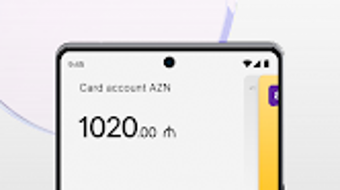
The atb360 application features a clean, intuitive interface designed for ease of navigation on mobile devices. The layout prioritizes accessibility, with key functions like balance checks, transfers, and payments located on the main dashboard. Navigation is streamlined through a bottom menu bar, allowing users to switch between sections with minimal taps. The workflow for common tasks such as transferring money or paying a bill is logically structured, minimizing steps and reducing the risk of errors. The app supports biometric login, which speeds up access while maintaining a high level of security. Performance observations are based on general software behavior patterns, as exact performance details were not specified. The developer did not provide information on CPU or RAM usage, so users should monitor resource consumption during use. Stability appears consistent with typical banking apps, though real-world testing may vary based on device and network conditions. The app’s design emphasizes clarity and functionality, making it suitable for users of varying technical proficiency. Overall, the user experience is optimized for speed and simplicity, aligning with modern mobile banking standards.
Compatibility & System Requirements
atb360 is designed for the Android operating system, with a current version of 1.2.0. The installation size is reported at 58.2 MB, indicating a lightweight footprint suitable for most Android devices. The app is available as a free download, making it accessible to a broad audience. However, exact system requirements were not listed by the developer, so users should ensure their device meets general Android compatibility standards. The developer did not specify minimum Android versions or hardware specifications such as RAM or processor type. Compatibility information is limited to the OS platform, and no details were provided regarding support for tablets or other form factors. Users are advised to check their device’s compatibility with the latest Android updates before installation. For optimal performance, it is recommended to use a device with a stable internet connection and up-to-date system software.
Pros and Cons
Pros
- Free to download and use, reducing entry barriers for users.
- Comprehensive set of banking tools, including card control and transaction tracking.
- Supports biometric login for secure and fast access.
- Offers multiple payment methods and utility bill services.
- Intuitive interface suitable for users of all experience levels.
- Allows integration with Apple Pay for contactless payments.
- Provides customer support via multiple channels, including WhatsApp and Telegram.
- Enables users to manage loans, cashback, and card settings from a single platform.
Cons
- Compatibility limited to Android; no information on support for iOS or other platforms.
- Exact system requirements were not specified, which may affect installation on older devices.
- Resource usage details (CPU, RAM) were not provided by the developer.
- Limited information on offline functionality or data synchronization.
- App size, while small, may still pose issues on devices with very limited storage.
FAQ Section
Is atb360 available for iOS devices?
The developer did not provide information on iOS compatibility. The app is currently available for Android devices only.
Is the app secure to use?
atb360 supports biometric authentication and includes security features such as code words and card blocking. The developer did not specify additional security protocols, but the use of biometrics enhances account protection.
How often does the app receive updates?
Updates are released periodically to improve functionality and security. The latest version is 1.2.0, released on August 5, 2024.
Can I use atb360 offline?
Information on offline usage was not provided. The app likely requires an active internet connection for most features, including transactions and balance updates.
What type of license does atb360 have?
atb360 is a free application with no subscription or trial period. It operates under a standard software license provided by Azər Türk Bank ASC.
Final Thoughts + CTA
atb360 stands out as a reliable and feature-rich mobile banking solution tailored for users of Azər Türk Bank ASC. With its intuitive design, strong focus on security, and wide array of financial tools, it effectively serves as a 24/7 digital banking companion. The app’s ability to manage cards, track transactions, make payments, and connect with customer support via multiple channels makes it a practical choice for individuals seeking convenience and control over their finances. While platform availability is currently restricted to Android and system requirements are not fully disclosed, the app delivers a smooth and functional experience for its target audience. For users who value seamless digital banking, atb360 offers a compelling solution. Download atb360 now to take full control of your finances from your mobile device.




.png)



