
Screenshots
App details
- Updated
- May 25, 2025
- Requires
- Chrome
- License
- Subscription
- Developer
- autocaption
- Category
- Web Apps
About Autocaption
Download Autocaption – AI‑Powered Video Captioning Tool for Accessibility and Engagement
Overview
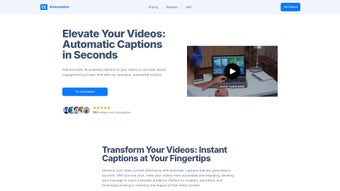
Autocaption is an AI‑driven web application that turns raw video files into fully captioned content within seconds. Built for creators, educators, and businesses, the platform removes the manual labor traditionally required for transcribing and timing subtitles. By uploading a video, users instantly receive accurate captions that can be edited, styled, and exported in multiple formats. The service operates on a subscription model, offering tiered plans that unlock advanced capabilities such as team collaboration, bulk processing, and custom branding options. Autocaption’s primary goal is to make video accessibility simple, fast, and cost‑effective, helping creators reach wider audiences while complying with accessibility standards like WCAG and ADA. Whether you’re publishing a tutorial on YouTube, delivering corporate training modules, or sharing social‑media clips, Autocaption streamlines the workflow, reduces turnaround time, and enhances viewer engagement through clear, on‑point subtitles. The platform’s cloud‑based architecture ensures that updates and improvements are rolled out automatically, keeping the captioning engine at the forefront of natural‑language processing technology.
Key Features & Customization Options
- Instant AI‑generated captions with 95%+ accuracy for English and major world languages.
- Automatic speaker detection and timestamp alignment for seamless playback.
- Customizable caption placement, font style, color palette, and background opacity to match brand guidelines.
- Bulk upload support for batch processing of multiple video files.
- Team collaboration tools: shared workspaces, permission levels, and real‑time editing.
- Multiple export formats: SRT, VTT, TXT, and direct integration with YouTube, Vimeo, and Microsoft Stream.
- Secure cloud storage with GDPR‑compliant data handling and end‑to‑end encryption.
- API access for developers to embed captioning into custom workflows or LMS platforms.
- Regular AI model updates that improve speech recognition for accents, background noise, and industry‑specific terminology.
- 24/7 customer support and a knowledge base packed with tutorials, best‑practice guides, and troubleshooting tips.
Each feature is designed to reduce the friction that often accompanies video post‑production. The AI engine leverages deep‑learning models trained on millions of hours of spoken content, enabling it to handle varied audio qualities—from polished studio recordings to on‑the‑fly smartphone videos. Users can fine‑tune the appearance of captions, positioning them at the top, bottom, or within the frame, and applying brand colors to reinforce visual identity. For enterprises, the collaboration suite allows multiple editors to review and approve subtitles, ensuring consistency across large content libraries. The export options make it easy to push captions directly to popular video‑hosting platforms, eliminating the need for manual file conversion. Overall, Autocaption’s feature set balances automation with control, giving creators the freedom to produce accessible, professional‑looking videos without hiring dedicated transcription services.
Installation, Usage & Compatibility
Autocaption is a web‑based solution, which means there is no traditional software download or installation required on the user’s device. To get started, visit the official Autocaption website and sign up for a free trial or select a subscription plan that fits your needs. After creating an account, you’ll be taken to a clean dashboard where you can drag‑and‑drop video files or use the “Upload” button to select files from your computer. The platform supports the most common video formats, including MP4, MOV, AVI, and WebM. Once uploaded, the AI engine begins processing the audio and typically delivers the first caption draft within 30–60 seconds, depending on video length and server load.
After the automatic captions appear, you can edit the text directly in the built‑in editor, adjust timing with a simple timeline interface, and customize visual styles using the “Appearance” panel. When you’re satisfied, click “Export” to download the caption file in your preferred format or push it straight to connected services like YouTube via OAuth authentication. For teams, the “Projects” tab enables you to create shared folders, assign roles (admin, editor, viewer), and track revision history.
Because Autocaption runs entirely in the browser, it is compatible with any modern operating system that supports up‑to‑date browsers. This includes Windows 10/11, macOS Ventura and later, Chrome OS, as well as mobile platforms such as Android 9+ and iOS 13+. The application is optimized for Chrome, Firefox, Edge, and Safari, ensuring smooth performance across desktops, laptops, and tablets. No additional plugins or extensions are required, and the secure HTTPS connection guarantees that your video files are transmitted safely to the cloud for processing.
For users who prefer a more integrated workflow, Autocaption also offers a lightweight desktop client (available for Windows and macOS) that syncs with your online account, providing drag‑and‑drop functionality directly from the file explorer. The client automatically updates to the latest AI model, so you always benefit from the newest accuracy improvements without manual patches. In summary, the installation process is virtually frictionless, and the cross‑platform compatibility makes Autocaption a versatile choice for anyone looking to caption videos quickly and securely.
Pros & Cons
- Pros
- Lightning‑fast caption generation saves hours of manual transcription.
- High accuracy across multiple languages and dialects.
- Extensive customization options for branding and accessibility.
- Team collaboration features streamline editorial workflows.
- Secure cloud processing with GDPR compliance.
- Seamless integration with major video platforms and LMS systems.
- Cons
- Subscription pricing may be prohibitive for occasional hobbyists.
- Limited offline functionality; requires an internet connection.
- Advanced features (API access, bulk processing) are only available on higher‑tier plans.
- Audio with heavy background noise can still affect accuracy, requiring manual correction.
Autocaption delivers a compelling blend of speed, accuracy, and flexibility that makes it stand out among captioning tools. While the cost may be a consideration for smaller creators, the productivity gains and accessibility compliance benefits justify the investment for most professional use‑cases.
Conclusion & Frequently Asked Questions
If you’re looking to boost video accessibility, improve SEO, and engage a broader audience without the hassle of manual transcription, Autocaption is a solid choice. Its AI engine, robust customization, and collaboration suite make it suitable for both individual creators and large organizations. Start with the free trial to evaluate the accuracy on your content, then upgrade to a plan that aligns with your workflow needs. With secure cloud processing and seamless export options, Autocaption empowers you to focus on creating compelling video stories while it takes care of the subtitles.
FAQ
How accurate is Autocaption’s AI transcription?
The AI model typically achieves 95%+ accuracy for clear English audio and performs well with other major languages. Accents and background noise may require minor manual adjustments.
Can I use Autocaption on mobile devices?
Yes. Autocaption’s web interface is fully responsive and works on Android 9+ and iOS 13+ browsers. The mobile experience mirrors the desktop workflow.
What video formats are supported for upload?
MP4, MOV, AVI, WebM, and most other common formats are supported. Files up to 2 GB can be processed on standard plans.
Is there a way to integrate Autocaption with my existing LMS?
Yes. Higher‑tier subscriptions include API access and direct export to SCORM‑compatible LMS platforms, allowing automated caption deployment.
How does Autocaption handle data privacy?
All video files are transmitted over encrypted HTTPS, stored temporarily for processing, and deleted after export. The service complies with GDPR and other regional privacy regulations.
Start your free trial today and see how effortless video captioning can be.
Guides & Tutorials
How to install Autocaption
- Click the Download button above.
- Once redirected, accept the terms and click Install.
- Wait for the Autocaption download to finish on your device.
How to use Autocaption
This software is primarily used for its core features described above. Open the app after installation to explore its capabilities.
User Reviews
No reviews yet. Be the first to share your experience.
You may also like
more
3D AI Studio
3D AI Studio Overview 3D AI Studio is a web-based AI-powered tool developed by S...

3D textures by Polycam
Generate Realistic 3D Textures Effortlessly 3D Textures by Polycam is an innovat...

3DAiLY
Customizable 3D Modeling Tool: 3DAiLY 3DAiLY is an online platform that harnesse...

3DFY
Revolutionizing 3D Model Creation: 3DFY Review 3DFY is an AI-powered service, de...

AI Dungeon
AI Dungeon: Deep Learning Text Adventure AI Dungeon is an artificial intelligenc...

Alpha3D
A subscription-based program for Web apps, by alpha3d. Alpha3D is a subscription...
