

AutoKrypt: Secure File Encryption with Automation
The software is designed for users seeking robust file protection through advanced encryption and automation. It enables the automatic encryption and decryption of files and folders based on user-defined schedules, making it ideal for individuals and organizations handling sensitive data. The tool supports multiple encryption methods, including secret keys, public keys, and private keys, with full OpenPGP password and key integration. Users can create customizable encryption profiles—such as high-security settings for work files and lower-security options for personal use—streamlining workflow efficiency. Real-world scenarios include securing financial records, protecting client data during collaboration, and automating backup encryption for remote teams. The software also supports compressed archives, allowing encryption of zipped files, and includes features for copying, duplicating, and managing files using wildcards or random selection. While the interface is straightforward, it lacks beginner guidance, suggesting the tool is better suited for experienced users familiar with encryption concepts. The developer did not provide additional system requirements or performance benchmarks.
Key Features & Capabilities
- Automated Encryption Scheduling – Users can set up recurring encryption and decryption tasks based on specific times or triggers, ideal for maintaining consistent data protection across workflows.
- Multi-Key Encryption Support – Implements secret, public, and private key systems, with full OpenPGP password and key management for enhanced security and flexibility.
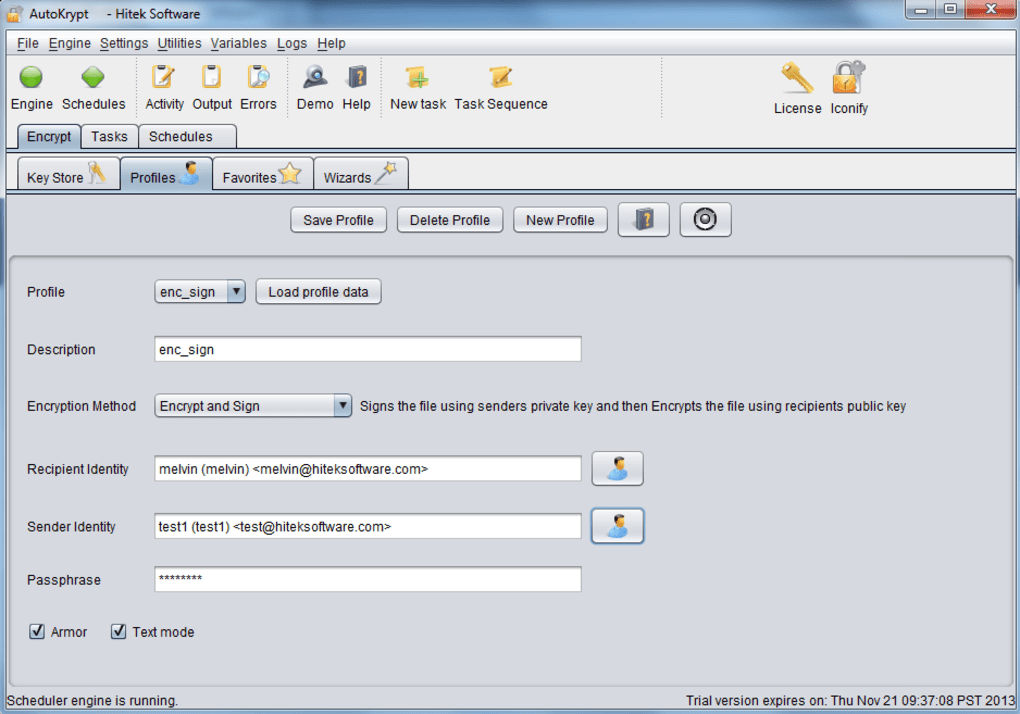
- Customizable Encryption Profiles – Allows users to define different security levels—such as high for work-related files and low for personal use—enabling quick, context-aware encryption decisions.
- Archive and File Management – Supports encryption of compressed files like ZIP archives and includes tools for copying, duplicating, and selecting files using wildcards or random selection.
- Advanced File Operations – New tasks include creating directories, listing directory contents, setting file permissions, and adjusting timestamps, improving integration with automated workflows.
These features are particularly useful in environments requiring consistent data protection, such as legal offices, financial institutions, or remote teams sharing sensitive information. The ability to schedule encryption tasks reduces the risk of human error and ensures compliance with data governance policies. Profile-based encryption allows users to adapt security levels without reconfiguring settings each time. The support for compressed files ensures that encrypted data remains portable and compatible across systems. File management tasks enhance automation capabilities, enabling seamless integration into larger data handling pipelines.
User Interface, Workflow & Performance
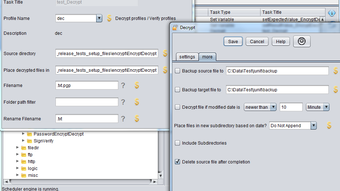
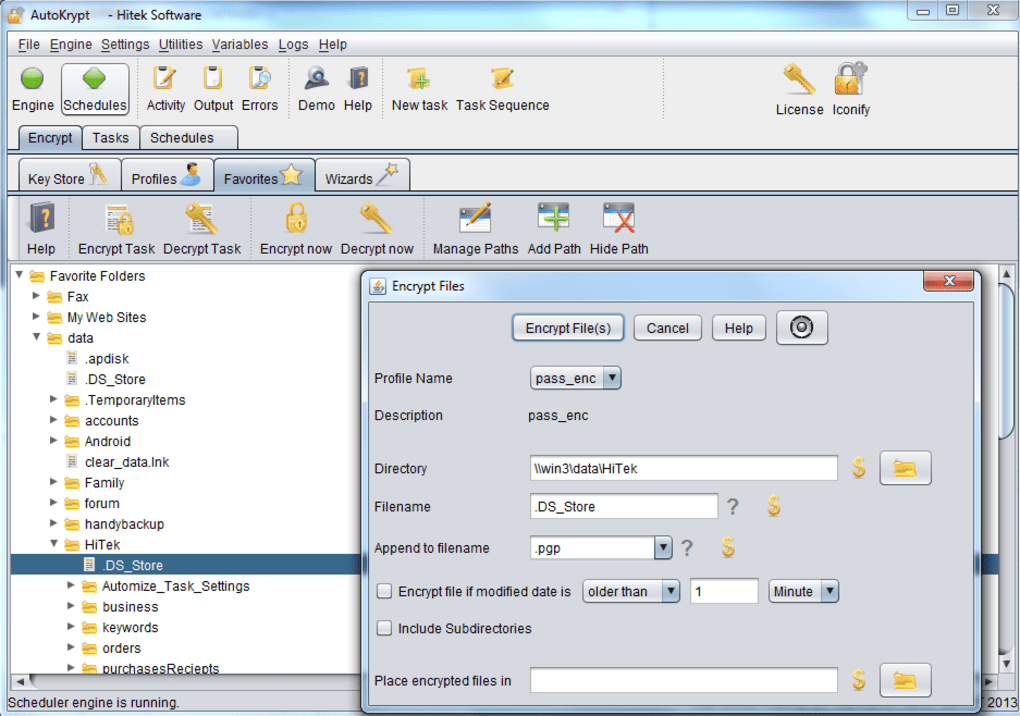
The user interface is functional but not visually distinctive, offering a standard layout with menus, task panels, and configuration fields. Navigation is straightforward, with access to encryption tasks, profile settings, and scheduling options through clearly labeled sections. The workflow follows a logical sequence: define a task, assign encryption parameters, set conditions, and activate the schedule. While the layout is easy to navigate, the absence of tooltips, guided tutorials, or onboarding steps may pose challenges for new users unfamiliar with encryption terminology. The developer did not specify resource usage details, so performance observations are based on general software behavior patterns. No reported instability or crashes were mentioned. The software runs without visible lag during routine operations, and the lack of visual enhancements does not appear to impact responsiveness. CPU and RAM behavior are not documented, but the 42.1 MB installation size suggests a lightweight footprint. Users can expect stable execution under typical usage conditions.
Compatibility & System Requirements
AutoKrypt is available for both Windows and Mac operating systems, ensuring broad accessibility across desktop platforms. The current version is 2.0.1, released on March 15, 2024. The software has a file size of 42.1 MB, indicating a compact installation package. Exact system requirements were not listed, so compatibility with specific hardware configurations remains unclear. The developer did not provide information on minimum processor speed, RAM, or disk space. It is recommended to verify system compatibility before installation. Platform-specific behaviors may vary, particularly in how encryption tasks interact with system-level permissions or file systems. The software supports integration with FTP, SFTP, and related modules, suggesting it is designed for networked environments. No limitations were reported regarding file size or number of files processed.
Pros and Cons
Pros
- Comprehensive encryption methods including OpenPGP and key-based systems
- Automated scheduling for consistent data protection
- Support for encrypted compressed files and advanced file operations
- Customizable encryption profiles for different use cases
- Free to use with no licensing restrictions
Cons
- Interface lacks visual polish and beginner guidance
- No detailed system requirements provided
- Not suitable for users unfamiliar with encryption concepts
- Limited documentation or onboarding resources
- Performance metrics not disclosed
FAQ Section
Is AutoKrypt compatible with both Windows and Mac?
Yes, AutoKrypt is available for both Windows and Mac operating systems.
Is the software free to use?
Yes, AutoKrypt is offered at no cost, with no restrictions on usage.
Can I use AutoKrypt for automated file encryption?
Yes, the software supports automated encryption and decryption based on user-defined schedules.
Does AutoKrypt support encrypted file transfers?
Yes, AutoKrypt integrates with FTP and SFTP modules, enabling secure file transfer workflows.
What encryption standards does AutoKrypt use?
AutoKrypt supports OpenPGP, secret keys, public keys, and private keys for secure data encryption.
Final Thoughts + CTA
AutoKrypt stands out as a powerful, free desktop application for users who require automated, multi-layered file encryption. Its ability to schedule encryption tasks, manage multiple key types, and support compressed files makes it a strong choice for professionals handling sensitive data. While the interface is functional rather than elegant, and it lacks beginner-friendly guidance, its depth of features justifies its use for experienced users. The inclusion of customizable profiles and advanced file operations enhances workflow efficiency in complex environments. For those familiar with encryption principles and seeking a reliable, automated solution, AutoKrypt delivers strong value. Download AutoKrypt now.








