
Download Automatic Chat – AI‑Powered Website Chatbot, Free Setup, Secure & Multi‑Platform
Overview
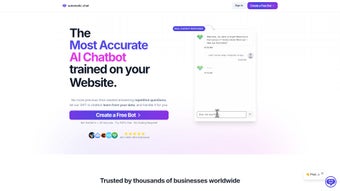
Automatic Chat is a modern AI chatbot built on OpenAI’s GPT‑4 engine, purpose‑crafted for seamless integration into any website. It turns static pages into interactive help desks, delivering instant, human‑like replies to visitors while learning from the very content that defines your brand – from web pages and PDFs to Google Docs and internal knowledge bases. The platform positions itself as a “set‑and‑forget” solution: a complimentary setup service gets you up and running, while powerful analytics, multilingual support, and granular branding options keep the conversation aligned with your business voice. Security isn’t an afterthought; data is encrypted in transit and at rest, and privacy policies comply with GDPR and CCPA standards. In short, Automatic Chat blends cutting‑edge language models with practical tools that let small businesses and enterprises alike automate customer service, capture leads, and boost engagement without sacrificing control or compliance.
When evaluating a chatbot, three pillars dominate the decision‑making process: accuracy, adaptability, and accountability. Automatic Chat scores high on each. Because it draws directly from your own documentation, the answers it generates stay relevant and trustworthy, reducing the “hallucination” risk that plagues generic AI assistants. The platform’s customization dashboard lets you tweak tone, inject brand colors, and define fallback rules, ensuring that the bot never strays from the narrative you’ve cultivated. Finally, the built‑in chat‑log archive gives you a searchable record of every interaction, making it simple to audit conversations for quality assurance or compliance audits.
For developers, the integration is equally painless. A single line of JavaScript embeds the widget, and the back‑end communicates via secure REST endpoints. The service also supplies SDKs for React, Vue, and Angular, so you can embed the chatbot natively within single‑page applications. Whether you’re running a WordPress blog, an e‑commerce storefront on Shopify, or a custom SaaS platform, Automatic Chat can be dropped in within minutes, leaving you free to focus on core product development.
Key Features & Capabilities
- GPT‑4 Powered Intelligence: Leverages OpenAI’s most advanced language model for nuanced, context‑aware responses.
- Knowledge Base Integration: Automatically ingests website content, PDFs, and Google Docs to build a proprietary knowledge graph.
- Multi‑Language Support: Converses fluently in over 30 languages, with auto‑detect and language‑specific tuning.
- Brand Customization: Full control over widget colors, avatar, greeting messages, and tone of voice.
- Analytics Dashboard: Real‑time metrics on chat volume, satisfaction scores, and conversion rates.
- Chat Log Archive: Secure, searchable history of every interaction for compliance and training.
- Privacy‑First Architecture: End‑to‑end encryption, GDPR/CCPA compliance, and data residency options.
- Complimentary Setup Service: Guided onboarding by a dedicated specialist to configure, train, and launch the bot.
- Seamless Web Integration: One‑line JavaScript snippet plus SDKs for popular frameworks (React, Vue, Angular).
- Scalable Pricing Model: Free tier for up to 500 monthly chats, with pay‑as‑you‑grow plans for larger volumes.
Why These Features Matter
Businesses today demand AI that does more than answer FAQs; they need tools that evolve with their content strategy. Automatic Chat’s ability to crawl and index PDFs and Google Docs means that product manuals, policy documents, and internal SOPs become instantly accessible to customers, reducing support ticket volume and accelerating issue resolution. The multilingual engine breaks language barriers, allowing global brands to serve non‑English speaking visitors without hiring separate support teams.
From a marketing perspective, the analytics suite turns every chat into a data point. You can monitor drop‑off rates, identify high‑value queries that lead to sales, and even run A/B tests on greeting scripts. This insight feeds directly into conversion optimization cycles, making the chatbot a revenue‑generating asset rather than a cost center.
Security and compliance are non‑negotiable in regulated industries such as finance, healthcare, and education. Automatic Chat’s encrypted storage, role‑based access controls, and ability to host data within EU or US regions give compliance officers confidence that user data remains protected while still benefiting from AI automation.
Installation, Usage & Compatibility
Step‑by‑Step Setup
- Create an Account: Visit the Automatic Chat website, register with your email, and verify your account.
- Choose a Plan: Start with the free tier or select a paid plan based on expected chat volume.
- Run the Complimentary Setup: Schedule a 30‑minute onboarding call; a specialist will guide you through data ingestion (website crawl, PDF upload, Google Docs linking).
- Copy the JavaScript Snippet: After configuration, the dashboard generates a one‑line script. Paste it just before the closing
tag on any page you want the bot to appear. - Configure Appearance: Use the visual editor to set colors, upload a custom avatar, and define the welcome message.
- Test & Publish: Open your site in a private browser window, interact with the bot, and fine‑tune fallback responses before going live.
Supported Operating Systems & Environments
Automatic Chat is a cloud‑based SaaS solution, so it works across all major operating systems—Windows, macOS, Linux, Android, and iOS—provided the user’s browser supports modern JavaScript (Chrome, Edge, Firefox, Safari). The admin console is responsive and can be accessed from desktop or mobile devices, allowing you to monitor analytics and adjust settings on the go.
Best Practices for Ongoing Use
To keep the bot performing at its peak, regularly refresh the knowledge base. Automatic Chat automatically re‑crawls connected URLs nightly, but you should manually trigger an ingest after major content updates or new product releases. Leverage the analytics dashboard to spot unanswered questions; these can be added to the “training phrases” section to improve future responses. Finally, enable the “human hand‑off” feature for complex queries, ensuring a seamless transition from AI to a live agent when needed.
Pros, Cons & Frequently Asked Questions
Pros
- Highly accurate responses thanks to GPT‑4 and custom knowledge ingestion.
- Free onboarding service eliminates the typical learning curve.
- Robust multilingual support expands global reach.
- Detailed analytics turn chats into actionable business intelligence.
- Strong security posture with encryption and GDPR/CCPA compliance.
Cons
- Advanced customization (e.g., custom NLP intents) requires a paid plan.
- Reliance on internet connectivity; offline use isn’t supported.
- Initial data ingestion can be time‑consuming for very large document sets.
FAQ
Can Automatic Chat handle sensitive customer data?
Yes. All messages are encrypted in transit using TLS 1.3 and stored at rest with AES‑256 encryption. The platform also offers data residency options for EU and US regions to meet compliance requirements.
Is there a limit to the number of languages supported?
Automatic Chat currently supports over 30 languages, covering the most common global markets. New languages are added regularly based on user demand.
How does the free tier differ from paid plans?
The free tier includes up to 500 monthly chat sessions, basic analytics, and standard branding. Paid plans unlock higher chat volumes, advanced analytics, custom branding, and priority support.
Can I integrate Automatic Chat with my existing CRM?
Yes. The platform provides webhook endpoints and native Zapier integrations that can push lead data, chat transcripts, and satisfaction scores directly into Salesforce, HubSpot, Zoho, or any CRM that supports HTTP POST.
What kind of support is available after the complimentary setup?
All customers receive email support, and paid tiers gain access to live chat and phone support with a 24‑hour response SLA. The knowledge base also contains step‑by‑step guides and video tutorials.
Conclusion & Call to Action
Automatic Chat stands out as a pragmatic, AI‑driven solution that bridges the gap between cutting‑edge language models and real‑world business needs. Its ability to ingest proprietary documents ensures that the bot speaks with authority, while the analytics suite turns every conversation into a measurable metric. For businesses that value security, multilingual reach, and a hassle‑free onboarding experience, the platform delivers a compelling ROI—especially when the free tier is sufficient for early testing.
Ready to transform your website into a 24/7 sales and support powerhouse? Download Automatic Chat now, claim your complimentary setup, and start seeing smarter, faster customer interactions today.



.png)




