
Download Avanzai – AI‑Powered Portfolio Risk Management Software
Introduction
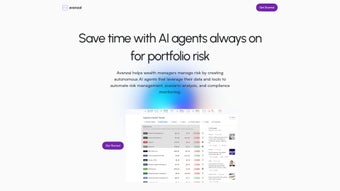
Avanzai is a cutting‑edge, AI‑driven portfolio risk management platform built for investment professionals who need to stay ahead of market volatility while maintaining compliance with global regulations. By integrating intelligent agents, real‑time data feeds, and advanced scenario‑analysis tools, Avanzai automates the most time‑consuming aspects of risk oversight—stock screening, factor extraction, stress testing, and alert generation—allowing analysts to concentrate on strategic decision‑making. The software unifies data from traditional sources such as Bloomberg, Reuters, and SQL/NoSQL warehouses with alternative data streams, creating a single pane of glass that visualizes exposure across equities, fixed income, commodities, FX, derivatives, and even emerging crypto assets. While the platform assumes a baseline familiarity with API connections and AI model concepts, its intuitive drag‑and‑drop dashboards, step‑by‑step onboarding wizard, and extensive knowledge base lower the learning curve for non‑technical users. Avanzai’s secure, scalable architecture supports both on‑premise installations and cloud‑native deployments, making it a versatile choice for hedge funds, asset managers, corporate treasuries, and fintech startups alike. Whether you need to automate daily risk checks, conduct deep‑dive Monte‑Carlo simulations, or maintain continuous compliance with MiFID II, Basel III, and SEC regulations, Avanzai delivers a reliable, high‑performance environment that adapts to evolving market conditions and organizational growth.
Key Features That Set Avanzai Apart
- AI‑Powered Agents: Automated bots execute portfolio rebalancing, screening, and risk factor extraction with minimal human input, learning from historic performance to improve accuracy.
- Dynamic Scenario & Stress Testing: Build custom macro‑economic shocks, run Monte‑Carlo simulations, and evaluate portfolio resilience under extreme market conditions.
- Real‑Time Market Insights: Continuous feeds from major exchanges and alternative data sources deliver up‑to‑the‑minute risk metrics, VaR, and liquidity measures.
- Compliance Monitoring Engine: Built‑in rule sets verify portfolios against MiFID II, SEC, Basel III, and other regulatory frameworks, instantly flagging breaches.
- Universal Data Integration Hub: Connect to Bloomberg, Reuters, SQL/NoSQL databases, RESTful APIs, and flat‑file uploads without writing code.
- Customizable Dashboards: Drag‑and‑drop widgets let users craft personalized risk dashboards, surface key performance indicators, and share views across teams.
- Smart Alert System: Define threshold‑based triggers that dispatch email, SMS, Slack, or webhook notifications the moment exposure exceeds preset limits.
- Versioned Model Library: Store, compare, and back‑test multiple AI models, enabling rapid iteration on algorithmic strategies.
- Enterprise‑Grade Security & Auditing: End‑to‑end TLS 1.3 encryption, AES‑256 data‑at‑rest protection, role‑based access control, and immutable audit logs ensure compliance and data integrity.
- Scalable Deployment Options: Available as native Windows/macOS/Linux installers, Docker containers, or managed cloud images for AWS, Azure, and Google Cloud.
Installation, Usage & Compatibility
Getting Avanzai up and running is straightforward, yet the process is designed to guarantee a secure, enterprise‑ready environment. Begin by visiting the official download portal and selecting the installer that matches your operating system—Windows 10/11 (64‑bit), macOS 12+ (Intel or Apple Silicon), or Ubuntu 20.04+ (or other major Linux distributions). All installers are digitally signed, providing assurance against tampering.
Step‑by‑Step Installation Guide
- Download the installer: Click “Download Avanzai”; the file saves as
Avanzai_Setup.exe(Windows) orAvanzai.pkg(macOS). - Run the installer: Accept the license agreement, choose the default directory (C:\Program Files\Avanzai or /Applications/Avanzai), and allow the installer to configure required services.
- Configure data connectors: The onboarding wizard prompts you to enter API keys for Bloomberg, Reuters, or custom REST endpoints, as well as database credentials for your internal data warehouse.
- Deploy your first AI agent: Use the “Agent Builder” to select a pre‑trained risk model (e.g., Value‑At‑Risk). Adjust hyper‑parameters if you have a bespoke model, then click “Deploy”.
- Design dashboards: Navigate to the “Dashboard” tab, drag widgets such as “Portfolio Exposure”, “Liquidity Heatmap”, and “Compliance Alerts” onto the canvas, and save the layout for future sessions.
- Set up alerts: In the “Alert Engine”, define risk thresholds (e.g., 95 % VaR) and choose notification channels—email, Slack, or webhook.
- Run a scenario test: Open “Scenario Analyzer”, import a macro‑economic shock file (CSV), and click “Run”. Export the resulting risk report as PDF or Excel for stakeholder review.
Avanzai includes a built‑in tutorial mode that guides users through each step, making the platform accessible even to analysts without a programming background. Ongoing support is provided via a knowledge base, community forum, and ticket‑based assistance with a typical 48‑hour response time. Automatic updates are delivered through the “Check for Updates” menu, ensuring you always have the latest AI models and security patches.
System Requirements & Supported Environments
Avanzai runs on modern desktop and cloud environments, supporting:
- Windows 10/11 (64‑bit)
- macOS 12 Monterey and later (Intel & Apple Silicon)
- Ubuntu 20.04 LTS, Debian 11, and other major Linux distributions (64‑bit)
- Docker ≥ 20.10 for containerized deployments
Minimum hardware specifications include a quad‑core Intel i5 or AMD Ryzen 5 CPU, 16 GB RAM (32 GB recommended for large portfolios), 5 GB SSD storage, and an optional NVIDIA RTX 2060 GPU for accelerated AI training. A stable broadband connection of at least 10 Mbps is required for real‑time market feeds. VPN configurations are fully supported for secure remote access, and pre‑configured AMIs are available for AWS, Azure, and Google Cloud deployments.
Pros, Cons & Frequently Asked Questions
Pros
- Automation of routine risk tasks reduces manual effort and human error.
- AI agents continuously learn and adapt, delivering increasingly accurate risk insights.
- Robust scenario‑analysis tools enable deep stress testing and strategic planning.
- Real‑time alerts keep portfolios protected against sudden market moves.
- Extensive data connector library simplifies integration with existing systems.
- Enterprise‑grade security with encryption, RBAC, and comprehensive audit logs.
- Flexible deployment options for on‑premise, Docker, or major cloud providers.
- Customizable dashboards empower teams to focus on the KPIs that matter most.
Cons
- Initial configuration requires familiarity with APIs, database credentials, and basic AI concepts.
- Support is ticket‑based with a standard 48‑hour response; no 24/7 live chat is offered.
- AI model performance may be impacted by biased or insufficient training data.
- Advanced features such as custom model training benefit from additional GPU resources.
- Non‑technical portfolio managers may experience a steeper learning curve despite tutorials.
FAQ
Can I try Avanzai before purchasing?
Yes, Avanzai offers a 14‑day free trial with full access to all features. No credit card is required to activate the trial.
Is my data safe when using Avanzai?
Data security is a core design principle. All data in transit is encrypted with TLS 1.3, and at rest it is stored using AES‑256 encryption. Role‑based access control ensures only authorized users can view sensitive information.
What types of assets can I analyze with Avanzai?
Avanzai supports equities, fixed income, commodities, FX, derivatives, and crypto assets. Users can also upload custom asset classes via CSV or API.
Do I need a separate AI platform to use Avanzai?
No. Avanzai includes built‑in AI agents and a model library. Advanced users can import external models if desired, but the core functionality works out‑of‑the‑box.
How frequently are software updates released?
Monthly minor updates deliver new data connectors and bug fixes, while major releases (introducing new AI modules) are rolled out roughly every six months.
Overall Rating: 4.3/5 – Avanzai combines powerful AI automation with a user‑friendly interface, making it a strong contender for firms seeking to modernize risk workflows.
Conclusion & Call to Action
In a market where speed, precision, and compliance are non‑negotiable, Avanzai delivers a compelling blend of AI intelligence, real‑time analytics, and enterprise‑grade security. While the platform expects users to have a modest level of technical proficiency during initial setup, its automation capabilities quickly offset that requirement by dramatically reducing manual workload and enhancing decision quality. Whether you manage a multi‑strategy hedge fund, a corporate treasury, or an emerging fintech venture, Avanzai equips you with the tools needed to monitor, test, and protect your investments against volatile market dynamics.
Ready to experience AI‑driven risk management? Download Avanzai today and start your free trial. Secure, scalable, and continuously updated, Avanzai is poised to become the backbone of modern portfolio oversight.



.png)




