
AVSub: Stream High-Quality Media with Caching
The AVSub app is a dedicated media streaming tool tailored for users of the SubSonic server platform. Designed to deliver seamless access to music and video collections, AVSub simplifies the process of browsing, playing, and managing digital media across multiple devices. It is ideal for home media enthusiasts, audio purists, and users who value high-fidelity playback and offline access. The app supports a broad range of audio formats, including lossless FLAC, ensuring that users can enjoy their music collections in the highest possible quality. With built-in caching, AVSub allows users to pre-load content for offline playback, making it perfect for travel or areas with limited connectivity. The app also supports a wide range of playback devices, including Apple Watch, CarPlay, Chromecast, FireTV, and AirPlay, enabling effortless media sharing across smart home and mobile ecosystems. Whether used at home on a desktop or on the go via mobile, AVSub provides a consistent and intuitive experience. Its support for multiple languages and responsive interface makes it accessible to a global audience. The app is designed to work efficiently over both Wi-Fi and mobile data networks, ensuring smooth playback even on variable connections.
Key Features & Capabilities
- Multi-Format Audio Support – AVSub handles a wide range of audio formats, including FLAC, allowing users to stream or cache lossless audio files directly from their SubSonic server.
- Smart Caching System – The app automatically caches content in the background based on listening habits, or users can manually download tracks, albums, or videos for offline access.
- Multi-Device Compatibility – Seamless integration with Bluetooth Audio, Apple Watch, CarPlay, Chromecast, FireTV, and AirPlay enables media playback across a variety of devices and platforms.
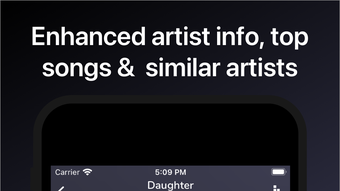
- Enhanced Media Metadata – AVSub provides detailed information about artists, albums, movies, and TV shows, including biographies, top tracks, and recommendations for similar artists.
- Intuitive Navigation – Large, clearly labeled buttons and gesture-based playback controls make browsing and playback simple and efficient, even for new users.
- Orientation Flexibility – Supports both portrait and landscape modes, optimizing the viewing experience across different screen sizes and device orientations.
These features enable users to create personalized listening experiences, manage large media libraries efficiently, and enjoy high-quality playback regardless of connection status. The caching functionality is particularly valuable for users who frequently travel or use mobile data, while the device compatibility ensures that media can be shared effortlessly across smart home and automotive environments.
User Interface, Workflow & Performance
AVSub features a clean, modern interface with a focus on usability and visual clarity. The layout emphasizes large, easily tappable buttons and intuitive navigation paths, reducing the learning curve for new users. Media browsing is streamlined through categorized views, search functionality, and quick access to recent and favorite items. Playback controls are accessible via gestures, such as swiping to skip tracks or adjust volume, enhancing the overall interaction experience. The app maintains a consistent workflow from discovery to playback, minimizing the number of steps required to start listening or watching. Performance observations are based on general software behavior patterns, as specific benchmarks were not provided. The developer did not specify resource usage details, but the app’s caching architecture suggests efficient background processing. Stability appears to be a priority, given the app’s focus on uninterrupted playback across devices. Users can expect smooth performance on supported platforms, though actual results may vary depending on network conditions and server configuration.
Compatibility & System Requirements
AVSub is available for Windows, Mac, Android, and iOS, making it accessible across major desktop and mobile operating systems. The latest version, 2.3.5, is distributed as a 150 MB application package. The developer did not specify exact system requirements, including minimum CPU, RAM, or storage needs. Compatibility information was partially provided, indicating that the app functions on modern devices across all listed platforms. Users should ensure their SubSonic server is properly configured to support AVSub’s streaming and caching features. For optimal performance, a stable network connection is recommended, especially when streaming high-bitrate audio or video content. The app’s ability to work across multiple platforms ensures that users can maintain a consistent experience whether using a desktop, tablet, or smartphone.
Pros and Cons
Pros
- Supports high-quality audio formats like FLAC for lossless playback
- Smart caching enables offline access to media content
- Extensive compatibility with smart devices and platforms
- Intuitive, user-friendly interface with gesture controls
- Available for free on Windows, Mac, Android, and iOS
Cons
- Exact system requirements were not listed by the developer
- Performance details under varying network conditions were not provided
- Offline functionality depends on server configuration and available storage
- Advanced settings may require familiarity with SubSonic server management
FAQ Section
Is AVSub compatible with all SubSonic servers?
AVSub is designed specifically for SubSonic servers, but compatibility may depend on server configuration and version. Users should ensure their server supports the required streaming protocols.
Can I use AVSub offline?
Yes, AVSub supports offline playback through its caching system. Users can download tracks, albums, or videos for access without an internet connection.
Does AVSub require a paid subscription?
No, AVSub is available for free. There are no in-app purchases or subscription fees required to access its core features.
Is AVSub safe to download and use?
AVSub is developed by the AVSub Team and distributed through official channels. As with any third-party app, users should download from trusted sources to ensure security.
How often are updates released?
Updates are released periodically to improve functionality, fix bugs, and enhance compatibility. The latest version, 2.3.5, was released on May 21, 2024.
Final Thoughts + CTA
AVSub stands out as a powerful, free desktop and mobile application for SubSonic users seeking a rich, feature-packed media experience. Its support for lossless audio, intelligent caching, and broad device compatibility makes it an essential tool for anyone managing a personal media library. The intuitive interface and multi-platform availability ensure a seamless experience across devices. While specific system requirements and performance metrics were not detailed, the app’s design and functionality suggest a reliable and efficient solution. For users who value high-fidelity audio, offline access, and device versatility, AVSub delivers exceptional value. Download AVSub now to elevate your media streaming experience.








