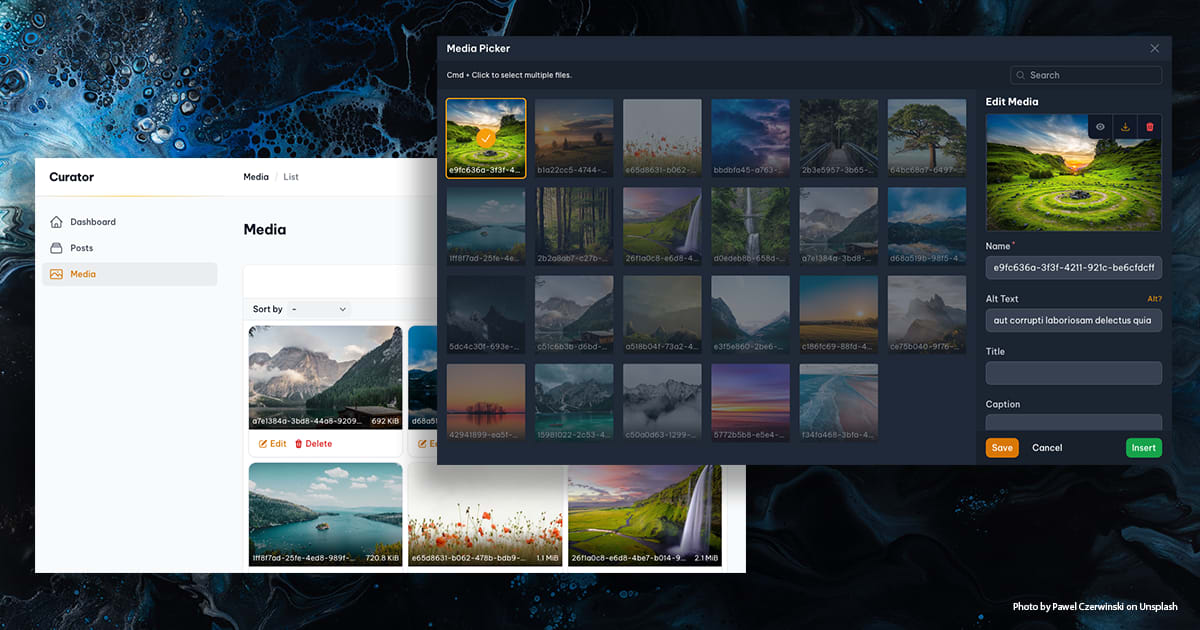
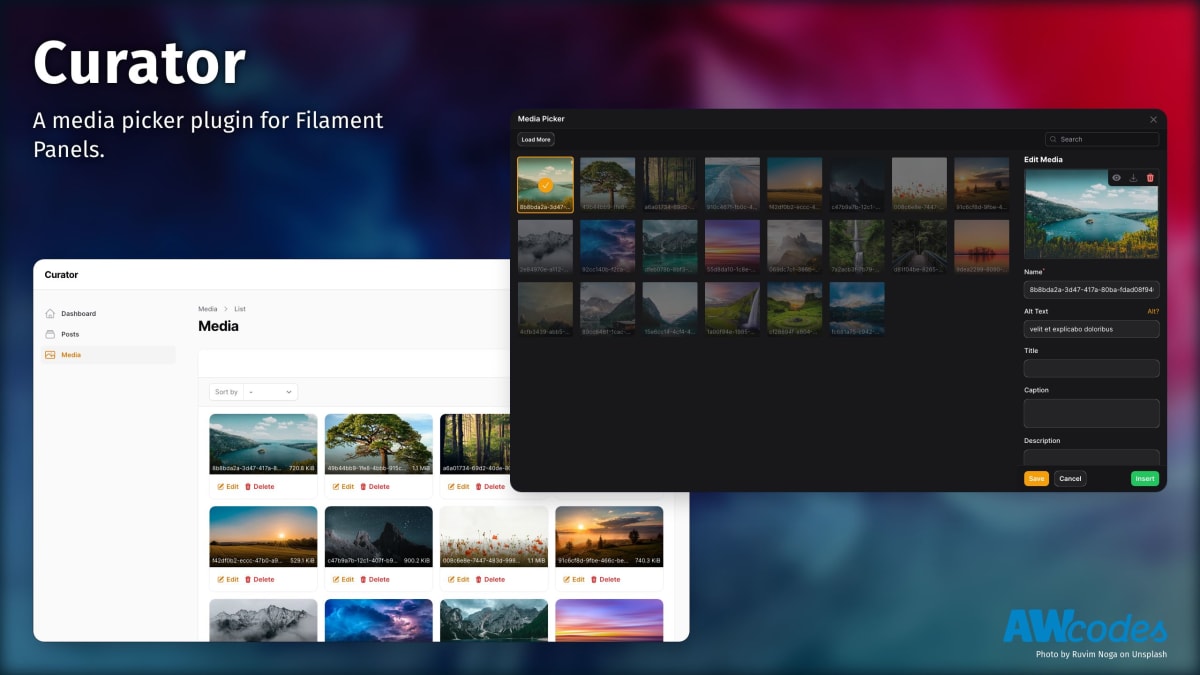


Filament Curator
A media picker/manager plugin for Filament Admin.
[!WARNING] This package does not work with Spatie Media Library.
Compatibility
| Package Version | Filament Version | |-----------------|------------------| | 1.x | 2.x | | 2.x | 2.x | | 3.x | 3.x | | 4.x | 4.x |
Upgrading from v3 to v4
Please see the UPGRADE guide for instructions on upgrading from v3 to v4.
php artisan curator:upgradeInstallation
You can install the package via composer then run the installation command:
composer require awcodes/filament-curatorphp artisan curator:install[!NOTE] If you are using the stand-alone forms package then you will need to include the Curator modal in your layout file, typically you would place this, before the closing
bodytag.
<x-curator::modals.modal />[!IMPORTANT] If you have not set up a custom theme and are using Filament Panels follow the instructions in the Filament Docs first.
After setting up a custom theme add the plugin's views and styles to your theme css file or your app's css file if using the standalone packages.
@import '../../../../vendor/awcodes/filament-curator/resources/css/plugin.css'; @source '../../../../vendor/awcodes/filament-curator/resources/**/*.blade.php';Usage
Global Settings
Global settings can be managed through the plugin's config file. You can publish the config file using the following:
php artisan vendor:publish --tag="curator-config"With Filament Panels
If you are using Filament Panels you will need to add the Plugin to you Panel's configuration. This will register the plugin's resources with the Panel. All methods are optional, and will be read from the config file if not provided.
use Awcodes\Curator\CuratorPlugin;use Filament\Support\Icons\Heroicon public function panel(Panel $panel): Panel{ return $panel ->plugins([ CuratorPlugin::make() ->label('Media') ->pluralLabel('Media') ->navigationIcon(Heroicon::OutlinedPhoto) ->navigationGroup('Content') ->navigationSort(3) ->showBadge(true) ->registerNavigation(true) ->curations(true) ->fileSwap(true), ]);}Curator Picker Field
Include the CuratorPicker field in your forms to trigger the modal and either
select an existing image or upload a new one. Some common methods
from Filament's FileUpload component can be used to help with sizing,
validation, etc. for specific instances of each CuratorPicker.
use Awcodes\Curator\Components\Forms\CuratorPicker;use Filament\Support\Enums\Size; CuratorPicker::make(string $fieldName) ->label(string $customLabel) ->buttonLabel(string | Htmlable | Closure $buttonLabel) ->color('primary|secondary|success|danger') // defaults to gray ->outlined(true|false) // defaults to true ->size(Size::Medium) ->constrained(true|false) // defaults to false (forces image to fit inside the preview area) ->pathGenerator(DatePathGenerator::class|UserPathGenerator::class) // see path generators below ->lazyLoad(bool | Closure $condition) // defaults to true ->listDisplay(bool | Closure $condition) // defaults to true ->tenantAware(bool | Closure $condition) // defaults to true ->defaultPanelSort(string | Closure $direction) // defaults to 'desc' // see https://filamentphp.com/docs/4.x/forms/file-upload for more information about the following methods ->preserveFilenames() ->maxWidth() ->minSize() ->maxSize() ->rules() ->acceptedFileTypes() ->disk() ->visibility() ->directory() ->imageCropAspectRatio() ->imageResizeTargetWidth() ->imageResizeTargetHeight() ->multiple() // required if using a relationship with multiple media ->relationship(string $relationshipName, string 'titleColumnName') ->orderColumn('order') // only necessary to rename the order column if using a relationship with multiple mediaRelationships
Single
Form component
CuratorPicker::make('featured_image_id') ->relationship('featured_image', 'id'),Model
use Awcodes\Curator\Models\Media; public function featuredImage(): BelongsTo{ return $this->belongsTo(Media::class, 'featured_image_id', 'id');}Multiple
Form component
CuratorPicker::make('product_picture_ids') ->multiple() ->relationship('product_pictures', 'id') ->orderColumn('order'), // only necessary if you need to rename the order columnModel
use Awcodes\Curator\Models\Media; public function productPictures(): BelongsToMany{ return $this ->belongsToMany(Media::class, 'media_post', 'post_id', 'media_id') ->withPivot('order') ->orderBy('order');}RichEditor Integration
Curator comes with built-in integration for Filament's RichEditor field.
use Awcodes\Curator\Components\Forms\RichEditor\AttachCuratorMediaPlugin; \Filament\Forms\Components\RichEditor::make('content') ->tools([ 'attachCuratorMedia' ]) ->plugins([ AttachCuratorMediaPlugin::make(), ]),Path Generation
By default, Curator will use the directory and disk set in the config to
store your media. If you'd like to store the media in a different way
Curator comes with Path Generators that can be used to modify the behavior.
Just set the one you want to use globally in the config or per instance on your CuratorPicker field.
use Awcodes\Curator\View\Components\CuratorPicker;use Awcodes\Curator\PathGenerators\DatePathGenerator; public function register(){ CuratorPicker::make('image') ->pathGenerator(DatePathGenerator::class);}Available Generators
-
DefaultPathGeneratorwill save files in disk/directory. -
DatePathGeneratorwill save files in disk/directory/Y/m/d. -
UserPathGeneratorwill save files in disk/directory/user-auth-identifier
You are also free to use your own Path Generators by implementing the
PathGenerator interface on your own classes.
use Awcodes\Curator\PathGenerators; class CustomPathGenerator implements PathGenerator{ public function getPath(?string $baseDir = null): string { return ($baseDir ? $baseDir . '/' : '') . 'my/custom/path'; }}Curator Column
To render your media in a table Curator comes with a CuratorColumn which has the same methods as Filament's
ImageColumn.
CuratorColumn::make('featured_image') ->size(40)For multiple images you can control the number of images shown, the ring size and the overlap.
CuratorColumn::make('product_pictures') ->ring(2) // options 0,1,2,4 ->overlap(4) // options 0,2,3,4 ->limit(3),Relationships
If you are using a relationship to store your media then you will encounter n+1 issues on the column. In order to prevent this you should modify your table query to eager load the relationship.
For example when using the admin panel in your ListResource
protected function getTableQuery(): Builder{ return parent::getTableQuery()->with(['featured_image', 'product_pictures']);}Or, if you are using a Table class
public static function configure(Table $table): Table{ return $table ->modifyQueryUsing(fn (Builder $query) => $query->with('media', 'gallery'));}Curations
Curations are a way to create custom sizes and focal points for your images.
Curation Presets
If you have a curation that you are constantly using you can create Presets which will be available in the Curation modal for easier reuse. After creating curation presets, they can be referenced by their key to output them in your blade files.
use Awcodes\Curator\Curations\CurationPreset;use Awcodes\Curator\Facades\Curation; public function register(): void{ Curation::presets([ CurationPreset::make('Thumbnail') ->height(200) ->format('webp') ->quality(80) ->width(200) ]);}Glider Blade Component
To make it as easy as possible to output your media, Curator comes with an
<x-curator-glider> blade component.
See Glide's quick reference for more information about Glide's options.
Special attributes
- media: id (int) or model (Media) instance required
- loading: defaults to 'lazy'
- glide: this can be used to pass in a glide query string if you do not want to use individual attributes
- srcset: this will output the necessary srcset with glide generated urls. Must be an array of srcset widths and requires the 'sizes' attribute to also be set.
- force: (bool) this can be used to force glider to return a signed url and is helpful when returning urls from cloud disks. This should be used with the knowledge that it could have performance implications.
<div class="aspect-video w-64"> <x-curator-glider class="object-cover w-auto" :media="1" glide="" fallback="" :srcset="['1024w','640w']" sizes="(max-width: 1200px) 100vw, 1024px" background="" blur="" border="" brightness="" contrast="" crop="" device-pixel-ratio="" filter="" fit="" flip="" format="" gamma="" height="" quality="" orientation="" pixelate="" sharpen="" width="" watermark-path="" watermark-width="" watermark-height="" watermark-x-offset="" watermark-y-offset="" watermark-padding="" watermark-position="" watermark-alpha="" /></div>Glider Fallback Images
Glider allows for a fallback image to be used if the media item does not
exist. This can be set by passing in the fallback attribute referencing
one of your registered GliderFallbacks.
use Awcodes\Curator\Glide\GliderFallback;use Awcodes\Curator\Facades\Glide; public function register(): void{ Glide::registerGliderFallbacks([ GliderFallback::make('thumbnail') ->alt(string) ->height(int) ->source(string) ->type(string) ->width(int), ]);}Then you can reference your fallback in the blade component.
<x-curator-glider :media="1" fallback="thumbnail"/>Custom Glide Route
By default, Curator will use the route curator when serving images through Glide. If you want to change this you can update the basePath in a service provider.
use Awcodes\Curator\Facades\Glide; public function register(): void{ Glide::basePath('media');}Custom Glide Server
If you want to use your own Glide Server for handling served media with Glide you can pass the server config to the Glide facade in a service provider.
use Awcodes\Curator\Facades\Glide; public function register(): void{ Glide::serverConfig([ 'driver' => 'imagick', 'response' => new LaravelResponseFactory(app('request')), 'source' => storage_path('app'), 'source_path_prefix' => 'public', 'cache' => storage_path('app'), 'cache_path_prefix' => '.cache', 'max_image_size' => 2000 * 2000, ]);}Curation Blade Component
To make it as easy as possible to output your curations, Curator comes with an
<x-curator-curation> blade component.
Special attributes
- media: id (int) or model (Media) instance required
<x-curator-curation :media="10" curation="thumbnail" loading="lazy"/>Practical use case
Since curations may or may not exist for each media item it's good to use a fallback to the glider component in your blade file so images always get rendered appropriately. This also keeps you from having to create curations for every media item, only the ones where you're trying to change the focal point, etc.
@php $preset = new ThumbnailPreset();@endphp @if ($media->hasCuration('thumbnail')) <x-curator-curation :media="$media" curation="thumbnail"/>@else <x-curator-glider class="object-cover w-auto" :media="$media" :width="$preset->getWidth()" :height="$preset->getHeight()" />@endifCustom Model
If you want to use your own model for your media you can extend Curator's Media model with your own and set it in the config.
use Awcodes\Curator\Models\Media; class CustomMedia extends Media{ protected $table = 'media';}'model' => \App\Models\Cms\Media::class,Testing
composer testContributing
Please see CONTRIBUTING for details.
Security Vulnerabilities
Please review our security policy on how to report security vulnerabilities.
Credits
- Adam Weston
- The PHP League for the awesome Glide package.
- Cropperjs for their amazing Javascript package.
- All Contributors
License
The MIT License (MIT). Please see License File for more information.
