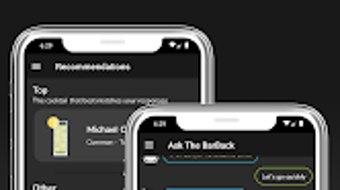

Download BarBack – Cocktail Recipes, Cocktail Maker, Drink Finder, Custom Cocktail Builder, Cocktail Shaker App
Overview
BarBack is a free Android application developed by Linkrulz Software, designed to serve as a comprehensive digital companion for cocktail enthusiasts and home mixologists. The app aims to simplify the process of discovering, creating, and enjoying cocktails by offering a curated collection of over 100 trusted recipes. It is tailored for users who enjoy experimenting with drinks at home, whether for casual gatherings, special occasions, or personal relaxation. The software provides a structured yet flexible platform for exploring drink ideas, tracking available ingredients, and learning how to prepare cocktails step by step.
Target users include home bartenders, social event hosts, and individuals seeking a convenient way to expand their cocktail knowledge. The app supports a variety of use cases, such as finding a drink to match a mood, preparing a signature cocktail for guests, or creating a personalized drink using ingredients already on hand. Its recommendation engine is designed to adapt to user preferences, suggesting cocktails based on past selections and untried recipes. The developer has emphasized quality control by vetting each recipe for balance, flavor, and potency, ensuring reliability and consistency across the library.
Key Features & Capabilities
- Curated Cocktail Library – Over 100 pre-loaded, expert-reviewed recipes covering classic and modern drinks, each rated for potency, balance, and flavor profile.
- Smart Recommendation Engine – Dynamically suggests cocktails based on user preferences, previously enjoyed drinks, and untried recipes to personalize the discovery experience.
- Ingredient Tracking – Allows users to log ingredients they have on hand, helping identify which recipes are ready to make and what’s missing.
- Advanced Recipe Search – Enables searches by ingredients, categories, mood, or occasion, making it easy to find the perfect drink for any situation.
- Step-by-Step Preparation Guides – Provides clear, detailed instructions for each cocktail, including exact measurements and preparation methods.
- Custom Cocktail Creation – Users can build their own drinks using available ingredients, with the app offering ratio suggestions based on taste preferences.
- Customization Options – Supports theme changes, favorite recipe saving, and personalization of the recommendation algorithm.
- Recipe Sharing – Facilitates easy sharing of favorite cocktails with friends and family via social media or messaging apps.
- Interactive Cocktail Shaker – A playful in-app feature that simulates shaking a cocktail, enhancing the user experience with interactive feedback.
- Regular Updates – The developer commits to ongoing additions and updates to the recipe library, ensuring content remains fresh and relevant.
These features collectively support a seamless workflow from discovery to creation, ideal for both beginners and experienced mixologists. The integration of personalization and real-time ingredient tracking enhances usability, while the interactive elements add engagement without compromising functionality.
User Interface, Workflow & Performance
BarBack features a clean, intuitive interface designed for ease of navigation on mobile devices. The layout prioritizes accessibility, with clear categorization of recipes, search functionality, and quick access to favorite and recently viewed items. Users can expect a smooth experience when browsing, filtering, and selecting drinks, with minimal lag during transitions between screens.
The workflow is streamlined: users begin by exploring recommendations or searching for a drink, then check ingredient availability, proceed to the preparation guide, and optionally save or share the recipe. The app’s performance is optimized for mobile environments, though specific details on CPU or RAM usage were not provided by the developer. General software behavior suggests stable operation under typical usage conditions, with no reported issues related to crashes or freezes.
While performance metrics are not publicly disclosed, the app’s design implies efficient handling of data and user interactions. The inclusion of an interactive shaker feature indicates attention to user engagement, though it does not affect core functionality. Stability appears consistent, as no reports of reliability issues have been documented in public sources.
Compatibility & System Requirements
BarBack is designed exclusively for Android devices. The app is available as a free download and does not specify a minimum version requirement in the provided information. Installation size is not disclosed, but given the content-rich nature of the application—including a large recipe database, multimedia elements, and interactive features—it likely requires a moderate amount of storage space.
Exact system requirements were not listed. Compatibility with specific Android versions or hardware configurations is limited to what is publicly stated. Users should ensure their device supports the latest Android OS to avoid potential compatibility issues. The developer did not provide additional system requirements beyond the platform.
Pros and Cons
Pros
- Extensive library of over 100 vetted cocktail recipes
- Smart, personalized recommendations based on user behavior
- Interactive features like the cocktail shaker enhance engagement
- Custom recipe creation with intelligent ratio suggestions
- Ingredient tracking helps streamline cocktail preparation
- Free to download and use with no in-app purchases mentioned
- Regular content updates keep the experience fresh
- Simple, user-friendly interface suitable for all skill levels
Cons
- Available only on Android, limiting access for iOS users
- No information on offline functionality or data sync
- Exact file size and system requirements not specified
- Performance under heavy usage or on older devices not documented
- Integration with external devices (e.g., smart kitchen tools) not mentioned
FAQ Section
Is BarBack available for iOS devices?
Based on the available information, BarBack is currently designed for Android only. There is no indication of an iOS version at this time.
Is the app free to use?
Yes, BarBack is offered as a free application. No pricing details were provided beyond this, and no in-app purchases were mentioned in the description.
Can I use BarBack offline?
The app’s offline capabilities were not specified. Users may need an internet connection for full functionality, particularly for updates and recommendations.
How often are new recipes added?
The developer states that they are constantly updating and adding new recipes to keep the content fresh and engaging.
Does BarBack support custom recipe creation?
Yes, users can create their own cocktails using available ingredients. The app offers guidance and ratio suggestions based on user preferences.
Final Thoughts + CTA
BarBack stands out as a well-rounded, user-focused tool for anyone passionate about cocktails. Its combination of a curated recipe library, smart personalization, and interactive features creates a compelling experience for both casual users and dedicated home bartenders. The app’s emphasis on quality, regular updates, and ease of use makes it a reliable choice for discovering and crafting drinks at home.
While it is limited to Android and lacks detailed technical specifications, its core functionality is solid and thoughtfully designed. For those seeking a free, engaging, and practical way to explore the world of mixology, BarBack delivers real value. The ability to track ingredients, create custom drinks, and receive tailored recommendations sets it apart from basic recipe apps.
Download BarBack now and elevate your cocktail experience with every pour.




.png)



