
Download Blizz – Secure, High-Quality Video Conferencing for Teams & Businesses
Blizz is a professional online meeting tool designed for seamless collaboration across multiple locations. With high-definition video, end-to-end encryption, and cross-platform support for Windows, Mac, iOS, and Android, Blizz ensures your virtual meetings are as productive and private as in-person gatherings. Whether you're leading a sales pitch, managing remote teams, or hosting client presentations, Blizz delivers reliable, secure, and intuitive communication. The software leverages TeamViewer’s proven infrastructure, already handling over 36 million sessions annually, ensuring stability and performance. With features like real-time screen sharing, virtual whiteboards, and customizable user permissions, Blizz is ideal for businesses seeking a robust yet easy-to-use video conferencing solution. Try the free version with support for up to five participants and experience how Blizz enhances remote collaboration with minimal setup and maximum security.
Seamless, Secure Video Conferencing for Modern Teams
Blizz stands out in the crowded video conferencing market by focusing on both functionality and security for teams of all sizes. Unlike many platforms that prioritize basic features, Blizz delivers a premium experience built on enterprise-grade encryption and reliable infrastructure. At its core, the software uses RSA 2048-bit public/private key exchange and AES 256-bit end-to-end encryption, ensuring that every conversation remains confidential—just like closing the door in a physical meeting room. This level of security is critical for businesses handling sensitive information, from financial data to strategic planning discussions. Whether you're conducting a board meeting or training remote staff, you can trust that your content won’t be intercepted.
One of Blizz’s most impressive features is its ability to support multiple participants in a single, high-quality call without lag or pixelation. The platform dynamically adjusts video quality based on network conditions, maintaining smooth performance even on slower connections. Users can view up to 25 participants simultaneously in a grid layout, making it ideal for large team syncs or webinars. The audio quality is crystal clear, with noise suppression and echo cancellation that eliminate background distractions. For users without stable internet, local dial-in numbers are available, allowing participants to join via phone—ensuring no one gets left out due to connectivity issues.
Blizz also integrates seamlessly with existing workflows. It automatically detects contacts from Outlook and other address books, reducing setup time significantly. You can invite team members via email or phone number, and the system handles the rest. This ease of use makes it perfect for businesses that need quick, reliable meetings without technical overhead. With Blizz, collaboration isn’t just possible—it’s effortless and secure.
Powerful Collaboration Tools for Productive Meetings
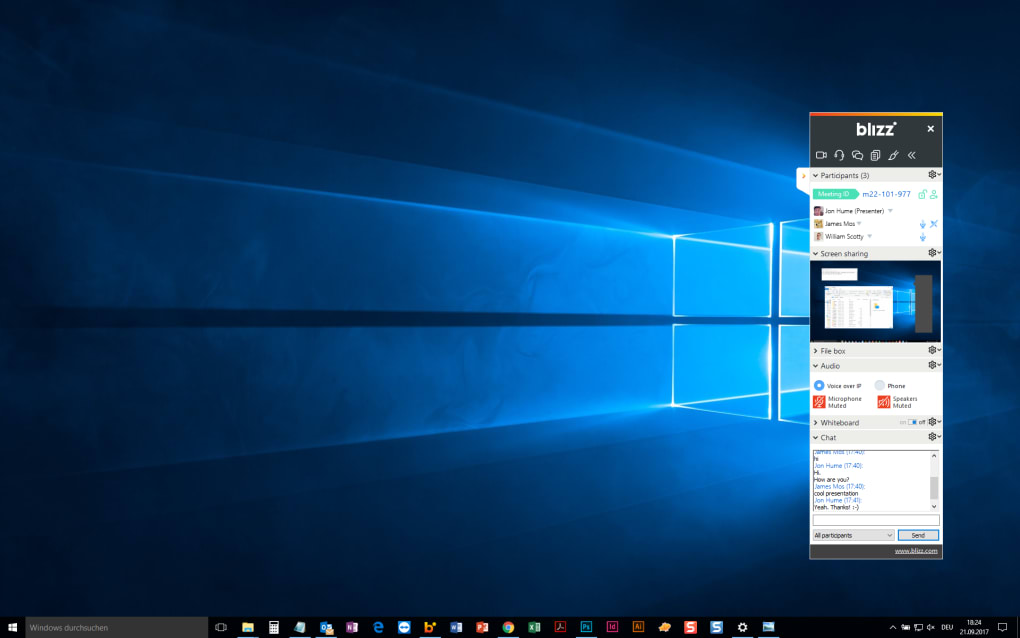
Blizz isn’t just about video calls—it’s a full-featured collaboration suite designed to keep meetings dynamic and interactive. One of the standout tools is the virtual whiteboard, which allows participants to sketch ideas, annotate documents, and brainstorm in real time. Whether you're designing a new product, planning a marketing campaign, or solving a technical issue, the whiteboard becomes a shared space for creativity. All annotations are saved automatically, so you can revisit them later or export them as images for documentation.
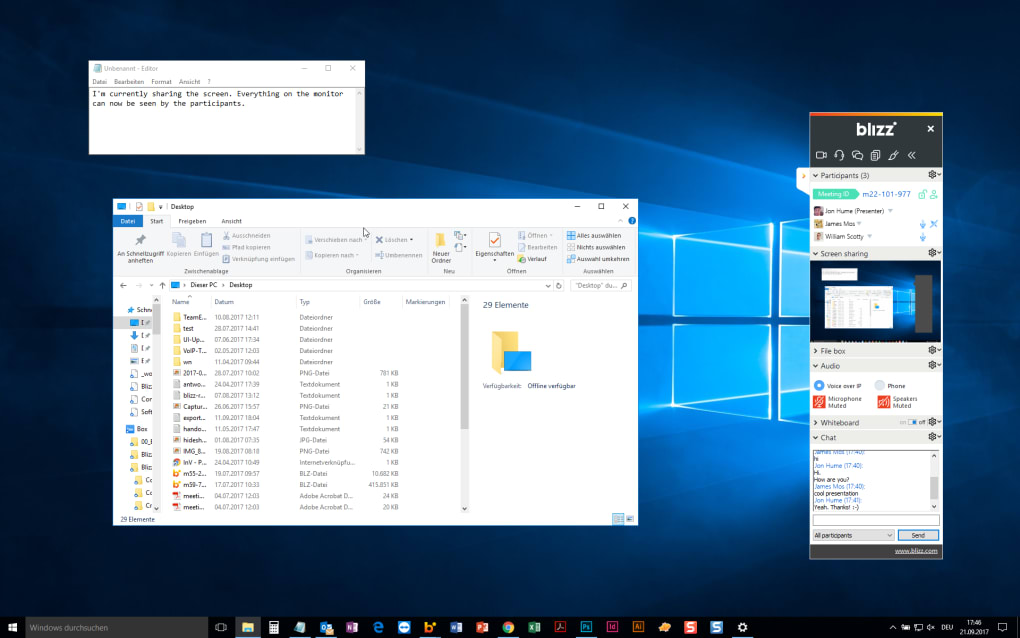
Screen sharing is another core feature, offering both full-screen and window-specific options. Presenters can share their entire desktop or just a specific application, making it easy to demonstrate software, walk through spreadsheets, or showcase a new website. The platform supports real-time cursor tracking, so viewers can see exactly where the presenter is pointing, enhancing clarity and engagement. Additionally, Blizz allows users to share slideshows, screenshots, and even live web pages—ideal for training sessions or client presentations.
For businesses that need control over meeting dynamics, Blizz offers granular permission settings. Hosts can restrict who can speak, share files, or use the whiteboard. This is especially useful during formal presentations where you want to maintain order and ensure the flow of information. For example, a manager can allow only themselves to speak during a quarterly review, then open the floor for Q&A. These controls help prevent disruptions and keep meetings on track. With such flexibility, Blizz adapts to any meeting style—whether it’s a structured boardroom discussion or an open brainstorming session.
Easy Installation, Cross-Platform Compatibility & Free Trial
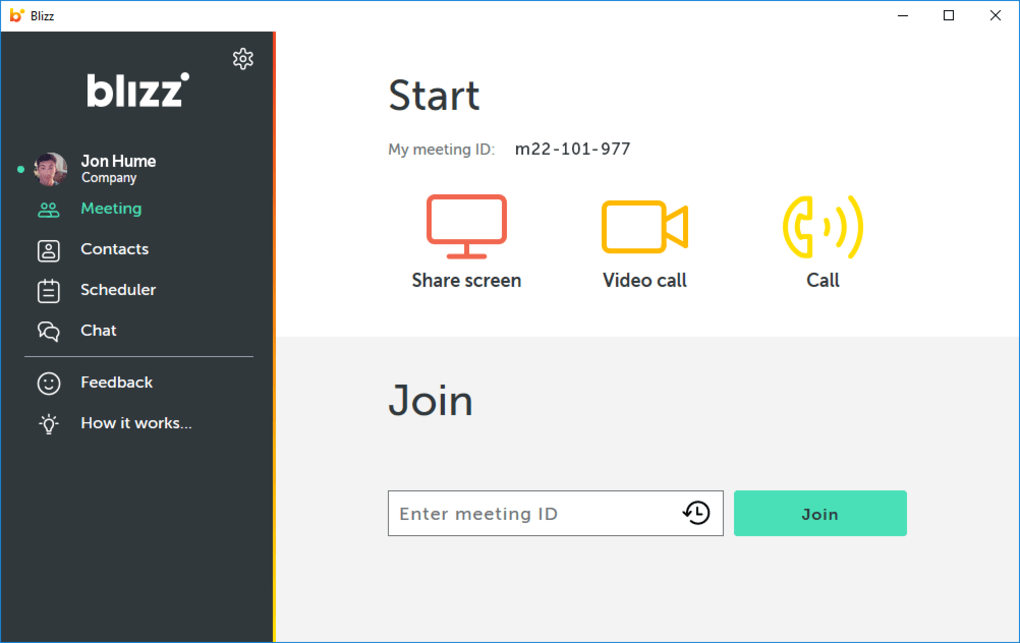
Getting started with Blizz is straightforward, whether you're on Windows, Mac, iOS, or Android. The software is available for download from the official website, with a simple installer that walks you through the setup process in under a minute. No complex configurations or system requirements—just download, install, and join your first meeting. The app runs smoothly on modern devices and uses minimal system resources, so it won’t slow down your laptop or tablet during a long session.
Blizz’s cross-platform compatibility ensures that no matter what device your team uses, everyone can participate equally. A colleague on a Windows PC can seamlessly connect with a remote employee using an iPhone or an Android tablet. The interface is consistent across all platforms, so users don’t need to relearn how to navigate the app. This uniformity is crucial for maintaining productivity, especially in hybrid work environments.
For those unsure about committing to a paid plan, Blizz offers a fully functional free version that supports up to five participants in a single meeting. This is perfect for small teams, freelancers, or startups testing the waters. The free version includes all core features: HD video, screen sharing, whiteboard, and end-to-end encryption. Once you’re ready to scale, paid plans unlock higher participant limits, advanced security controls, and priority support. With such a low barrier to entry, there’s no risk in trying Blizz today.
Pros & Cons: Is Blizz Right for Your Business?
- Pros:
- End-to-end encryption with AES 256-bit and RSA 2048-bit security
- Supports up to 25 participants in a single call
- Seamless cross-platform compatibility (Windows, Mac, iOS, Android)
- Free version with 5 participants—ideal for testing
- Virtual whiteboard, screen sharing, and real-time collaboration
- Customizable user permissions for better meeting control
- Automatic contact sync with Outlook and other address books
- Local dial-in numbers for users with poor internet
- Cons:
- Free version limits participants to 5 (may be restrictive for larger teams)
- Limited advanced analytics and reporting in basic plans
- No built-in chat history or meeting transcription (available in higher tiers)
- Some users may need time to adjust to the interface if coming from Zoom or Teams
Frequently Asked Questions (FAQ)
Is Blizz free to use?
Yes, Blizz offers a free version that allows up to five participants in a single meeting. This version includes all core features like HD video, screen sharing, virtual whiteboard, and end-to-end encryption. It’s perfect for small teams or individuals testing the platform before upgrading.
Can I use Blizz on my iPhone or Android device?
Absolutely. Blizz is available for both iOS and Android devices. You can download the app from the Apple App Store or Google Play Store and join meetings seamlessly from your smartphone or tablet.
How secure is Blizz for business meetings?
Blizz uses military-grade encryption: RSA 2048-bit for key exchange and AES 256-bit for end-to-end session encryption. This ensures that only meeting participants can access the conversation, making it highly secure for sensitive business discussions.
Can I invite people who don’t have Blizz installed?
Yes. You can invite users via email or phone number. They’ll receive a link to join the meeting directly in their browser—no app installation required. This makes it easy to include clients or external partners.
Does Blizz support screen sharing and presentations?
Yes, Blizz supports full-screen and window-specific screen sharing, as well as real-time presentation of slideshows, screenshots, and web pages. You can also use the virtual whiteboard for collaborative brainstorming during meetings.
Final Verdict: A Reliable, Secure Choice for Remote Teams
Blizz delivers a powerful, secure, and user-friendly video conferencing experience tailored for modern businesses. With its robust encryption, seamless cross-platform support, and intuitive collaboration tools, it stands out as a top contender in the remote meeting space. Whether you're a small startup testing the waters or a growing enterprise managing distributed teams, Blizz offers the flexibility and reliability you need. The free version makes it easy to try without risk, while paid plans scale to meet larger demands.
If you’re looking for a secure, easy-to-use video meeting tool that combines privacy, performance, and productivity, Blizz is a smart choice. Don’t wait—download Blizz today and experience the future of virtual collaboration.








