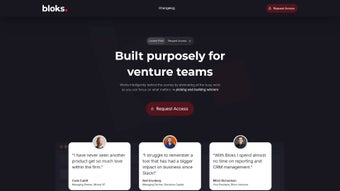

Download Bloks – AI‑Powered Professional Assistant for Meetings
Overview
Bloks is an AI‑driven productivity companion that redefines how professionals prepare for, conduct, and follow up on meetings. By acting as a digital sidekick, Bloks automatically extracts context from emails, calendars, CRM entries, and live conversation streams on platforms such as Zoom, Google Meet, Microsoft Teams, and Slack. The result is a set of personalized briefs, real‑time answers, and concise meeting minutes that keep every stakeholder aligned. Whether you’re a solo consultant juggling dozens of client calls or a large enterprise team coordinating cross‑departmental projects, Bloks delivers context‑aware insights without the manual note‑taking hassle. The solution is built on enterprise‑grade encryption, ensuring that sensitive business information remains secure while still being instantly accessible across macOS, Windows, iOS, and Android devices.
Key Features & Capabilities
- AI‑Generated Briefs: Before every meeting, Bloks scans your inbox, calendar, and CRM to compile a concise briefing that highlights relevant contacts, prior discussions, and key objectives.
- Live Conversation Capture: Integrated plugins for Zoom, Google Meet, Teams, and Slack automatically transcribe spoken words and extract actionable items in real time.
- Ask Bloks Chat: A conversational interface that answers ad‑hoc questions, retrieves relationship intelligence, and suggests next steps based on the current discussion.
- Context‑Aware Summaries: Post‑meeting, Bloks delivers a structured summary, a list of decisions, and assigned tasks, all linked to the original source material.
- Multi‑Platform Sync: Seamlessly syncs notes and insights across desktop (macOS, Windows) and mobile (iOS, Android) environments.
- Enterprise‑Grade Encryption: All data is encrypted both in transit and at rest, complying with GDPR, CCPA, and ISO‑27001 standards.
- Customizable Workflows: Teams can create templates for recurring meetings, set up automatic follow‑up reminders, and integrate with project‑management tools like Asana or Trello.
- API Access: Developers can extend Bloks functionality via RESTful endpoints, enabling deeper integration with proprietary systems.
How Bloks Improves Productivity
Traditional meeting workflows involve manual note‑taking, post‑meeting email recaps, and often a loss of nuance that can lead to miscommunication. Bloks eliminates these friction points by using natural‑language processing to understand speaker intent, detect action items, and link them back to relevant contacts or deals in your CRM. For sales teams, this means quicker follow‑ups and higher conversion rates; for product managers, it translates into clearer feature specifications and reduced rework. Moreover, the “Ask Bloks” chat function works as an on‑demand research assistant, pulling in historical data or market insights without requiring users to switch tabs or open separate documents. The cumulative effect is a measurable reduction in time spent on administrative tasks—often up to 30% for power users.
Installation, Usage Instructions & Compatibility
Step‑by‑Step Installation
- Visit the official Bloks website and click the Download button for your operating system (Windows, macOS, iOS, or Android).
- Run the installer (Windows .exe or macOS .dmg) and follow the on‑screen prompts. Mobile users can install directly from the App Store or Google Play.
- After installation, launch Bloks and sign in with your corporate SSO (Azure AD, Okta, or Google Workspace) or create a dedicated Bloks account.
- Grant the required permissions for calendar access, email sync, and meeting‑platform integrations (Zoom, Teams, Google Meet, Slack).
- Navigate to the Settings → Integrations panel to enable the desired video‑conference plugins and connect your CRM (Salesforce, HubSpot, etc.).
First‑Run Configuration
When you open Bloks for the first time, the onboarding wizard will ask you to define your preferred briefing style (concise bullet points vs. narrative), set default meeting templates, and choose the AI confidence level (standard, balanced, or aggressive). You can also import existing meeting notes from platforms like Evernote or OneNote, allowing the AI to learn from your historical data and improve relevance.
Compatibility Matrix
- Desktop: Windows 10/11 (64‑bit), macOS 12 Monterey or later.
- Mobile: iOS 14+ (iPhone & iPad), Android 9+ (Google Play).
- Browser Support: Chrome, Edge, Firefox, Safari (latest versions) for the web‑based dashboard.
Best Practices for Ongoing Use
To get the most out of Bloks, schedule a brief “pre‑meeting sync” 5‑10 minutes before any call. The AI will pull the latest emails, calendar notes, and CRM updates, then present a concise briefing that you can review in the sidebar. During the meeting, keep the Bloks window active or use the floating toolbar to capture real‑time highlights. After the call, click Generate Summary and let the AI draft the minutes; you can then edit, approve, and share them directly from the platform. Regularly review the “Insights” tab to discover patterns such as recurring action‑item owners or topics that need deeper analysis.
Pros, Cons & Frequently Asked Questions
Pros
- Automated, AI‑driven briefing and note‑taking reduces manual effort.
- Seamless integration with major video‑conferencing and messaging platforms.
- Enterprise‑grade encryption safeguards confidential business data.
- Cross‑device synchronization ensures access from desktop or mobile.
- Customizable templates and API enable deep workflow automation.
Cons
- Initial setup requires granting multiple permissions, which some IT departments may scrutinize.
- AI summarization accuracy may vary with heavily technical jargon or strong accents.
- Premium pricing tiers are required for advanced analytics and unlimited transcription minutes.
FAQ
Is Bloks free to use?
Bloks offers a free tier that includes basic briefing and note‑taking for up to 5 meetings per month. For unlimited usage, advanced AI features, and enterprise security controls, a paid subscription is required.
How does Bloks ensure data privacy?
All data is encrypted with AES‑256 both in transit and at rest. Bloks complies with GDPR, CCPA, and ISO‑27001 standards, and it never sells user data to third parties.
Can Bloks integrate with my existing CRM?
Yes. Bloks provides native connectors for Salesforce, HubSpot, Microsoft Dynamics, and also offers a RESTful API for custom CRM integrations.
What platforms are supported for live transcription?
Live transcription works with Zoom, Google Meet, Microsoft Teams, and Slack calls. The service uses server‑side processing to ensure high accuracy across different accents.
Is there a mobile app for on‑the‑go access?
A native iOS and Android app is available, providing full briefing, note‑taking, and “Ask Bloks” capabilities offline. Sync occurs automatically when an internet connection is restored.
Bloks delivers a compelling blend of AI intelligence and practical workflow tools that many productivity suites lack. Its ability to pull data from disparate sources and turn it into actionable meeting artifacts is a game‑changer for knowledge‑workers. While the AI isn’t flawless—especially with industry‑specific terminology—the platform’s learning loop quickly adapts, making it a worthwhile investment for teams seeking to reduce meeting‑related friction.
Conclusion & Call to Action
In a world where every minute of a meeting counts, Bloks stands out as a reliable AI‑powered ally that transforms chaotic conversations into clear, actionable outcomes. Its seamless integration across major video‑conferencing tools, robust security framework, and cross‑platform accessibility make it suitable for freelancers, SMBs, and large enterprises alike. While the premium tier unlocks the full spectrum of features, the free version still offers enough value to experience a noticeable productivity boost.
Ready to eliminate manual note‑taking and supercharge your meetings? Download Bloks now and start your free trial today. Empower your team with contextual intelligence, protect your data with enterprise‑grade encryption, and watch your meeting efficiency soar.



.png)




