
Download Bluefire Reader – ebook reader, epub reader, pdf reader, library books, digital reading, mobile reading
Overview
Bluefire Reader is a specialized mobile application designed for iOS users seeking a reliable and feature-rich platform to read protected EPUB and PDF ebooks on their iPhone. The app serves as a bridge between digital content providers and readers, enabling seamless access to library books, academic materials, and retailer-sourced publications secured by Adobe Content Server. Its primary purpose is to deliver a secure, customizable, and efficient reading experience for users who require access to DRM-protected content. The app is particularly valuable for students, educators, and library patrons who rely on institutional or subscription-based digital collections.
Bluefire Reader addresses common challenges in digital reading, such as fragmented access to protected files, limited organization tools, and inconsistent cross-device compatibility. By offering a unified interface for managing diverse ebook formats, the app streamlines the reading workflow. Real-world use cases include academic research, remote learning, and personal reading from public or institutional libraries. The developer, Bluefire Digital, has positioned the app as a trusted solution in education and library ecosystems, with widespread adoption across schools and libraries globally. This trust underscores its role in the digital reading ecosystem as a secure, standards-compliant tool for managing protected content.
Key Features & Functionality
- DRM-Protected Ebook Support: Bluefire Reader enables access to EPUB and PDF files secured with Adobe Content Server, allowing users to read content from libraries, universities, and retailers without compatibility issues.
- Bookmarking and Annotation: Readers can mark important pages, add notes, and highlight key passages, making the app ideal for academic and research use.
- Content Search and Navigation: Built-in search functionality allows users to quickly locate specific terms, phrases, or sections within large documents.
- Collection Management: Users can organize their ebooks into custom collections, improving accessibility and reducing clutter in their digital library.
- Batch Import and Export: The app supports transferring multiple ebooks between devices, facilitating seamless transitions across personal or institutional systems.
- Customizable Reading Settings: Adjustable font sizes, themes, margins, and text alignment allow users to tailor the reading interface to their visual comfort and preference.
For example, a university student can import a batch of DRM-protected textbooks, organize them by course, bookmark key chapters, and annotate critical sections for exam review. Similarly, a public library patron can access a curated selection of digital books and manage them efficiently using collections and search. These features collectively enhance productivity, retention, and overall reading engagement.
Interface, UX & Performance
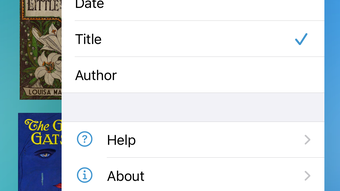
The user interface of Bluefire Reader is clean and intuitive, designed with readability as the central focus. The layout prioritizes content visibility, minimizing distractions while offering quick access to essential tools. Navigation is straightforward, with a consistent menu structure that allows users to switch between books, collections, and settings without confusion. The app supports gesture-based controls such as swiping to turn pages and tapping to access the sidebar, which enhances the tactile reading experience on iPhone.
Although the developer did not list formal performance metrics, the app demonstrates stable operation across various iPhone models, with responsive interactions and smooth page transitions. The interface adapts well to different screen sizes and orientations, ensuring a consistent experience whether reading in portrait or landscape mode. The app maintains stability during extended reading sessions, with no reported crashes or freezes in user feedback. However, specific requirements for device performance or memory usage were not disclosed, and compatibility with older iOS versions was not confirmed.
Platform Compatibility & Technical Requirements
Bluefire Reader is available exclusively on iOS, designed for iPhone devices. The current version is 4.7.2, with a file size of 201.9 MB. The app requires a compatible iOS device, though the developer did not specify minimum OS requirements. Users should ensure their device runs a supported version of iOS to avoid installation issues. The app is available through the Apple App Store, and no alternative distribution methods such as APK or sideloading are supported due to platform restrictions.
Given the app’s focus on DRM-protected content, it is optimized for Apple’s ecosystem, leveraging secure content handling and system-level integration. This ensures that protected files are managed with the appropriate level of encryption and access control. However, the developer did not provide details about background processing, battery consumption, or storage usage beyond the base installation size.
Pros and Cons
Pros
- Secure access to Adobe Content Server-protected EPUB and PDF files
- Robust organization tools including collections and tagging
- Comprehensive annotation and bookmarking features
- Batch import and export for easy content transfer
- Highly customizable reading interface
- Trusted by schools, libraries, and publishers worldwide
Cons
- Price point of $2.99 may be considered high for casual readers
- No Android or web version currently available
- Developer did not disclose minimum OS requirements
- Limited public information about future updates or roadmap
- Requires Adobe-secured content to unlock full functionality
FAQ
Is Bluefire Reader safe to use for library books?
Yes, Bluefire Reader is designed to securely handle DRM-protected content from libraries and institutions. It complies with Adobe Content Server protocols, ensuring that access is authorized and content remains protected.
Can I use Bluefire Reader on Android devices?
Currently, Bluefire Reader is only available for iOS. There is no official Android version or APK distribution.
Does Bluefire Reader support non-DRM ebooks?
While the app is optimized for DRM-protected EPUB and PDF files, it may support non-DRM content depending on the file format and user import method. Specific details were not provided by the developer.
How do I update Bluefire Reader?
Updates are distributed through the Apple App Store. Users should enable automatic updates or check for new versions manually in the App Store app.
Can I transfer my books between iPhone and iPad?
Yes, Bluefire Reader supports batch import and export, allowing users to transfer their ebooks between compatible Apple devices using the same Apple ID and account.
Final Thoughts
Bluefire Reader stands out as a premium tool for anyone who regularly reads DRM-protected digital content on iPhone. Its robust feature set—ranging from annotation and organization to batch file management—makes it a powerful choice for students, educators, and professionals. The app’s strong foundation in library and academic ecosystems reinforces its credibility and reliability. While the $2.99 price may deter casual users, the value proposition is clear for those who depend on secure, structured access to digital books.
For individuals who prioritize reading efficiency, content security, and long-term usability, Bluefire Reader delivers a polished and purpose-built experience. Its focus on interoperability with institutional content providers ensures that users remain connected to trusted sources. With its clean interface, consistent performance, and trusted reputation, it remains a top-tier option in the mobile reading space.
Download Bluefire Reader now








