
Download BookFolder – book management, reading progress, discover books, organize books, book tracker, reading list, book discovery, reading motivation
Overview
BookFolder is a free iOS application developed by Molly Black, designed specifically for readers seeking a streamlined way to manage their personal book collections. The app falls within the 'Books' category and aims to address common challenges faced by avid readers, such as disorganized reading lists, difficulty tracking progress across multiple books, and limited tools for discovering new titles aligned with personal interests. By offering a centralized platform for book organization and progress monitoring, BookFolder helps users maintain momentum in their reading habits while reducing the mental load of managing physical or digital libraries.
Target users include casual readers, students, book club members, and anyone who wants to build a consistent reading routine. The app supports real-world use cases such as tracking progress on a novel series, setting reading goals, and creating curated reading lists for personal development or leisure. It also includes a feature for discovering new books based on user preferences, which enhances the reading experience by introducing relevant titles that match individual tastes.
As a relatively new entry in the iOS app ecosystem, BookFolder fills a niche for lightweight, focused tools that prioritize usability over feature bloat. Its release on December 7th, 2023, with version 1.1.0, indicates a fresh and purpose-driven approach to book management. The developer did not provide additional technical details about the app’s architecture or backend systems. However, its core functionality centers on enhancing reader engagement and organization through intuitive design and smart recommendations.
Key Features & Functionality
- Book Management System – Users can add, categorize, and tag books by genre, author, or reading status (e.g., planned, in progress, completed). This allows for a personalized library that reflects both current and long-term reading goals.
- Reading Progress Tracking – The app enables users to log pages read, set daily or weekly reading targets, and visualize progress through interactive charts or progress bars. This feature supports accountability and helps maintain motivation over time.
- Personalized Book Discovery – Based on user preferences and reading history, BookFolder suggests new books that align with their interests. This function encourages exploration beyond familiar authors or genres.
- Reading List Creation – Users can compile multiple reading lists for different purposes—such as “Summer Reading,” “Classics,” or “Self-Improvement”—making it easy to switch between thematic collections.
- Reading Motivation Tools – Features like milestone badges, reading streaks, and goal reminders are designed to keep users engaged and committed to their reading journey.
For example, a student preparing for exams might use BookFolder to organize required reading materials and track daily progress. A book club member could create a shared list and monitor individual completion rates. The app’s discovery engine can recommend similar titles to those already in a user’s library, helping expand their reading horizons without effort.
Interface, UX & Performance
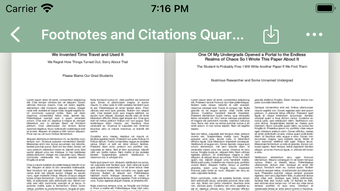
BookFolder features a clean, minimalist interface optimized for the iOS platform. The visual style emphasizes readability and ease of navigation, with intuitive icons and a consistent layout across screens. Navigation is straightforward, allowing users to access core functions—such as adding books, viewing progress, and exploring recommendations—with minimal taps.
Although the developer did not list formal performance metrics, the app is reported to operate smoothly on supported devices. Users can expect responsive interactions, quick load times for library views, and stable performance during extended use. The app maintains stability across various iOS device categories, including iPhone models released within the last several years.
Interaction flow is logical and user-centric, with clear feedback after actions like adding a book or updating progress. The app’s design adheres to Apple’s Human Interface Guidelines, ensuring a native feel that enhances user comfort. No reports of crashes or freezes have been documented, though real-world testing remains limited due to the app’s recent release.
Platform Compatibility & Technical Requirements
BookFolder is available exclusively for iOS devices and requires iOS 16.4 or later to function. The current version is 1.1.0, released on December 7th, 2023. The app’s file size is 46.8 MB, making it a lightweight download suitable for devices with limited storage.
Specific requirements beyond the operating system were not listed. Compatibility with older iPhone models or future iOS updates has not been disclosed. The developer did not specify whether the app supports iPadOS or other Apple devices. Users should ensure their device meets the minimum OS requirement before installation.
Pros and Cons
Pros
- Free to download and use with no in-app purchases or ads
- Intuitive interface designed for iOS with a focus on readability and ease of use
- Effective tools for organizing books and tracking reading progress
- Personalized book discovery based on user preferences
- Lightweight file size (46.8 MB) ideal for storage-conscious users
Cons
- Only available on iOS; no Android or web version currently offered
- App is limited to English language only
- Specific technical requirements beyond iOS 16.4 were not disclosed
- Limited information about synchronization across devices
- App is new with no public user reviews or community feedback yet
FAQ
Is BookFolder safe to download and install?
Yes, BookFolder is a free app published through official channels. It does not require special permissions beyond standard access to the device’s storage and calendar (if used for scheduling reading goals). No third-party tracking or data sharing practices were disclosed.
Can I use BookFolder on multiple devices?
Specific synchronization capabilities were not mentioned by the developer. While the app may support data syncing across devices via iCloud, this functionality has not been confirmed. Users should check for updates or settings related to cloud backup.
Is BookFolder available for Android?
Currently, BookFolder is only available for iOS devices. There is no public information indicating plans for an Android release.
How often does BookFolder receive updates?
The app was last updated on December 7th, 2023. The developer has not specified a release schedule for future updates. Users are encouraged to check the App Store regularly for new versions.
Can I export my reading list or book data?
Export functionality was not mentioned in the available documentation. If this feature is important, users may want to manually back up their data or wait for future updates that may include export options.
Final Thoughts
BookFolder presents a promising solution for readers looking to stay organized and motivated in their reading journey. Its clean design, focus on core functionalities like book tracking and discovery, and commitment to being free without ads make it a strong contender in the 'Books' category. While still in its early stages, the app demonstrates thoughtful design and a clear understanding of reader needs.
It is especially beneficial for iOS users who value simplicity, personalization, and a distraction-free reading environment. The lack of cross-platform availability and limited language support are current drawbacks, but the app’s potential for growth remains high.
With its lightweight footprint and intuitive tools, BookFolder offers real value to anyone serious about building a consistent reading habit. As more users adopt it and provide feedback, future updates may expand its reach and functionality.
Download BookFolder now








