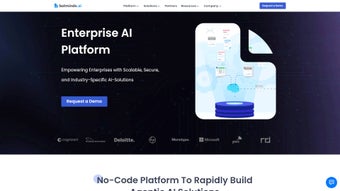
Screenshots
App details
- Updated
- April 23, 2025
- Requires
- Chrome
- License
- Full
- Developer
- botminds
- Category
- Web Apps
About Botminds
Download Botminds – AI‑Powered Data Management Tool
Overview
Botminds is a comprehensive AI solution designed to transform how enterprises capture, organize, and analyze both document‑based and web‑derived data. Built on a robust combination of Machine Learning and Natural Language Processing, the platform automates tedious data‑handling tasks while delivering actionable insights in real time. Whether you operate in finance, legal, operations, or any data‑intensive sector, Botminds offers a modular architecture that scales with your business needs. The intuitive web interface allows users to construct sophisticated AI workflows without writing a single line of code, making the tool accessible to analysts, managers, and developers alike. Key capabilities such as Agentic Workflows enable end‑to‑end automation of data pipelines, while Data Capture Agents intelligently extract information from PDFs, scanned images, emails, and web pages. The integrated Conversational AI layer adds a collaborative dimension, allowing teams to query the system in natural language and receive precise answers instantly. Botminds also includes an AI Analytics suite for visualizing trends, and a high‑speed AI Search engine that retrieves relevant documents in milliseconds. In short, Botminds is positioned as a future‑proof, low‑code platform that empowers organizations to accelerate digital transformation, reduce manual effort, and unlock the hidden value residing in unstructured data.
Key Features
- Agentic Workflows: Drag‑and‑drop workflow builder that automates data ingestion, transformation, and enrichment.
- Data Capture Agents: AI‑driven parsers for PDFs, scanned documents, emails, HTML pages, and JSON APIs.
- Conversational AI: Natural‑language interface for querying data, generating reports, and receiving recommendations.
- AI Analytics Dashboard: Interactive visualizations, trend analysis, and KPI tracking powered by machine‑learning models.
- High‑Speed AI Search: Vector‑based search engine delivering sub‑second results across millions of records.
- No‑Code Builder: Visual development environment that eliminates the need for programming expertise.
- Scalable Cloud Architecture: Horizontal scaling on AWS, Azure, or on‑premise Kubernetes clusters.
- Security & Compliance: Role‑based access control, data encryption at rest and in transit, GDPR‑ready.
- Integration Hub: Connectors for ERP, CRM, SharePoint, Google Drive, and custom REST endpoints.
- Continuous Updates: Automatic model upgrades and feature releases to keep the platform cutting‑edge.
Each of these features has been engineered with enterprise‑grade reliability in mind. For instance, the Data Capture Agents use a hybrid approach that combines OCR, layout detection, and semantic extraction, ensuring high accuracy even on low‑quality scans. The Conversational AI layer leverages large‑language models fine‑tuned on domain‑specific corpora, providing context‑aware responses that respect industry terminology. Together, these capabilities give Botminds the flexibility to serve as a single source of truth for data‑driven decision making across the organization.
Installation, Usage & Compatibility
Getting Started
Botminds is delivered as a cloud‑native web application, which means there is no traditional “install” process for end users. After purchasing a subscription, you receive a secure invitation link to create an admin account. The onboarding wizard guides you through initial configuration steps, including organization setup, user provisioning, and API key generation for external integrations.
Step‑by‑Step Usage
- Create a Project: From the dashboard, click “New Project,” give it a meaningful name, and select a template (e.g., Invoice Processing, Legal Document Review).
- Add Data Sources: Use the Integration Hub to connect to cloud storage, on‑premise file servers, or web crawlers. Botminds supports SFTP, SharePoint, Google Drive, and custom REST endpoints.
- Configure Capture Agents: Drag the appropriate agent onto the canvas, define file types, and set extraction rules. Preview the output on a sample document to fine‑tune parameters.
- Build an Agentic Workflow: Chain agents together with decision nodes, enrichment steps, and output actions (e.g., push to a database or trigger an email).
- Deploy & Monitor: Publish the workflow. Botminds automatically scales the underlying containers based on load, while real‑time monitoring panels display success rates and latency.
- Query with Conversational AI: Open the chat widget, type natural‑language questions like “Show me all contracts expiring next month,” and receive instant, filtered results.
System Compatibility
Botminds runs entirely in modern browsers and is fully compatible with Windows 10/11, macOS 12+, Linux distributions (Ubuntu, CentOS), as well as mobile browsers on Android and iOS for the chat interface. For organizations that prefer an on‑premise deployment, Docker images and Helm charts are available, enabling installation on private Kubernetes clusters that meet the listed hardware requirements (minimum 8 CPU cores, 32 GB RAM, 200 GB SSD).
Because the platform relies on cloud services for AI model hosting, a stable internet connection is required for optimal performance. However, the on‑premise option includes an offline mode for critical extraction tasks, ensuring continuity even in restricted network environments.
Pros, Cons, FAQ & Conclusion
Pros
- Highly intuitive no‑code interface accelerates deployment.
- Robust AI models deliver accurate extraction from diverse document types.
- Scalable architecture fits both SMBs and large enterprises.
- Comprehensive security features meet regulatory standards.
- Extensive integration library reduces need for custom development.
Cons
- Initial licensing cost may be higher than basic OCR tools.
- Learning curve for advanced workflow orchestration.
- Performance depends on internet bandwidth for cloud‑only deployment.
Frequently Asked Questions
Can Botminds handle multi‑language documents?
Yes. Botminds includes multilingual OCR and NLP models supporting over 30 languages, allowing extraction and search across global document sets.
Is there a free trial available?
A 14‑day free trial is offered with full feature access, enabling you to evaluate workflow creation, AI Search, and analytics without commitment.
How does Botminds ensure data privacy?
All data is encrypted at rest (AES‑256) and in transit (TLS 1.3). Role‑based access controls, audit logs, and optional on‑premise deployment further safeguard sensitive information.
Can Botminds integrate with existing ERP systems?
Yes. Pre‑built connectors exist for SAP, Oracle, Microsoft Dynamics, and other ERP platforms. Custom REST APIs can also be configured through the Integration Hub.
What kind of support is provided?
Botminds offers 24/7 ticket support, a dedicated customer success manager for enterprise plans, and an extensive knowledge base with tutorials, webinars, and community forums.
Conclusion & Call to Action
Botminds stands out as a powerful, low‑code AI platform that bridges the gap between raw, unstructured data and actionable business intelligence. Its blend of advanced extraction agents, conversational querying, and visual analytics equips enterprises with the tools needed for true digital transformation. While the upfront investment is higher than simple OCR utilities, the long‑term gains in efficiency, compliance, and insight generation justify the cost for organizations handling large volumes of complex documents. Ready to eliminate manual data entry and accelerate decision‑making? Download Botminds now and start your free trial today—experience secure, AI‑driven data management that grows with your business.
Guides & Tutorials
How to install Botminds
- Click the Download button above.
- Once redirected, accept the terms and click Install.
- Wait for the Botminds download to finish on your device.
How to use Botminds
This software is primarily used for its core features described above. Open the app after installation to explore its capabilities.
User Reviews
No reviews yet. Be the first to share your experience.
You may also like
more
3D AI Studio
3D AI Studio Overview 3D AI Studio is a web-based AI-powered tool developed by S...

3D textures by Polycam
Generate Realistic 3D Textures Effortlessly 3D Textures by Polycam is an innovat...

3DAiLY
Customizable 3D Modeling Tool: 3DAiLY 3DAiLY is an online platform that harnesse...

3DFY
Revolutionizing 3D Model Creation: 3DFY Review 3DFY is an AI-powered service, de...

AI Dungeon
AI Dungeon: Deep Learning Text Adventure AI Dungeon is an artificial intelligenc...

Alpha3D
A subscription-based program for Web apps, by alpha3d. Alpha3D is a subscription...
