



Download Buggos – mobile app, strategy game, auto-battling, hive mind, swarm evolution, campaign mode, level editor, survival mode, strategic gameplay, smartphone game
Overview
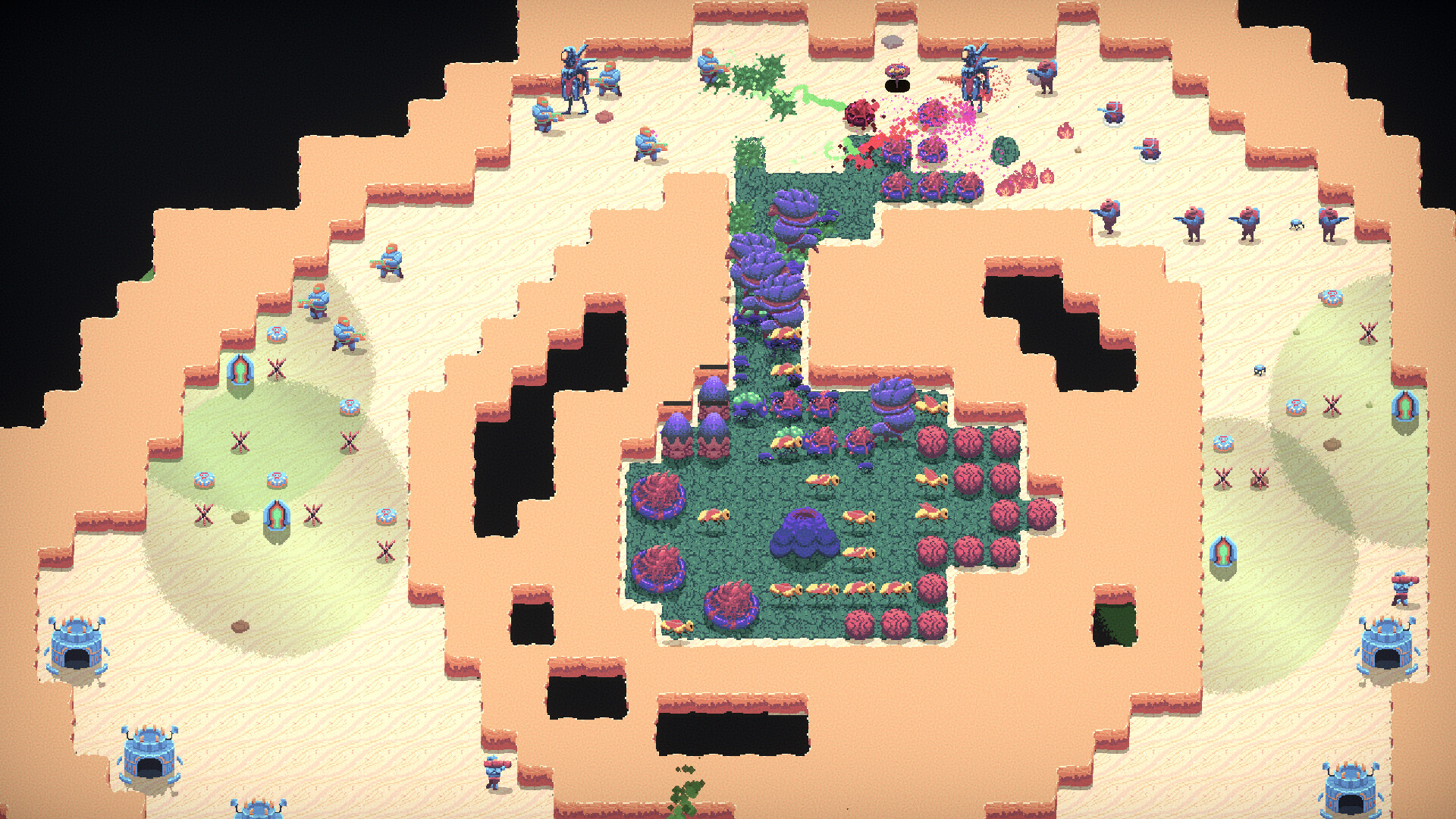
Buggos is a strategy-based mobile game that immerses players in a whimsical yet intense conflict between insect swarms and human civilization. At its core, the game centers on guiding a hive mind through chaotic, auto-battling encounters, where players must evolve and manage their swarm to outmaneuver increasingly sophisticated human defenses. Designed for mobile platforms, Buggos offers a blend of tactical depth and accessible gameplay, appealing to both casual players and fans of real-time strategy mechanics. The game’s central premise revolves around survival and dominance—players break free from their parent hive, customize their army, and adapt through over 120 unique evolutionary paths to thrive in diverse environments.
Target users include strategy enthusiasts, mobile gamers seeking depth beyond casual titles, and players who enjoy creative customization and long-term progression. The game’s campaign mode, featuring 54 missions across nine distinct environments, provides a structured journey that challenges players’ adaptability and strategic foresight. Additionally, the inclusion of a community-driven level editor fosters player creativity and extends replayability. Buggos fills a niche in the mobile strategy ecosystem by combining auto-battling mechanics with deep customization, offering a lighthearted yet intellectually engaging experience. Its release in 2022 marked a notable entry in the growing genre of mobile strategy games with persistent progression and user-generated content.
Key Features & Functionality
- Swarm Evolution System: Players unlock and customize over 120 unique evolutionary paths for their bugs, allowing for deep strategic personalization. Each evolution affects core roles—Swarmers, Warriors, and Builder Bugs—enabling players to tailor their swarm to specific challenges, such as defense, offense, or resource gathering.
- Epic Campaign Mode: The game features 54 missions spread across nine distinct environments, each introducing new enemy types, terrain mechanics, and escalating difficulty. This structured progression tests players’ ability to adapt strategies as human resistance grows more advanced.
- Community Level Editor: Players can design, test, and share custom maps, fostering a collaborative ecosystem. This feature encourages creativity and allows for endless variations in gameplay, turning each match into a unique tactical challenge.
- Survival Mode Challenge: In this endless mode, players face relentless waves of human forces, with difficulty increasing over time. The goal is to survive as long as possible, refining strategies under pressure and unlocking high-score achievements.
- Accessible Strategy Gameplay: Despite its depth, Buggos maintains a user-friendly interface that simplifies complex mechanics. The auto-battling system handles combat execution, allowing players to focus on planning and evolution choices, making it approachable for newcomers while still rewarding veterans.
These features combine to create a dynamic experience where strategy, creativity, and persistence intersect. For example, a player might design a custom map in the level editor that emphasizes vertical terrain, then use a swarm optimized for climbing and ambush tactics to dominate in Survival Mode. The game’s design encourages experimentation and long-term engagement through layered progression and player-driven content.
Interface, UX & Performance
The user interface of Buggos is designed with clarity and functionality in mind, prioritizing intuitive navigation and visual feedback. Players can easily access evolution options, mission progress, and game modes through a well-organized menu system. The visual style blends cartoonish charm with strategic depth, using vibrant colors and expressive bug designs to enhance engagement without sacrificing readability. Icons are clearly labeled, and transitions between screens are smooth, contributing to a cohesive user experience.
Navigation is straightforward, with a focus on minimizing cognitive load. Key actions—such as selecting evolutions, launching missions, or accessing the level editor—are accessible within a few taps. The auto-battling mechanics reduce the need for real-time input, allowing players to focus on decision-making rather than micromanagement. Although the developer did not list formal performance metrics, the game runs efficiently on Android devices, with responsive controls and minimal lag during gameplay. Stability appears consistent across device categories, though specific requirements were not disclosed.
Platform Compatibility & Technical Requirements
Buggos is available exclusively on the Android platform, making it accessible to a broad range of smartphone users. The current version is 1.1.5, with a file size of 135.8 MB, which is relatively compact for a strategy game with extensive content. The app is offered free of charge, with no in-app purchases or ads mentioned in the provided information. While the developer did not specify minimum OS requirements, the game’s compatibility with modern Android devices is likely, given its release date and technical footprint.
For users seeking the latest version, updates are available through official app distribution channels. The game’s lightweight design suggests it can run on mid-tier smartphones, though performance may vary based on device hardware. No specific device recommendations were provided, and compatibility with iOS or other platforms was not disclosed.
Pros and Cons
- Engaging auto-battling strategy with deep customization
- Over 120 unique evolutionary options for player-driven progression
- Extensive campaign mode with 54 missions across diverse environments
- Community level editor enhances replayability and creativity
- Free to download and play with no visible ads or in-app purchases
- Platform availability limited to Android only
- Specific technical requirements not publicly listed
- Performance on older devices not confirmed
- Limited information on update frequency or long-term support
- Community features depend on active player base for sustained engagement
FAQ
Is Buggos free to download and play?
Yes, Buggos is available for free on Android. The developer did not indicate any in-app purchases or advertisements within the provided information.
Can I play Buggos on iOS devices?
The available information confirms that Buggos is only released on Android. No details about iOS compatibility were provided.
How large is the Buggos APK file?
The current file size is 135.8 MB, which is considered lightweight for a strategy game with substantial content.
Are there regular updates for Buggos?
The developer did not specify update frequency. Players are advised to check official channels for the latest version.
Is the level editor accessible to all players?
Yes, the in-game level editor is available to all users, allowing them to create and share custom maps, though community engagement depends on active participation.
Final Thoughts
Buggos stands out in the mobile strategy landscape by merging accessible gameplay with meaningful depth. Its unique blend of auto-battling mechanics, swarm evolution, and player-created content creates a compelling experience that rewards both casual players and dedicated strategists. The game’s free model, combined with a rich campaign and creative tools, makes it a standout choice for those seeking a lightweight yet intellectually stimulating mobile app. Whether you're drawn to strategic planning, creative design, or competitive survival challenges, Buggos delivers a satisfying and evolving experience. With its vibrant world and endless customization possibilities, it offers lasting value in the smartphone gaming ecosystem.
Download Buggos now


