
Download Build Chatbot – No‑Code AI Chatbot Tool for Engagement, Automation & Integration
Overview
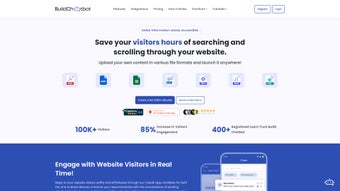
Build Chatbot is a modern, no‑code AI chatbot platform built to accelerate user engagement for businesses of any size as well as individual creators. The solution eliminates the need for programming expertise by providing a visual, drag‑and‑drop interface that lets you design, train, and deploy a conversational agent in just three simple steps. First, you personalize the bot’s personality, visual style, and tone so it aligns perfectly with your brand identity. Second, you feed the bot with private data—whether PDFs, Word documents, Excel sheets, CSV files, or plain‑text notes—allowing it to answer highly specific questions about your product, service, or knowledge base. Third, you embed a responsive full‑page widget on any website or connect the bot to popular collaboration tools such as Zapier and Slack for real‑time automation. Every interaction is captured in a dedicated Chat History, giving you actionable insights into common queries, conversion bottlenecks, and opportunities for continuous improvement. By turning raw data into a conversational experience, Build Chatbot helps transform casual visitors into qualified leads, improves self‑service support, and reduces the workload on human agents. Whether you run an e‑commerce store, a SaaS startup, or a personal blog, the platform’s flexible architecture adapts to any niche, offering a secure environment where private data never leaves your control unless you explicitly enable external integrations.
- Zero‑Code Personalization: Drag‑and‑drop UI lets you set the bot’s tone, colors, and avatar without a single line of code.
- Multi‑Format Training: Accepts PDFs, DOCX, XLSX, CSV, and plain‑text files, enabling you to train the bot on product manuals, price lists, FAQs, or any proprietary data.
- Private‑Data Security: All uploaded files are stored in encrypted cloud storage; you control access permissions and can disable external sharing at any time.
- Chat History & Analytics: Detailed logs of every conversation, searchable by keyword, with conversion metrics that highlight how the bot influences sales or support tickets.
- Zapier & Slack Integration: Trigger workflows such as ticket creation, CRM updates, or notifications directly from chatbot interactions.
- Customizable Full‑Page Widget: A responsive, embeddable widget that can be placed on any web page, with options for pop‑up, slide‑in, or fixed‑bottom layouts.
- Real‑Time Response Tuning: Edit bot replies on the fly based on live feedback, ensuring the conversation stays relevant and helpful.
- Multi‑Language Support: Built‑in translation engine allows the bot to converse in over 20 languages, expanding your global reach.
- Free Tier & Scalable Pricing: Start for free with up to 5,000 monthly interactions; upgrade to paid plans as your traffic grows.
- Cross‑Platform Compatibility: Works on Windows, macOS, Linux, iOS, Android, and any modern browser, making deployment seamless.
Installation, Usage & Compatibility
Getting Build Chatbot up and running is intentionally straightforward. The platform is cloud‑based, so there is no heavy software download required—just a modern browser and an internet connection. Follow these three steps to launch your first bot:
Step‑by‑Step Setup
- Personalize the Bot: After creating a free account, you are taken to the “Design” tab where you choose a name, avatar, and tone (formal, friendly, or humorous). You can also upload your own logo and select brand colors that will automatically apply to the widget.
- Train with Your Data: Navigate to the “Training” section, click “Add Files,” and upload any supported document format. Build Chatbot’s AI engine parses the content, extracts key concepts, and builds a searchable knowledge base. You can tag sections for better contextual answers and even create hierarchical categories for large data sets.
- Embed or Integrate: In the “Deploy” tab, copy the generated JavaScript snippet and paste it into the HTML of any page, or use the ready‑made WordPress, Shopify, or Webflow plugins. For automation, connect the bot to Zapier or Slack by authorizing the respective services and mapping triggers (e.g., “New Chat Question” → “Create HubSpot Contact”).
Supported Operating Systems
Because Build Chatbot runs in the cloud, it is compatible with all major operating systems, including Windows 10 and later, macOS 11 (Big Sur) and newer, most Linux distributions, as well as iOS and Android devices through any modern web browser. The responsive widget automatically adjusts to desktop, tablet, and mobile viewports, guaranteeing a consistent experience for every visitor.
Maintenance & Updates
The platform receives automatic updates—new AI models, security patches, and feature enhancements are rolled out without any action required from you. All updates are logged in the “Changelog” section of your dashboard, so you can track new capabilities and plan any needed adjustments to your bot’s workflow. Because the service is SaaS‑based, you always benefit from the latest performance improvements without worrying about manual upgrades.
Pros, Cons & Frequently Asked Questions
Before deciding whether Build Chatbot fits your needs, it helps to weigh its strengths against potential limitations and to clarify common queries that arise during the evaluation process. Below you’ll find concise pros and cons followed by a detailed FAQ that addresses the most frequently raised concerns.
Pros
- Completely no‑code; ideal for non‑technical users.
- Supports a wide range of file formats for training, including Excel spreadsheets.
- Robust analytics via Chat History help improve conversion rates.
- Seamless Zapier and Slack integrations enable real‑time automation.
- Full‑page widget is fully customizable and mobile‑responsive.
- Free tier allows testing with up to 5,000 interactions per month.
- Strong data security with encrypted storage and granular permission controls.
- Multi‑language engine expands reach to global audiences.
- Cross‑platform compatibility ensures the bot works on any device.
- Automatic updates keep the AI model current without manual effort.
Cons
- Advanced AI customization (e.g., custom model fine‑tuning) is only available on higher‑priced plans.
- Very large document uploads (>200 MB) may require chunked processing, which can add a short delay.
- Mapping complex Zapier workflows can have a learning curve for beginners.
- Live chat handoff to human agents is not built‑in; requires third‑party integration.
- Free tier limits advanced analytics and priority support.
FAQ
Can I use Build Chatbot for free?
Yes. Build Chatbot offers a free tier that includes up to 5,000 monthly interactions, basic analytics, and access to the core no‑code builder. This is perfect for small businesses or personal projects that want to test the platform before upgrading.
What types of files can I upload to train the bot?
The platform accepts PDFs, Word (.docx), Excel (.xlsx, .xls), CSV, plain‑text (.txt), and Markdown files. This flexibility lets you feed product catalogs, knowledge‑base articles, or even raw data tables directly into the bot’s knowledge engine.
Is my data safe when I upload it?
Build Chatbot stores all uploaded files in encrypted cloud storage and follows industry‑standard security practices. You retain full ownership of your data, and you can disable any external integration at any time to keep the information strictly internal.
How does the Zapier integration work?
After connecting your Zapier account, you can create “Zaps” that trigger on specific chatbot events—such as a new question, a completed survey, or a conversion. These triggers can then launch actions in over 2,000 apps, including CRM updates, email notifications, or Slack messages.
Can I embed the chatbot on multiple websites?
Absolutely. The generated JavaScript snippet can be placed on any number of domains you own. Each instance can be configured with its own brand settings while sharing the same underlying knowledge base, making it easy to maintain consistency across a portfolio of sites.
Conclusion – Why You Should Download Build Chatbot Today
In a digital landscape where instant, personalized communication drives both sales and customer satisfaction, Build Chatbot emerges as a powerful yet approachable solution. Its no‑code philosophy removes technical barriers, while support for diverse file formats and private‑data training ensures the bot can answer highly specific questions that matter to your audience. The integrated Chat History provides actionable insights that can directly improve conversion rates, and the seamless Zapier and Slack connections turn every conversation into an automation opportunity. Whether you’re a solo entrepreneur looking to add a help desk without hiring staff, or a growing enterprise needing a scalable, secure AI assistant, Build Chatbot offers a free entry point and a clear upgrade path. The combination of ease‑of‑use, robust security, multi‑language support, and cross‑platform compatibility makes it one of the most compelling chatbot tools on the market today. Download Build Chatbot now, embed the widget on your site, and start turning visitor curiosity into meaningful engagement that fuels growth.



.png)




