


Download CAP Player – m3u streaming, media player, high-quality playback
Overview
CAP Player is a specialized media application developed for Windows, designed to deliver efficient and reliable m3u streaming experiences. Its primary purpose is to provide uninterrupted, high-fidelity playback of media content from m3u playlists, addressing common issues such as lag, buffering, and audio dropouts that plague many streaming tools. The app targets users who rely on m3u-based content delivery—such as IPTV enthusiasts, digital media streamers, and content curators who manage custom channel lists. By focusing on performance and stability, CAP Player aims to enhance the overall viewing experience, especially for those who demand consistent playback quality without technical interruptions.
The developer did not provide additional background information about the organization or team behind CAP Player. However, the app’s functionality suggests a targeted approach to solving persistent problems in the m3u streaming ecosystem. Real-world use cases include personal media centers, home entertainment setups, and professional content delivery systems where reliability is critical. For users managing multiple playlists or requiring fast channel switching, CAP Player offers a streamlined solution. Its release on September 12, 2024, positions it as a modern contender in a niche but growing market of specialized streaming tools. The inclusion of a free 7-day trial reflects a user-centric strategy, allowing potential adopters to test performance before committing to a purchase.
Key Features & Functionality
- Lightning-Fast Streaming: CAP Player is engineered to deliver rapid m3u stream loading and playback. By optimizing data handling and network requests, it reduces startup delays and ensures content begins playing almost instantly. This is especially beneficial for users with large playlists or those switching between channels frequently.
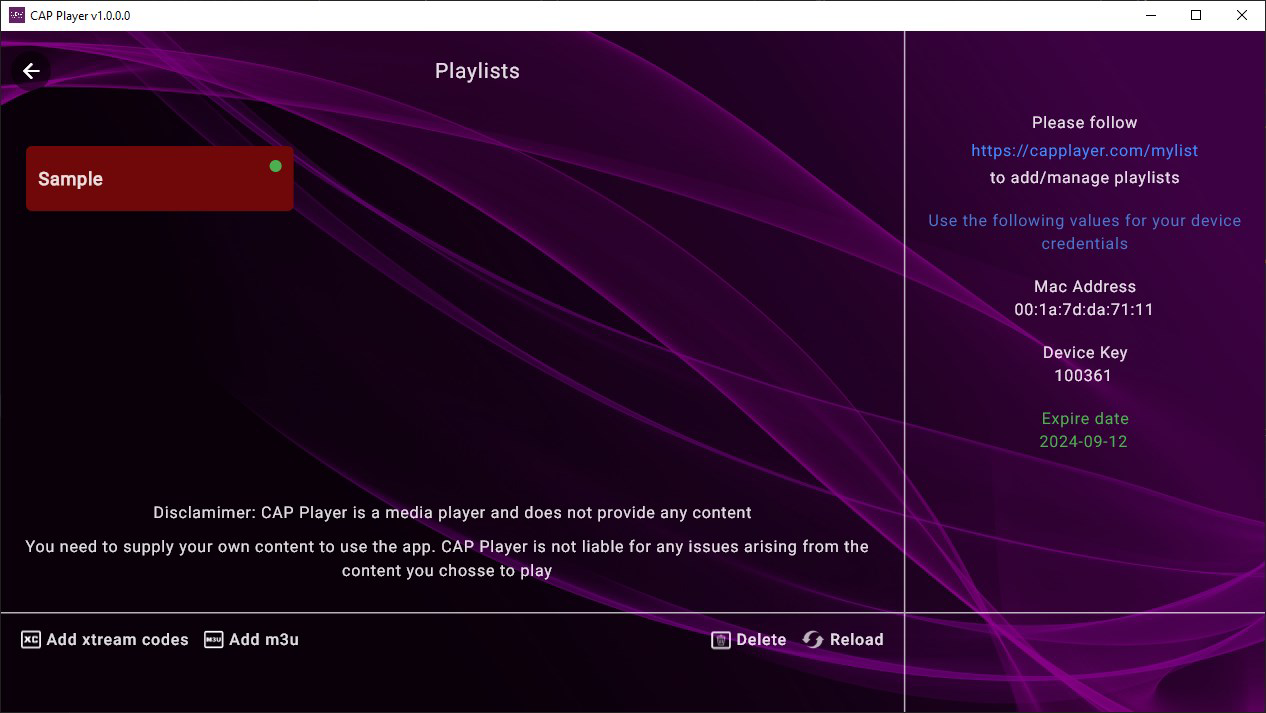
- Easy Playlist Loading: The interface supports straightforward import of m3u files through drag-and-drop or file browser access. Users can load playlists in seconds, enabling quick access to their preferred content without complex configuration steps.
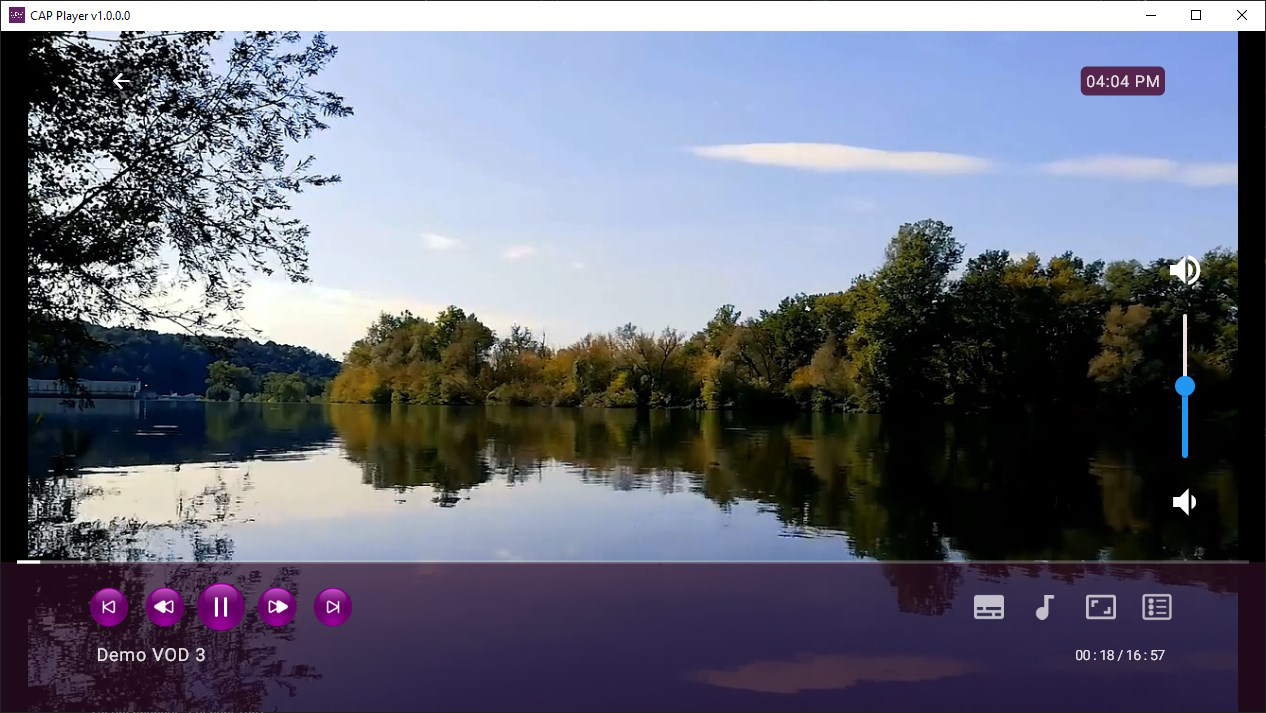
- High-Quality Playback: The app prioritizes video clarity and audio synchronization, minimizing pixelation and audio glitches. This focus on fidelity ensures a consistent and immersive experience, particularly for HD and 4K streams.
- 7-Day Free Trial: New users can explore all core features risk-free for one week. This trial period allows for thorough testing of performance, stability, and compatibility with existing playlists and network conditions.
- Elimination of Lags and Glitches: CAP Player is designed to maintain stable playback even under fluctuating network conditions. Its internal buffering and error-handling mechanisms help prevent interruptions, making it suitable for long viewing sessions.
For example, a user managing a personal IPTV setup can load their m3u playlist once and enjoy smooth transitions between channels. Similarly, a content provider distributing live streams can rely on CAP Player to deliver content without visible artifacts or delays. These features collectively address key pain points in the m3u player market, offering a dependable alternative to less optimized tools.
Interface, UX & Performance
CAP Player features a clean, minimalistic interface that prioritizes usability and accessibility. The layout is structured to place essential controls—such as playback, playlist management, and settings—within easy reach. Navigation is intuitive, with a sidebar for playlist access and a central viewing area for media playback. Visual design emphasizes clarity over ornamentation, reducing distractions during viewing.
Although the developer did not list formal performance metrics, the app is described as optimized for efficient streaming. It is expected to perform well on mid-to-high-end Windows systems, though specific hardware requirements were not disclosed. Responsiveness across different screen sizes and resolutions appears consistent, supporting both standard monitors and high-density displays. Stability is a core focus, with the app designed to maintain playback continuity even during network fluctuations.
Users can expect smooth playback without frequent crashes or freezes, based on the emphasis on eliminating lags and glitches. The app’s lightweight architecture suggests it does not consume excessive system resources, which is beneficial for users running multiple applications simultaneously. However, detailed benchmark data or real-world stress tests were not provided by the developer.
Platform Compatibility & Technical Requirements
CAP Player is available exclusively for Windows operating systems. The specific version of Windows required for installation was not listed by the developer. The application size is 14.7 MB, indicating a lightweight footprint that should not strain storage on most devices. The software version is 1.0.0, released on September 12, 2024.
Compatibility information was not fully disclosed, so users should verify whether their system meets the necessary conditions for stable operation. The developer did not specify minimum CPU, RAM, or GPU requirements. While the app is designed for m3u streaming, no details were provided about supported codecs, container formats, or network protocols beyond standard m3u integration.
Pros and Cons
Pros
- Efficient m3u streaming with minimal lag and interruptions
- Simple and intuitive interface for quick playlist loading
- High-quality video and audio playback with reduced artifacts
- Free 7-day trial allows risk-free evaluation
- Lightweight design with low file size (14.7 MB)
Cons
- Platform restricted to Windows; no mobile or macOS support mentioned
- Specific system requirements not disclosed
- Activation license required after trial period
- Developer did not provide detailed technical specifications
- No information on codec or format support beyond m3u
FAQ
Is CAP Player available for Android or iOS?
As of now, CAP Player is designed for Windows only. There is no official release for Android or iOS devices.
Can I use CAP Player without purchasing a license?
You can use CAP Player for a free 7-day trial. After this period, an activation license is required to continue using the app.
Is CAP Player safe to download and install?
CAP Player is a legitimate application developed for m3u streaming. It is recommended to download only from official sources to ensure security and integrity.
Does CAP Player support all m3u playlist formats?
The app is designed to work with standard m3u playlists. Specific support for extended or custom formats was not detailed by the developer.
How do I update CAP Player?
Updates are likely delivered through the official website. Users should check the developer’s site periodically for new versions and security patches.
Final Thoughts + CTA
CAP Player stands out as a focused, performance-driven solution for users seeking reliable m3u streaming on Windows. Its streamlined interface, fast playback, and commitment to eliminating common streaming issues make it a strong choice for both casual viewers and advanced users managing custom content libraries. The 7-day free trial offers a valuable opportunity to assess its capabilities without financial risk. While platform limitations and incomplete technical details are notable, the app delivers on its core promise: stable, high-quality media playback.
For anyone invested in IPTV, live streaming, or personal media management on Windows, CAP Player offers a dependable tool with clear value. Its lightweight design and emphasis on user experience reflect a thoughtful approach to solving real-world streaming challenges.
Download CAP Player now


