
Screenshots
App details
- Updated
- January 16, 2025
- Requires
- Chrome
- License
- Full
- Developer
- captionmaster
- Category
- Web Apps
About CaptionMaster
Download CaptionMaster – AI Caption Generator for Social Media
Overview
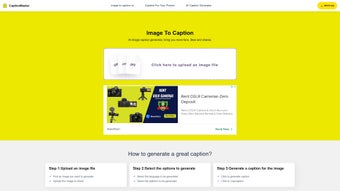
CaptionMaster is a web‑based AI writing assistant specifically built to generate compelling captions for social‑media images. Launched on September 8, 2023, the platform has quickly become a go‑to tool for influencers, marketers, and everyday users who want to boost engagement without spending hours brainstorming text. By simply uploading an image, selecting the desired language and target platform (such as Instagram, Facebook, Twitter, or TikTok), and clicking a single button, users receive a set of ready‑to‑post captions that are optimized for likes, shares, and comments. The AI behind CaptionMaster leverages natural‑language processing models trained on millions of successful social‑media posts, ensuring that the output feels authentic and platform‑specific. Unlike many competitors that lock powerful features behind recurring subscription fees, CaptionMaster offers its full‑version license for free, making advanced AI caption generation accessible to anyone with an internet connection. The tool also supports multiple languages, allowing global creators to craft localized captions that resonate with their audience. Whether you’re a brand looking to maintain a consistent voice across campaigns or a hobbyist hoping to add a creative spark to your personal feed, CaptionMaster promises a seamless, secure, and instant solution.
Key Features
- One‑Click Caption Generation: Upload an image, pick language and platform, and receive instantly generated captions.
- Multi‑Language Support: English, Spanish, French, German, Portuguese, Italian, and more, enabling global reach.
- Platform‑Specific Optimization: Tailored tone and length for Instagram, Facebook, Twitter, TikTok, LinkedIn, and Pinterest.
- Engagement‑Focused Algorithms: AI models trained on high‑performing posts to maximize likes, comments, and shares.
- Free Full‑Version License: No hidden subscription fees; all premium features are available at no cost.
- Copy‑Ready Output: Generated captions are presented in a copy‑button format for instant pasting.
- Secure Cloud Processing: All image uploads and AI processing occur over encrypted HTTPS connections, guaranteeing privacy.
- Responsive Web Interface: Works smoothly on desktop browsers and mobile devices without requiring a download.
- FAQ & Help Center: Built‑in knowledge base addresses common questions about caption style, platform rules, and best practices.
- Regular Updates: The development team releases monthly improvements based on user feedback and emerging social trends.
Installation & Usage Guide
Because CaptionMaster is a cloud‑based service, there is no traditional installation process. Users simply need a modern web browser (Chrome, Edge, Firefox, Safari) and an active internet connection. Follow these steps to start generating captions in under two minutes:
- Visit the Official Site: Navigate to captionmaster.ai. The homepage presents a clean, minimalist interface with a prominent “Upload Image” button.
- Create a Free Account (Optional): While you can generate captions without an account, signing up allows you to save favorite captions, access usage history, and receive personalized suggestions.
- Upload Your Image: Click the upload area, select a JPEG, PNG, or GIF file (max 10 MB), and wait a few seconds for the preview to appear.
- Select Language & Platform: Use the dropdown menus to choose your preferred language and the social platform where the caption will be posted. Each platform selection automatically adjusts character limits and tone guidelines.
- Generate Captions: Press the “Generate Caption” button. The AI begins processing; typical response times range from 2‑5 seconds depending on server load.
- Review & Copy: A list of 3‑5 caption options appears, each with a copy icon. Hover over a suggestion to see a brief “Engagement Score” indicating predicted performance.
- Fine‑Tune (Optional): If desired, edit the caption directly in the provided text box. The platform offers a “Regenerate” button if none of the suggestions feel right.
- Publish: Paste the final caption into your social‑media app and hit “Post.” You can also click “Share to Platform” to open the respective app’s upload window directly from CaptionMaster (available for Instagram and Facebook on mobile browsers).
For power users, CaptionMaster includes a “Batch Mode” that allows uploading up to 10 images at once, each receiving its own set of captions. This is ideal for agencies managing multiple client posts. The tool also integrates with Zapier, enabling automated caption generation triggered by new files in cloud storage services like Google Drive or Dropbox.
Compatibility, Pros & Cons
CaptionMaster is platform‑agnostic because it runs entirely in the browser. It is compatible with Windows 10/11, macOS 12+, Linux distributions, Android 8+ (via Chrome or Firefox), and iOS 13+ (Safari or Chrome). The responsive design ensures a smooth experience on tablets, smartphones, and traditional desktops alike. Because no software is installed locally, users benefit from automatic updates and do not need to worry about version incompatibilities.
Pros
- Completely free full‑version license – no hidden recurring fees.
- Fast, one‑click generation with high‑quality, platform‑specific captions.
- Extensive language support for global audiences.
- Secure HTTPS processing ensures privacy of uploaded images.
- Responsive UI works on any device without the need for a native app.
- Batch mode and Zapier integration streamline workflow for agencies.
- Regular updates based on real‑world social trends keep the AI relevant.
Cons
- Requires an internet connection; offline usage is not possible.
- AI-generated captions may occasionally need minor human tweaking for brand voice.
- Limited to image‑based posts; video caption generation is not yet supported.
- While free, the platform displays non‑intrusive promotional banners for premium partner tools.
- Advanced analytics (e.g., A/B testing of captions) are only available in a future roadmap.
Overall Rating: 4.5 out of 5 stars – CaptionMaster delivers a powerful, cost‑free solution for social‑media caption creation, with only minor limitations around offline access and video support.
Frequently Asked Questions
Is CaptionMaster really free, or are there hidden costs?
CaptionMaster offers a full‑version license at no charge. All core features – including multi‑language support, batch processing, and platform‑specific optimization – are available without a subscription. The only optional cost is for third‑party integrations that may be promoted on the site, but these are completely optional.
Can I use CaptionMaster for commercial projects?
Yes. The free license permits both personal and commercial use. Brands and agencies can generate captions for client posts, marketing campaigns, and product launches without any licensing restrictions.
How does CaptionMaster ensure the privacy of my uploaded images?
All uploads are processed over encrypted HTTPS connections, and images are stored temporarily (no longer than 15 minutes) before being automatically deleted from the server. CaptionMaster’s privacy policy explicitly states that no personal data is retained or shared with third parties.
What languages are currently supported?
CaptionMaster supports English, Spanish, French, German, Portuguese, Italian, Dutch, Russian, Japanese, Korean, and Arabic. Additional languages are being added quarterly based on community demand.
Can I generate captions for video posts?
As of the latest update, CaptionMaster focuses on image‑based captions. A video captioning feature is slated for release in early 2026, and users can sign up for early‑access notifications on the website.
Conclusion & Call to Action
In a crowded marketplace of AI writing tools, CaptionMaster distinguishes itself by delivering a high‑quality, free caption generator that is both fast and user‑friendly. Its platform‑aware algorithms, multilingual capabilities, and secure cloud processing make it a valuable asset for anyone looking to improve social‑media engagement without breaking the bank. While the lack of offline functionality and video support are minor drawbacks, they are outweighed by the convenience of a zero‑cost, constantly updated service. Whether you’re a solo creator, a small business, or a full‑scale agency, CaptionMaster equips you with the words needed to capture attention, spark conversation, and drive measurable results.
Ready to supercharge your social presence? Visit CaptionMaster now, upload your first image, and start generating captions for free. Experience the blend of AI intelligence and simplicity that’s already helping thousands of users increase likes, shares, and follower growth worldwide.
Guides & Tutorials
How to install CaptionMaster
- Click the Download button above.
- Once redirected, accept the terms and click Install.
- Wait for the CaptionMaster download to finish on your device.
How to use CaptionMaster
This software is primarily used for its core features described above. Open the app after installation to explore its capabilities.
User Reviews
No reviews yet. Be the first to share your experience.
You may also like
more
3D AI Studio
3D AI Studio Overview 3D AI Studio is a web-based AI-powered tool developed by S...

3D textures by Polycam
Generate Realistic 3D Textures Effortlessly 3D Textures by Polycam is an innovat...

3DAiLY
Customizable 3D Modeling Tool: 3DAiLY 3DAiLY is an online platform that harnesse...

3DFY
Revolutionizing 3D Model Creation: 3DFY Review 3DFY is an AI-powered service, de...

AI Dungeon
AI Dungeon: Deep Learning Text Adventure AI Dungeon is an artificial intelligenc...

Alpha3D
A subscription-based program for Web apps, by alpha3d. Alpha3D is a subscription...
