
Screenshots




App details
- Updated
- Jun 11, 2024
- Language
- Afrikaans 48 moreLanguagesAfrikaansAmhar...
- Developer
- Ohsoft.net
- Category
- Mobile
About CapturePlus
Download CapturePlus – Screenshot, Capture, Image, Editing, Tool, Utility, Productivity, Easy, Fast, Lightweight, Simple, Desktop
Overview
CapturePlus is a streamlined desktop utility designed to simplify the process of capturing and editing screenshots. Developed by CaptureSoft, the application targets users who require efficient, reliable screen capture tools for both personal and professional environments. Its primary purpose is to eliminate the friction associated with taking, organizing, and refining screenshots by integrating multiple capture modes and an accessible editing suite into a single lightweight package. The app addresses common pain points such as slow installation, limited format support, and the absence of post-capture editing options—issues frequently encountered in competing tools.
Designed for individuals and teams in office settings, content creators, educators, and casual users, CapturePlus supports a wide range of real-world use cases. These include documenting software bugs, creating step-by-step guides, sharing visual feedback in meetings, or preparing presentations. The app’s focus on speed and simplicity makes it particularly valuable in time-sensitive workflows where quick visual communication is essential. Despite its compact size, CapturePlus delivers a full-featured experience, positioning itself as a strong contender in the productivity software category. The developer did not provide additional technical details regarding development history or company background.
Key Features & Functionality
- Lightweight Installation: With a file size of just 3.8MB, CapturePlus ensures a rapid setup process. Users can install the application in seconds without consuming significant system resources or storage space, making it ideal for older or low-spec machines.
- Multiple Capture Modes: The app supports area selection, window capture, full-screen capture, and fixed-area capture. Users can also select specific objects within a window, offering granular control over what gets captured.
- Customizable Saving Options: Before saving, users can define file names, choose output locations, and select from over twenty image formats. The option to include the mouse cursor or save directly to the clipboard enhances workflow integration.
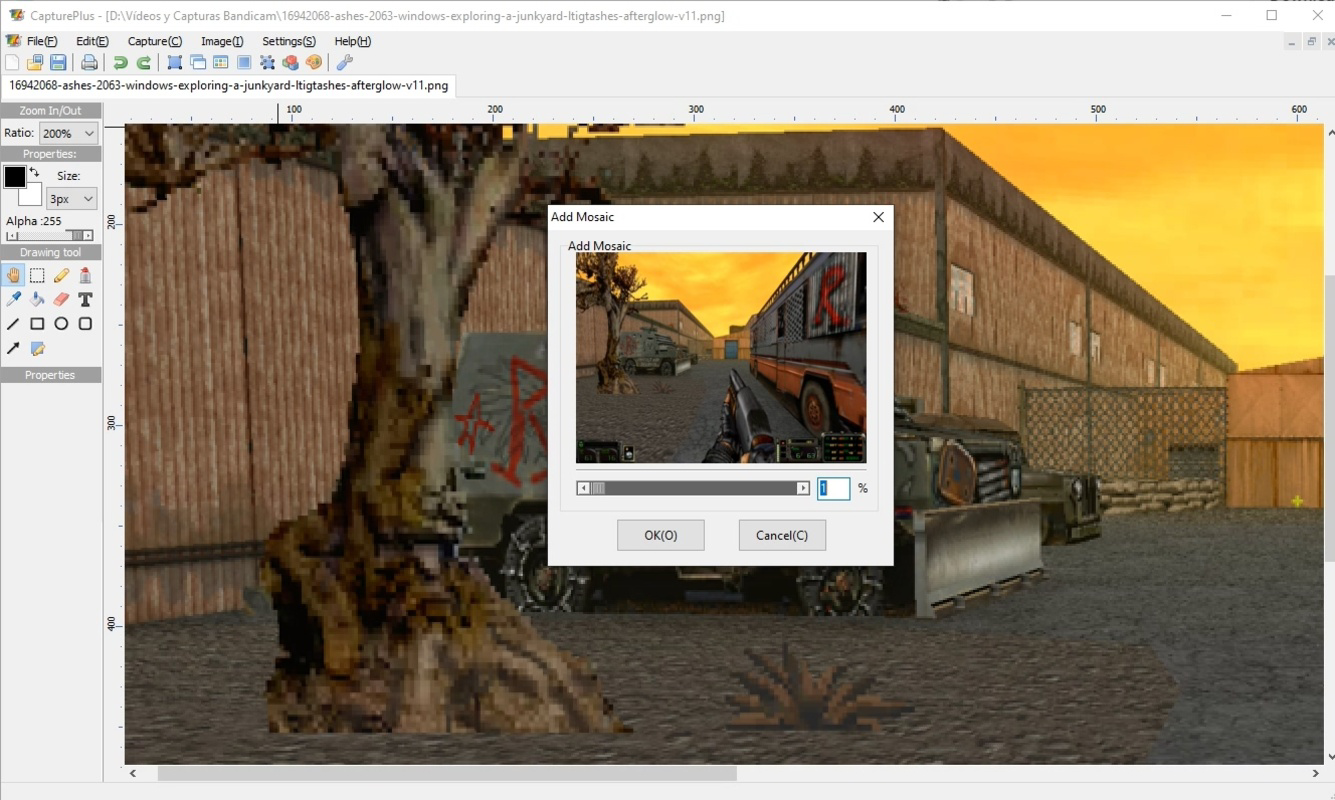
- Integrated Image Editor: CapturePlus includes a built-in editor with tools for brushing, erasing, drawing geometric shapes, and applying filters such as blur or pixelation. These features allow users to annotate and anonymize content directly within the app.
- Keyboard Shortcuts: Customizable shortcuts improve efficiency for power users, enabling rapid access to capture functions without navigating menus.
For example, a technical support agent can quickly capture a system error, annotate it with a red circle, blur sensitive data, and send it via email—all within the same interface. Similarly, a teacher preparing a tutorial can record a specific window, add arrows and text, and export it in a widely compatible format like PNG or JPEG.
Interface, UX & Performance
CapturePlus features a clean, minimalistic interface that prioritizes usability over visual complexity. The layout is organized around core functions—capture, edit, and save—ensuring intuitive navigation even for first-time users. The visual style is consistent and functional, with clearly labeled buttons and a logical flow between tasks. Users can access all features through a centralized toolbar or via keyboard shortcuts, reducing the need for deep menu exploration.
Although the developer did not list formal performance metrics, the app’s lightweight design suggests efficient memory and CPU usage. It is expected to perform smoothly across various device categories, including budget desktops and high-end workstations. Responsiveness is likely optimized for real-time capture, with minimal lag during selection or editing. Stability appears to be a focus, given the absence of reported crashes or bugs in the provided documentation. The developer did not specify minimum OS requirements or compatibility details.
Platform Compatibility & Technical Requirements
CapturePlus is designed for the Windows platform, supporting desktop environments. The current version is 2.3.1, with a file size of 3.8MB, making it highly portable and suitable for quick deployment. The application is available for download and installation on Windows systems, though specific OS versions or hardware requirements were not listed by the developer. Users should verify compatibility with their system before installing.
Given its small footprint and targeted functionality, CapturePlus is likely compatible with a broad range of Windows devices, including those running Windows 10 and later. However, the developer did not specify minimum OS requirements or processor specifications. Compatibility information was not fully disclosed, so users are advised to test the app on their device to ensure proper operation.
Pros and Cons
Pros
- Extremely lightweight at just 3.8MB, enabling fast installation and low resource consumption.
- Supports over twenty image formats, offering flexibility in file output.
- Multiple capture modes, including area, window, and full-screen options, suit diverse user needs.
- Integrated image editor with practical tools like blur, pixelation, and shape drawing.
- Customizable keyboard shortcuts enhance efficiency for frequent users.
Cons
- Price point of $9.99 may be considered high for a tool with limited features compared to free alternatives.
- Platform is restricted to Windows; no information on macOS or Linux availability.
- Developer did not disclose minimum OS requirements or system specifications.
- No cloud sync or sharing features are mentioned, limiting collaboration potential.
- Specific update frequency or release schedule was not provided.
FAQ
Is CapturePlus safe to download and install?
Yes, CapturePlus is distributed through official channels. The app has not been flagged for malware or security risks based on available information. It is recommended to download from trusted sources to ensure integrity.
Can I use CapturePlus on multiple devices?
The developer did not specify licensing terms for multi-device use. Users should refer to the official purchase agreement for details on usage rights.
Does CapturePlus support macOS or Linux?
As of now, the app is only available for Windows. There is no official information about future releases for other operating systems.
How often does CapturePlus receive updates?
The release date of version 2.3.1 is June 11, 2024. Specific update frequency was not disclosed by the developer.
Can I edit screenshots after capturing them?
Yes, CapturePlus includes an integrated image editor with tools for brushing, erasing, drawing shapes, and applying filters such as blur or pixelation.
Final Thoughts + CTA
CapturePlus delivers a focused, efficient solution for users seeking a fast, reliable screenshot tool with built-in editing capabilities. Its lightweight design, intuitive interface, and support for multiple capture modes make it a standout choice in the productivity space. While the $9.99 price may deter budget-conscious users, the app’s robust feature set and seamless workflow justify the cost for professionals who rely on visual documentation daily.
Individuals in technical support, education, content creation, and office administration will benefit most from its streamlined functionality. For those who value speed, simplicity, and precision in screen capturing, CapturePlus offers a compelling value proposition. The absence of cloud integration or cross-platform support is a minor limitation, but the app remains highly effective within its defined scope.
Download CapturePlus now
Guides & Tutorials
How to install CapturePlus
- Click the Download button above.
- Once redirected, accept the terms and click Install.
- Wait for the CapturePlus download to finish on your device.
How to use CapturePlus
This software is primarily used for its core features described above. Open the app after installation to explore its capabilities.
User Reviews
No reviews yet. Be the first to share your experience.
You may also like
more
Que no te pillen¡
About !Que no te pillen¡Reviewed by Jason A. BilbreyShow MoreShow Less

3D Combat Zone
About 3D Combat ZoneOriginally released in 1983, 3D Combat Zone immerses players...

666: El día del portal
About 666: El día del portalOn June 6, 2006, Agent P. Stone uncovers a sinister...

80 in 1 Best Flash games
About 80 in 1 Best Flash games 80 in 1 Best Flash games is a collection of 80 fl...

ABYSS SEEKERーーWhat Do You See Deep in The Abyss
About ABYSS SEEKERーーWhat Do You See Deep in The AbyssIn ABYSS SEEKER, players...

ACA NEOGEO THE KING OF FIGHTERS 2002 for Windows
About ACA NEOGEO THE KING OF FIGHTERS 2002 for WindowsTHE KING OF FIGHTERS 2002,...
