
Download Cashflows – Free Personal Finance Forecasting Tool
Overview
Cashflows is a lightweight, cross‑platform personal finance app designed for anyone who wants to see the future of their money without spending hours on spreadsheets. By simply entering recurring income, regular bills, and one‑off expenses, the app projects your account balance months—or even years—into the future. Its intuitive interface lets you toggle transactions on or off, update balances instantly, and experiment with “what‑if” scenarios such as a new job, a salary cut, or a debt‑repayment plan. Because time is a precious commodity, Cashflows does the heavy lifting: it calculates trends, highlights potential shortfalls, and presents a clear visual timeline that anyone can understand. Whether you are a recent graduate trying to avoid credit‑card debt, a professional preparing for a career transition, or a family budgeting for a major purchase, Cashflows offers a fast, secure, and free way to stay ahead of your finances. The app’s minimal setup means you can start forecasting within minutes, and its periodic updates ensure you always have the latest calculation engine without any hidden fees or intrusive ads. In short, Cashflows turns complex cash‑flow analysis into a simple, daily habit that empowers smarter financial decisions.
Key Features That Make Cashflows Stand Out
- Future Balance Projection: Automatic calculation of your account balance up to 5 years ahead based on entered income and expenses.
- Recurring Transaction Management: Add, edit, or remove monthly, quarterly, or yearly payments with a single tap.
- One‑Off Payment Tracking: Include irregular expenses such as vacations, car repairs, or tax refunds, and see their impact on long‑term cash flow.
- What‑If Scenario Builder: Simulate salary changes, job loss, or debt consolidation to understand how each event reshapes your financial outlook.
- Instant Balance Updates: Sync your actual bank balance at any time to keep projections accurate.
- Toggle Transactions: Quickly enable or disable a transaction if it becomes irrelevant, allowing flexible planning.
- Multi‑Device Sync: Use Cashflows on Windows, macOS, Android, or iOS and keep your data consistent across all platforms.
- Secure Local Storage: All data is stored locally on your device with optional encrypted backup, ensuring privacy.
- Free with No Ads: Full‑featured experience without subscription fees or disruptive advertisements.
- Regular Updates: The development team releases bug fixes and new features monthly, guaranteeing a reliable tool.
Installation, Setup, and Compatibility
Getting started with Cashflows is intentionally straightforward. For desktop users, download the installer from the official website; the Windows version is a standard .exe file, while macOS users receive a signed .dmg. Mobile users can find Cashflows for free on the Google Play Store and the Apple App Store. After the download completes, follow the on‑screen prompts: accept the license agreement, choose an installation folder (or use the default), and click “Install”. The app launches automatically once installation finishes.
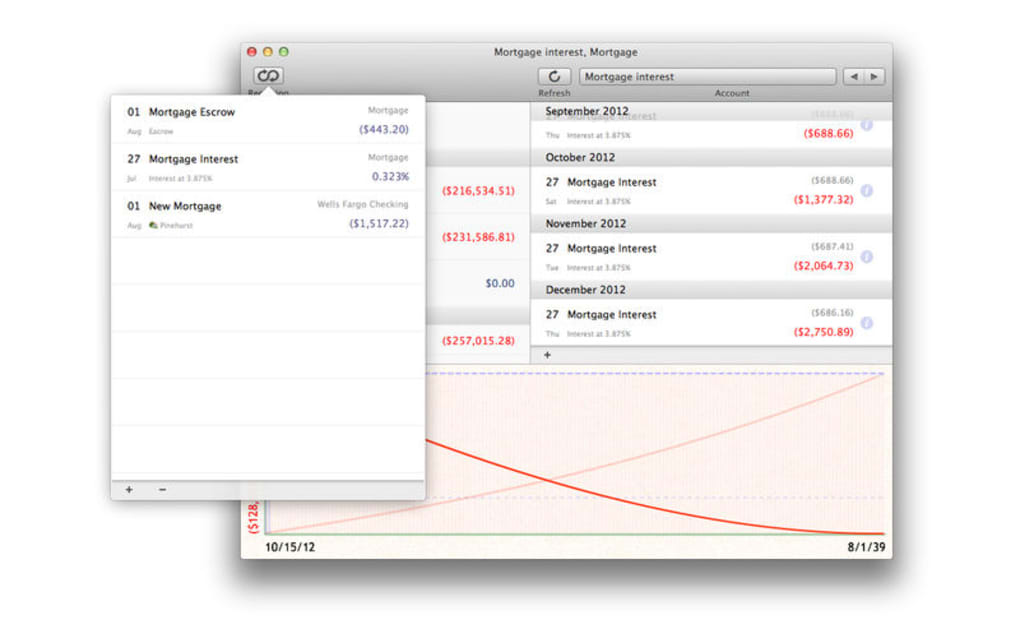
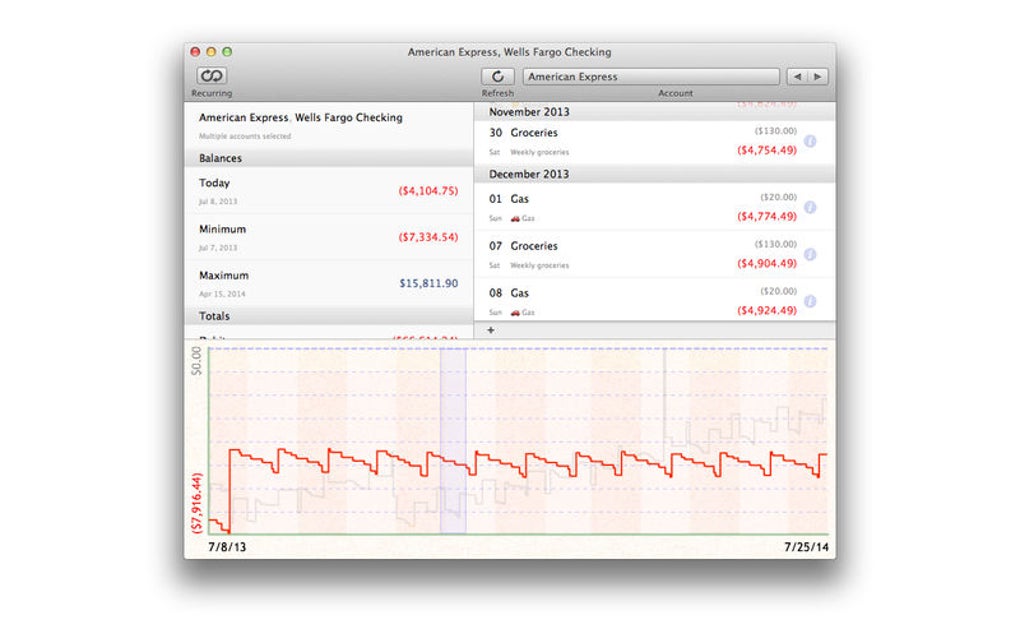
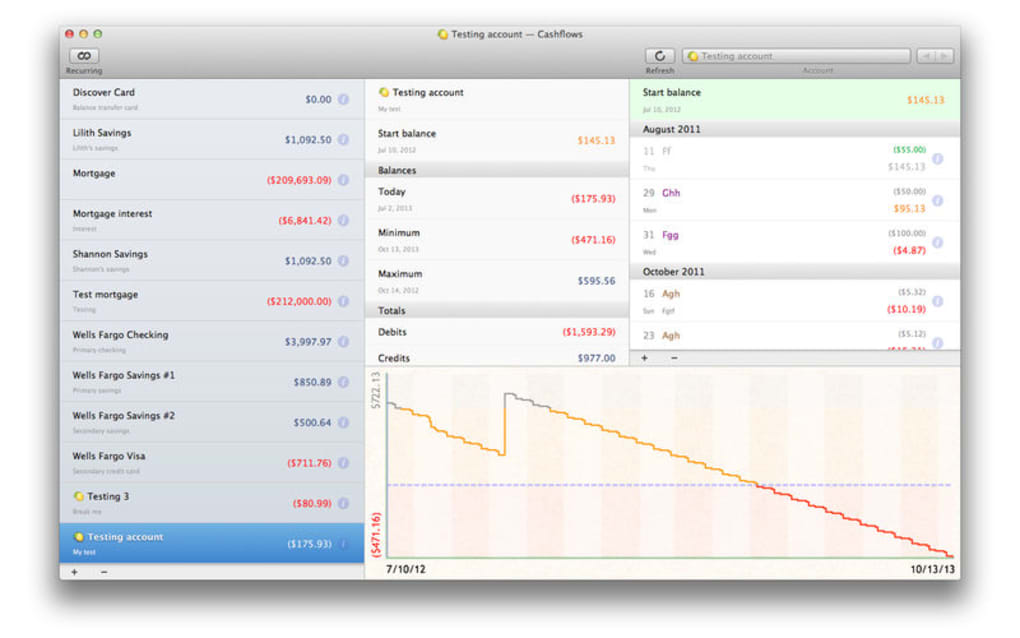
During first‑time launch, Cashflows guides you through a brief onboarding wizard. You’ll be asked to set your current account balance, then add recurring income (salary, freelance work, rental income) and recurring expenses (rent, utilities, subscriptions). The wizard also offers a quick import option for CSV files, allowing you to bring in historical transaction data from other budgeting tools. After the initial setup, you can immediately view a projected balance graph that updates in real time as you add or edit entries.
Supported operating systems include Windows 10/11, macOS 10.15 Catalina and later, Android 6.0 Marshmallow and later, and iOS 13 and later. The app is optimized for both tablets and smartphones, providing a responsive layout that adapts to any screen size. Minimum system requirements are modest: 2 GB RAM, 100 MB of free storage, and an active internet connection for optional cloud backup.
For users who prefer a manual approach, Cashflows also offers a “Lite” mode that runs entirely offline, eliminating any need for an internet connection after the initial download. This mode is especially useful for travelers or users with strict data‑privacy policies. Regardless of the platform, the user experience remains consistent—clean dashboards, drag‑and‑drop transaction editing, and instant visual feedback on how each change affects your future cash flow.
Pros, Cons, and Frequently Asked Questions
Pros
- Fast, accurate future balance projections without complex formulas.
- Intuitive UI that works on both desktop and mobile devices.
- Free, ad‑free experience with regular updates.
- Robust “what‑if” scenario planning for life changes.
- Secure local storage with optional encrypted cloud backup.
- Supports multiple operating systems, ensuring cross‑platform continuity.
Cons
- Lacks integration with automatic bank feeds; data must be entered manually or imported via CSV.
- No built‑in expense categorization beyond user‑defined tags.
- Advanced reporting (e.g., tax‑year summaries) is limited compared to full‑featured accounting suites.
- While the app is free, premium features such as multi‑account aggregation are planned for future paid versions.
Frequently Asked Questions
Can I import my bank statements directly into Cashflows?
Cashflows does not currently support direct bank‑feed integration. However, you can import transactions via a CSV file exported from most online banking portals. The import wizard maps columns automatically, and you can edit any mismatched entries after the import.
Is my financial data safe?
Yes. All data is stored locally on your device and encrypted with AES‑256 when you enable the optional cloud backup. The app never shares your information with third parties, and there are no ads that require data mining.
Can I use Cashflows for multiple accounts (checking, savings, credit cards)?
You can create separate “profiles” for each account type. Each profile maintains its own set of recurring and one‑off transactions, allowing you to compare projections side‑by‑side. Switching between profiles is a single tap in the app’s navigation drawer.
How often is the app updated?
The development team releases updates roughly once a month. Updates include performance improvements, new scenario templates, and occasional UI refinements. All updates are delivered automatically through the respective app stores.
Is there a limit to how far into the future Cashflows can project?
The default projection horizon is five years, which balances accuracy with usability. If you need a longer horizon, you can manually extend the timeline, though the reliability of the forecast naturally diminishes the further you look ahead.
Conclusion – Start Planning Your Future Finances Today
Cashflows delivers exactly what its name promises: a clear view of your cash flow future with minimal effort. Its strength lies in its simplicity—no hidden fees, no confusing jargon, just a clean interface that lets you add income, expenses, and experiment with life‑changing scenarios in seconds. While power users may miss direct bank‑feed integration, the app’s security, cross‑platform availability, and free pricing make it an ideal starting point for anyone who wants to gain confidence in their financial trajectory. Download Cashflows now, set up your first profile, and see how a few minutes of planning can translate into months or years of financial peace of mind.








