
Screenshots
App details
- Updated
- August 23, 2024
- Requires
- Chrome
- License
- Full
- Developer
- Chat2Code.dev
- Category
- Web Apps
About Chat2Code dev
Download Chat2Code.dev – AI‑Powered React Component Generator
Overview
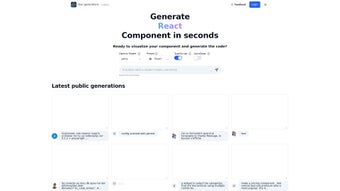
Chat2Code.dev is a cloud‑based, AI‑driven development assistant that transforms natural‑language prompts into fully functional React components with remarkable speed and accuracy. Powered by the latest OpenAI large language models, the platform understands nuanced developer instructions—whether you type “a responsive login form with email validation and remember‑me checkbox” or “a dynamic data table with sortable columns and pagination”—and instantly produces clean, production‑ready JSX or TSX code. Each generated component is displayed in an interactive preview pane, allowing you to see visual output, test basic interactions, and verify behavior without writing a single line of code yourself. The integration with CodeSandbox means that with one click you can open the component in a fully featured online IDE, make custom modifications, add additional logic, and share a live, editable link with teammates or clients. Chat2Code.dev also supports on‑the‑fly library injection; you can request that the AI include Tailwind CSS, Material‑UI, Redux Toolkit, or any other popular npm package, and the tool will automatically add the necessary import statements, configuration, and usage patterns. This flexibility ensures that the generated code fits seamlessly into your existing tech stack, reducing the friction that typically accompanies boilerplate generation. Whether you are a solo freelancer needing quick mockups, a startup sprinting to prototype a new feature, or a large team looking to standardize component creation, Chat2Code.dev eliminates repetitive coding tasks, accelerates the feedback loop, and frees you to focus on higher‑level business logic, user experience, and performance optimization.
Key Features of Chat2Code.dev
- AI‑Generated React Code – Turn plain English prompts into clean, typed React components in seconds, with intelligent handling of props, state, and event handlers.
- Live Interactive Preview – See your component render and respond to user actions instantly within the browser, complete with simulated data and real‑time UI updates.
- CodeSandbox Integration – One‑click export to a full‑featured online IDE for deeper customization, debugging, and collaboration without any local setup.
- TypeScript Support – All generated code includes comprehensive type definitions, reducing runtime errors and improving developer confidence.
- Library Injection – Request additional npm packages (e.g., Tailwind, Ant Design, React Hook Form) and have the AI adapt the component architecture accordingly.
- Component Gallery – Browse a curated list of ready‑made components ranging from calculators to authentication pages, each searchable by category and technology.
- Sharing & Collaboration – Generate shareable links so teammates can view, edit, or fork the component without setting up a local environment.
- Versioned Updates – Prompt the AI to modify or extend existing components while preserving original functionality, complete with change logs.
- Secure Cloud Processing – All prompts are processed over HTTPS; no code is stored permanently on the server unless you explicitly save a project.
- Free Tier & Paid Pro Options – Unlimited component generation for free users, with premium features like batch export, private sandboxes, and priority AI processing for paid plans.
Installation, Usage, and Compatibility
Getting Started – No Local Installation Required
Chat2Code.dev is a pure web‑app, which means there is absolutely nothing to download or install on your machine. Simply navigate to chat2code.dev, create a free account using your email or social login, and you are ready to start generating React components. Because the service runs entirely in the browser, it works on any modern operating system that supports a recent version of Chrome, Edge, Firefox, or Safari. The UI is responsive, so you can comfortably use it on desktop monitors, laptops, tablets, or even larger smartphones, though the full development experience is optimized for larger screens.
Step‑by‑Step Workflow
- Log in to your dashboard and click the bright “New Component” button.
- Enter a clear, concise description of the UI you need (e.g., “responsive navigation bar with dropdown menus and dark mode toggle”).
- Select optional settings: toggle TypeScript on or off, choose a preferred UI library or CSS framework, and optionally provide sample data for tables or lists.
- Press “Generate”. Within seconds the AI returns the component code along with a live, interactive preview that reflects your chosen settings.
- Use the “Open in CodeSandbox” button to launch an editable sandbox environment where you can add custom state, connect to APIs, or integrate additional npm packages.
- Perform any final tweaks—adjust styling, rename variables, or insert business‑logic functions.
- When satisfied, click “Export” to download a ZIP file containing the component files, or simply copy the code snippet to your clipboard for immediate pasting into a local project.
Operating System Compatibility
Chat2Code.dev is platform‑agnostic and works on Windows 10/11, macOS 12+, Linux distributions with a modern browser, as well as on mobile tablets (iOS 14+ and Android 10+). Because the tool runs in the cloud, performance depends only on your internet connection and the processing power of the remote AI service, not on your local hardware. The responsive UI automatically adapts to high‑resolution displays and supports dark‑mode preferences.
Security & Updates
The service adheres to industry‑standard security practices: all data transmission is encrypted via TLS 1.3, and user prompts are not stored beyond the session unless you explicitly save them in a project folder. Updates to the underlying AI model, security patches, and feature enhancements are rolled out automatically on the server side, guaranteeing that you always have access to the latest code‑generation capabilities without needing to manually apply any patches or upgrades.
Pros, Cons, and Frequently Asked Questions
Pros
- Speeds up React development by eliminating boilerplate coding and reducing manual UI scaffolding.
- Native TypeScript support ensures type safety and better integration with modern codebases.
- Instant live preview provides immediate visual feedback, shortening the design‑to‑code cycle.
- One‑click export to CodeSandbox enables deeper customization, testing, and sharing.
- Generous free tier makes the tool accessible to individual developers, students, and small teams.
- Library injection lets you tailor components to your preferred UI framework without extra configuration.
- Secure, cloud‑based processing protects your intellectual property and complies with GDPR‑friendly practices.
- Versioned updates let you iteratively improve components while keeping a clear change history.
Cons
- Complex business logic, advanced state management, or custom hooks still require manual implementation.
- Generated code may need slight refactoring to align with strict ESLint or Prettier configurations used in some teams.
- Reliance on a stable internet connection; offline work is not possible, which may be a limitation for travel or restricted environments.
- Advanced UI libraries or proprietary design systems may need additional tweaking after generation.
- While the AI is highly capable, occasional misinterpretations of vague prompts can lead to unexpected component structures.
Frequently Asked Questions
Is Chat2Code.dev really free?
Yes, the core component generation feature is free forever. A paid Pro plan offers extra benefits such as batch exports, private sandboxes, higher‑priority AI processing, and priority support.
Can I generate components for a React Native project?
Chat2Code.dev currently focuses on web‑based React (JSX/TSX). While the generated code can be adapted for React Native, the preview environment and styling utilities are optimized for browsers, so some manual adjustments may be required for native platforms.
How does the AI handle library dependencies?
When you specify a library (e.g., Tailwind CSS, Ant Design, Redux Toolkit), the AI automatically adds the correct import statements, configures the component to use the library’s classes or components, and includes any required peer dependencies in the generated package.json snippet.
Is the generated code production‑ready?
The output follows industry best practices, includes type definitions, and is syntactically correct. However, as with any autogenerated code, you should still run your usual linting, unit testing, and security reviews before deploying to production environments.
What browsers are supported?
The platform works on the latest stable releases of Chrome, Edge, Firefox, and Safari. Mobile browsers are supported for basic usage, though the full UI experience and component editing features are optimized for desktop browsers with a minimum resolution of 1024 px.
Can I save my generated components for later reuse?
Yes, you can create projects within your dashboard, save generated components to a personal library, and revisit or clone them at any time. Saved projects are stored securely in your account and can be exported as ZIP files or shared via public links.
Chat2Code.dev dramatically cuts down the time required to spin up new UI components. The AI’s ability to understand nuanced prompts and embed requested libraries makes it a valuable side‑kick for any React developer looking to prototype quickly while maintaining code quality.
Conclusion & Call to Action
In a development landscape where rapid prototyping, agile delivery, and high‑quality code are non‑negotiable, Chat2Code.dev stands out as a practical, AI‑enhanced ally for front‑end engineers. By converting simple text prompts into functional, TypeScript‑typed React components, it eliminates the repetitive scaffolding that traditionally consumes valuable development hours. The seamless integration with CodeSandbox, the ability to request custom libraries, and the secure, cloud‑based workflow together create a frictionless experience that scales from solo freelancers to collaborative teams. While you’ll still need to fine‑tune complex business logic, integrate backend APIs, and perform final QA, the baseline code quality, instant visual preview, and extensive feature set make Chat2Code.dev a daily productivity booster. Ready to accelerate your React development and reduce boilerplate overhead? Sign up for a free account today, generate your first component in seconds, and experience the future of UI coding—download, generate, and ship faster with Chat2Code.dev.
Guides & Tutorials
How to install Chat2Code dev
- Click the Download button above.
- Once redirected, accept the terms and click Install.
- Wait for the Chat2Code dev download to finish on your device.
How to use Chat2Code dev
This software is primarily used for its core features described above. Open the app after installation to explore its capabilities.
User Reviews
No reviews yet. Be the first to share your experience.
You may also like
more
3D AI Studio
3D AI Studio Overview 3D AI Studio is a web-based AI-powered tool developed by S...

3D textures by Polycam
Generate Realistic 3D Textures Effortlessly 3D Textures by Polycam is an innovat...

3DAiLY
Customizable 3D Modeling Tool: 3DAiLY 3DAiLY is an online platform that harnesse...

3DFY
Revolutionizing 3D Model Creation: 3DFY Review 3DFY is an AI-powered service, de...

AI Dungeon
AI Dungeon: Deep Learning Text Adventure AI Dungeon is an artificial intelligenc...

Alpha3D
A subscription-based program for Web apps, by alpha3d. Alpha3D is a subscription...
