
Скриншоты
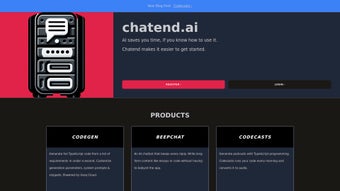
Сведения о приложении
- Обновлено
- August 13, 2024
- Требуется
- Chrome
- Лицензия
- Full
- Разработчик
- chatend
- Категория
- Web Apps
О Chatend
Скачать Chatend – AI Chatbot Builder, No‑Code Platform, Free & Secure
Обзор
Chatend — это облачная платформа, позволяющая любому человеку — от опытных разработчиков до любителей‑энтузиастов — создавать, развёртывать и управлять AI‑чатботами без написания единой строки кода. Благодаря визуальной интегрированной среде разработки (IDE) Chatend объединяет набор инструментов, упрощающих весь жизненный цикл чатбота: создание концепции, проектирование диалогов, тестирование, публикацию и непрерывный мониторинг. Сервис построен поверх крупных языковых моделей, но скрывает их сложность за интуитивным интерфейсом drag‑and‑drop, позволяя быстро прототипировать и запускать решения промышленного уровня. Независимо от того, нужен ли вам персональный помощник, который суммирует вашу почту, контроллер умного дома для управления светом и термостатами, или бот‑сообщество, отслеживающее спортивные результаты и публикующее обновления в групповых чатах, Chatend предлагает гибкую среду, адаптирующуюся как к цифровым, так и к физическим сценариям взаимодействия. Ключевые новшества, такие как Custom Commands, позволяют определять собственные триггеры, а функция Keystore обеспечивает безопасное постоянное хранилище для пользовательских предпочтений, данных сессий или токенов API. Переменные окружения упрощают совместное использование чувствительных ключей между членами команды, а System Prompt служит руководящим скриптом, формирующим тон и поведение бота в ходе бесед. Поскольку всё размещено в облаке, обновления выходят мгновенно, гарантируя доступ к последним патчам безопасности и улучшениям AI‑моделей. Короче говоря, Chatend — универсальное решение для создания разговорных интерфейсов, которые выглядят естественно, надёжно и безопасно — всё из единой веб‑консоли. Платформа также поддерживает совместную работу, позволяя нескольким участникам одновременно редактировать бота, сохраняя полную историю изменений. Этот совместный подход в сочетании со встроенной аналитикой делает Chatend подходящим как для одиночных создателей, так и для корпоративных команд, желающих масштабировать свои инициативы в области разговорного ИИ без больших затрат на инфраструктуру.
Core Features
- Zero‑Code IDE: A visual builder with drag‑and‑drop blocks for intents, entities, and response flows.
- Custom Commands: Define your own command syntax to trigger specific actions, from API calls to device control.
- Keystore: Encrypted, persistent storage for user data, preferences, and session variables.
- Environment Variables: Securely share API keys, tokens, and configuration values across team members.
- System Prompt Engine: Set a global personality or context that guides the bot’s responses.
- Multi‑Channel Deployment: Publish bots to Slack, Discord, Telegram, WhatsApp, web widgets, and even IoT devices.
- Real‑Time Analytics: Dashboard with usage stats, conversation funnels, and error tracking.
- Version Control & Rollback: Save snapshots of bot configurations and revert to previous versions with a click.
- Template Library: Pre‑built bot templates for email summarization, smart‑home control, sports tracking, and more.
- Secure Cloud Hosting: End‑to‑end TLS encryption, GDPR‑compliant data handling, and regular security audits.
Each of these features is designed to reduce friction for both beginners and seasoned developers. The visual IDE eliminates the need for JSON or YAML editing, while the underlying architecture still supports advanced custom code for those who wish to extend functionality via webhook integrations. The Keystore and Environment Variables work together to keep sensitive data out of the source code, adhering to best practices for secure software development. Moreover, the System Prompt allows you to fine‑tune the bot’s tone—whether you want a formal corporate assistant or a friendly chat companion—without rewriting any logic. Multi‑channel deployment means you can launch once and reach users wherever they already communicate, saving time and licensing costs. Real‑time analytics give you insight into user engagement, helping you iterate quickly based on actual usage patterns. The version‑control system automatically records every change, so you can compare revisions side‑by‑side, pinpoint regressions, and roll back with a single click if something goes wrong. The template library accelerates common use‑cases, turning a week‑long project into a matter of hours. Additionally, Chatend’s security layer includes role‑based access control, audit logs, and optional two‑factor authentication, ensuring that only authorized personnel can modify production bots. Altogether, Chatend’s feature set forms a cohesive ecosystem that turns chatbot creation from a daunting engineering challenge into a streamlined, collaborative experience that scales with your organization’s needs.
Installation & First‑Run Guide
Getting started with Chatend is intentionally straightforward. Because the platform is entirely cloud‑based, there is no traditional “install” process on the end‑user’s machine; you simply sign up, verify your email, and dive into the IDE. Below is a detailed walkthrough that expands on each step, ensuring even first‑time users feel confident.
- Create an account: Visit chatend.com and click “Sign Up.” Provide a valid email address, choose a strong password that includes upper‑case letters, numbers, and symbols, and complete the reCAPTCHA verification to prevent bots.
- Email verification: Open your inbox, locate the verification email from Chatend, and click the activation link. This step also activates two‑factor authentication (2FA) if you opt‑in, adding an extra layer of security for your projects.
- Select a plan: Chatend offers a free tier with core functionalities, plus paid tiers that increase usage quotas, unlock advanced analytics, and provide priority support. You can start on the free tier and upgrade later without data loss.
- Enter the IDE: After logging in, you’ll land on the “Projects” dashboard. Click “New Project,” assign a meaningful name (e.g., “Home Assistant Bot”), and choose either a blank canvas or a pre‑built template that matches your use‑case.
- Configure environment variables: Navigate to the “Settings” tab, then “Environment Variables.” Add keys such as
OPENAI_API_KEY,SMART_HOME_TOKEN, or any custom variables your bot will need. All values are encrypted at rest and never exposed in the UI. - Design your bot flow: Drag intent blocks onto the canvas, connect them with arrows, and assign responses. Use the “Custom Command” block to map commands like
/lights onto an HTTP request that toggles a smart‑light. The “Conditional Logic” block lets you branch conversations based on user input or stored variables. - Test in the built‑in console: The IDE includes a sandbox chat window where you can simulate real user interactions. Send sample messages, observe the bot’s replies, adjust prompts, and iterate rapidly without publishing.
- Deploy to a channel: Click “Publish,” choose a target channel (e.g., Discord), follow the OAuth flow to grant Chatend permission to post on your behalf, and confirm. The bot becomes live instantly, and you receive a webhook URL for further customizations.
- Monitor and refine: Use the “Analytics” tab to watch usage metrics, error rates, and user feedback. The platform also sends email alerts for critical errors, ensuring you can react promptly.
- Integrate with CI/CD (optional): For teams using automated pipelines, Chatend offers a RESTful API and webhook support. You can script updates, trigger builds, and enforce code reviews before a bot goes live, aligning the no‑code experience with DevOps best practices.
Because everything runs on Chatend’s secure servers, you don’t need to worry about local dependencies, Python environments, or Node.js runtimes. The onboarding experience typically takes under 30 minutes, making Chatend a compelling choice for rapid prototyping as well as long‑term production deployments. If you later need on‑premise hosting for compliance reasons, Chatend’s enterprise plan includes a private‑cloud option that mirrors the SaaS feature set while giving you full control over data residency.
Compatibility & System Requirements
Chatend is a web‑native SaaS solution, which means it works on any modern operating system that supports a recent web browser. The platform has been tested extensively on the following environments:
- Windows 10, 11 (Edge, Chrome, Firefox)
- macOS Monterey, Ventura (Safari, Chrome, Firefox)
- Linux distributions with GNOME/KDE (Chrome, Firefox)
- iOS 14+ (Safari, Chrome) – via responsive design for tablets and phones
- Android 9+ (Chrome, Firefox) – full functionality on smartphones and tablets
Because the heavy lifting—natural language processing, data storage, and bot hosting—occurs on Chatend’s cloud infrastructure, the client side only requires a stable internet connection and a browser that supports WebSockets and HTML5. Minimum recommended specifications are a 2 GHz dual‑core processor, 4 GB RAM, and a broadband connection of at least 5 Mbps for smooth real‑time interaction during bot testing. For users who intend to embed the generated bot widget on a website, the widget is lightweight (< 50 KB) and works across all major browsers without additional plugins.
Security‑conscious organizations will appreciate that Chatend complies with GDPR, CCPA, and ISO/IEC 27001 standards. Data at rest is encrypted using AES‑256, while data in transit is protected with TLS 1.3. The platform also offers SSO integration via SAML 2.0 and OAuth 2.0, allowing enterprises to connect Chatend to their existing identity providers (Okta, Azure AD, Google Workspace). If your workflow requires on‑premise deployment, Chatend currently offers a private‑cloud option for enterprise customers under a custom licensing agreement, ensuring that you can keep sensitive conversational data behind your own firewall while still benefiting from the same feature set.
For developers who prefer to automate bot creation, the REST API is fully documented and adheres to OpenAPI standards, enabling integration with CI pipelines, Terraform, or custom scripting languages. The API respects the same security policies as the web UI, requiring OAuth‑based tokens that can be scoped to read‑only or full‑admin permissions, ensuring granular access control across your organization.
Pros, Cons, FAQ & Final Verdict
Pros
- Zero‑code visual builder accelerates development and reduces time‑to‑market.
- Robust feature set (Keystore, Env Vars, System Prompt) keeps bots secure and highly customizable.
- Multi‑channel publishing saves time and expands reach across Slack, Discord, WhatsApp, web, and IoT.
- Generous free tier includes unlimited bots, core IDE, and basic analytics, making it accessible to hobbyists.
- Real‑time analytics, version control, and rollback simplify maintenance and continuous improvement.
- Enterprise‑grade security (AES‑256, TLS 1.3, GDPR compliance) meets strict regulatory requirements.
- API and webhook support enable integration with existing CI/CD pipelines and DevOps workflows.
Cons
- Advanced AI model customization (fine‑tuning, custom embeddings) is limited to higher‑tier or enterprise plans.
- Heavy reliance on internet connectivity; offline development or local hosting is not possible on the standard SaaS offering.
- Complex enterprise integrations (e.g., on‑premise data sources) may require custom development or the private‑cloud option.
- While the visual IDE is powerful, power users might miss direct code access for granular low‑level tweaks.
- Pricing for premium plans can become significant for large teams with high message volumes.
Frequently Asked Questions
Is Chatend really free to use?
Yes, Chatend offers a free tier that includes unlimited bots, the visual IDE, and basic analytics. Paid plans unlock higher usage limits, advanced analytics, and priority support, but the free version is fully functional for most personal and small‑team projects.
Can I integrate my own AI model?
The platform currently supports integration with major LLM providers (OpenAI, Anthropic, Cohere) via API keys. Direct upload of custom models is only available on enterprise private‑cloud plans.
How does the Keystore keep my data safe?
Keystore encrypts each key/value pair with AES‑256 before storage. The encryption keys are managed by Chatend’s HSM (Hardware Security Module) and never exposed to the client side, ensuring that even platform administrators cannot read raw data.
What channels can I publish my bot to?
Chatend supports Slack, Discord, Microsoft Teams, Telegram, WhatsApp Business API, web widgets, and direct integration with smart‑home platforms like Home Assistant or IFTTT.
Do I need any programming knowledge to create a bot?
No. The drag‑and‑drop IDE, pre‑built templates, and visual command editor allow users with zero coding experience to build functional bots. However, developers can extend bots with custom webhook code for more complex scenarios.
Final Verdict & Call to Action
In summary, Chatend stands out as a powerful yet approachable solution for anyone looking to harness conversational AI without the overhead of traditional software development. Its blend of zero‑code design, secure data handling, and cross‑platform deployment makes it suitable for both personal productivity bots and enterprise‑grade assistants. While the free tier is generous, organizations that require fine‑tuned model control, on‑premise hosting, or massive message throughput should consider the paid or private‑cloud options to fully benefit from the platform’s scalability and compliance features. The built‑in analytics, version history, and collaborative editing tools ensure that teams can iterate quickly, maintain high quality, and stay compliant with security standards. If you’re ready to transform the way you interact with users, customers, or devices, start building your first bot on Chatend today. Click the “Sign Up” button, follow the quick onboarding steps, and bring your AI‑driven conversations to life in minutes. Embrace the future of communication—download Chatend now and let your ideas converse effortlessly.
Руководства и уроки
Как установить Chatend
- Нажмите кнопку Скачать выше.
- После перенаправления примите условия и нажмите Установить.
- Дождитесь завершения загрузки Chatend на ваше устройство.
Как использовать Chatend
Это ПО в основном используется для основных функций, описанных выше. Откройте приложение после установки, чтобы изучить его возможности.
Отзывы пользователей
Отзывов пока нет. Поделитесь своим опытом первым.
Вам также может понравиться
еще
3D AI Studio
3D AI Studio Overview 3D AI Studio is a web-based AI-powered tool developed by S...

3D textures by Polycam
Generate Realistic 3D Textures Effortlessly 3D Textures by Polycam is an innovat...

3DAiLY
Customizable 3D Modeling Tool: 3DAiLY 3DAiLY is an online platform that harnesse...

3DFY
Revolutionizing 3D Model Creation: 3DFY Review 3DFY is an AI-powered service, de...

AI Dungeon
AI Dungeon: Deep Learning Text Adventure AI Dungeon is an artificial intelligenc...

Alpha3D
A subscription-based program for Web apps, by alpha3d. Alpha3D is a subscription...
