
Download Class Upload PHP – Secure PHP Image Upload & Editing Tool
Class Upload PHP is a lightweight yet powerful PHP script that simplifies image uploading and on‑the‑fly manipulation on any web server. Built around the widely supported GD graphics library, the script lets developers convert between PNG, JPEG, and GIF formats, resize, crop, rotate, flip, add watermarks, adjust brightness, contrast, apply grayscale, create borders, reflections, and even generate negative images. Whether you need a quick solution for a personal blog or a robust backend for a large‑scale e‑commerce platform, Class Upload PHP offers a comprehensive set of editing features while keeping the codebase clean and easy to integrate.
Key Features of Class Upload PHP
- Multi‑format support: Seamlessly convert PNG, JPEG, and GIF files.
- Dynamic resizing: Set exact dimensions or maintain aspect ratio automatically.
- Watermark & label insertion: Add text or image watermarks with customizable opacity.
- Advanced cropping & rotation: Crop to custom coordinates, rotate by any degree, and flip horizontally or vertically.
- Brightness, contrast & grayscale adjustments: Fine‑tune visual properties with simple parameters.
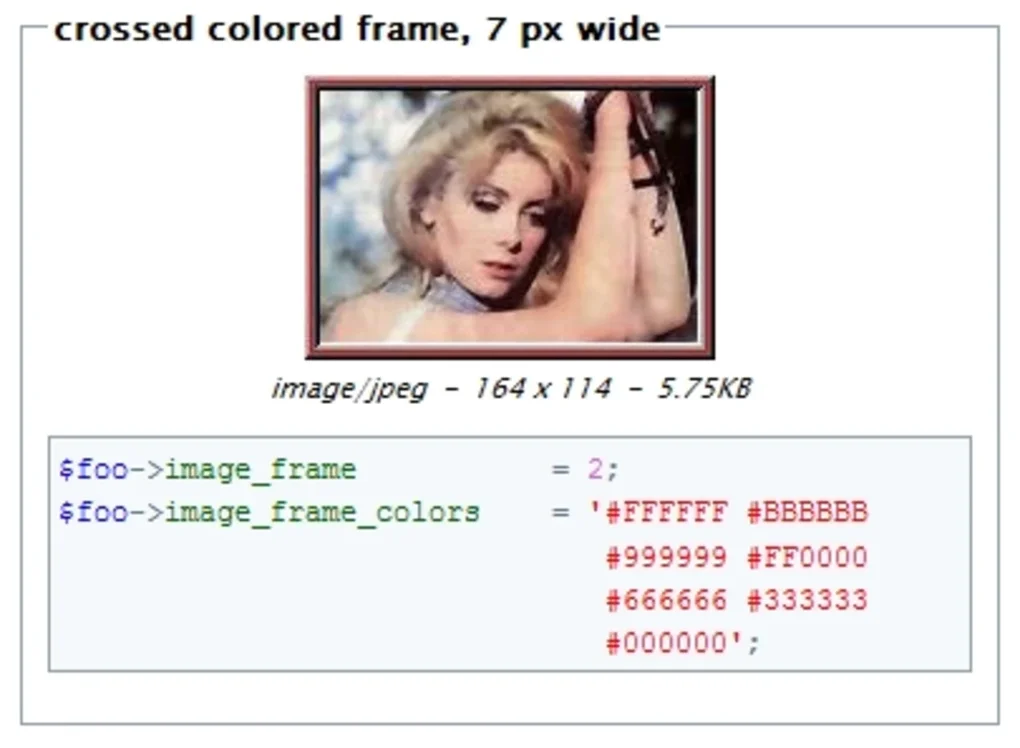
- Border, reflection and color overlay: Enhance images with decorative borders, mirror reflections, or solid color overlays.
- Negative & invert effects: Produce artistic negative versions with a single call.
- GD‑only dependency: No external libraries required beyond the standard GD extension.
- Secure file handling: Built‑in validation for MIME type, size limits, and sanitised filenames.
- Extensible class architecture: Easily extend or override methods to fit custom workflows.
Installation, Usage & Compatibility
Step‑by‑Step Installation
Getting Class Upload PHP up and running is straightforward. Follow these steps to ensure a smooth deployment:
- Prerequisite check: Verify that your server runs PHP 5.6 or higher and has the GD extension enabled (phpinfo() will confirm this).
- Download the package: Click the “Download” button below to obtain the latest ZIP archive.
- Extract files: Unzip the archive into your project’s include directory (e.g.,
/var/www/html/includes/). - Set permissions: Ensure the upload folder (commonly
uploads/) is writable by the web server user (chmod 755 or 775). - Include the class: Add
require_once 'ClassUpload.php';at the top of your script. - Configure defaults: Optionally edit the
config.phpfile to set maximum file size, allowed MIME types, and default image quality.
Basic Usage Example
 2 * 1024 * 1024, // 2 MB
    'allowed'   => ['image/jpeg', 'image/png', 'image/gif'],
    'uploadDir' => __DIR__.'/uploads/'
]);

if ($_SERVER['REQUEST_METHOD'] === 'POST') {
    $result = $uploader->process($_FILES['photo']);
    if ($result->success) {
        // Resize to 800×600, add watermark, and save
        $result->image
               ->resize(800, 600)
               ->watermark('logo.png', 'bottom-right', 50)
               ->save($result->path);
        echo 'Image uploaded and edited successfully!';
    } else {
        echo 'Error: '.$result->error;
    }
}
?>
This snippet demonstrates uploading, resizing, and watermarking in just a few fluent calls. The class returns an object containing the processed GD image resource, allowing further chaining of any supported method.
Class Upload PHP is platform‑agnostic. It runs on any server that supports PHP—Windows, Linux, or macOS—and works with Apache, Nginx, or IIS. The only hard requirement is the GD library, which is bundled with most PHP distributions out‑of‑the‑box.
Pros, Cons & Frequently Asked Questions
Pros
- Lightweight and fast; no heavy dependencies.
- Comprehensive image manipulation suite in a single class.
- Clear, well‑documented API with method chaining.
- Secure upload handling with built‑in validation.
- Fully compatible with all major operating systems and web servers.
Cons
- Relies exclusively on GD; advanced features like CMYK support require ImageMagick.
- No built‑in GUI; intended for developers comfortable with code.
- Limited error messages for complex image transformations.
Frequently Asked Questions
Is Class Upload PHP free to use?
Yes, the script is released under a permissive MIT license, allowing free commercial and personal use.
Can I limit the file size of uploads?
Absolutely. The configuration array includes a maxSize parameter where you can set the maximum bytes allowed per upload.
Does the script support multiple file uploads at once?
While the core class processes a single file per call, you can loop through the $_FILES array to handle multiple uploads sequentially.
What image formats can be generated after processing?
The class can output PNG, JPEG, or GIF depending on the save() method’s file extension.
Is there support for image EXIF data?
EXIF handling is not built‑in, but you can retrieve EXIF information with PHP’s exif_read_data() before passing the image to Class Upload PHP.
Conclusion & Call to Action
Class Upload PHP strikes an excellent balance between simplicity and functionality. Its GD‑based engine ensures compatibility across virtually every shared‑hosting environment, while the rich set of editing methods lets developers avoid pulling in bulky third‑party libraries. For projects that need reliable image handling without sacrificing performance, this script is a solid choice. Download the latest version today, integrate it into your workflow, and experience secure, fast, and flexible image uploads in minutes.
Overall Rating: 4.5 / 5
Pros: Lightweight, extensive feature set, easy integration.
Cons: GD‑only limitations, no graphical UI.








