
Screenshots
App details
- Updated
- Aug 23, 2023
- Language
- English
- Developer
- Ivo Beltchev
- Category
- Mobile
About Classic Shell
Download Classic Shell – Classic Windows XP Start Menu, Customizable Interface, User-Friendly Tool
Overview
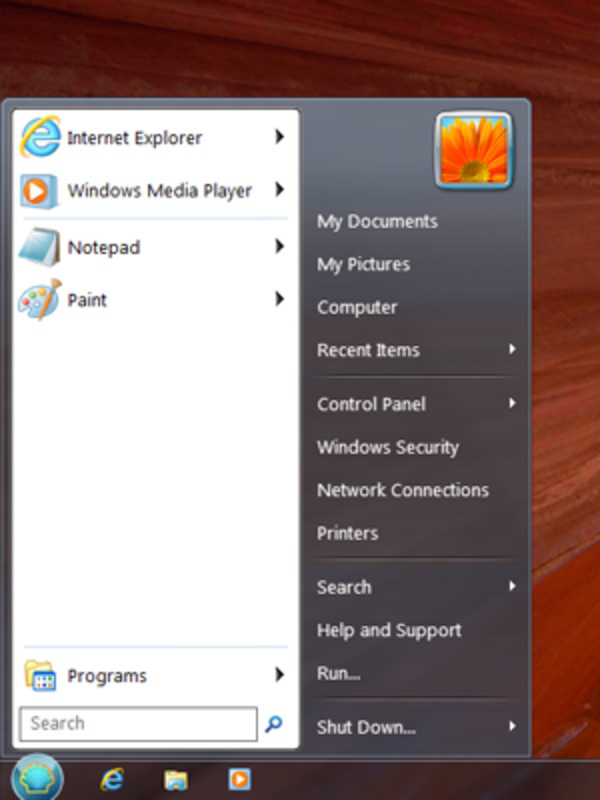
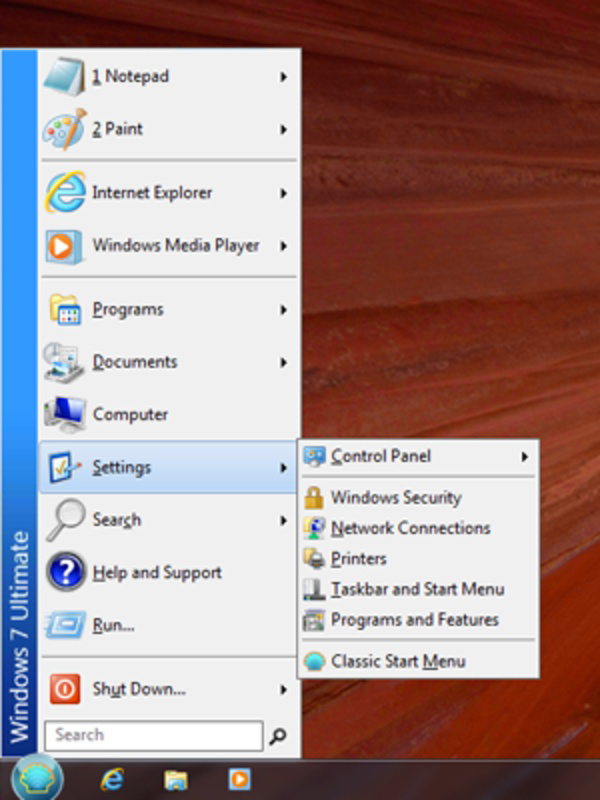
Classic Shell is a utility application designed to restore the familiar Windows XP Start menu experience for users of Windows Vista and Windows 7. It addresses the shift in interface design introduced with newer Windows versions, which many users found less intuitive. The app serves as a bridge between legacy navigation habits and modern operating systems, offering a customizable and reliable alternative to the default Start menu. Its primary purpose is to improve user efficiency and comfort by returning to a layout that many users associate with smoother system navigation.
Target users include long-time Windows users who prefer the traditional Start menu structure, as well as individuals transitioning from older systems. The app is particularly useful for those who find the redesigned Start menu in Vista and 7 to be cluttered or less functional. Real-world use cases include daily desktop navigation, quick access to programs and documents, and faster execution of system commands through familiar pathways. In the broader software ecosystem, Classic Shell fills a niche for interface customization tools, offering a lightweight, focused solution without requiring system-level changes.
The developer did not provide additional technical details about the organization or background. Specific requirements were not listed. Compatibility information was not fully disclosed. Despite this, the app remains a relevant tool for users seeking a simpler, more predictable desktop experience on older Windows platforms.
Key Features & Functionality
- Familiar XP Interface: Restores the classic Windows XP Start menu layout, providing a visually consistent experience for users accustomed to older Windows versions. This feature reduces cognitive load by leveraging established user patterns.
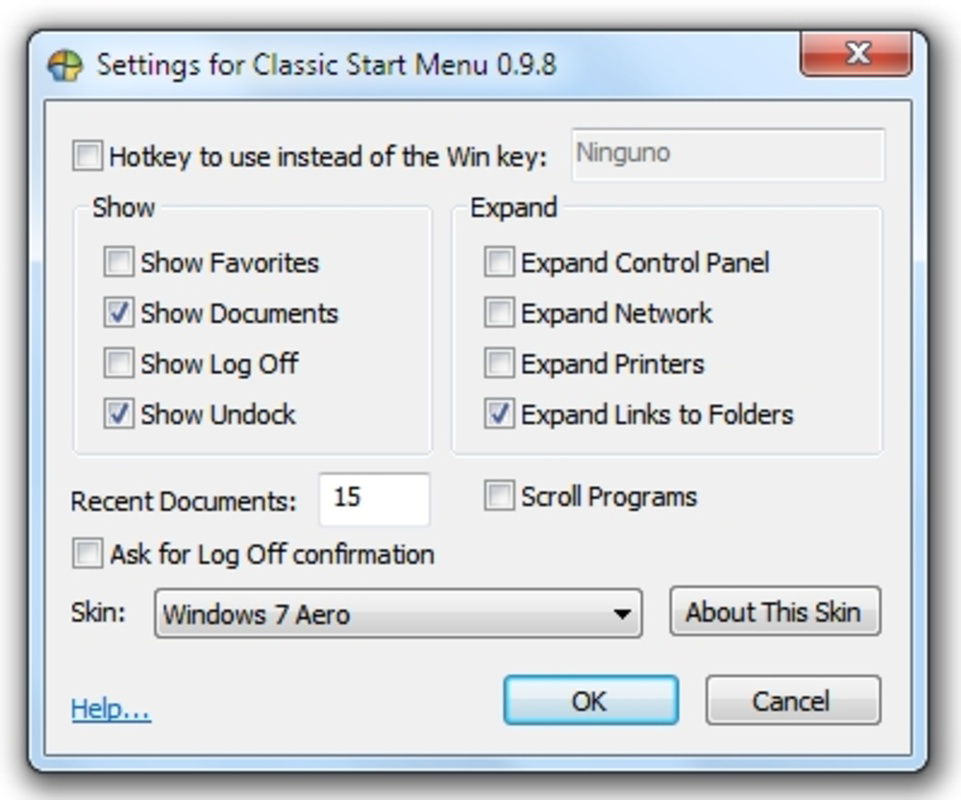
- Customizable Menus: Offers a Configuration section where users can enable or disable specific functions such as Programs, Documents, Settings, Search, Help, and Run. This allows for personalized workflows based on individual preferences.
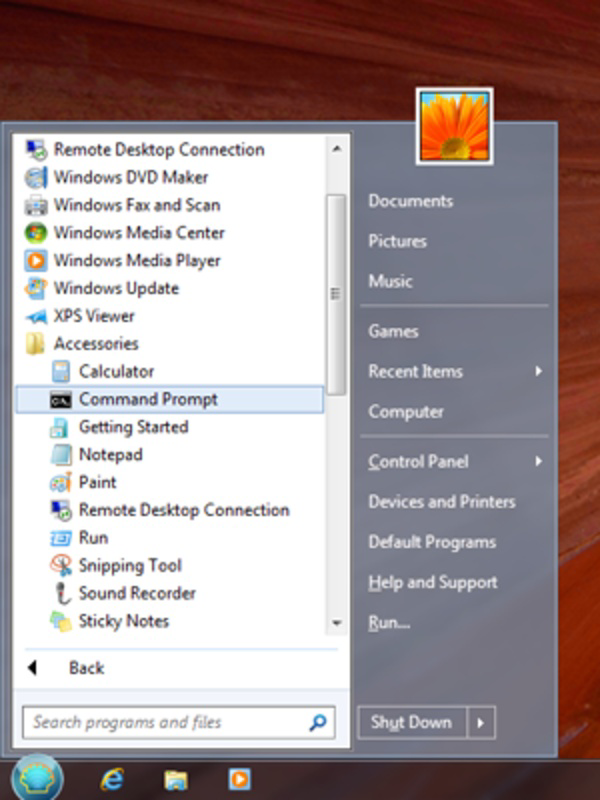
- Multiple Startup Features: Ensures quick access to essential system functions through a streamlined menu. Users can launch applications, access recent files, and run system utilities without navigating multiple layers.
- User-Friendly Installation: Installs seamlessly and activates the new Start menu immediately after setup. The process requires no advanced technical knowledge, making it accessible to non-technical users.
- Problem Solver for New Users: Addresses usability concerns related to the redesigned Start menu in Windows Vista and 7. By reverting to a more intuitive interface, it helps users regain confidence and efficiency in daily tasks.
For example, a user who frequently opens applications from the Start menu can benefit from the clean, hierarchical structure of the XP-style layout. Similarly, someone managing multiple documents may appreciate the direct access to the Documents folder within the menu. These features collectively enhance productivity by minimizing navigation time and reducing frustration.
Interface, UX & Performance
Classic Shell presents a clean, straightforward interface that closely mimics the original Windows XP Start menu. The visual style is minimalistic, focusing on functionality rather than graphical embellishments. Navigation is linear and predictable, with a top-level menu that expands into subcategories based on user selection.
Users can expect smooth interaction across different device categories, though specific performance metrics were not provided. Although the developer did not list formal performance metrics, the app’s lightweight nature suggests it operates efficiently on systems with standard hardware configurations. Responsiveness appears consistent, with minimal lag during menu opening or item selection.
Stability is maintained through a simple, focused design. The app does not introduce complex background processes, reducing the risk of conflicts with other system components. However, the developer did not specify compatibility with all Windows Vista and 7 configurations, so users should verify system readiness before installation.
Platform Compatibility & Technical Requirements
Classic Shell is designed for Windows operating systems, specifically targeting Windows Vista and Windows 7. The app is compatible with both 32-bit and 64-bit versions of these platforms, though the developer did not specify exact OS versions or minimum system requirements.
The file size is not listed in the provided data. The software version and release date were provided as 2023-08-23. Users should ensure their system meets the necessary prerequisites before attempting installation. The developer did not specify minimum OS requirements or compatibility with newer Windows versions.
Pros and Cons
Pros
- Restores the familiar Windows XP Start menu interface for older Windows users.
- Highly customizable menu options to suit individual workflow preferences.
- Simple and fast installation process with immediate functionality.
- Lightweight design with minimal system resource usage.
- Provides a practical solution for users struggling with newer Start menu layouts.
Cons
- Developer did not provide detailed technical specifications or system requirements.
- Compatibility with newer Windows versions is not confirmed.
- Limited information on update frequency or long-term support.
- No official mobile or cross-platform availability.
- Performance on low-end systems was not tested or documented.
FAQ
Is Classic Shell safe to download and install?
Yes, Classic Shell is considered safe when downloaded from official or trusted sources. It does not include malware or intrusive components. However, users should always verify the source to ensure authenticity.
Can I use Classic Shell on Windows 10 or 11?
The developer did not specify compatibility with Windows 10 or 11. It is designed for Windows Vista and 7, and usage on newer systems may not be supported or stable.
How do I customize the Start menu in Classic Shell?
After installation, users can access the Configuration section to enable or disable features such as Programs, Documents, Search, Help, and Run. Options can be adjusted to tailor the menu to personal preferences.
Does Classic Shell require administrator privileges to install?
The developer did not provide details on installation requirements. In most cases, such utilities require elevated permissions, but this was not explicitly confirmed.
How often are updates released for Classic Shell?
Update frequency was not disclosed. Users should monitor the official source for announcements regarding new versions or security patches.
Final Thoughts
Classic Shell remains a valuable tool for users who value familiarity and efficiency in their desktop experience. By restoring the classic Windows XP Start menu, it offers a reliable alternative to the default interface in Windows Vista and 7. Its customization options, ease of installation, and lightweight design make it a practical choice for both casual users and professionals seeking a more intuitive workflow.
While technical details are limited, the app’s focused purpose and consistent performance make it a trustworthy utility. It is especially beneficial for individuals who find modern Start menus overwhelming or inefficient. For those using older Windows systems and seeking a smoother navigation experience, Classic Shell delivers real value.
Download Classic Shell now
Guides & Tutorials
How to install Classic Shell
- Click the Download button above.
- Once redirected, accept the terms and click Install.
- Wait for the Classic Shell download to finish on your device.
How to use Classic Shell
This software is primarily used for its core features described above. Open the app after installation to explore its capabilities.
User Reviews
No reviews yet. Be the first to share your experience.
You may also like
more
Que no te pillen¡
About !Que no te pillen¡Reviewed by Jason A. BilbreyShow MoreShow Less

3D Combat Zone
About 3D Combat ZoneOriginally released in 1983, 3D Combat Zone immerses players...

666: El día del portal
About 666: El día del portalOn June 6, 2006, Agent P. Stone uncovers a sinister...

80 in 1 Best Flash games
About 80 in 1 Best Flash games 80 in 1 Best Flash games is a collection of 80 fl...

ABYSS SEEKERーーWhat Do You See Deep in The Abyss
About ABYSS SEEKERーーWhat Do You See Deep in The AbyssIn ABYSS SEEKER, players...

ACA NEOGEO THE KING OF FIGHTERS 2002 for Windows
About ACA NEOGEO THE KING OF FIGHTERS 2002 for WindowsTHE KING OF FIGHTERS 2002,...
