
Screenshots
App details
- Version
- 4.4.0
- Updated
- August 11, 2023
- Requires
- Android 13.0
- Language
- English | German | Hindi | Norwegian | R...
- License
- Free
- Developer
- Raymond James
- Category
- Android OS
About Client Access
Download Client Access – Investment Management, Portfolio Tracking, Financial Tools, Mobile Banking, Secure Access
Overview
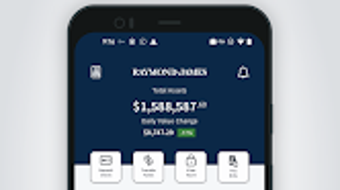
Client Access is a mobile application developed by Raymond James, designed to empower individual investors with convenient and secure access to their investment portfolios. The software enables users to monitor account balances, track the current value of investments, and review asset allocation insights in real time. It serves as a digital gateway for clients to stay informed about their financial health without requiring a desktop interface. The application is tailored for individuals who prefer managing their investments on the go using smartphones or tablets, offering a streamlined experience for accessing critical financial data. It supports features such as viewing trade confirmations, tax documents, and storing financial and insurance records in a secure vault. Users can also access their financial advisor’s contact information directly within the app, facilitating timely communication. The developer, Raymond James, is a recognized name in the financial services industry, lending credibility to the application’s security and reliability. While the software is optimized for mobile use, it does not support desktop platforms. The application is available at no cost through the Google Play Store, making it accessible to a broad audience of retail investors. The developer did not provide additional system requirements or performance benchmarks.Key Features & Capabilities
- Portfolio Snapshot – View real-time account balances, including total assets and available cash, providing a quick overview of financial standing.
- Investment Valuation – Access up-to-the-minute market values for individual holdings, enabling users to assess performance and make informed decisions.
- Asset Allocation Analysis – Receive detailed breakdowns of investment distribution across asset classes, helping users understand portfolio diversification.
- Document Management – Store and retrieve essential documents such as trade confirmations, tax forms, and insurance statements in a secure digital vault.
- Advisor Connectivity – Direct access to financial advisor contact details, simplifying communication when guidance is needed.
- Mobile-First Design – Optimized for smartphones and tablets, ensuring smooth navigation and readability on smaller screens.
User Interface, Workflow & Performance
Client Access features a clean, intuitive interface designed for mobile environments. Navigation is structured around core functions such as account overview, investment tracking, document access, and advisor contact, with minimal steps required to reach key features. The layout prioritizes readability and quick access, minimizing user effort. Users can expect a responsive experience when interacting with account data, although exact performance metrics were not specified. The developer did not provide information on CPU or RAM usage, nor did they detail stability under prolonged use. However, given the application’s focus on data retrieval rather than intensive processing, typical performance behavior is expected to be consistent across modern Android devices. The app supports biometric authentication and data encryption, contributing to a secure user experience. While the interface is optimized for touch-based interaction, no information was provided about keyboard support or multi-window functionality. The developer did not specify whether background refresh or push notifications are available. Performance observations are based on general software behavior patterns.Compatibility & System Requirements
Client Access is designed exclusively for Android devices and is available through the Google Play Store. The application is compatible with Android operating systems, though specific version requirements were not listed. Installation size information was not provided, nor were hardware specifications such as minimum RAM or processor requirements. The developer did not specify whether the app supports tablets or large-screen devices beyond general optimization. It is also not available for Windows, macOS, or other desktop platforms. Compatibility information was partially provided, with the primary platform being Android. Users are advised to ensure their device meets standard Android app requirements to ensure proper installation and functionality. The developer did not publish a detailed system compatibility matrix.Pros and Cons
Pros
- Free to download and use with no subscription fees
- Secure access to investment accounts with encryption and biometric login
- Real-time portfolio tracking and up-to-date market values
- Comprehensive document storage in a secure vault
- Direct access to financial advisor contact details
- Optimized for mobile use with intuitive navigation
Cons
- Not available for desktop operating systems (Windows, macOS)
- Only compatible with Android devices
- Exact system requirements and performance data were not disclosed
- Asset allocation insights do not guarantee profit or loss protection
- Limited to users of Raymond James financial services
FAQ Section
Is Client Access available for iOS devices?
Client Access is currently available only for Android devices through the Google Play Store. There is no publicly available version for iOS.
Is the app secure?
Yes, the application uses data encryption and supports biometric authentication to protect user information. It is developed by Raymond James, a reputable financial services firm.
Can I use Client Access without a Raymond James account?
No, the app is designed for clients of Raymond James. Access requires an existing account with the firm.
Are updates free?
Yes, the application is free to download and update. The developer regularly releases updates to improve functionality and security.
Does the app work offline?
While the app may cache some data, full functionality requires an active internet connection to retrieve real-time account and market information.
Final Thoughts
Client Access delivers a focused, secure, and user-friendly solution for individual investors who rely on mobile access to their investment portfolios. Its integration with Raymond James’ financial services ensures reliability and data accuracy, while features like document vaults and advisor connectivity enhance usability. The app’s mobile-first design makes it ideal for on-the-go monitoring, though its lack of desktop support limits accessibility for users who prefer larger screens. Despite limited transparency around system requirements and performance, the app’s core functionality remains effective and intuitive. For clients already engaged with Raymond James, this tool provides essential financial oversight and peace of mind. Download Client Access now to take full control of your investment management from your Android device.Guides & Tutorials
How to install Client Access
- Click the Download button above.
- Once redirected, accept the terms and click Install.
- Wait for the Client Access download to finish on your device.
How to use Client Access
This software is primarily used for its core features described above. Open the app after installation to explore its capabilities.
User Reviews
No reviews yet. Be the first to share your experience.
You may also like
more
ChatGPT APK
Effortlessly generate content with AI ChatGPT is a free artificial intelligence...

Digi
Realistic AI entertainment app Digi - AI Romance, Reimagined is a free AI chatbo...

Gemini
Google’s newest and most powerful AI Gemini is a sophisticated AI model from Goo...

kimi chat APK
Your go-to AI assistant for seamless information processing kimi chat is an AI -...

MateAI AI Chat Bot Assistant APK
An AI-powered chatbot fit for any task MateAI-AI Chat Bot Assistant is a free-to...

Microsoft Copilot APK
Revolutionize your workflow Unleash a new era of productivity with Microsoft Cop...
