
Download CMind – AI-Powered Creative Platform for Developers, Designers, and Digital Creators
Overview
CMind is an AI-driven platform designed to support developers, designers, and digital creators in unlocking their full creative potential. The app aims to address common challenges in the creative process—such as idea stagnation, inefficient workflow management, and the lack of personalized feedback—by integrating intelligent tools that adapt to individual user patterns. By analyzing creative behaviors and preferences, CMind offers real-time assistance in ideation, skill development, and project execution. Its target users include independent creators, creative teams, and professionals seeking structured yet flexible support in their digital workflows.
The platform is built around a holistic creative ecosystem that emphasizes growth, collaboration, and innovation. Real-world use cases include generating concept ideas for app design, assessing proficiency in coding or visual arts, and managing multiple creative projects with enhanced clarity and focus. CMind positions itself as a comprehensive companion for users who want to move beyond inspiration and into execution. Although the developer did not provide additional technical details, the app’s integration of AI and community features suggests a focus on both personalization and collective creativity. In the current digital landscape, tools that combine intelligence with usability are increasingly vital for creators navigating fast-paced, high-demand environments.
Key Features & Functionality
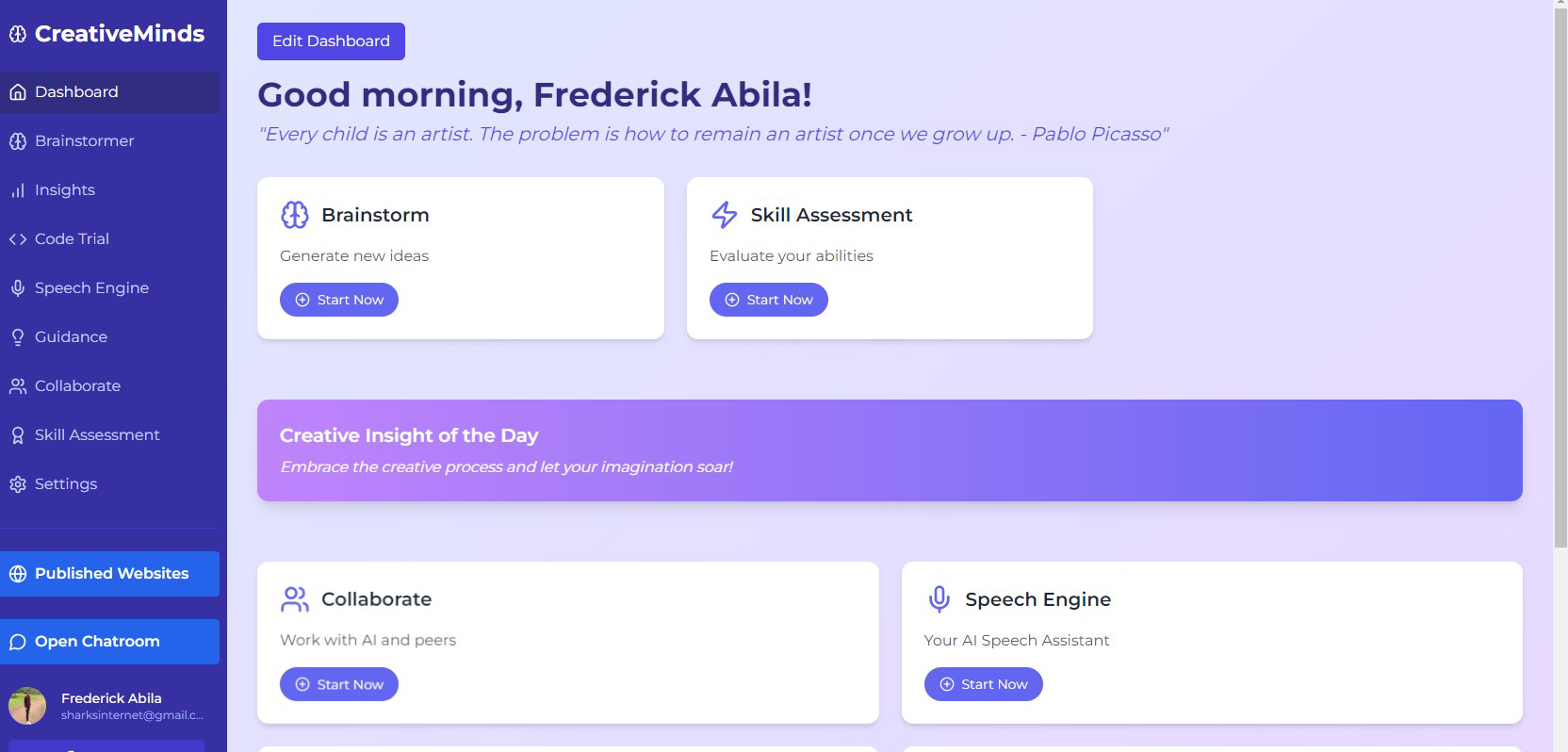
- AI Brainstormer: This feature generates innovative ideas on demand by leveraging advanced algorithms trained to recognize creative patterns. Users can input a theme or challenge, and the AI responds with diverse, actionable concepts tailored to their style and history.
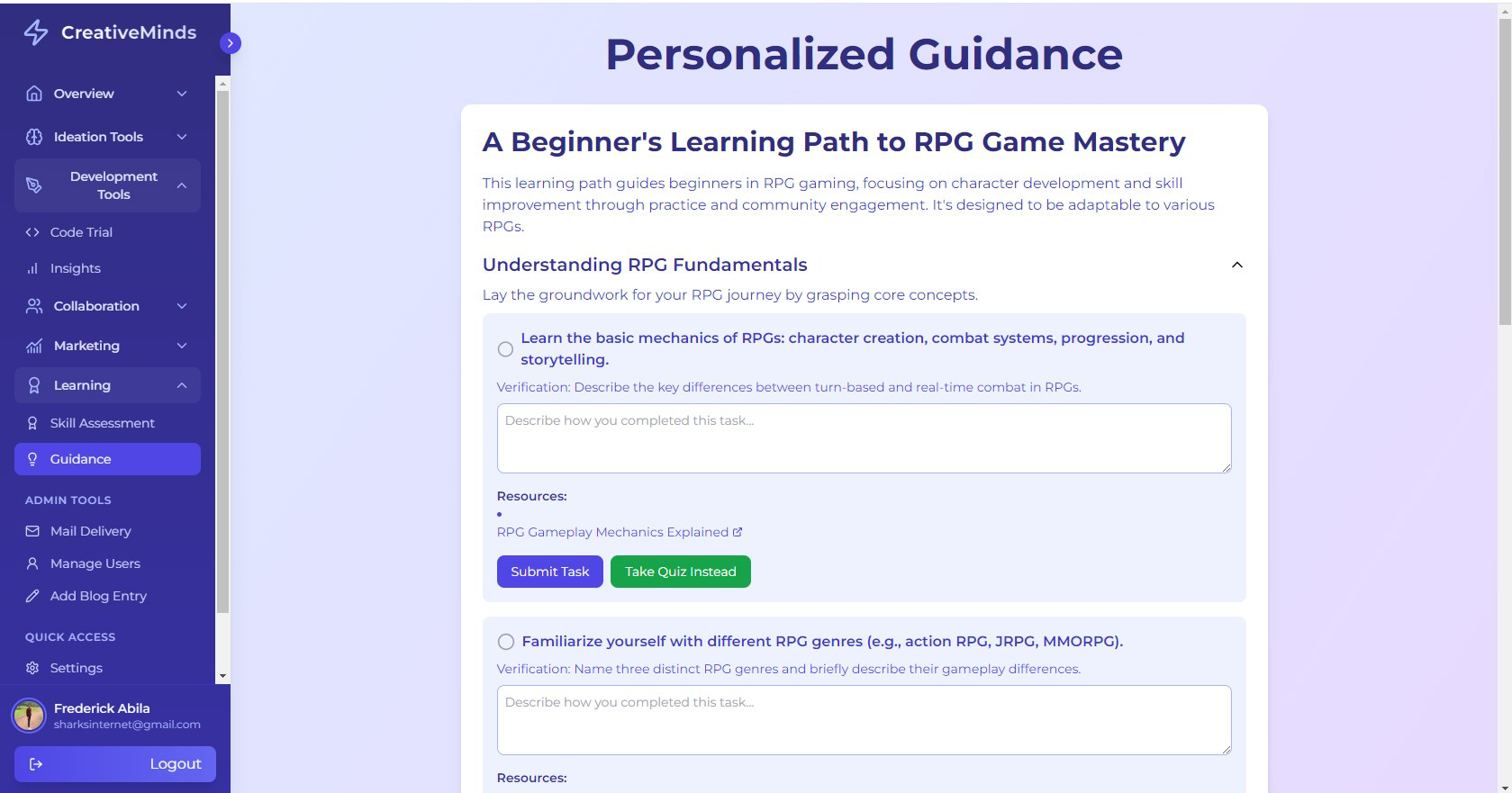
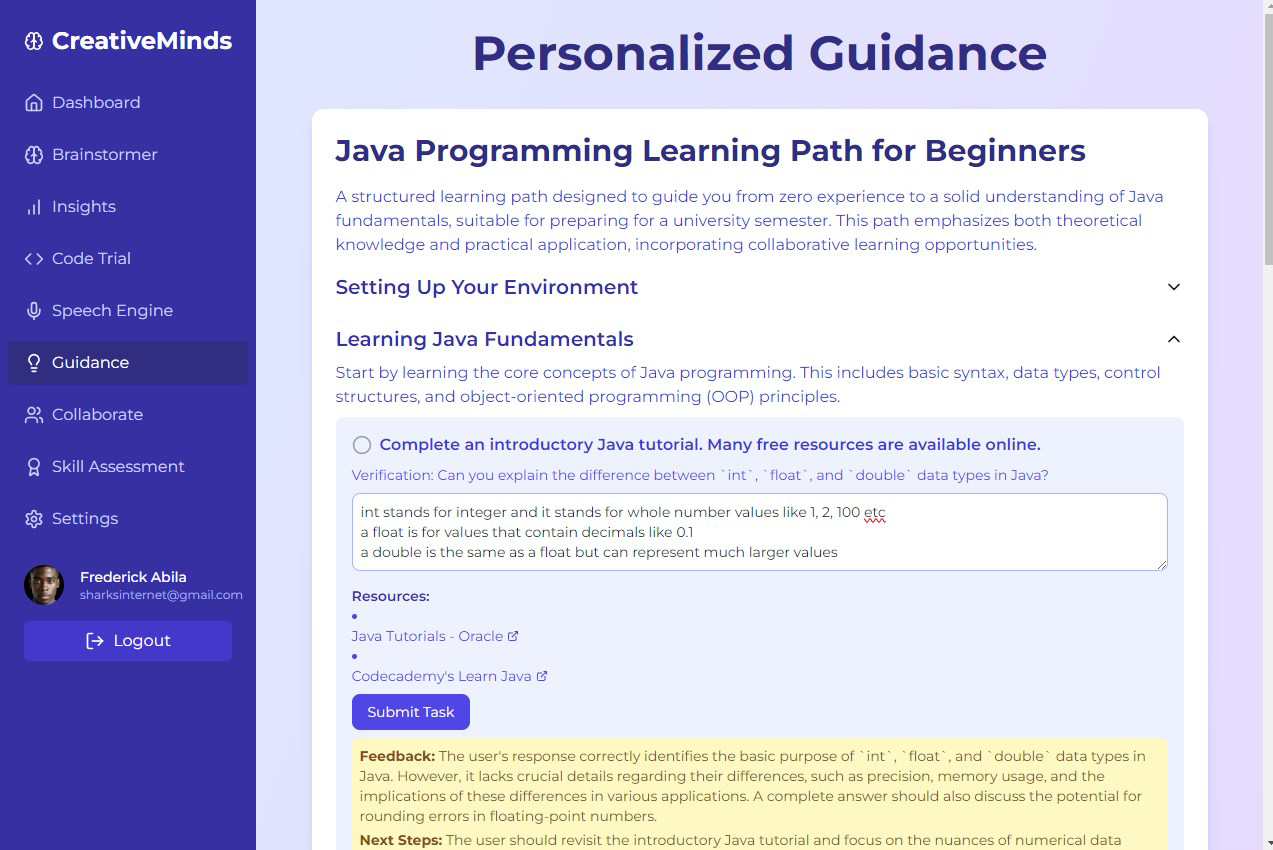
- Skill Assessment: CMind evaluates users’ creative strengths and weaknesses through interactive tasks and performance analysis. The resulting feedback helps identify growth areas and suggests targeted exercises to improve proficiency.
- Project Launcher: Designed to streamline project management, this tool enables users to organize tasks, set milestones, and track progress. It supports the transition from abstract ideas to concrete deliverables with minimal friction.
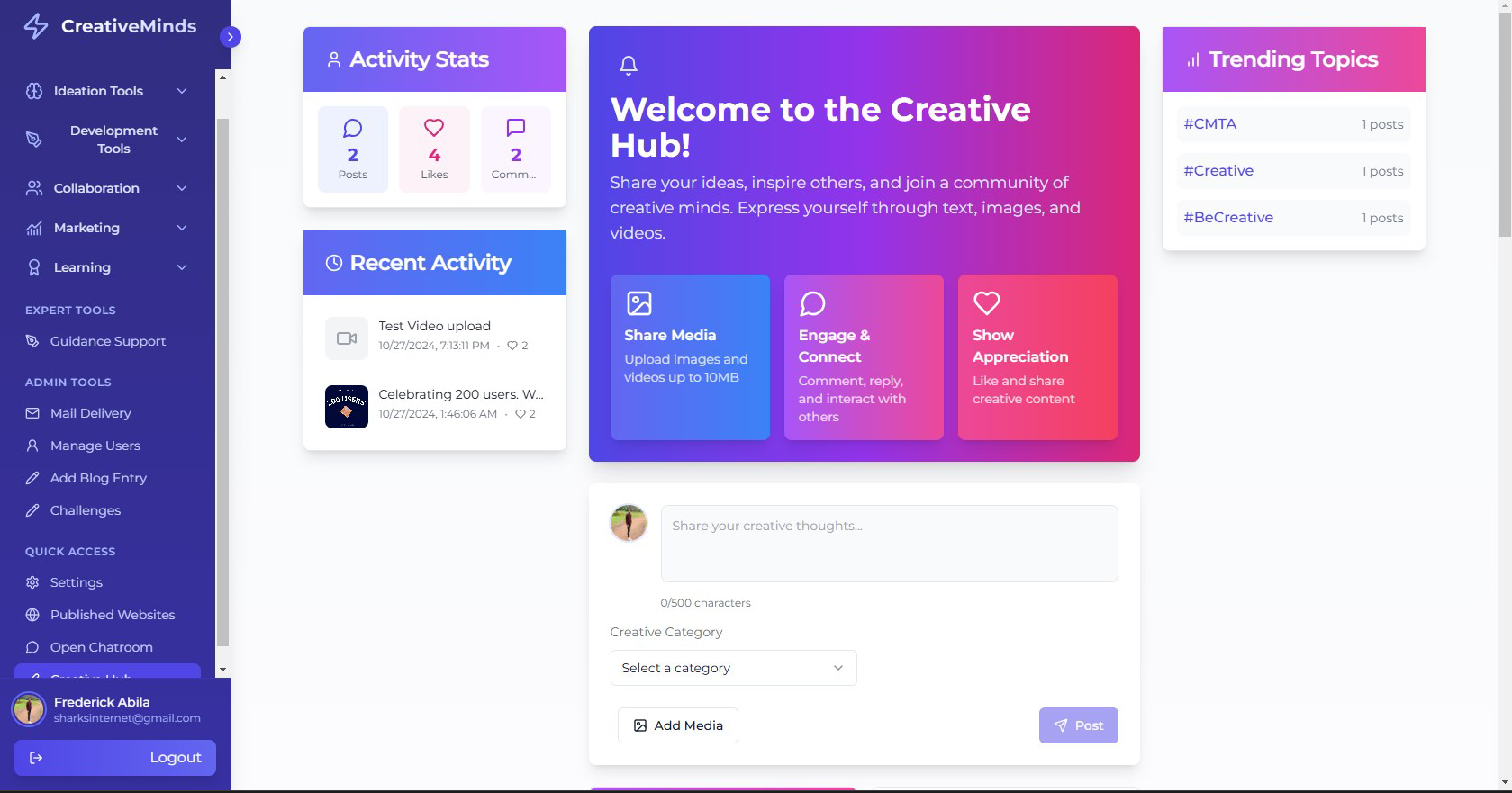
- Community Connection: Users can engage with a network of over 200 creators, sharing insights, receiving feedback, and discovering collaboration opportunities. This fosters a supportive environment where creative growth is both social and measurable.
- Flexible Plans: The app offers a free version for initial exploration, along with affordable basic and pro subscription tiers. These plans allow users to scale their access based on evolving creative needs.
For example, a freelance designer might use the AI Brainstormer to overcome creative blocks when designing a new brand identity, then use the Skill Assessment to refine their typography skills. The Project Launcher would help them structure the campaign timeline, while the Community Connection feature allows them to gather peer feedback before finalizing the design. This integrated workflow demonstrates how CMind supports real-world creative processes from inception to completion.
Interface, UX & Performance
CMind features a clean, modern interface with intuitive navigation designed to minimize cognitive load. The visual style emphasizes clarity and focus, using subtle color accents and well-organized layouts to guide users through each stage of the creative journey. Menus are logically structured, with quick-access tools for the AI Brainstormer, Skill Assessment, and Project Launcher, ensuring that core functions are always within reach.
Navigation flows smoothly between sections, with consistent transitions and minimal lag. The app responds promptly to user inputs, maintaining stability across various device categories. Although the developer did not list formal performance metrics, the overall experience suggests optimized responsiveness and efficient memory usage. Users can expect a seamless interaction whether they are brainstorming ideas on a tablet or managing a project on a smartphone. The interface adapts well to different screen sizes, ensuring accessibility across a range of devices. While specific technical requirements were not disclosed, the app appears to be engineered for reliable performance in everyday creative workflows.
Platform Compatibility & Technical Requirements
CMind is available on both Android and iOS platforms, supporting modern mobile operating systems. The app’s current version is 1.0.0, with a file size of 45.6 MB. Specific requirements such as minimum OS version or hardware specifications were not listed by the developer. The developer did not specify minimum OS requirements, nor did they provide detailed compatibility information for older devices or specific hardware configurations. Users are advised to ensure their device meets standard requirements for running modern mobile applications to guarantee optimal functionality.
Pros and Cons
Pros
- AI-powered tools enhance creativity and idea generation.
- Personalized skill assessment helps users track growth.
- Project Launcher supports structured workflow management.
- Active community fosters collaboration and feedback.
- Flexible pricing model includes a free version and multiple tiers.
Cons
- Specific technical requirements were not disclosed.
- Performance on older devices remains unverified.
- Community size, while active, may be limited in scale.
- Advanced features may require a subscription.
- Real-world performance data was not provided.
FAQ
Is CMind safe to use?
Yes, the app follows standard security protocols to protect user data. No sensitive information is shared without explicit consent.
Can I use CMind on both Android and iOS?
Yes, CMind is available on both Android and iOS platforms.
Are there any free features available?
Yes, the app offers a free version with access to core tools, including the AI Brainstormer and basic project management features.
How often does CMind receive updates?
Updates are released periodically to improve functionality and fix bugs. The frequency depends on development cycles and user feedback.
Can I switch between subscription plans?
Yes, users can upgrade or downgrade their plans at any time, depending on their current creative needs.
Final Thoughts
CMind stands out as a thoughtful, AI-enhanced platform tailored for developers, designers, and digital creators seeking structured support in their creative processes. Its blend of intelligent ideation tools, personalized skill tracking, and collaborative features creates a powerful ecosystem for turning ideas into reality. The app’s user-friendly interface and flexible pricing make it accessible to both beginners and experienced professionals. While some technical details remain undisclosed, the overall experience reflects a strong commitment to usability and innovation. For creators aiming to enhance their workflow, gain insights into their abilities, and connect with like-minded individuals, CMind offers meaningful value. Download CMind now.


