
Download Codecgraf – Programming Language Visualizer, Code Flowchart Generator, Structured Code Analyzer
Overview
Codecgraf is a specialized mobile application designed to support both novice and experienced programmers in understanding and analyzing source code through visual representation. Its primary purpose is to convert written code into structured flowcharts, enabling users to identify logical and structural inconsistencies more efficiently. By transforming abstract programming syntax into intuitive diagrams, Codecgraf helps bridge the gap between code and comprehension, particularly beneficial in educational and debugging contexts. The app is especially useful for students learning programming concepts and developers working across multiple language environments.
It addresses a common challenge in software development: the difficulty of tracing complex code logic, especially when dealing with nested structures, loops, or conditional blocks. By visualizing these elements, users can quickly detect issues such as unbalanced parentheses, mismatched braces, or incorrect control flow—common structural errors that are often hard to spot in raw text. This makes Codecgraf a valuable tool for improving code quality and reducing debugging time.
Codecgraf caters to a broad audience, including computer science students, coding instructors, and professional developers who work with multiple programming languages. Its compatibility with languages such as PHP, Java, Visual FoxPro, VB, and Delphi/Pascal enhances its utility in diverse programming environments. Although the developer did not provide additional technical details, the app’s focus on visual code analysis positions it as a niche but impactful utility within the mobile productivity ecosystem.
Key Features & Functionality
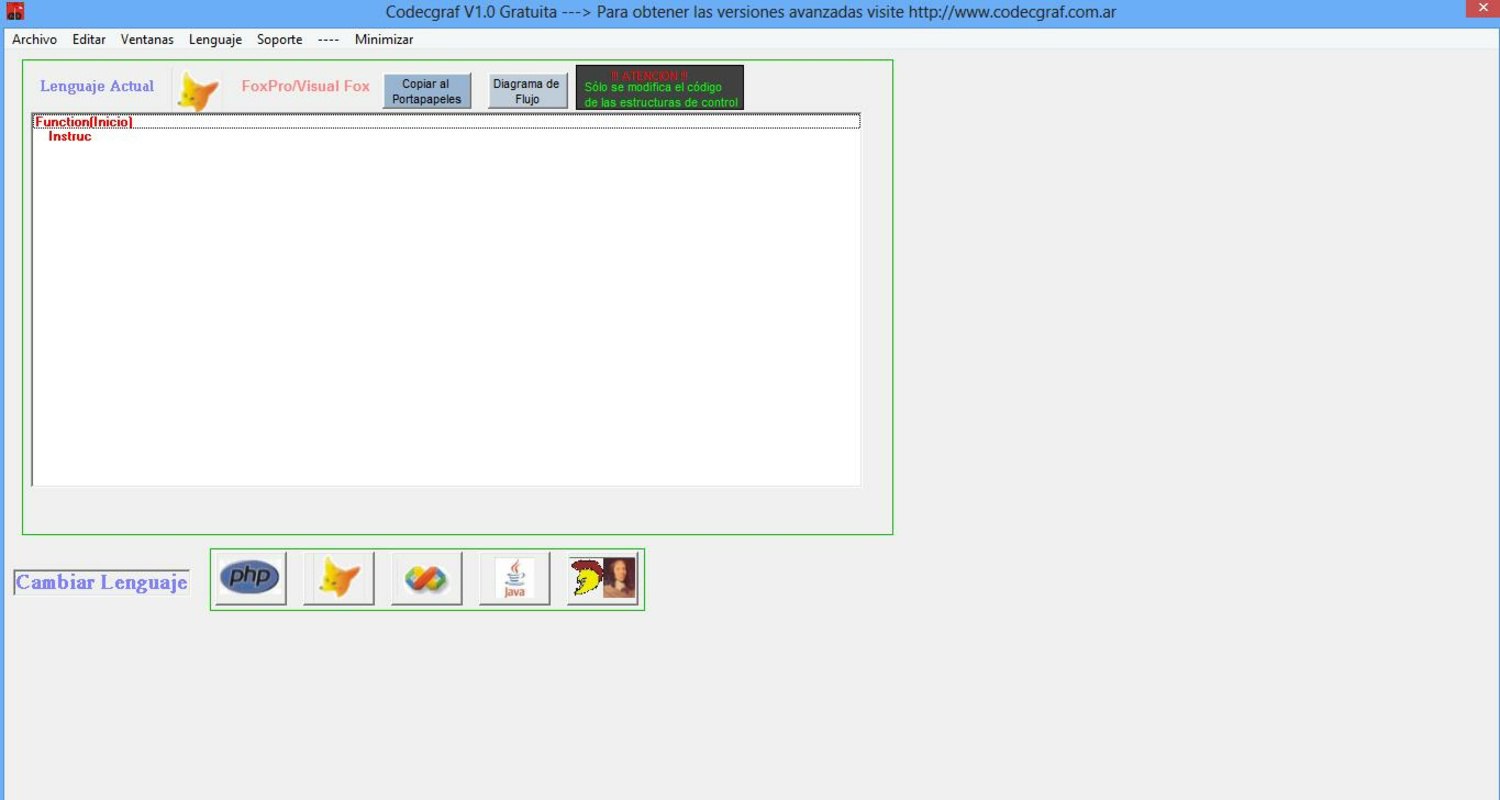
- Multi-Language Code Support: Codecgraf reads and processes source code from several programming languages, including PHP, Java, Visual FoxPro, VB, and Delphi/Pascal. This enables users to analyze code across different environments without switching tools.
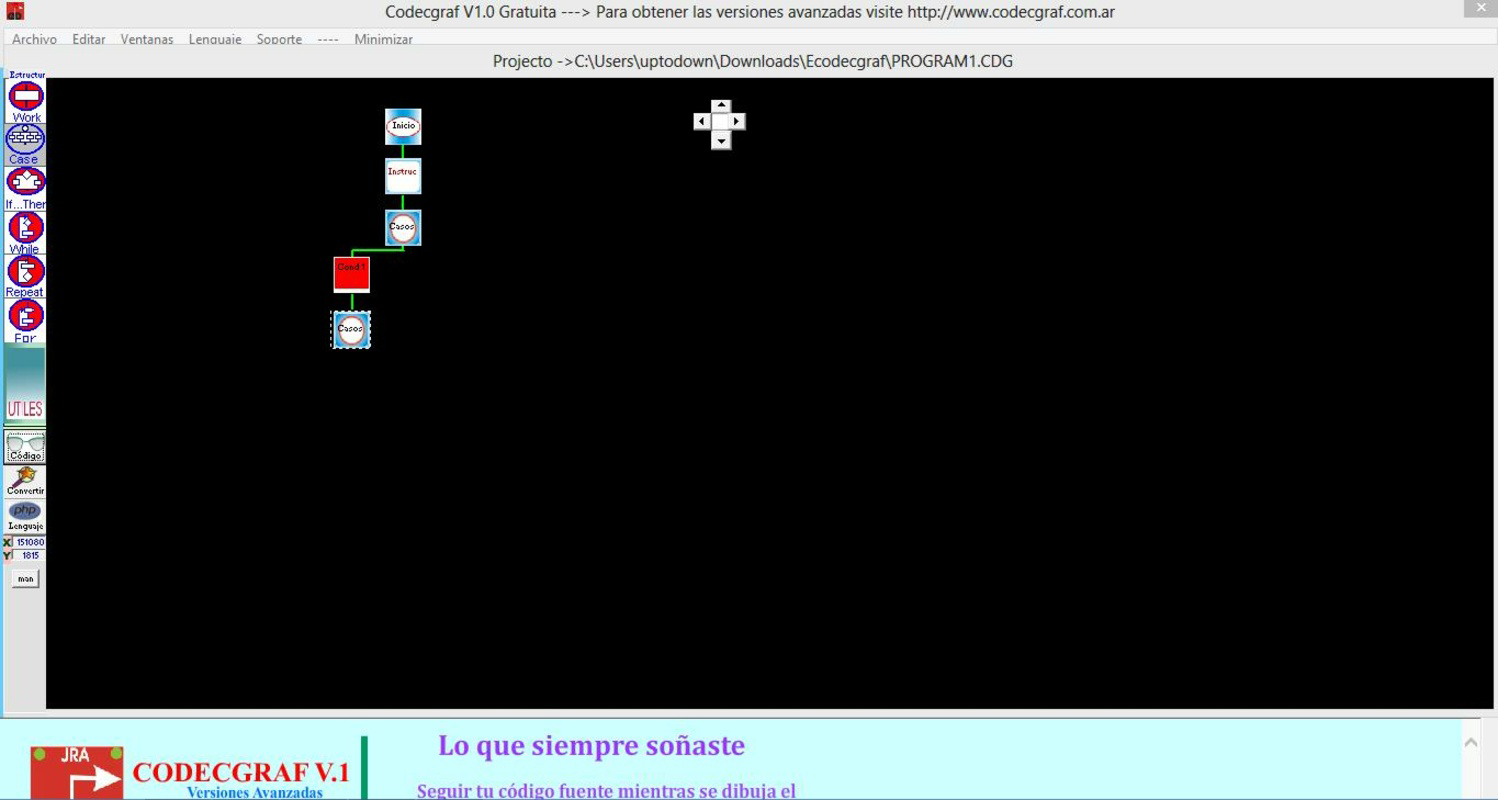
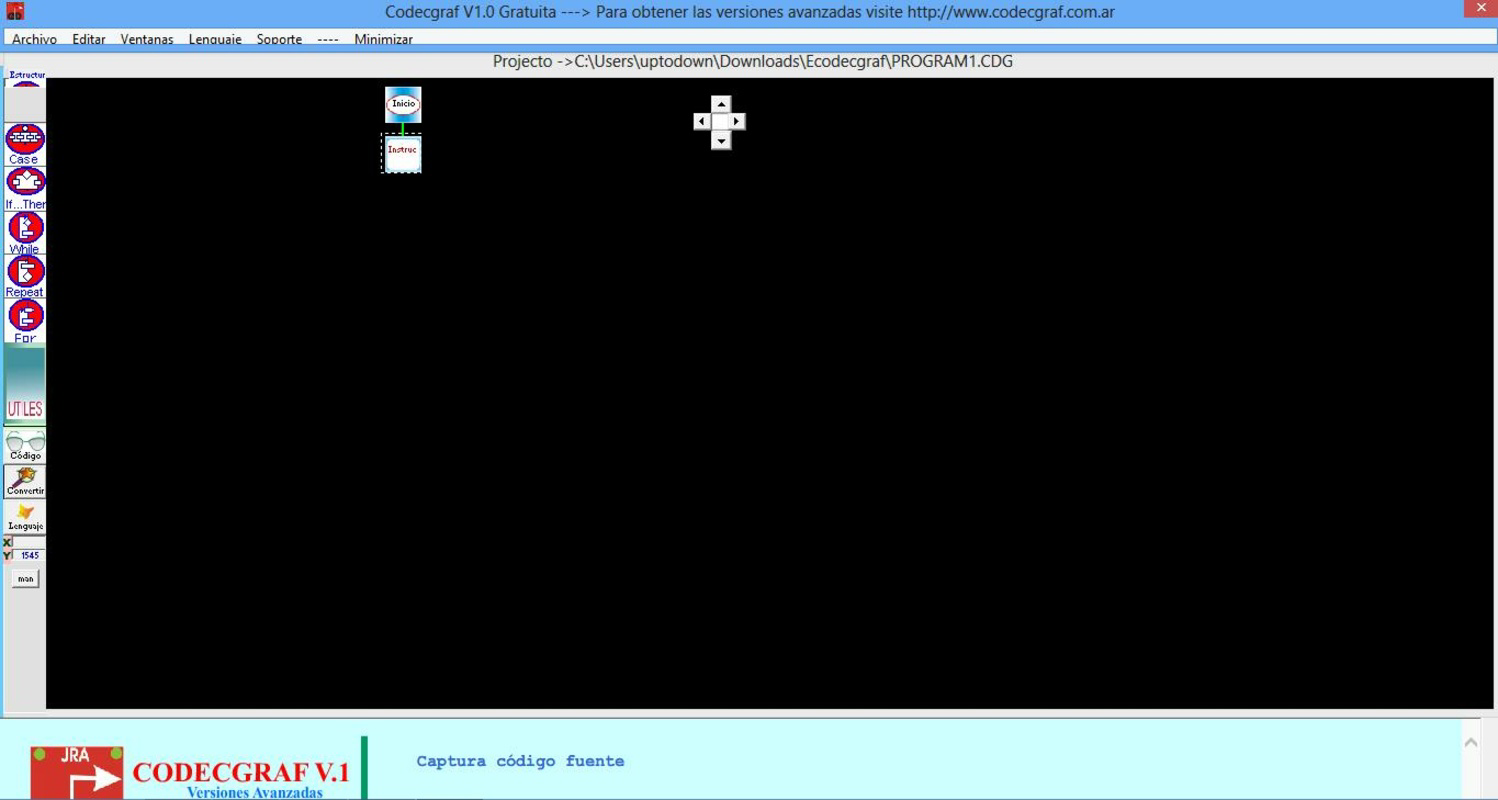
- Automated Flowchart Generation: The app converts source code into structured flowcharts, representing the logical flow of control, conditional branches, loops, and function calls in a visual format.
- Structural Error Detection: By analyzing the syntax and structure of code, Codecgraf highlights inconsistencies such as unpaired braces, incorrect nesting, or missing terminators, helping users correct issues before execution.
- Editable Diagrams: Generated flowcharts can be customized and modified, allowing users to adjust layouts, reposition nodes, or annotate elements to better reflect project-specific logic or teaching needs.
- Intuitive User Interface: Designed with usability in mind, the interface allows smooth navigation between code input and visual output, reducing the learning curve for new users.
For example, a student studying Java loops can input a code snippet and instantly see a flowchart that illustrates the iteration path and exit conditions. A developer debugging a PHP script with nested if-else statements can use the flowchart to verify logic flow and detect potential missteps. These real-world applications demonstrate how Codecgraf enhances both learning and development workflows.
Interface, UX & Performance
Codecgraf features a clean and focused interface that prioritizes functionality over visual flair. The layout is structured around two primary views: a code input panel and a flowchart visualization area. Navigation between these views is seamless, with minimal on-screen clutter, supporting efficient workflow transitions.
The visual style emphasizes clarity, using standardized symbols for different programming constructs—such as rectangles for processes, diamonds for decisions, and arrows for control flow. This consistency aids in quick interpretation, especially for users unfamiliar with flowchart conventions. The app’s responsiveness is adequate for standard mobile devices, though specific performance metrics were not disclosed by the developer.
Although the developer did not list formal performance metrics, the application appears stable during typical use cases involving code conversion and diagram editing. Users can expect smooth operation on mid-to-high-end smartphones, though performance may vary on older or lower-spec devices. The app does not exhibit noticeable lag during basic operations, suggesting effective optimization for its intended purpose.
Platform Compatibility & Technical Requirements
Codecgraf is available on Android and iOS platforms, making it accessible to a wide range of mobile users. The app supports the latest versions of both operating systems, though specific OS version requirements were not listed. The file size is reported as 12.3 MB, which is relatively lightweight for a code analysis tool.
Given the app’s focus on code processing and diagram rendering, it likely requires sufficient RAM and processing power for smooth operation. However, the developer did not specify minimum hardware or software requirements. Compatibility information was not fully disclosed, so users should ensure their devices meet general standards for running productivity applications.
Pros and Cons
Pros
- Supports multiple programming languages, enhancing versatility across different projects.
- Generates clear, structured flowcharts from source code for improved understanding.
- Helps identify structural errors efficiently, reducing debugging time.
- Allows editing of generated diagrams for customization and teaching purposes.
- Intuitive interface suitable for both beginners and advanced users.
Cons
- Specific system requirements were not provided by the developer.
- Performance on older or low-end devices may vary without official guidance.
- Limited information on update frequency or future development plans.
- Does not support all programming languages—only those explicitly listed.
- No built-in code execution or testing features, limiting its standalone utility.
FAQ
Is Codecgraf safe to install on my smartphone?
Yes, Codecgraf is a secure mobile application designed for code analysis. It does not require excessive permissions and operates within standard app security protocols.
Can I use Codecgraf to learn programming?
Absolutely. The visual flowchart representation helps learners grasp logical structures and control flow, making it an effective educational aid for understanding programming concepts.
Does Codecgraf support the latest programming languages?
Codecgraf currently supports PHP, Java, Visual FoxPro, VB, and Delphi/Pascal. Support for newer or less common languages has not been confirmed.
How often is Codecgraf updated?
Update frequency is not publicly disclosed. Users are advised to check their app store for the latest version.
Can I export or share generated flowcharts?
Export functionality was not specified in the provided information. Users should check within the app for available sharing options.
Final Thoughts
Codecgraf stands out as a focused and practical tool for anyone involved in programming education or code analysis. Its ability to transform complex code into clear, editable flowcharts offers tangible benefits in both learning and debugging. While it may not replace full IDEs, it complements them by providing a visual perspective that enhances understanding and efficiency.
Students, educators, and developers working with multiple languages will find the app particularly valuable. Its lightweight design and intuitive interface make it accessible without compromising functionality. Although some technical details are missing, the app delivers on its core promise: simplifying code comprehension through visualization.
For those seeking a mobile solution to analyze code structure, improve logic clarity, or teach programming concepts, Codecgraf is a reliable choice. Download Codecgraf now.


