Search the Community
Showing results for tags 'animals'.
Found 13 results
-
Version 2.0.8
189 downloads
Create as many Versions of Animals with varying rewards as you like, You can even scale them up or down. Give Base Item drops to Unlicensed Players, Bonus items can be dropped to Licensed Players. Demo Video Limit The Spawn to Certain Monuments using the monument Prefab Paths to Restrict High Level Spawns, To High Tier Monuments. Licenses can be used for Players to obtain A bonus Loot Table of items vs being unlicensed. Sell Licenses Via Server Rewards or Economics Works with Deployable Nature as these spawned Animals are created in Plugin. Marker Manager can be used to mark Animals on Map. Full Discord Logging of Kills Available. Building Restriction is Configurable to prevent players from Being out of reach of Melee. Skill Tree can be used to give players XP on Takedown. Custom Monument? No problem, Add your own profiles via command, and add the profile to the config section of the animal you want to spawn there. COMMANDS /ADDBMP "NAME” – ADDS A SPAWN PROFILE ON YOUR POS, TO USE IN CONFIG FOR CUSTOM PROFILE /REMBMP "NAME” – REMOVES THE SPAWN PROFILE FROM DATA /DBMP – DEBUGS POINTS TO ADMINS WITH PERMISSION /BMTOP – ANNOUNCES TOP BEAST MASTER HUNTERS TO PLAYER WHO RUNS COMMAND /SPAWNBEAST- ADMINCOMMAND - WILL TRIGGER THE SPAWN METHOD TO ATTEMPT TO SPAWN AN ANIMAL BASED ON CHANCE /SPAWNMAINTAINED - ADMINCOMMAND - WILL TRIGGER THE SPAWN METHOD FOR MAINTAINED BEAST, IF APPLICABLE PERMISSIONS BeastMaster.LifetimeLicense BeastMaster.AdminPermission CONFIG { "Settings": { "Clear Top Kills On Wipe?": false, "Top Beast Eliminations Announce Interval": 3799, "Discord Webhook URL": "INSERT_WEBHOOK_URL", "Log Kills to Discord?": false, "Enable Maintained Beasts?": false, "Enable Custom Spawn Profiles?": false, "Wipe Custom Profiles On Wipe?": false, "Maintained Spawn Interval Check Will Spawn 1 Maintained Beast": 3300, "Spawn Attempt Interval": 600, "Max Retries for Suitable Spawn": 5, "Max Beast Master Animals To Exist In World": 3, "Announce Spawn to Chat?": true, "Announce Death to Chat on Successful Kill?": true, "Restrict Building Distance": 100, "Use Marker Manager To Show Location On Map?": true, "Enable Skill Tree Xp Gain?": true, "Enable Beast Master License? (Needed to Grant Bonus Drops)": true, "Price to Purchase a Beast Master License?": 10000, "Take License on Death?": true, "Console Command to Purchase a Beast Master License? (For GUI Shops)": "buybml", "Chat Command to Purchase a Beast Master License?": "buybml", "Economy Plugin - 1 Economics - 2 Server Rewards": 1, "Wipe License on Wipe?": true }, "Marker Settings": { "Animal Marker Radius": 0.3, "Animal Marker Color": "ffe135", "Animal Marker Outline": "000000", "Animal Marker Alpha": 0.75 }, "Beast Entries": { "Savage_Boar": { "Animal Config": { "Type (1 - Polar Bear, 2 - Bear, 3 - Wolf, 4 - Boar, 5 - Stag, 6 - Chicken)": 4, "Health": 500, "Attack Range": 2.5, "Attack Damage": 50, "Attack Rate [sec.]": 1.5, "Speed": 10, "Roam Range": 100, "Chase Range": 100, "Sense Range": 100, "Listen Range": 100, "Sleep Distance": 100, "Memory Duration": 100, "Hostile Targets Only": false, "Can Run Away Water": false, "Can Sleep": false, "Turret Damage Scale": 0 }, "Is a Maintained Beast? (Will Always Be Spawned To Patrol A Monument If They Don't Exist, Does not count towards Total Animals. Rec Spawn Rate Setting 1)": false, "If this is a Maintained Beast, What Is Its Cooldown in Seconds To Respawn After Death": 3600, "Tier Name (Chat)": "Savage Boar", "Skill Tree Xp Value": 200, "Monuments": [ "assets/bundled/prefabs/autospawn/monument/large/water_treatment_plant_1.prefab", "assets/bundled/prefabs/autospawn/monument/xlarge/launch_site_1.prefab" ], "Custom Spawn Profile": [ "PROFILENAME" ], "Spawn Chance": 1, "Random Distance Min from Monument": 100, "Random Distance Max from Monument": 200, "Min Amount of Items To Drop": 2, "Max Amount of Items To Drop": 4, "Loot Drop": [ { "Shortname": "metal.refined", "Skin": 0, "Custom Name": "", "Amount Min": 200, "Amount Max": 500, "Chance to Drop": 30 }, { "Shortname": "scrap", "Skin": 0, "Custom Name": "", "Amount Min": 440, "Amount Max": 600, "Chance to Drop": 30 }, { "Shortname": "paper", "Skin": 3048132587, "Custom Name": "Cash", "Amount Min": 20, "Amount Max": 35, "Chance to Drop": 40 } ], "Licensed Beast Master Bonus Drops": [ { "Shortname": "sulfur", "Skin": 0, "Custom Name": "", "Amount Min": 200, "Amount Max": 500, "Chance to Drop": 30 }, { "Shortname": "wood", "Skin": 0, "Custom Name": "", "Amount Min": 440, "Amount Max": 600, "Chance to Drop": 30 }, { "Shortname": "glue", "Skin": 0, "Custom Name": "", "Amount Min": 20, "Amount Max": 35, "Chance to Drop": 40 } ] }, "Cocaine_Bear": { "Animal Config": { "Type (1 - Polar Bear, 2 - Bear, 3 - Wolf, 4 - Boar, 5 - Stag, 6 - Chicken)": 2, "Health": 500, "Attack Range": 2.5, "Attack Damage": 50, "Attack Rate [sec.]": 1.5, "Speed": 10, "Roam Range": 100, "Chase Range": 100, "Sense Range": 100, "Listen Range": 100, "Sleep Distance": 100, "Memory Duration": 100, "Hostile Targets Only": false, "Can Run Away Water": false, "Can Sleep": false, "Turret Damage Scale": 0 }, "Is a Maintained Beast? (Will Always Be Spawned To Patrol A Monument If They Don't Exist, Does not count towards Total Animals. Rec Spawn Rate Setting 1)": false, "If this is a Maintained Beast, What Is Its Cooldown in Seconds To Respawn After Death": 3600, "Tier Name (Chat)": "Cocaine Bear", "Skill Tree Xp Value": 500, "Monuments": [ "assets/bundled/prefabs/autospawn/monument/large/water_treatment_plant_1.prefab", "assets/bundled/prefabs/autospawn/monument/xlarge/launch_site_1.prefab" ], "Custom Spawn Profile": [ "PROFILENAME" ], "Spawn Chance": 0.1, "Random Distance Min from Monument": 100, "Random Distance Max from Monument": 200, "Min Amount of Items To Drop": 2, "Max Amount of Items To Drop": 4, "Loot Drop": [ { "Shortname": "metal.refined", "Skin": 0, "Custom Name": "", "Amount Min": 200, "Amount Max": 500, "Chance to Drop": 30 }, { "Shortname": "scrap", "Skin": 0, "Custom Name": "", "Amount Min": 440, "Amount Max": 600, "Chance to Drop": 30 }, { "Shortname": "paper", "Skin": 3048132587, "Custom Name": "Cash", "Amount Min": 20, "Amount Max": 35, "Chance to Drop": 40 } ], "Licensed Beast Master Bonus Drops": [ { "Shortname": "sulfur", "Skin": 0, "Custom Name": "", "Amount Min": 200, "Amount Max": 500, "Chance to Drop": 30 }, { "Shortname": "wood", "Skin": 0, "Custom Name": "", "Amount Min": 440, "Amount Max": 600, "Chance to Drop": 30 }, { "Shortname": "glue", "Skin": 0, "Custom Name": "", "Amount Min": 20, "Amount Max": 35, "Chance to Drop": 40 } ] } } } LANG { "Revoked": "[<color=#ffe135>Beast Master</color>] Your <color=#ffe135>Beast Master</color> License has been revoked, You will not Receive Bonus Items on Beast Eliminations.", "InsufficientFunds": "[<color=#ffe135>Beast Master</color>] You don't have enough funds to purchase a <color=#ffe135>Beast Master</color> License. \nIt costs <color=#42b5a6>{0}</color><color=#a642b5>{1}</color>.", "AlreadyHasLicense": "[<color=#ffe135>Beast Master</color>] You already have a <color=#ffe135>Beast Master</color> License.", "BuyBeastMasterLicenseSuccess": "[<color=#ffe135>Beast Master</color>] <color=#ffe135>Beast Master</color> License Obtained. \nYou were charged {0}<color=#3e9c35>{1}</color>, Watch your Surroundings, <color=#b8ff35>{2}</color>!", "AnimalKilledBroadcast": "[<color=#ffe135>Beast Master</color>] \n<color=#b8ff35>{0}</color> killed a <color=#ff7c35>{1}</color> at <color=#35ffe1>{2}</color>", "AnimalFledBroadcast": "[<color=#ffe135>Beast Master</color>] \nA <color=#ff7c35>{0}</color> has Fled our Trackers...", "AnimalSpottedBroadcast": "[<color=#ffe135>Beast Master</color>] \nA <color=#ff7c35>{0}</color> has been spotted near Grid Location - <color=#35ffe1>{1}</color>", "RestrictBuildingMessage": "[<color=#ffe135>Beast Master</color>] You cannot build within {0} meters of a Beast Master Target.", "XPMessage": "[<color=#ffe135>Beast Master</color>] You gained <color=#ffe135>{0}</color> <color=#ff7c35>XP</color> for the <color=#ff7c35>{1}</color> Takedown.", "BonusItemsReminder": "[<color=#ffe135>Beast Master</color>] Remember, You can earn Bonus Items with a Valid Beast Master License." }$22.00 -

Version 1.3.0
347 downloads
Sea Skull is a custom map full of islands surrounded by multiple places to build. Get ready for survival in a world with creature wreckage, tornado and the legendary Kraken. Build your home in caves, land and air platforms, under bridges and in multiple locations that will surprise you. - FEATURES Size: 6000. Objects: 36561. Map protection plugin included. Editable map: Yes. - CONTAINS ALL OFFICIAL MONUMENTS Ziggurat temple • Jungle ruins • Radtown • Ferry Terminal • Nuclear missile silo • Large oil platform • Small oil platform • Submarine laboratories • Harbor • Large fishing villages • Fishing villages • Launch site • Satellite dish • The Dome • HQM Quarry • Stone quarry • Sulfur quarry • Arctic Research Base • Sewer Branch • Train yard • Junkyard • Abandoned military bases • Military tunnel • Caves • Large barns • Ranch • Bandit camp • Power plant • Swamp • Airfield • Giant excavation • Outpost • Lighthouse - PREFABRICATED AND CUSTOMIZED MONUMENTS Large oil platform (This monument contains a subway access, this monument can be reached by train). Small oil platform (This monument contains a subway access, this monument can be reached from the train). Heli Tower. Airfield with Bradley Patrol and railroad tracks. Bradley tank patrolling the map. Aerial platforms. The dome (with train tracks). Bridges with Construction Area. Missile launching with train tracks. Kraken creature in town. Tornado. Remains of mythological creatures. Sand. Caves with construction area and electricity. Quidditch Pitch (Harry Potter). Gigantic area with multiple Oilrig. H1Z1 Lab. Aircraft carrier. Six islands for events, Located around the map. You can use the islands for the Raidable Bases plugin. Islands (Oasis). - TIPS Setting your server to Survival mode will add an extra fun mode to this map (Optional). Have fun$45.90- 47 comments
- 3 reviews
-
- 6
-

-

-
- #seaskull
- #sea skull
- (and 55 more)
-
Version 1.0.0
5 downloads
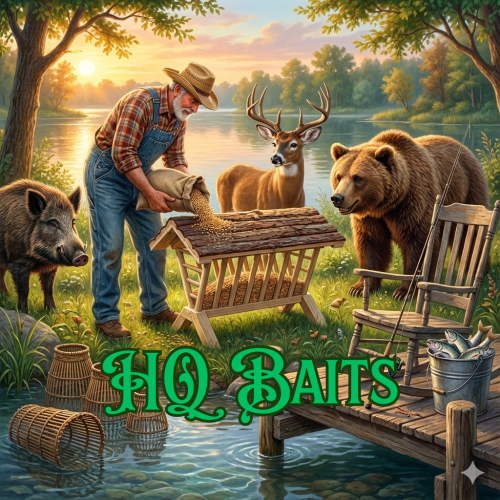
Life on the farm. Lure wild animals to you or catch unique fish with high-quality bait. Deploy the wild animal feeder and put wild animal food in it. Install normal fish traps and put super fish bait in them. Once you're done, all you have to do is fish with a fishing rod and super fish bait. You can give players the wild animal feeder and high-quality bait as custom items. The plugin does not contain permissions. RCON Commands: hqbaitsdatawipe - This command deletes the limit data. Wild Animal Feeder: shortname: "hitchtroughcombo" SkinID: 3566180524 HQ Animal Food: shortname: "can.beans" SkinID: 3566180669 HQ Fish Bait: shortname: "grub" SkinID: 3561279630 Video: Config: { "Version": { "Major": 1, "Minor": 0, "Patch": 0 }, "Wild animal feeder config": { "Wild animal feeder Item SkinID:": 3566180524, "Wild animal feeder Item DisplayName:": "Wild animal feeder", "Wild animal feeder player limit": 2, "Maximum number of animals that can spawn at the feeder": 3, "HQ Animal Bait Item shortname:": "can.beans", "HQ Animal Bait Item SkinID:": 3566180669, "How many seconds should animals spawn at the feeder?": 600.0 }, "HQ fish bait config": { "HQ Fish Bait Item shortname:": "grub", "HQ Fish Bait Item SkinID:": 3561279630, "List of special fish. (These are chosen at random.)": [ { "ShortName": "fish.catfish", "Minimum": 1, "Maximum": 2, "SkinID": 3561813856, "Displayname": "Pike Fish" }, { "ShortName": "fish.catfish", "Minimum": 1, "Maximum": 2, "SkinID": 3561813958, "Displayname": "Dolphin" }, { "ShortName": "fish.catfish", "Minimum": 1, "Maximum": 2, "SkinID": 3561814073, "Displayname": "Carp Fish" } ] }, "Chat messages config": { "Chat messages prefix:": "<color=#1D7D00>HQ Baits</color>", "Chat Icon:": 0, "No owner:": "You are not the owner!", "Pickup:": "You picked up this item!", "Fish Caught:": "Congratulations! You caught a <color=#FFFF00>Special Fish</color> fish!", "Limit foundation:": "No build on foundation", "Player limit:": "You have reached the limit", "Young animal:": "It's still a young animal. Wait a little longer.", "Animal owner:": "This is not your animal.", "GUI Message:": "Just put the wild animal food in the feeder and wait for the animals to come." } }$15.00 -
Version 1.0.0
4 downloads
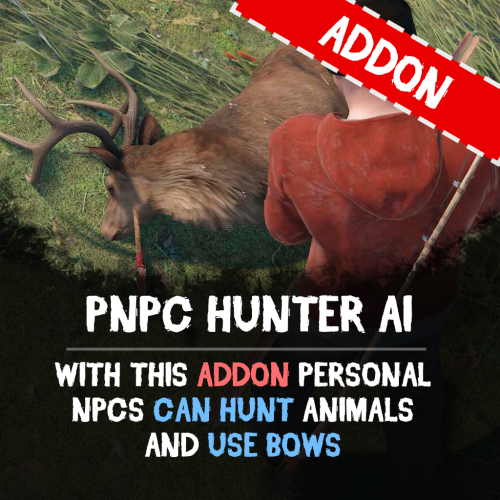
Unleash the wild side of your NPCs with the PNPC Hunter AI Addon — it allows your NPCs to hunt, harvest animals and use bows/crossbows. Features: Automated Hunting • Activate hunting mode with "/pnpc hunting" command. • Your NPC will scan the area for animals within a set radius and start to hunt animals. Combat & Harvesting • Adds bow and crossbow support for PNPCs. • After the kill, bot will automatically harvest the animal if equipped with needed tools (e.g., bone knife, combat knife). Customization & Control • Configure hunt radius for target detection. • Specify which tools and weapons are allowed to use for hunting and harvesting. How to Use: Spawn your Personal NPC and equip it with allowed weapon. Optionally provide a harvesting tool for resource collection. Use /pnpc hunting to start the hunting mode. Your NPC will hunt, kill, and harvest nearby animals! Requirements: • PersonalNPC Plugin See it in Action! Watch the Video Configuration: { "Hunting radius": 100.0, "Allowed weapons for hunting (shortnames)": [ "bow.compound", "crossbow", "bow.hunting", "legacy.bow", "minicrossbow", "rifle.ak" ], "Allowed tools for hunting (shortnames)": [ "knife.bone", "knife.butcher", "knife.combat", "knife.bone.obsidian", "knife.skinning", "sunken.knife" ] }$9.90 -
Version 1.2.6
1,744 downloads
Addon for my BackToTheWild plugin that can make the Alpha animals call for their pack and get aid. Features : Requires BackToTheWild plugin for the Alpha animal spawns When a Alpha animal is killed it will call for their weaker Omega who will come (too late) for its aid. Simple configuration Permissions for Gametip animal engagements Permissions for Mapmarker system to see Alpha's on the map Support for Economics Support for ServerRewards Chatnotifications when a alpha has spawned with Grid section through cfg Skin Safe for the randomized skins Alpha Animal Types : Bear Polar Bear Wolf Wolf2 Permissions : alphaanimals.tipsimple : Simple Gametip message permisison alphaanimals.tipfull : Full info Gametip message permission alphaanimals.marker : To see the alpha mapmarkers if not set globaly alphaanimals.economics : To be granted economics points on alpha/omega kills alphaanimals.ServerRewards : To be granted ServerRewards points on alpha/omega kills Configuration : For the spawned Omegas the min and max hp values will be used { "Plugin": { "Debug": true, "Chat Steam64ID": 0, "Chat Prefix": "[<color=orange>AlphaAnimals</color>] ", "Anounce Alpha spawns": true }, "Economics": { "Use Economics": true, "Alpha Bear points": 300.0, "Omega Bear points": 100.0, "Alpha Polarbear points": 400.0, "Omega Polarbear points": 150.0, "Alpha Wolf points": 200.0, "Omega Wolf points": 50.0, "Alpha Crocodile points": 500, "Alpha Panther points": 200, "Alpha Tiger points": 200 }, "ServerRewards": { "Use ServerRewards": true, "Alpha Bear points": 300, "Omega Bear points": 100, "Alpha Polarbear points": 400, "Omega Polarbear points": 150, "Alpha Wolf points": 200, "Omega Wolf points": 50, "Alpha Crocodile points": 500, "Alpha Panther points": 200, "Alpha Tiger points": 200 }, "Animals": { "Life Duration (minutes)": 5.0, "Spawn Radius": 12, "Bear Packsize": 2, "Bear settings": { "Min HP": 350.0, "Max HP": 600.0 }, "Polarbear Packsize": 2, "Polarbear settings": { "Min HP": 350.0, "Max HP": 600.0 }, "Wolf Packsize": 0, "Wolf settings": { "Min HP": 350.0, "Max HP": 600.0 }, "Use Random Skins": false, "Loot settings (Alphas)": { "Spawn Min Amount Items": 10, "Spawn Max Amount Items": 15, "Loot Table": [ { "Item shortname": "ammo.pistol", "Custom name": "T3st name", "Skin ID": 2532520857, "Amount min": 1, "Amount max": 5, "Always add": true }, { "Item shortname": "ammo.pistol.fire", "Custom name": "", "Skin ID": 0, "Amount min": 5, "Amount max": 5, "Always add": false }, { "Item shortname": "ammo.pistol.hv", "Custom name": "", "Skin ID": 0, "Amount min": 5, "Amount max": 5, "Always add": false }, { "Item shortname": "ammo.rifle", "Custom name": "", "Skin ID": 0, "Amount min": 5, "Amount max": 5, "Always add": false }, { "Item shortname": "ammo.rifle.explosive", "Custom name": "", "Skin ID": 0, "Amount min": 5, "Amount max": 5, "Always add": false }, { "Item shortname": "ammo.rifle.hv", "Custom name": "", "Skin ID": 0, "Amount min": 5, "Amount max": 5, "Always add": false }, { "Item shortname": "ammo.rifle.incendiary", "Custom name": "", "Skin ID": 0, "Amount min": 5, "Amount max": 5, "Always add": false }, { "Item shortname": "ammo.rocket.basic.bp", "Custom name": "", "Skin ID": 0, "Amount min": 1, "Amount max": 1, "Always add": true }, { "Item shortname": "ammo.rocket.fire.bp", "Custom name": "", "Skin ID": 0, "Amount min": 1, "Amount max": 1, "Always add": true }, { "Item shortname": "ammo.rocket.hv.bp", "Custom name": "", "Skin ID": 0, "Amount min": 1, "Amount max": 1, "Always add": false }, { "Item shortname": "ammo.shotgun", "Custom name": "", "Skin ID": 0, "Amount min": 8, "Amount max": 12, "Always add": false }, { "Item shortname": "explosive.timed", "Custom name": "", "Skin ID": 0, "Amount min": 1, "Amount max": 1, "Always add": false }, { "Item shortname": "explosives", "Custom name": "", "Skin ID": 0, "Amount min": 1, "Amount max": 1, "Always add": false }, { "Item shortname": "pistol.m92", "Custom name": "", "Skin ID": 0, "Amount min": 1, "Amount max": 1, "Always add": false }, { "Item shortname": "rifle.ak.bp", "Custom name": "", "Skin ID": 0, "Amount min": 1, "Amount max": 1, "Always add": false }, { "Item shortname": "rifle.bolt.bp", "Custom name": "", "Skin ID": 0, "Amount min": 1, "Amount max": 1, "Always add": false }, { "Item shortname": "shotgun.spas12", "Custom name": "", "Skin ID": 0, "Amount min": 1, "Amount max": 1, "Always add": false }, { "Item shortname": "smg.2.bp", "Custom name": "", "Skin ID": 0, "Amount min": 1, "Amount max": 1, "Always add": false }, { "Item shortname": "smg.thompson.bp", "Custom name": "", "Skin ID": 0, "Amount min": 1, "Amount max": 1, "Always add": false }, { "Item shortname": "weapon.mod.8x.scope.bp", "Custom name": "", "Skin ID": 0, "Amount min": 1, "Amount max": 1, "Always add": false }, { "Item shortname": "weapon.mod.flashlight.bp", "Custom name": "", "Skin ID": 0, "Amount min": 1, "Amount max": 1, "Always add": false }, { "Item shortname": "weapon.mod.holosight.bp", "Custom name": "", "Skin ID": 0, "Amount min": 1, "Amount max": 1, "Always add": false }, { "Item shortname": "weapon.mod.lasersight.bp", "Custom name": "", "Skin ID": 0, "Amount min": 1, "Amount max": 1, "Always add": false }, { "Item shortname": "weapon.mod.silencer.bp", "Custom name": "", "Skin ID": 0, "Amount min": 1, "Amount max": 1, "Always add": false }, { "Item shortname": "weapon.mod.small.scope.bp", "Custom name": "", "Skin ID": 0, "Amount min": 1, "Amount max": 1, "Always add": false }, { "Item shortname": "grenade.f1.bp", "Custom name": "", "Skin ID": 0, "Amount min": 1, "Amount max": 1, "Always add": false }, { "Item shortname": "pickaxe", "Custom name": "", "Skin ID": 0, "Amount min": 1, "Amount max": 1, "Always add": false }, { "Item shortname": "hatchet", "Custom name": "", "Skin ID": 0, "Amount min": 1, "Amount max": 1, "Always add": false }, { "Item shortname": "can.beans", "Custom name": "", "Skin ID": 0, "Amount min": 1, "Amount max": 3, "Always add": false }, { "Item shortname": "can.tuna", "Custom name": "", "Skin ID": 0, "Amount min": 1, "Amount max": 3, "Always add": false }, { "Item shortname": "black.raspberries", "Custom name": "", "Skin ID": 0, "Amount min": 3, "Amount max": 5, "Always add": false } ] } } } Localization : English language file included to use a different language just make a new file in the language folder. { "EngageSimple": "<color=yellow>carefull This is a {animal}</color>", "EngageFull": "<color=yellow>carefull This is a {animal} {health} HP</color>", "KillAlpha": "You Killed a <color=green>{animal}</color> and <color=green>{packsize} Omega's</color> are summoned", "KillAlphaAll": "{player} Killed a <color=green>{animal}</color> and <color=green>{packsize} Omega's</color> are summoned", "KillOmega": "You Killed the <color=green>{animal}</color>", "EngageSimpleKill": "<color=yellow>You killed the {animal}</color>", "EngageFullKill": "<color=yellow>You got points killing the {animal}</color>", "AlphaAnnounce": "A <color=yellow>{animal}</color> was located around <color=orange>Grid {location}</color>" } Rust native API : To remove the Omega Animals the following can be used in console del omega del omega wolf del omega bear del omega polarbear Example call to see if a animal is a Omega : void OnEntityDeath(BaseAnimalNPC animal, HitInfo info) { if (animal == null) return; BasePlayer attacker = info.InitiatorPlayer; if (attacker != null && animal.name.Contains("Omega")) { Puts($"The animal was a {animal.name}"); } return; } API for developers : // Pre definition trigger on Alpha/Omega animal kill (before the animal type is defined) void OnAlphaAnimalKilled(BaseAnimalNPC animal, HitInfo info); void OmegaAnimalKilled(BaseAnimalNPC animal, HitInfo info); // Alpha animal kills void OnAlphaBearKilled(BaseAnimalNPC animal, HitInfo info); void OnAlphaPolarbearKilled(BaseAnimalNPC animal, HitInfo info); void OnAlphaWolfKilled(BaseAnimalNPC animal, HitInfo info); void OnAlphaCrocodileKilled(BaseAnimalNPC animal, HitInfo info); void OnAlphaPantherKilled(BaseAnimalNPC animal, HitInfo info); void OnAlphaTigerKilled(BaseAnimalNPC animal, HitInfo info); // Omega animal kills void OnOmegaBearKilled(BaseAnimalNPC animal, HitInfo info); void OnOmegaPolarbearKilled(BaseAnimalNPC animal, HitInfo info); void OnOmegaWolfKilled(BaseAnimalNPC animal, HitInfo info); // Omega animal spawns void OnOmegaBearSpawned(BaseAnimalNPC animal); void OnOmegaPolarbearSpawned(BaseAnimalNPC animal); void OnOmegaWolfSpawned(BaseAnimalNPC animal);Free- 40 comments
- 1 review
-
- 2
-
-
-
- #back to the wild
- #animals
- (and 2 more)
-
Version 2.2.4
1,036 downloads
Animals can drop loot and have a static health and strength profile (random HP/Str) Radtown loot does not conflict with : Barrelless Bearrels Custom Animal Spawns Rust Spawner BackToTheWild AlphaAnimals Features : Wolf , Bears and Polar bears can drop a backpack upon death with a % chance on drop (Just like in LegacyRust) Boars, Chickens, Wild Horses and Stags Can be configured aswell (New in 2.1.0) Custom container animal type prefix through configuration (New in 2.1.0) Health and Strength can be randomized using min/max values. Setup animal Profiles (Health ,Strength ,Running speed and backpack droprate) Option to print the spawns to console showing HP and Strength SUpport for PlayerDLCAPI Permissions : radtownloot..admin : To use the /rad admin command for extended settings and animal counts info radtownloot.loot : For giving players the chance to have the animals drop a backpack radtownloot.chat : To be able to receive chat messages on backpackdrop radtownloot.command : To use the /rad animals command for animal count on the server Commands : /rad animals : Prints plugin information and animal spawns on server chat /rad admin : Prints info about animal settings and droprates on server chat Localization : English language file included to use a diffrent language just make a new file in the language folder. { "Info": "Animals can drop backpacks like in Legacy Rust.\n\n", "InvalidInput": "Please enter a valid command!", "NoPermission": "You do not have permission to use that command!", "RadTownLoot": "The {0} dropped something!", "AdminInfo": "If Change stats on spawn is false values are not changed by this plugin.\n\n" } Logging : Each succesfull drop will now be loggd in the oxide log folder 5:14:15 PM] Krungh Crow[1234567890] killed a Wolf and loot was dropped 5:14:31 PM] Krungh Crow[1234567890] killed a Bear and loot was dropped 5:59:20 PM] Krungh Crow[1234567890] killed a Polarbear and loot was dropped Console Logging : Example Console logs if set to true [Rad Town Loot] A Bear spawned with 473 HP and 35 Strength [Rad Town Loot] A Bear spawned with 374 HP and 34 Strength [Rad Town Loot] A Bear spawned with 376 HP and 32 Strength [Rad Town Loot] A Wolf spawned with 269 HP and 18 Strength [Rad Town Loot] A Bear spawned with 353 HP and 35 Strength [Rad Town Loot] A Bear spawned with 462 HP and 30 Strength [Rad Town Loot] A Wolf spawned with 191 HP and 13 Strength [Rad Town Loot] A Wolf spawned with 339 HP and 14 Strength [Rad Town Loot] A Bear spawned with 394 HP and 39 Strength [Rad Town Loot] A Wolf spawned with 151 HP and 22 Strength [Rad Town Loot] A Wolf spawned with 219 HP and 17 Strength [Rad Town Loot] A Wolf spawned with 310 HP and 16 Strength Settings : Droprate settings * Bear droprate : Any value between 0.0/100.0 (0 means it will not spawn a backpack) * Chat Steam64ID : Add your servers steampicture using the steam64ID. * Use random skins : true/false * Spawn min amount item : Minimum amount of items to spawn in the backpack. * Spawn max amount item : Maximum amount of items to spawn in the backpack. If u want the item to be a Blueprint add .bp behind the item name (eg ammo.pistol.bp) then it will spawn as a blueprint. Loottable settings * shortname : The items shortname (eg ammo.pistol). * Amount : Max amount of the item to spawn in the backpack. * skin : Add the skin ID if u want it to contain a certan skin. * AmountMin : the minimum amount of this item to spawn in the backpack You can change/add/remove lines to the lootprofile. Configuration : A example how u can configure it { "Main config": { "Debug": true, "Chat Steam64ID": 0, "Chat Prefix": "[<color=orange>RadTownLoot</color>] : ", "Animal Type Prefix": "Radtown ", "Use Random Skins": true }, "Animal config": { "Skip Alpha Animals": true, "Skip Omega Animals": true, "Bear settings": { "Change stats on spawns": false, "Show spawns in Console": false, "Droprate 0-100": 80.0, "Minimum Health": 150, "Maximum Health": 250, "Minimum Strength (Att dmg)": 20, "Maximum Strength (Att dmg": 25, "Running Speed": 6.0, "Loot settings": { "Spawn Min Amount Items": 4, "Spawn Max Amount Items": 6, "Loot Table": [ { "shortname": "black.raspberries", "amount": 0, "skin": 0, "amountMin": 5 }, { "shortname": "blue.berry", "amount": 5, "skin": 0, "amountMin": 5 }, { "shortname": "blueberries", "amount": 5, "skin": 0, "amountMin": 5 }, { "shortname": "black.berry", "amount": 5, "skin": 0, "amountMin": 5 }, { "shortname": "yellow.berry", "amount": 5, "skin": 0, "amountMin": 5 }, { "shortname": "white.berry", "amount": 5, "skin": 0, "amountMin": 5 } ] } }, "Boar settings": { "Change stats on spawns": false, "Show spawns in Console": false, "Droprate 0-100": 80.0, "Minimum Health": 150, "Maximum Health": 250, "Minimum Strength (Att dmg)": 20, "Maximum Strength (Att dmg": 25, "Running Speed": 6.0, "Loot settings": { "Spawn Min Amount Items": 1, "Spawn Max Amount Items": 3, "Loot Table": [ { "shortname": "wood", "amount": 5, "skin": 0, "amountMin": 5 }, { "shortname": "hatchet", "amount": 5, "skin": 0, "amountMin": 5 }, { "shortname": "hammer", "amount": 5, "skin": 0, "amountMin": 5 } ] } }, "Chicken settings": { "Change stats on spawns": false, "Show spawns in Console": false, "Droprate 0-100": 80.0, "Minimum Health": 150, "Maximum Health": 250, "Minimum Strength (Att dmg)": 20, "Maximum Strength (Att dmg": 25, "Running Speed": 6.0, "Loot settings": { "Spawn Min Amount Items": 1, "Spawn Max Amount Items": 3, "Loot Table": [ { "shortname": "ammo.pistol", "amount": 5, "skin": 0, "amountMin": 5 }, { "shortname": "wood", "amount": 5, "skin": 0, "amountMin": 5 }, { "shortname": "stones", "amount": 5, "skin": 0, "amountMin": 5 } ] } }, "Wild Horse settings": { "Change stats on spawns": false, "Show spawns in Console": false, "Droprate 0-100": 80.0, "Minimum Health": 150, "Maximum Health": 250, "Minimum Strength (Att dmg)": 20, "Maximum Strength (Att dmg": 25, "Running Speed": 6.0, "Loot settings": { "Spawn Min Amount Items": 1, "Spawn Max Amount Items": 3, "Loot Table": [ { "shortname": "ammo.pistol", "amount": 5, "skin": 0, "amountMin": 5 }, { "shortname": "ammo.pistol.fire", "amount": 5, "skin": 0, "amountMin": 5 }, { "shortname": "ammo.pistol.hv", "amount": 5, "skin": 0, "amountMin": 5 } ] } }, "Polarbear settings": { "Change stats on spawns": false, "Show spawns in Console": false, "Droprate 0-100": 90.0, "Minimum Health": 200, "Maximum Health": 350, "Minimum Strength (Att dmg)": 20, "Maximum Strength (Att dmg": 25, "Running Speed": 6.0, "Loot settings": { "Spawn Min Amount Items": 1, "Spawn Max Amount Items": 3, "Loot Table": [ { "shortname": "stone.pickaxe", "amount": 1, "skin": 0, "amountMin": 1 }, { "shortname": "stonehatchet", "amount": 1, "skin": 0, "amountMin": 1 }, { "shortname": "spear.stone", "amount": 1, "skin": 0, "amountMin": 1 } ] } }, "Stag settings": { "Change stats on spawns": false, "Show spawns in Console": false, "Droprate 0-100": 80.0, "Minimum Health": 150, "Maximum Health": 250, "Minimum Strength (Att dmg)": 20, "Maximum Strength (Att dmg": 25, "Running Speed": 6.0, "Loot settings": { "Spawn Min Amount Items": 1, "Spawn Max Amount Items": 10, "Loot Table": [ { "shortname": "ammo.pistol", "amount": 5, "skin": 0, "amountMin": 5 }, { "shortname": "ammo.pistol.fire", "amount": 5, "skin": 0, "amountMin": 5 }, { "shortname": "ammo.pistol.hv", "amount": 5, "skin": 0, "amountMin": 5 } ] } }, "Wolf settings": { "Change stats on spawns": false, "Show spawns in Console": true, "Droprate 0-100": 100.0, "Minimum Health": 150, "Maximum Health": 250, "Minimum Strength (Att dmg)": 20, "Maximum Strength (Att dmg": 25, "Running Speed": 6.0, "Loot settings": { "Spawn Min Amount Items": 1, "Spawn Max Amount Items": 3, "Loot Table": [ { "shortname": "ammo.pistol", "amount": 5, "skin": 0, "amountMin": 5 }, { "shortname": "ammo.pistol.fire", "amount": 5, "skin": 0, "amountMin": 5 }, { "shortname": "ammo.pistol.hv", "amount": 5, "skin": 0, "amountMin": 5 } ] } } } }Free -

Version 1.0.9
44 downloads
NoDetect Plugin NoDetect grants players immunity from detection, targeting, and aggression by various Rust NPCs and defense systems. Whether sneaking past turrets or roaming freely through hostile zones, players with the right permissions can move undetected across the map. Supports scientists, animals, turrets, traps, SAMs, Bradley, patrol helicopters, sensors & more Fully permission-based — per-entity, per-player, and optionally command-toggled Harmony patch integration for tin can alarm stealth Includes chat commands for toggling scientist/animal immunity Seamless integration with BetterNPC, AIBrains, and vehicle logic Ideal for PvE, RP, PvP events, VIP roles, or stealth gameplay mechanics. Features NPC & Defense Stealth Players can become immune to: Scientists (including BetterNPCs) Animals Bradley APC Patrol Helicopter Turrets (Auto, Shotgun, Flame) Landmines & Beartraps HBHF Sensors Tin Can Alarms (via Harmony) SAM Sites Granular permission support allows server owners to mix and match exactly which threats a player can bypass. Command Toggle System Players with the appropriate permissions can toggle detection immunity for scientists and animals: /startscientist Activates stealth mode for scientists /stopscientist Re-enables scientist aggression /startanimal Prevents animals from attacking /stopanimal Turns animal aggression back on Players with nodetect.nocommand* permissions don’t need to use commands — immunity is always on. Smart Detection Suppression BetterNPC support includes sensory override (OnNpcTargetSense) for full aggro blocking Built-in memory/cooldown tracking for NPCs recently attacked by a player Advanced SAM detection bypass for vehicles: checks all mount points and passengers for permission Patrol Helicopter & Bradley logic includes timed aggro and passive decay Permissions PermissionDescription nodetect.samsPrevents detection by SAM sites nodetect.turretsImmune to Auto Turrets nodetect.flameturretImmune to Flame Turrets nodetect.shotguntrapImmune to Shotgun Traps nodetect.beartrapImmune to Beartraps nodetect.minesImmune to Landmines nodetect.animalsEnables animal protection and /startanimal nodetect.nocommandanimalsAnimals always ignore player without needing /startanimal nodetect.scientistsEnables scientist protection and /startscientist nodetect.nocommandscientistsScientists always ignore player without needing /startscientist nodetect.nocommandallnpcUniversal NPC immunity — blocks all aggro nodetect.nodetectbetternpcSuppresses detection from BetterNPC logic nodetect.nohostilePlayer is never marked hostile after PvP nodetect.bradleyBradley APC will not target the player nodetect.heliPatrol Helicopter will not target the player nodetect.HBHFsensorHBHF Sensor will not detect the player nodetect.tincanalarmTin Can Alarms ignore the player Commands CommandDescription /startscientistActivate scientist stealth (requires nodetect.scientists) /stopscientistDisable scientist stealth /startanimalActivate animal stealth (requires nodetect.animals) /stopanimalDisable animal stealth Setup Instructions Place NoDetect.cs into your oxide/plugins folder Reload the plugin: /oxide.reload NoDetect Assign permissions to players or groups as needed Customize behavior using commands or automatic modes Plugin by Duff Join the support, feedback, and update community: https://discord.gg/2KBPH7hXb7$9.99 -
Version 1.3.0
1,019 downloads
Trade market for bones where prices are dynamic and change each gameday at a set time. Features : Dynamic prices that will change on a set time. The market will exchange your animal bones to resources (whatever is set in configuration). Prices are made with a min/max setup and uses the random amount generated then saves it to a data file this price is then used as the value of the bones you want to trade (value is per 10 units). Support for the HumanNPC plugin This requires SkinAndBones and Fishr plugins to work (these handle the various bones) Commands : /bone market /bonemarket : Both these commands will open the Bone Market Interface. /bone info : Shows plugin info/version/author (Or any info edited in the language file about the event) Permissions : bonemarket.useshop : Grants permission to use market through Chat commands. bonemarket.usenpc : Grants permission to use market through NPC (HumanNPC) Configuration : The following Fonts are available for ANY UI text in plugins ! droidsansmono.ttf permanentmarker.ttf robotocondensed-bold.ttf robotocondensed-regular.ttf { "Chat Prefix": "[<color=#4A95CC>Bone Market</color>] : ", "NPC Vendor settings": { "Use NPC shop": false, "NPC Id's": [] }, "Skin settings": { "Bear SkinID": 2582006231, "Boar SkinID": 2582018117, "Chicken SkinID": 2582002045, "Crocodile SkinID": 3531046639, "Feline SkinID": 3531044884, "Fish SkinID": 2583801321, "Horse SkinID": 2582022311, "Snake SkinID": 3531103631, "Stag SkinID": 2582020463, "Wolf SkinID": 2582021640 }, "UI Settings": { "Font to use": "permanentmarker.ttf", "Market Title": "Bone Market", "Market Title Color (RGBA)": "0.5 1 1 0.90", "Market Description": "Trade market for hunters\nTrade your Bones right here !!!", "Market Description Color (RGBA)": "1 1 1 0.90", "Bone item text Color (RGBA)": "0.5 1 1 0.90", "Use a background image": true, "Background Image link": "https://i.ibb.co/6NQmCgZ/Quail-Bird-Hunting-Silhouette-Free-Vector.jpg", "Background Image transparency (0-1)": 0.2 }, "Market refresh time (gameday)": 7.0, "Market Trade item (shortname)": "scrap", "Market Trade item (View name in GUI)": "Scrap", "Market Unit Value": { "Bear bones Low value": 2, "Bear bones High value": 6, "Boar bones Low value": 1, "Boar bones High value": 3, "Chicken bones Low value": 1, "Chicken bones High value": 3, "Horse bones Low value": 1, "Horse bones High value": 3, "Fish bones Low value": 1, "Fish bones High value": 3, "Stag bones Low value": 1, "Stag bones High value": 3, "Wolf bones Low value": 1, "Wolf bones High value": 4, "Crocodile bones Low value": 1, "Crocodile bones High value": 5, "Feline bones Low value": 1, "Feline bones High value": 5, "snake bones Low value": 1, "snake bones High value": 5 } } Localisation : English language file included to use a different language just make a new file in the language folder. { "FullInventory": "Your inventory was full handout is dropped on the floor", "FullInventoryUI": "Your Inventory is full handout will drop on the floor", "Info": "\n\n<color=#4A95CC>Available Commands</color> :\n<color=#4A95CC>/bone info</color> : Shows info on version/author and commands\n<color=#4A95CC>/bone market</color> : Opens the market interface where prices change each gameday", "InvalidInput": "Please enter a valid command!", "OnlyNPC": "The Bone Market is only available at the Bone Trader NPC in Town", "Succesfulltrade": "You traded your bones for {0} {1}", "MarketReset": "Market started a new day with fresh trade prices.", "NotFound": "You dont have any to trade", "NotEnough": "You dont have enough bones for this trade" }Free -
Version 2.2.5
2,625 downloads
Makes animals spawn with random HP and Strength with optional config to show each spawn in console and integrated chat listing on current server setup. Features : Animals can spawn as Alpha animal with increased stats and spawnrates (new in v2.0.0) Spawns any animal (vanilla or playerspawned) with altered stats Set Min/Max Health Set Min/Max Strength This will give each animal a random value in hp and strength !!! Option to change any animal type true/false Option to set populations through plugin or use the servers variables. Can print to console each animal stating hp and strength lvls true/false on spawning. Chatcommand printing current populations/health/and Total animal count per animal type to the chat (with permission) Animal list : Bear PolarBear Wolf Boar Stag Horse Chicken Permissions : backtothewild.Admin Commands : /bttw animals : for a full listing of cfg setup and total animal count Rust native API : Using Rusts native commands and checks like the example below in console del assets/rust.ai/agents/wolf/wolf.prefab you now can use a simpler method like below in console del bear del alpha bear del polarbear del alpha polarbear del boar del chicken del horse del stag del wolf del alpha wolf Example API to determin of a animal is a Normal or a Alpha animal void OnEntityDeath(BaseAnimalNPC animal, HitInfo info) { if (animal == null) return; BasePlayer attacker = info.InitiatorPlayer; if (attacker != null && animal.name.Contains("Alpha")) { Puts($"The animal was a {animal.name}"); } return; } Configuration Normal animals : Change animal stats on spawns : true/false Minimum Health Maximum Health Minimum Strength Maximum Strength Running Speed Configuration Alpha animals : Can spawn as Alpha : True/False Spawnrate (0-100) : based on % with 100% as always spawn as Alpha Health Multiplier : ea 1.5 multiplies the base randomisation value with 1.5x value Strength Multiplier (Att dmg) : ea 3.0 multiplies the base randomisation value with 3x value Speed Multiplier : ea 1.2 multiplies the base speed value with 1.2x value Animals will have any stat between minimum and maximum, giving a random stat. { "Skip Huntsman when using ChickenBow Plugin": true, "Console Logging settings": { "Show Bear spawns in Console": false, "Show PolarBear spawns in Console": false, "Show Wolf spawns in Console": false, "Show Boar spawns in Console": false, "Show Stag spawns in Console": false, "Show Horse spawns in Console": false, "Show Chicken spawns in Console": false }, "Population settings": { "Set population variables ?": true, "Bear population": 5.0, "PolarBear population": 3.0, "Wolf population": 5.0, "Boar population": 5.0, "Stag population": 6.0, "Horse population": 6.0, "Ridable Horse population": 4.0, "Chicken population": 6.0 }, "Bear settings": { "Change Bear stats on spawns": true, "Minimum Health": 400, "Maximum Health": 600, "Minimum Strength (Att dmg)": 30, "Maximum Strength (Att dmg": 40, "Running Speed": 0.1, "Alpha": { "Can spawn as alpha": true, "Spawnrate (0-100)": 100, "Health Multiplier": 3.0, "Strength Multiplier(Att dmg)": 1.5, "Speed Multiplier": 1.0 } }, "PolarBear settings": { "Change PolarBear stats on spawns": true, "Minimum Health": 400, "Maximum Health": 600, "Minimum Strength (Att dmg)": 32, "Maximum Strength (Att dmg": 44, "Running Speed": 6.0, "Alpha": { "Can spawn as alpha": true, "Spawnrate (0-100)": 10, "Health Multiplier": 3.0, "Strength Multiplier(Att dmg)": 1.5, "Speed Multiplier": 1.0 } }, "Wolf settings": { "Change Wolf stats on spawns": true, "Minimum Health": 150, "Maximum Health": 300, "Minimum Strength (Att dmg)": 20, "Maximum Strength (Att dmg)": 30, "Running Speed": 0.1, "Alpha": { "Can spawn as alpha": true, "Spawnrate (0-100)": 10, "Health Multiplier": 3.0, "Strength Multiplier(Att dmg)": 1.5, "Speed Multiplier": 1.0 } }, "Boar settings": { "Change Boar stats on spawns": true, "Minimum Health": 150, "Maximum Health": 450, "Minimum Strength (Att dmg)": 15, "Maximum Strength (Att dmg)": 25, "Running Speed": 0.1 }, "Stag settings": { "Change Stag stats on spawns": true, "Minimum Health": 150, "Maximum Health": 425, "Minimum Strength (Att dmg)": 15, "Maximum Strength (Att dmg)": 25, "Running Speed": 1.0 }, "Horse settings": { "Change Horse stats on spawns": true, "Minimum Health": 150, "Maximum Health": 600, "Minimum Strength (Att dmg)": 15, "Maximum Strength (Att dmg)": 25, "Running Speed": 1.0 }, "Chicken settings": { "Change Chicken stats on spawns": true, "Minimum Health": 25, "Maximum Health": 100, "Minimum Strength (Att dmg)": 1, "Maximum Strength (Att dmg)": 5, "Running Speed": 1.0 } } Localisation : English language file included to use a diffrent language just make a new file in the language folder. { "InvalidInput": "<color=red>Please enter a valid command!</color>", "Version": "\nVersion : V", "Info": "\n<color=green>List of current Population(KM2)/Health min/max settings\nAnd counts how many are on the map</color>", "NoPermission": "<color=red>You do not have permission to use that command!</color>" } Credits : Thx @Horus for making a awsome iconFree -
Version 1.0.0
479 downloads
Simple plugin to block Animals from attacking HumanNPC's No permissions, No commands, No configuration, Just drop it in the plugins folder.Free -

Version 0.3.1
18 downloads
About AutoSpawner This plugin allows you to randomly spawn animals for a price in resources. Features: - You can customize your animals for spawn(custom items for any animal). - If You have same fuel for some animals - will picked random animal with same fuel. - AutoLoad groups for config file. - Power off/on from Rust+ on SmartSwitch. - Tracking all spawners for Admins from simple UI. Chat commands: /craft_spawner - command for craft custom spawner. Admin commands: /autospawner list - Open UI with all spawners on server(need ownerid*). //Example UI in screens Permission: autospawner.craft - Give permission to craft. autospawner.place - Give permission to place. Groups: "default": { "priority": 0, "maxSpawners": 1, "maxAnimals": 5 } Notes: Dont add or remove animals from config file, just disable or enable them as needed. After restarting server, all animals will be removed. Config Example: { "AutoSpawner config": { "spawnInterval": 5.0, //Timer for spawning "spawnRadius": 5.0, "speedFall": 3.0 //The speed of animals falling to the ground }, "Animals Custom spawning": { //First config key example for all animals in the list "bear": { "enabled": true, //Enabled/disabled to spawn animal "animalPrefab": "assets/rust.ai/agents/bear/bear.prefab", //Dont try to change this "fuel": { "fuelShortname": "lowgradefuel", //Only shortnames items "skinId": 0, //Your custom skinID "fuelAmount": 10 //Cost fuel for spawn one animal } }, "wolf": {...}, "boar": {...}, "horse": {...}, "chicken": {...}, "stag": {...} }, "spawnerSkinId": 3358767438, //Your custom skinID for autospawner "Cost craft": { //Cost for craft "lowgradefuel": 10, "metal.fragments": 100, "wood": 100 }, "Permissions": { "default": { // Default config from start plugin "priority": 0, "maxSpawners": 1, "maxAnimals": 5 }, "vip": { //Example from my oxide.groups "priority": 1, "maxSpawners": 5, "maxAnimals": 10 }, "premium": { //Example from my oxide.groups "priority": 2, "maxSpawners": 10, "maxAnimals": 20 } } } Demo Video(v0.1.0):$8.00 -
Version 1.0.7
211 downloads
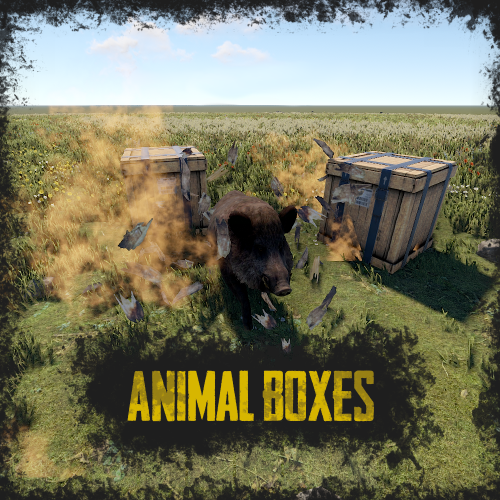
RUST Plugin Test Server TEST MY PLUGINS THERE! connect play.thepitereq.ovh:28050 Animal Crates plugin adds a unique twist to looting barrels and crates. You can place any animal in a crate or barrel to surprise players while they collect loot, or increase the number of animals on your server in a new way. You can add any type of animal to crates and barrels. To check if an animal is in a crate, hit it with a melee weapon. Chances for animal spawns and types are configurable, as well as the number of animals to spawn. You can also set any entity to spawn when breaking or looting the container. animalboxes.use - Gives permission to spawn animals in crates. { "Require Permission": false, "Animal Prefab List": { "bear": "assets/rust.ai/agents/bear/bear.prefab", "boar": "assets/rust.ai/agents/boar/boar.prefab", "chicken": "assets/rust.ai/agents/chicken/chicken.prefab", "heavy_scientist": "assets/rust.ai/agents/npcplayer/humannpc/scientist/scientistnpc_heavy.prefab", "scarecrow": "assets/prefabs/npc/scarecrow/scarecrow.prefab", "scientist": "assets/rust.ai/agents/npcplayer/humannpc/scientist/scientistnpc_roam.prefab", "stag": "assets/rust.ai/agents/stag/stag.prefab", "wolf": "assets/rust.ai/agents/wolf/wolf.prefab" }, "Crate Container List": [ "crate_normal_2", "crate_normal_2_food", "crate_normal_2_medical" ], "Barrel Container List": [ "loot_barrel_1", "loot_barrel_2", "loot-barrel-1", "loot-barrel-2", "oil_barrel" ], "Crate Animal Chance (0-100)": 5.0, "Barrel Animal Chance (0-100)": 15.0, "Crate Minimum Animal Amount": 1, "Crate Maximum Animal Amount": 1, "Barrel Minimum Animal Amount": 1, "Barrel Maximum Animal Amount": 2, "Crate Animal Chances": { "bear": 5.0, "boar": 40.0, "chicken": 10.0, "heavy_scientist": 5.0, "scarecrow": 10.0, "scientist": 10.0, "stag": 25.0, "wolf": 40.0 }, "Barrel Animal Chances": { "bear": 0.0, "boar": 0.0, "chicken": 9.0, "heavy_scientist": 0.0, "scarecrow": 1.0, "scientist": 0.0, "stag": 0.0, "wolf": 0.0 } }$5.00 -

Version 1.2.6
514 downloads
This plugin will give a player temporary visibility into various entities in the game. Currently, there are three types of entities: nodes, animals, and food. Stay updated and supported on our Rustonauts discord - https://discord.gg/JQwaqgca. Features - view all nodes on the map (sulfur is yellow, metal is red, stone is black). - view all animals on the map (bears - black; boars - red; wolves - yellow; stag - cyan) - view all food items in containers (eg. apple, chocolate) as well as growables (eg. corn) Permissions visibility.use -- Allows a player to use Visibility via chat command. visibility.nodes -- Allows a player to use Visibility via chat command for nodes. visibility.animals -- Allows a player to use Visibility via chat command for animals. visibility.food -- Allows a player to use Visibility via chat command for food. Commands (chat) /vi nodes /vi animals /vi food /vi clear Configuration { "Visibility time (seconds):": 8, "Visibility cooldown (seconds):": 60, "Allow Nodes Visibility:": true, "Allow Animals Visibility:": true, "Allow Food Visibility:": true, "Announce Player Connection": true } Localization { "InitNodes": "-- gathered nodes --", "InitAnimals": "-- spotted animals --", "InitFood": "-- visualized food --", "NoPerms": "You don't have permissions to use this command", "NoPermsNodes": "You don't have permissions to use this command for nodes", "NoPermsAnimals": "You don't have permissions to use this command for animals", "NoPermsFood": "You don't have permissions to use this command for food", "Cooldown": "Sorry, you are in a cooldown period and cannot use Visibility at this moment." }Free- 10 comments
- 1 review
-
- 2
-
-
- #visibility
- #nodes
- (and 6 more)