
Search the Community
Showing results for tags 'battle'.
Found 22 results
-
Version 1.0.0
8 downloads
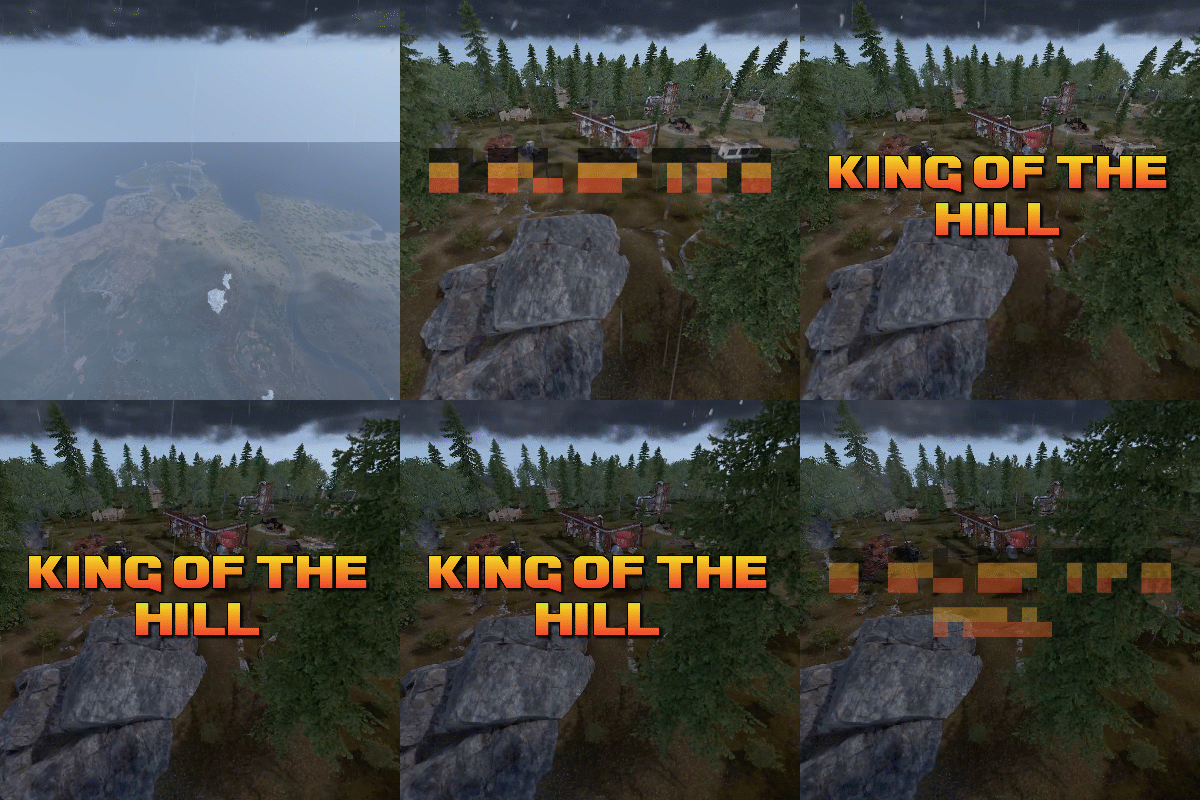
King of the hill is an arena plugin similar to SurvivalArena, Paintball, ZombieInfection and GunGame. It spawns an arena high in the sky to host the game, and players can join from anywhere on the map via a command. The plugin will store all of the players items, stats and buffs, and teleport them to the lobby before the game starts. The objective of the game is to be the first player to hold the hill for the target time, or be the player with the highest hill time by the end of the event. Upon completion of the event (or if a player manually leaves), players are returned to the location that they joined from with their equipment, stats and modifiers in tact. The plugin is highly customizable and allows you to: Create as many equipment profiles as you'd like. The game will select one at random using a weighted system. Adjust hill locations, movement times, sizes, capture targets and game time limits. Spectate players using a computer station. Automatically run, and allow your players to vote for the event using the EventHelper plugin. The plugin is also compatible with the maps from Paintball, ZombieInfection & GunGame. Simply drop the json files into the respective data folders to run king of the hill on those maps. Chat command: koth.addhill Permission: kingofthehill.admin Description: Adds a hill spawn position at the players location and saves it into the spawned arenas profile. Command: koth.start Permission: kingofthehill.admin Description: Manually starts a game of koth. Command: koth.end Permission: kingofthehill.admin Description: Manually ends an active game of koth. Command: koth.spawnarenaend Permission: kingofthehill.admin Description: Spawns the arena without starting the game. Useful for adding new hill positions. Command: koth.cleararenaspawnarenaend Permission: kingofthehill.admin Description: Clears a spawned arena. Chat command: koth.setcentrepoint Permission: kingofthehill.admin Description: Sets the spawn position of the arena based on the players location.$19.99 -

Version 5.0.0
135 downloads
In the heart of this EPIC RUST BATTLEFIELD MAP lies a breathtaking landscape crafted for High-FPS and fast paced PVP Gameplay. Amidst towering mountains and sprawling valleys, players navigate custom buildable underwater caves that offer strategic advantages for building and hiding bases. At its center, a colossal mountain dominates the skyline with the iconic Large Oil Rig and a meticulously designed Buildable Dome, all optimized for peak performance with minimal entity counts. This will be the central area where your players gather to practice PVP in the Large Oil Rig and fend off enemies practicing Raid Defense and Offense in the EPIC scale Buildable Dome! NEW EXPERIENCE! Battle Towers Buildable Zone stands as a fortress of opportunity and conflict. Towering HUGE structures invite players to build bases on top of, defend against raids, and engage in intense PvP battles atop their formidable heights, giving one of the most FUN experiences any player can have in Rust! Scattered across the terrain are 22 bespoke buildable monuments, each marked with an X on the map, bringing in your players with a fresh take on base building locations. This masterpiece of design not only promises thrilling PvP encounters but also showcases a commitment to immersive gameplay and efficient server performance, making it the best released Map for Battlefield Rust servers to date! FEATURES • Size: 2800 • Prefab Count: 6352 • Map Optimized for Performance! • Map Password: Included. • Vast array of 22 EPIC Custom Buildable Monuments! • Designated building zones (marked X on the minimap) • Several Majestic Underwater Buildable Cave Bunkers! • Legendary Battle Towers Build Zone: An expansive custom-built zone featuring multiple towers for epic building, raiding, and intense PVP combat! • Monuments crafted for peak performance with minimal entities! • EPIC Scale PVP Mountain center of map with Large Oil Rig and Buildable Dome! • Everything crafted with Battlefield PVP Servers in mind for peak performance and EPIC scale FUN! • Monumental and realistic landscape! • Underground railway. CUSTOM BUILDABLE MONUMENTS: • Amount: 22 Total! • Buildable Dome • Custom Underwater Bunkers • Custom Large Size Bus Stop Base • EPIC Scale Rock Formation Cave • Medium Sized Glass Roof Cave • + MANY MORE! Facepunch Monuments: Launch Site Dome Giant Excavator Military Base 2X Large Oilrig Small Oilrig Nuclear Missile Silo Ferry Terminal Satellite Dish Small Harbor 2X Lighthouse 2X Gas Station 2X HQM Quarry Sulfur Quarry Stone Quarry Supermarket RadTown Power Substations Small and Large Jungle Ziggurat Cave Large Sewers Hard Cave Large Hard Cave Medium Medium Cave Large Medium Ranch Stables Fishing Village Bandit Town Outpost To Enable the Travelling Vendor on Custom Maps its optional to use this Oxide Plugin: https://codefling.com/plugins/anymapvendor Help Discord: @DarkoRust$24.99- 4 reviews
-
- 1
-

-
- #battlefield
- #custom map
- (and 25 more)
-
Version 1.2.4
1,133 downloads
Event-tournament duels between players (1x1, 2x2, 3x3, etc) Event goal Players duel among themselves until the last survivor. In a situation with team muzzles, first they duel in teams, and then if there are not enough players for a team duel, then among themselves. What features: - Outsiders cannot enter the arena - Tournament participants in the role of spectators do not take damage and have a hardened metabolism - All things are saved and given to the participants after leaving the tournament, in the same form in which they were - After the event, the player returns to the same place from where he teleported to him - After a duel in the arena, all items dropped from duelists are cleaned - There is an API for compatibility between plugins - There is a blocking of prohibited chat and console commands in the tournament - Very thoughtful matchmaking generator for duels - Present UI - There is a full-fledged plugin setting with great functionality - There is an automatic start of tournaments after a certain time - Easy installation and configuration Installation: - Install CopyPaste [https://umod.org/plugins/copy-paste] - Install ArenaTournament - Ready Commands: /qq - register for the tournament [optional, as there is a button with UI] Admin commands: /o - launch a random tournament [admin or permission arenatournamentbeta.admin] at.start - start random tournament [admin] at.copy name of existing name of new - copy arena settings to create a new one [admin] Creating a new arena: Build an arena Put resources in the closet so that it would be enough for a wipe and hide it Place the spawn point of the first team using regular chairs [https://rustlabs.com/item/chair] Set a spawn point for the second team using gaming chairs [https://rustlabs.com/item/secret-lab-chair] Set a spectator respawn point using sirens [https://rustlabs.com/item/siren-light] Save arena /copy name Add the arena to the config using the command at.copy nameexisting namenew Open plugin config Change in the config in your new arena "Position [coordinates]" to random, but within the map (not outside the grid!) Set up the arena (Important! Do not specify "Tournament Modes" more than you have specified spawn locations for each of the teams) Restart plugin API: API: [PluginReference] Plugin ArenaTournament; private bool IsOnTournament(ulong userid) { return ArenaTournament != null && ArenaTournament.Call<bool>("IsOnTournament", userid); } private bool IsDueling(BasePlayer player) { return ArenaTournament != null && ArenaTournament.Call<bool>("IsOnTournament", player); } Arena pack: https://haxlite.ru/fermens_Arenas.zip Demonstration: from the buyer$35.99- 164 comments
- 2 reviews
-
- 6
-

-

-
- #arena
- #tournament
- (and 10 more)
-
.thumb.gif.85db1086c3a89ac3c74d631b5eb77942.gif)
Version 1.0.2
21 downloads
Smart Kill Log Features - Global Kill Log: Server-wide kill feed displayed to all connected players - Smooth Animations: Professional slide-in and slide-out effects with easing (FPS depends on the server) - Personal Notifications: Center-screen zoom notifications when you kill or down someone - Sound Effects: Audio feedback for kills and downs - Customizable Position: Display on left or right side of screen, adjustable vertical position - Opacity Fade: Older entries gradually fade out for cleaner visuals - NPC Support: Tracks kills involving NPCs (scientists, animals, etc.) - Multi-language Support: English, Japanese, Chinese (Traditional), Russian (auto-detected) - Custom Background Images: Fully customizable UI backgrounds via ImageLibrary Kill Log Display The kill log shows detailed information for each event: - Attacker name (gold color for players, white for NPCs) - Action type: killed (red), downed (blue), died (purple) - Victim name - Weapon used - Distance in meters Personal Notifications When you kill or down another player, a centered notification appears with: - Zoom-in animation effect - The victim's name highlighted - Action type (Killed/Downed) - Sound effect feedback Dependencies ImageLibrary (for custom background images) If ImageLibrary is not installed, the plugin works without background images. Configuration { "Kill Log Settings": { "Enabled": true, "Max Logs": 8, "Display Duration (seconds)": 10.0, "Position (Right or Left)": "Right", "Position Y (0.0-1.0, 0.5=center)": 0.83, "Font Size": 12, "Fade Opacity": true, "Show Weapon and Distance": true, "Show Player vs NPC Kills": true, "Show NPC vs Player Kills": true, "Show NPC vs NPC Kills": true }, "Kill Notification Settings": { "Enabled": true, "Display Duration (seconds)": 1.5, "Position Y (0.0-1.0, 0.5=center)": 0.4, "Font Size": 14 }, "Image Settings": { "Kill Log Background Image URL (Right)": "https://www.dropbox.com/scl/fi/phjuyg4zcm3f0w4maaupi/.png?rlkey=woo4to4ree1taaly5z6euahup&st=a47ypflv&dl=1", "Kill Log Background Image URL (Left)": "https://www.dropbox.com/scl/fi/27x7nr9y77eoaq40ybvgb/.png?rlkey=392e8qmzgdmadu9812y1f1psm&st=0j6yvfyv&dl=1", "Kill Notification Background Image URL (Center)": "https://www.dropbox.com/scl/fi/y0j8alca59m7eqnluwhr0/.png?rlkey=u8mk5qajmr6oqnb41dulorpz5&st=9ocyqggb&dl=1" }, "Color Settings": { "Player Name Color (hex)": "#ffd700", "NPC Name Color (hex)": "#ffffff", "Weapon/Distance Color (hex)": "#f5f5f5", "Killed Action Color (hex)": "#f08080", "Downed Action Color (hex)": "#87cefa", "Died Action Color (hex)": "#dda0dd", "Notification Player Name Color (hex)": "#ff8c00", "Notification NPC Name Color (hex)": "#ff8c00", "Notification Action Text Color (hex)": "#EAE2DA" } } Kill Log Settings: - Max Logs: Maximum number of entries displayed at once (default: - Display Duration: How long each entry stays visible (default: 10 seconds) - Position: Screen side for the kill log (Right or Left) - Position Y: Vertical position (0.0 = bottom, 1.0 = top, 0.5 = center) - Fade Opacity: Gradually fade older entries - Show Settings : Display settings for NPC and player kill events Kill Notification Settings: - Display Duration: How long the center notification shows (default: 1.5 seconds) - Position Y: Vertical position for the notification Image Settings: - Provide URLs to custom PNG images for backgrounds - Separate images for left/right positioning and center notification Contact VOID / NINJA WORKS X : @QB_WHITE MADE IN JAPAN$12.00 -
Version 1.0.5
118 downloads
About Battle Pass Reborn A modern battle pass system for Rust that adds progression, missions, and rewards to your server. Players complete a wide variety of tasks — from PvP and farming to building and crafting — and earn experience (XP) to unlock unique rewards at each level. The plugin is fully customizable and integrates seamlessly with your server’s economy and other popular plugins. The plugin also supports a Premium Battle Pass, giving players access to exclusive rewards and accelerated progression. This not only increases player engagement but can also generate additional revenue for server owners through premium access sales. Key Features Fully customizable progression system — levels, XP, and rewards for completing missions. Configurable mission types — PvP, events, farming, crafting, and many other activities. Premium Battle Pass — exclusive rewards and faster progression for premium users. Flexible integration — works with server economy and other popular plugins. Increased player engagement — encourages activity and retention between wipes. Modern and polished UI/UX — intuitive interface for viewing levels, missions, and rewards. Commands /bp — opens the Battle Pass interface for the player (can be changed in the plugin config). /giveexp {steamid} {quantity} - adds the specified amount of XP to a player. /removeexp {steamid} {quantity} - removes the specified amount of XP from a player. /resetprogressall - resets the progress of all players on the server. /resetprogress {steamid} - resets the progress of a specific player. Mission Types Missions are loaded from a preset file (e.g., DefaultMissions.json) and can be customized with event types, conditions (e.g., item shortnames), target counts, and difficulties. XP rewards scale by difficulty (configurable: Easy=10, Medium=25, Hard=50). extract: Gather/extract a resource (e.g., wood, stone). craft: Craft specific items. pickup: Pick up items (e.g., from ground or collectibles). loot: Loot a container (e.g., crates, barrels). kill: Kill entities (players, animals, scientists, helicopters, bradleys). build: Build structures. quest: Complete quests (from other plugins). growup: Grow and harvest plants. upgrade: Upgrade building blocks (e.g., wood to stone). fishcatch: Catch fish. heal: Use healing items (e.g., syringes). mlrsrocketfire: Fire MLRS rockets. itemuse: Use/consume items (e.g., food, medical). cardswipe: Swipe keycards. purchasing: Purchase items from NPCs/vending machines. hit_area (Head, Chest, Stomach, Arm, Hand, Leg, Foot): Hit specific body parts on players. kill_with_weapon: Kill using a specific weapon. recycling: Recycle items. gambling: Win in gambling (e.g., slots, wheels, cards; tracks deposits, wins, profits). enter_zone: Enter specific zones (via ZoneManager or similar). events: The plugin awards progress/XP in supported events. In mission presets you can specify conditions like "RaidableBase_Easy", "SpaceEvent", "ArmoredTrainEvent" etc. Event Points Integration Supported events: Air Event Arctic Base Event Armored Train Event Boss Monster Caravan Event Convoy Event Dungeon Event Ferry Terminal Event (FerryEvent) Flying Cargo Event Gas Station Event GunGame Event Harbor Event Junkyard Event Paintball Event Plant Event (PowerPlantEvent) Raidable Bases Event (with difficulty modes: Easy, Medium, Hard, Expert, Nightmare) Satellite Dish Event (SatDishEvent) Shipwreck Event Space Event Sputnik Event Supermarket Event (MarketEvent) Survival Arena Event Triangulation Event Tugboat Pirates Event (Tugboat) Water Event Abandoned Base Event Airfield Event Reward Types Item Commands Configuration Main settings — BattlePassReborn.json Mission settings — DefaultMissions.json Level and reward settings — LevelsList.json UI Settings — UI.json$30.00- 8 comments
- 3 reviews
-
- 3
-
-
- #battlepass
- #battle pass
- (and 27 more)
-
Version 1.37.3
971 downloads
Creates quests/missions for users to complete in order to get rewards (currency, items, etc.). Players can spend the currency they receive to open cases. This can become a major plugin for your server. Your players will not get bored! And a nice and user-friendly interface will surprise them even more Features: Beautiful user interface Logging purchases / replenishment of the balance (both to the console and to a file) Versatility (can work with various economy plugins) Performance (plugin is faster than existing competitors) Interesting idea The ability to customize absolutely any inscription Preview Commands addfirstcurrency {userid} {amount} (give the player the first currency) addsecondcurrency {userid} {amount} (give the player a second currency) battlepass.wipedata (clear player progress) pass (open interface) battlepass.migrate (migrate to PlayerDatabase) battlepass.convert.128 (convert from 1.28.0) Item Types Item Command Plugin Mission Types Gather Kill Craft Look Build Upgrade Fishing LootCrate Swipe RaidableBases RecycleItem HackCrate PurchaseFromNpc ArcticBaseEvent GasStationEvent SputnikEvent ShipwreckEvent HarborEvent JunkyardEvent SatDishEvent WaterEvent AirEvent PowerPlantEvent ArmoredTrainEvent ConvoyEvent SurvivalArena KillBoss FAQ How to use multiple NPCs in one mission Loot Hackable Crates (config example) Default Config$21.95 -
Version 1.0.35
2,840 downloads
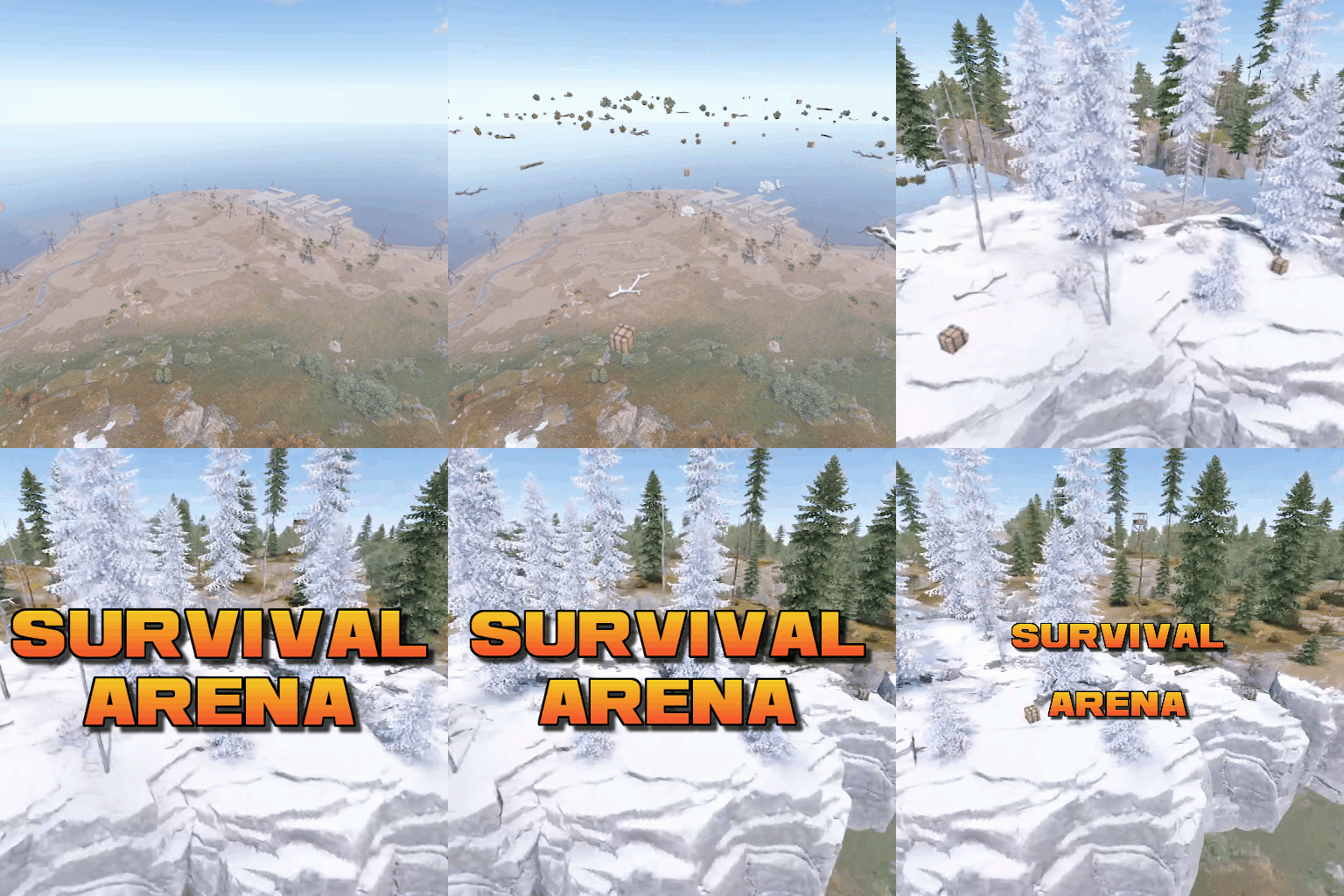
Survival Arena is a plugin that spawns a Battle-royal style game, where players must scavenge for equipment and fight to the death, all while staying inside of a shrinking, non-radiated zone. The plugin spawns a large play area high in the sky and inherits the biome type from the ground below. This means that if the area is suspended above an arctic biome, all of the rocks, trees, logs and bushes will be spawned mirroring that biome type. Players are teleported into the center building when they join, and once the game begins, they must loot containers to gear up to survive. Players are returned to their original locations when they leave the event or respawn after dying at the event. Server owners can change or add loot profiles via the config. The plugin will select a random profile when the arena begins and fill the loot containers based on your specifications. It comes with 2 default loot profiles: Primitive - spears, melee weapons, bows, crossbows, burlap equipment, revolvers etc GunLoot - more modern weapons. The plugin uses EventHelper to run automatically, handle joining and leaving, and will allow players to vote to start the game. Admins can also add additional trees, bushes, logs and loot spawns to the arena via command. Type: Chat Command: survivalarena Function: Sends the user the UI to start up the game. Loot profiles, spawn height and lobby time can be adjusted here before starting the game. Type: Chat/Console Command: startarena <heightMod> <lobbytime> <arenaName> <lootProfile> Function: Spawns and starts the game using the specified heightmod and lobbytime parameters. You can simply use the command with no parameters to start it using the default settings and a random arena/lootprofile. Type: Chat/Console Command: endarena Function: Ends any active games and despawns the arena. Type: Chat Command: spawnarena <name> Function: Spawns the arena, but does not start the game. Useful for debugging and development. Type: Chat Command: setcentrepoint Function: Sets the arena's new center point at the players location. Useful if you want to move the spawn so it has more biome variety. Be sure not to make it too high or too close to the ground. Type: Chat Command: survival Function: Used to join the game when the lobby is active. Type: Chat Command: saremove Function: Removes the tree, loot container, log or bush that the player is looking at. This will no longer spawn in future games. Type: Chat Command: addtree Function: adds a tree spawn at the players position. Type: Chat Command: addbush Function: adds a bush spawn at the players position. Type: Chat Command: addlog Function: adds a log spawn at the players position. Type: Chat Command: addloot Function: adds a loot spawn at the players position. Type: Chat Command: saleave Function: Leaves the event Type: Console/Chat Command: wipeoldarena Function: Wipes any entities that are at the same height or higher than the arena. survivalarena.admin survivalarena.autojoin If you wish to create your own arena, you may follow this tutorial here: https://youtu.be/BxmcjHjIJDU Please note that the map file name needs to contain survivalarena or it will not allow the getarena command to work. Also I will not be offering support for this, so use at your own risk. API Hook Calls void OnSurvivalArenaStart() - Called when the lobby starts. void OnSurvivalArenaEnd() - Called when the game is ending. void OnSurvivalArenaWin(BasePlayer player) - Called when a player wins the game. void OnEventLeave(BasePlayer player, string pluginName) - Called when a player leaves the event. object OnEventJoin(BasePlayer player, string pluginName) - Called when a player is attempting to join the event. Returning a string will prevent the player from joining and will print the string to them. void OnEventJoined(BasePlayer player, string pluginName) - Called when a player has successfully joined the arena. void OnPlayerItemsRestored(BasePlayer player) - called when a players items have been restored. Hook Methods bool IsEventPlayer(BasePlayer player) - returns true or null if the player is an EventPlayer.$19.99 -
Version 1.1.18
279 downloads
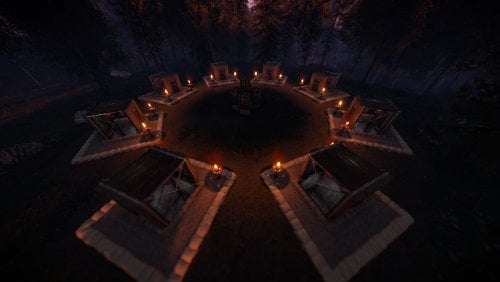
This plugin and prefab combo adds a unique game arena to your map with very minimal effort. The plugin automates the game play entirely, and can be scheduled to run at an interval along side other plugins that use EventHelper. The game revolves around finding loot from crates (primitive by default), and killing each other while a radiation zone closes in around you. The zone is represented by a dome that will shrink in size at a configurable rate, as the game progresses. This will force players back to the centre for a final showdown. The winner will be awarded a prize (configurable). This package includes everything required to run the game manually or automatically, and features: Customizable weapon/armor lists (primitive and guns come default). A lobby with 8x elevators to bring contestants into the game. A configurable plugin to handle gameplay completely (more info below). Custom UI for the radiation zone. Running the game: The game will run automatically every hour (by default). It will give players 5 minutes to join (by default), or can be manually started by typing in /starthg <seconds>. Players join by typing in /hg (by default), which will strip and save all of their equipment, note down their metabolism stats (hunger, thirst, health etc) and teleport them into the lobby. The players will then be added to the "roster" and will be told to get into an elevator. A player cannot join if they have a car key in their inventory, or an active crafting que. Upon the game commencing, players will be taken to the surface via an elevator and the game will begin when the doors open. The dome spawns after 60 seconds (by default), and will start shrinking. Leaving the bounds of the dome will bring up a hud indicating that the player is in a radiation zone, and will start giving the player radiation stacks for as long as they are outside. Dying removes the player from the game, returning their equipment on respawn, and teleporting them back to the location that they were at originally. A player can also manually leave the game by typing in /leave (by default). The game ends when there is 1 player left standing. The player will be returned to their original location, with their original health and metabolism stats, and will have the ability to claim a prize by typing /claimprize. Commands: /starthg <seconds> - starts the game manually and resets the automatic start timer. Seconds = how many seconds before the game actually begins. /endhg - ends the current round of hungergames. /hg - joins the hungergames event. This command is configurable. /leave - leaves the hugnergames event. This command is configurable. /addfinalpoint - adds a potential end zone. /hgplayers - Lists all players who are still alive in the current event. Optional plugin - Night Vision You can the Nightvision plugin on Umod to allow for players to enjoy the event, even during pitch black nights. The plugin will enable/authorise a user to use nightvision when they join the event, and will then remove that privilege when they leave. Link: https://umod.org/plugins/night-vision Installation Follow the youtube guide for installation. The plugin will automatically acquire the button IDs when loaded for the first time. Be sure to delete the data file when you wipe the server so that it can acquire the new .net.IDs. Permissions "hungergames.admin" - Required to start/stop hungergames manually. "hungergames.list" - Required to use the /hgplayers command. See youtube video above for more information on adding this prefab to your map/server.$19.90 -
Version 1.0.0
24 downloads
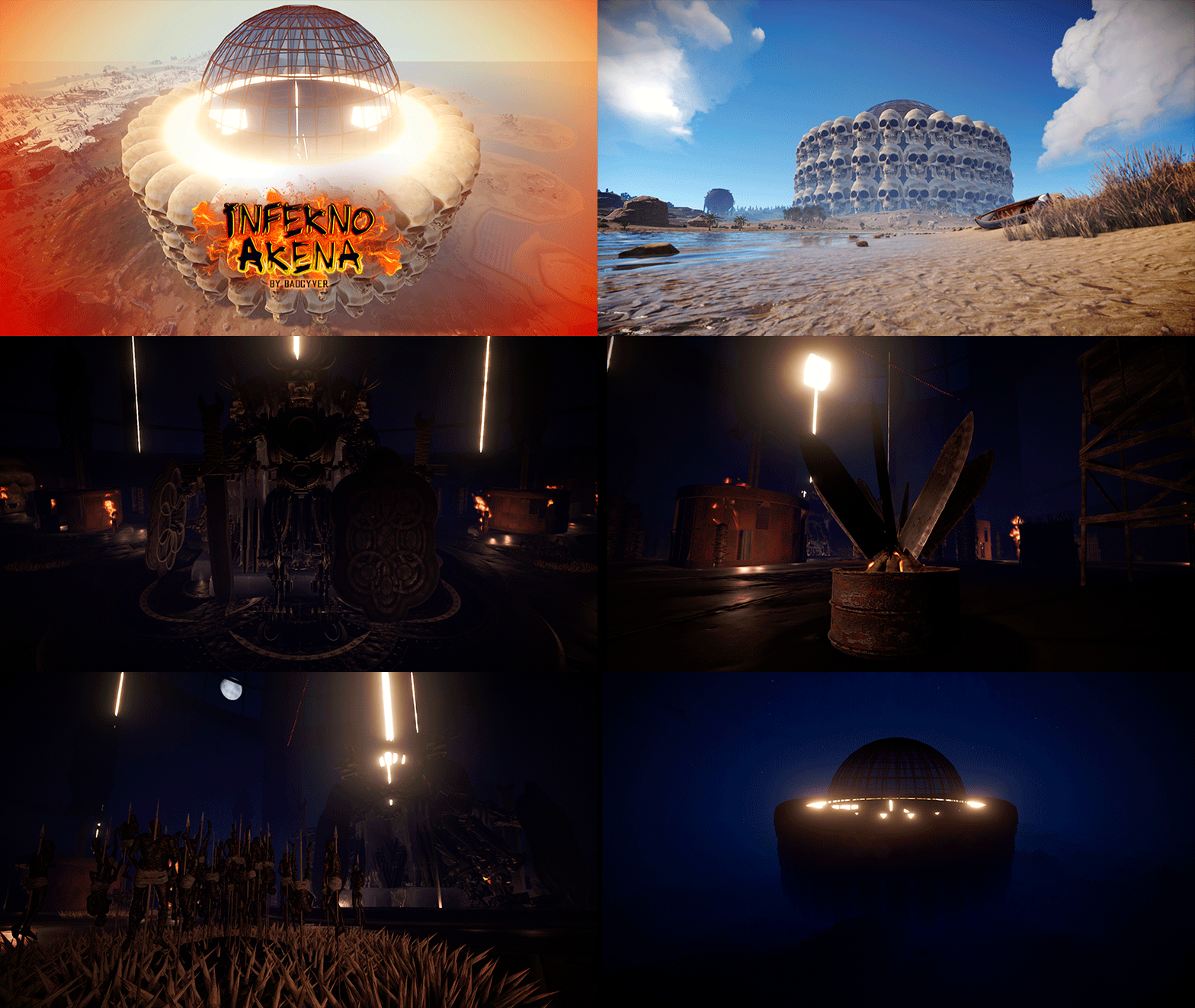
- Inferno Arena Inferno Arena is a battlefield with traps, death and fire. Enter the real hell in this scenario full of traps and fire, survive your opponent, watch your back. There can only be one left. - Includes: Gods of War (Giant statues). Traps, Watchtowers, Barricades, Poisonous liquid and fire.$10.91 -
.thumb.png.03f3ddbfbc2d1ffb6b2292e8976c1b99.png)
Version 1.0.9
279 downloads
The King of the Hill event is an exhilarating competition that dares participants to rack up the highest number of kills within a set time limit on a confined island where there's no escape. Join the KOTH event when it kicks off, whether you're going solo or teaming up with your squad or clan. With the ability to rejoin multiple times, aim to secure the most kills and claim the coveted KOTH rewards. Features Easy setup Repeatable event with easy configuration Choose the winner from Top Player or Top Clan Kills Shows TOP players or TOP clans Shows Personal or Clan statistics Set up rewards for the KOTH winner Discord event webhook messages Commands KOTH Player COMMANDS: /koth - Join KOTH event when it starts. /koth_stats - Show koths top players & Clans. KOTH Event COMMANDS: /kotheventstart - Randomly start a event from the list. /kotheventstart <ArenaName> - Start KOTH event in the selected arena. /kotheventstop - Stop if any event is running. SETUP COMMANDS: /koth setup - Show all available setup commands /koth create <ArenaName> - Creates a KOTH arena /koth edit <ArenaName> - Select the KOTH arena to change Radius or Location /koth radius <Number> - Change KOTH arena radius /koth location - Change KOTH arena location /koth setspawn - Set spawn point location for players KOTH Data COMMANDS: /koth_reset_players - Reset all player data. /koth_reset_clans - Reset all clans data. Configurations Event Screenshots Support$14.99 -
Version 1.1.14
330 downloads
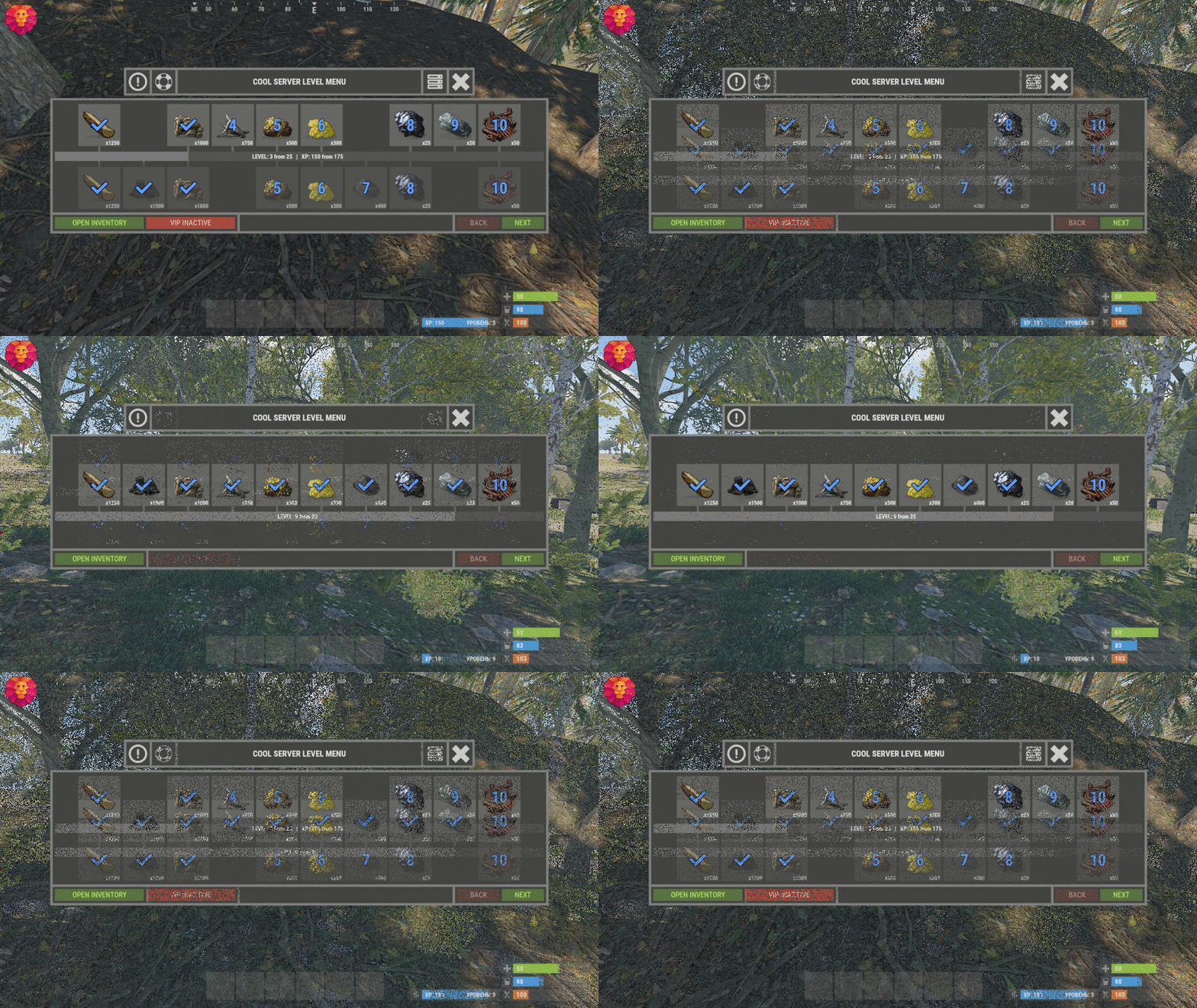
XLevels (BattlePass) - levels and awards for your server. - Optimization of the interface for different monitor resolutions. - Storing player data in - oxide/data/XDataSystem/XLevels - There is a lang ru/en/uk/es. - Sound effects when interacting with the menu. - Setting the number of levels and XP to increase the level. - Setting up the level reward. [ Item, Custom Item, Command ] [ You can customize the rewards for a specific level. For example 5, 10, 20, 30. The rest will be without rewards ] - Configuring the issuance of XP by permissions for online. - Setting the XP multiplier by permissions. - Setting up coupons. [ Exchange for XP ] - Configuring boxes and the chance to spawn coupons. - Configuring the issuance of XP. [ Loot, kill, break barrels, open boxes, pick from the ground, harvest ] - Possibility to enable/disable the system of coupons. - Possibility to enable/disable VIP levels. - Chat prefix with player level. - Mini-panel with pumping progress. - Inventory with received awards. - Two options to get into the level menu. [ Command | NPC shops/keepers ] - Setting the increase in the amount of required XP with each pumped level. - The ability to accumulate XP if the maximum level is reached. [ Useful for top players ] - The ability to exchange coupons for XP if the maximum level is reached. [ Useful for top players ] - Top players. [ Level | XP ] - The ability to level up and receive rewards again after the maximum level has been reached. [Level and XP reset to zero. ] - Rank system. [ Setting in config. Display in the chat (prefix) and in the menu. ] - Possibility to hide the reward. [ The reward will not be displayed until the player reaches the required level. ] -> Overview - YouTube <- Shortnames for config settings. WORK WITH BetterLoot For the correct spawning of coupons in the crate, in the BetterLoot plugin, remove/comment out the following line of code. 630 - container.inventory.capacity = container.inventory.itemList.Count; Permissions xlevels.vip - access to VIP rewards. xlevels.top - access to the top players. Commands Open the level menu - /level, /lvl, /pass Give XP - level_give_xp <SteamID> <Amount XP> API int API_GetLevel(BasePlayer player) - returns the player's level. int API_GetLevel(ulong userID) - returns the player's level. void API_GiveXP(BasePlayer player, float XPAmount) - give the player XP. string API_GetPlayerPrefix(BasePlayer player) - get a ready-made player prefix with all the settings. string API_GetPlayerPrefix(ulong userID) - get a ready-made player prefix with all the settings. Config { "General settings": { "XP for the pickup of resources": true, "XP for harvest": true, "XP for bonus resources": true, "XP for kill": true, "XP for opening crates": true, "Include messages of received rewards in chat": true, "Include level up messages in chat": true, "Enable coupons": true, "Enable VIP rewards": true, "Get VIP reward - [ True - only with permission | False - without permission ]": true, "Take VIP Reward - [ True - take only with permission | False - take at any time without permission ]": true, "Add XP if the maximum level is already reached - [ Suitable for top players ]": false, "Exchange coupons if you have already reached the maximum level - [ Suitable for top players ]": false, "Reset the level and XP of the player after reaching the maximum level - [ Players will re-open levels and receive rewards ]": false, "There is a plugin for custom loot": false, "Profile SteamID for custom avatar": 0, "List of commands to open the menu": [ "level", "lvl", "pass" ], "Enable prefix in chat - [ Set to False if the prefix should be disabled or the prefix is used by a third party chat plugin ]": true, "Display the level in prefix": true, "Display the rank in prefix": true, "List of available ranks - [ Level - Rank ] ( If the list is empty, then the rank will not be displayed in the menu )": { "0": "CAP-Х", "1": "IRON-1", "2": "IRON-2", "3": "IRON-3", "4": "BRONZE-1", "5": "BRONZE-2", "6": "BRONZE-3", "7": "SILVER-1", "8": "SILVER-2", "9": "SILVER-3", "10": "GOLD-1", "11": "GOLD-2", "12": "GOLD-3", "13": "PLATINUM-1", "14": "PLATINUM-2", "15": "PLATINUM-3", "16": "DIAMOND-1", "17": "DIAMOND-2", "18": "DIAMOND-3", "19": "IMMORTAL-1", "20": "IMMORTAL-2", "21": "IMMORTAL-3", "22": "RADIANT-1", "23": "RADIANT-2", "24": "RADIANT-3", "25": "GOD" } }, "Vendings settings": { "Open the level menu. [ True - Immediately after the opening of the NPC shop | False - UI button ]": false, "Access to the level menu is only through the NPC shops. [ True - NPC shop | False - Command ]": false, "List of NPC shops in which you can open the level menu (shop name)": [ "Black Market" ] }, "XP multiplier": { "Enable XP multiplier when exchanging coupons - [ This parameter affects only the multipliers for the exchange of coupons ]": false, "Setting up permissions for XP multipliers for the exchange of coupons and other actions. [ Permission | XP multiplier ]": { "xlevels.125p": 2.25, "xlevels.75p": 1.75, "xlevels.10p": 1.1 } }, "Issuing XP for online": { "Enable issuing XP to online players": false, "XP issue interval (in sec.)": 15.0, "Setting up permissions. [ Permission | XP ]": { "xlevels.default": 5.0 } }, "Mini-bar location / Main menu settings": { "AnchorMin": "1 0", "AnchorMax": "1 0", "OffsetMin": "-403 16", "OffsetMax": "-210 42", "Show mini-bar": true, "Color background_1": "0.517 0.521 0.509 0.95", "Color background_2": "0.217 0.221 0.209 0.95", "Display reward container - [ True - Only when there is a reward in the level | False - Always ]": false, "Display required reward level": true, "Display required VIP reward level": true }, "Settings levels": { "Maximum level": 25, "Number of XP to upgrade one level": 100.0, "How much to increase the number of XP with each level": 25.0 }, "XP settings | Shortname : ValueXP": { "XP for the pickup of resources": { "stones": 10.0, "sulfur.ore": 15.0, "metal.ore": 12.5 }, "XP for harvest": { "potato.entity": 2.5, "corn.entity": 1.75, "hemp.emtity": 0.25 }, "XP for bonus resources": { "stones": 5.0, "sulfur.ore": 10.0, "metal.ore": 7.5 }, "XP for kill / destroy barrel": { "boar": 10.0, "loot-barrel-1": 7.5, "heavyscientist": 2.5 }, "XP for opening crates": { "crate_normal": 5.0, "crate_normal_2": 1.0, "crate_tools": 3.5 } }, "Coupons for XP": [ { "Coupon name": "Coupon 5XP", "Coupon text": "Coupon for 5XP\n\nExchange them and get XP to level up!\n\nCommand for exchange - /level", "Coupon skin": skinID, "XP amount": 5, "Setting the chance of falling out of crates/barrels": [ { "Name crate/barrel": "crate_normal_2", "Drop chance": 50.0, "Minimum amount of coupons": 1, "Maximum number of coupons": 3 } ] }, { "Coupon name": "Coupon 10XP", "Coupon text": "Coupon for 10XP\n\nExchange them and get XP to level up!\n\nCommand for exchange - /level", "Coupon skin": skinID, "XP amount": 10, "Setting the chance of falling out of crates/barrels": [ { "Name crate/barrel": "crate_normal_2", "Drop chance": 50.0, "Minimum amount of coupons": 1, "Maximum number of coupons": 3 } ] }, { "Coupon name": "Coupon 25XP", "Coupon text": "Coupon for 25XP\n\nExchange them and get XP to level up!\n\nCommand for exchange - /level", "Coupon skin": skinID, "XP amount": 25, "Setting the chance of falling out of crates/barrels": [ { "Name crate/barrel": "crate_normal_2", "Drop chance": 50.0, "Minimum amount of coupons": 1, "Maximum number of coupons": 2 } ] }, { "Coupon name": "Coupon 50XP", "Coupon text": "Coupon for 50XP\n\nExchange them and get XP to level up!\n\nCommand for exchange - /level", "Coupon skin": skinID, "XP amount": 50, "Setting the chance of falling out of crates/barrels": [ { "Name crate/barrel": "crate_normal_2", "Drop chance": 50.0, "Minimum amount of coupons": 1, "Maximum number of coupons": 2 } ] }, { "Coupon name": "Coupon 100XP", "Coupon text": "Coupon for 100XP\n\nExchange them and get XP to level up!\n\nCommand for exchange - /level", "Coupon skin": skinID, "XP amount": 100, "Setting the chance of falling out of crates/barrels": [ { "Name crate/barrel": "crate_normal_2", "Drop chance": 50.0, "Minimum amount of coupons": 1, "Maximum number of coupons": 1 } ] }, { "Coupon name": "Coupon 200XP", "Coupon text": "Coupon for 200XP\n\nExchange them and get XP to level up!\n\nCommand for exchange - /level", "Coupon skin": skinID, "XP amount": 200, "Setting the chance of falling out of crates/barrels": [ { "Name crate/barrel": "crate_normal_2", "Drop chance": 50.0, "Minimum amount of coupons": 1, "Maximum number of coupons": 1 } ] }, { "Coupon name": "Coupon 500XP", "Coupon text": "Coupon for 500XP\n\nExchange them and get XP to level up!\n\nCommand for exchange - /level", "Coupon skin": skinID, "XP amount": 500, "Setting the chance of falling out of crates/barrels": [ { "Name crate/barrel": "crate_normal_2", "Drop chance": 50.0, "Minimum amount of coupons": 1, "Maximum number of coupons": 1 } ] } ], "Level reward": { "1": { "Item shortname / custom reward name [ Must not be empty ]": "wood", "Reward display name": "Wood", "Item quantity": 1250, "Item skin": 0, "Command": "", "Link to custom image": "", "Hide reward - [ Reward will not be displayed until the player reaches this level ]": false }, "2": { "Item shortname / custom reward name [ Must not be empty ]": "charcoal", "Reward display name": "Charcoal", "Item quantity": 1500, "Item skin": 0, "Command": "", "Link to custom image": "", "Hide reward - [ Reward will not be displayed until the player reaches this level ]": false }, "3": { "Item shortname / custom reward name [ Must not be empty ]": "metal.ore", "Reward display name": "Metal ore", "Item quantity": 1000, "Item skin": 0, "Command": "", "Link to custom image": "", "Hide reward - [ Reward will not be displayed until the player reaches this level ]": false }, "4": { "Item shortname / custom reward name [ Must not be empty ]": "metal.fragments", "Reward display name": "Metal fragments", "Item quantity": 750, "Item skin": 0, "Command": "", "Link to custom image": "", "Hide reward - [ Reward will not be displayed until the player reaches this level ]": false }, "5": { "Item shortname / custom reward name [ Must not be empty ]": "sulfur.ore", "Reward display name": "Sulfur ore", "Item quantity": 500, "Item skin": 0, "Command": "", "Link to custom image": "", "Hide reward - [ Reward will not be displayed until the player reaches this level ]": false }, "6": { "Item shortname / custom reward name [ Must not be empty ]": "sulfur", "Reward display name": "Sulfur", "Item quantity": 300, "Item skin": 0, "Command": "", "Link to custom image": "", "Hide reward - [ Reward will not be displayed until the player reaches this level ]": false }, "7": { "Item shortname / custom reward name [ Must not be empty ]": "gunpowder", "Reward display name": "Gunpowder", "Item quantity": 400, "Item skin": 0, "Command": "", "Link to custom image": "", "Hide reward - [ Reward will not be displayed until the player reaches this level ]": false }, "8": { "Item shortname / custom reward name [ Must not be empty ]": "hq.metal.ore", "Reward display name": "HQM ore", "Item quantity": 25, "Item skin": 0, "Command": "", "Link to custom image": "", "Hide reward - [ Reward will not be displayed until the player reaches this level ]": false }, "9": { "Item shortname / custom reward name [ Must not be empty ]": "metal.refined", "Reward display name": "HQM", "Item quantity": 20, "Item skin": 0, "Command": "", "Link to custom image": "", "Hide reward - [ Reward will not be displayed until the player reaches this level ]": false }, "10": { "Item shortname / custom reward name [ Must not be empty ]": "scrap", "Reward display name": "Scrap", "Item quantity": 50, "Item skin": 0, "Command": "", "Link to custom image": "", "Hide reward - [ Reward will not be displayed until the player reaches this level ]": false } }, "VIP level reward": { "1": { "Item shortname / custom reward name [ Must not be empty ]": "wood", "Reward display name": "Wood", "Item quantity": 1250, "Item skin": 0, "Command": "", "Link to custom image": "", "Hide reward - [ Reward will not be displayed until the player reaches this level ]": false }, "2": { "Item shortname / custom reward name [ Must not be empty ]": "charcoal", "Reward display name": "Charcoal", "Item quantity": 1500, "Item skin": 0, "Command": "", "Link to custom image": "", "Hide reward - [ Reward will not be displayed until the player reaches this level ]": false }, "3": { "Item shortname / custom reward name [ Must not be empty ]": "metal.ore", "Reward display name": "Metal ore", "Item quantity": 1000, "Item skin": 0, "Command": "", "Link to custom image": "", "Hide reward - [ Reward will not be displayed until the player reaches this level ]": false }, "4": { "Item shortname / custom reward name [ Must not be empty ]": "metal.fragments", "Reward display name": "Metal fragments", "Item quantity": 750, "Item skin": 0, "Command": "", "Link to custom image": "", "Hide reward - [ Reward will not be displayed until the player reaches this level ]": false }, "5": { "Item shortname / custom reward name [ Must not be empty ]": "sulfur.ore", "Reward display name": "Sulfur ore", "Item quantity": 500, "Item skin": 0, "Command": "", "Link to custom image": "", "Hide reward - [ Reward will not be displayed until the player reaches this level ]": false }, "6": { "Item shortname / custom reward name [ Must not be empty ]": "sulfur", "Reward display name": "Sulfur", "Item quantity": 300, "Item skin": 0, "Command": "", "Link to custom image": "", "Hide reward - [ Reward will not be displayed until the player reaches this level ]": false }, "7": { "Item shortname / custom reward name [ Must not be empty ]": "gunpowder", "Reward display name": "Gunpowder", "Item quantity": 400, "Item skin": 0, "Command": "", "Link to custom image": "", "Hide reward - [ Reward will not be displayed until the player reaches this level ]": false }, "8": { "Item shortname / custom reward name [ Must not be empty ]": "hq.metal.ore", "Reward display name": "HQM ore", "Item quantity": 25, "Item skin": 0, "Command": "", "Link to custom image": "", "Hide reward - [ Reward will not be displayed until the player reaches this level ]": false }, "9": { "Item shortname / custom reward name [ Must not be empty ]": "metal.refined", "Reward display name": "HQM", "Item quantity": 20, "Item skin": 0, "Command": "", "Link to custom image": "", "Hide reward - [ Reward will not be displayed until the player reaches this level ]": false }, "10": { "Item shortname / custom reward name [ Must not be empty ]": "scrap", "Reward display name": "Scrap", "Item quantity": 50, "Item skin": 0, "Command": "", "Link to custom image": "", "Hide reward - [ Reward will not be displayed until the player reaches this level ]": false } } }$24.49 -

Version 1.0.0
3 downloads
The Mortal Kombat logo is a carefully created prefabricated and faithful to the original logo of the legendary Mortal Kombat saga. If you are a fan of this game, you can now decorate your server with the epic dragon, Mortal Kombat logo. Decorate a combat area and have your players compete in a deadly fight.$6.94-
- 1
-
-
- #mortal kombat
- #mortalkombat
- (and 25 more)
-
Version 1.0.0
19 downloads
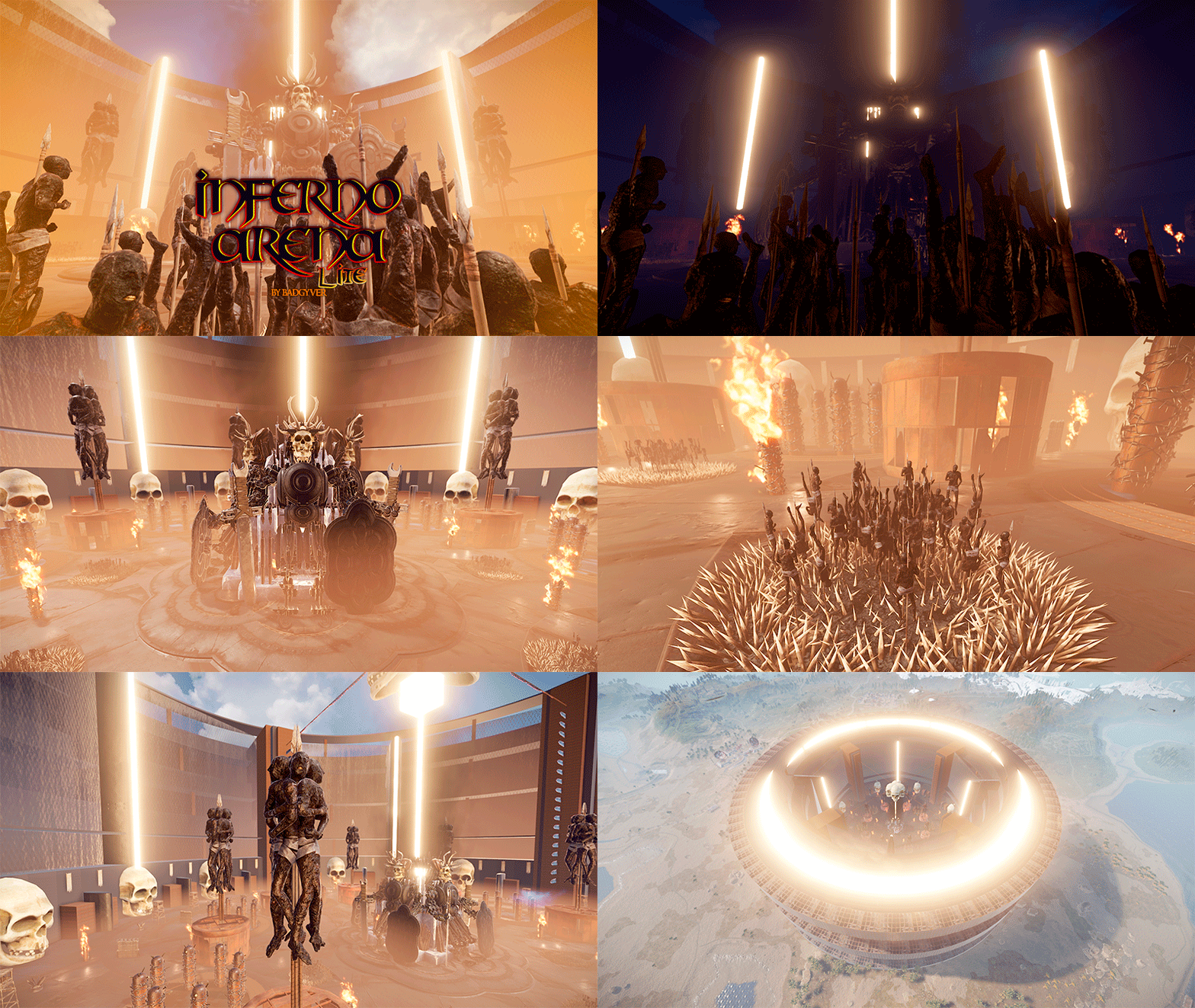
- Inferno Arena Lite Inferno Arena Lite is an optimized version of Inferno Arena. Inferno Arena is a battlefield with traps, death and fire. Enter the real hell in this scenario full of traps and fire, survive your opponent, watch your back. There can only be one left. - Includes: Gods of War (Giant statues). Traps, Watchtowers, Barricades, Poisonous liquid and fire.$8.70 -

Version 1.0.1
14 downloads
- Mars Attacks Arena Mars Attacks Arena is a booby-trapped battlefield where players must fight to the death. Beautifully decorated in a sci-fi style, Mars Attacks Arena will leave your players with their mouths agape. - Includes: Two zones: Floor 1 and 2, with Traps, Barricades, Parkour, Radiation Zone, NPCS and Loots.$12.90-
- 2
-
-
- #mars attacks arena
- #mars
- (and 67 more)
-
Version 1.0.0
6 downloads
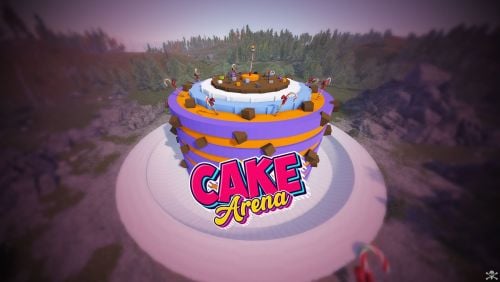
Cake Arena is a battlefield where your players will fight to get the biggest piece of Cake. The floor is full of mines, be careful. Climb through the walls. Climb the platforms to get the rewards. Launch yourself with the zip lines to dodge other players. Includes a mini-puzzle to access the inside of the Cake. This Cake is designed to be used as an Arena, but also as a monument for your Rust map.$9.90 -
Version 1.0.2
13 downloads
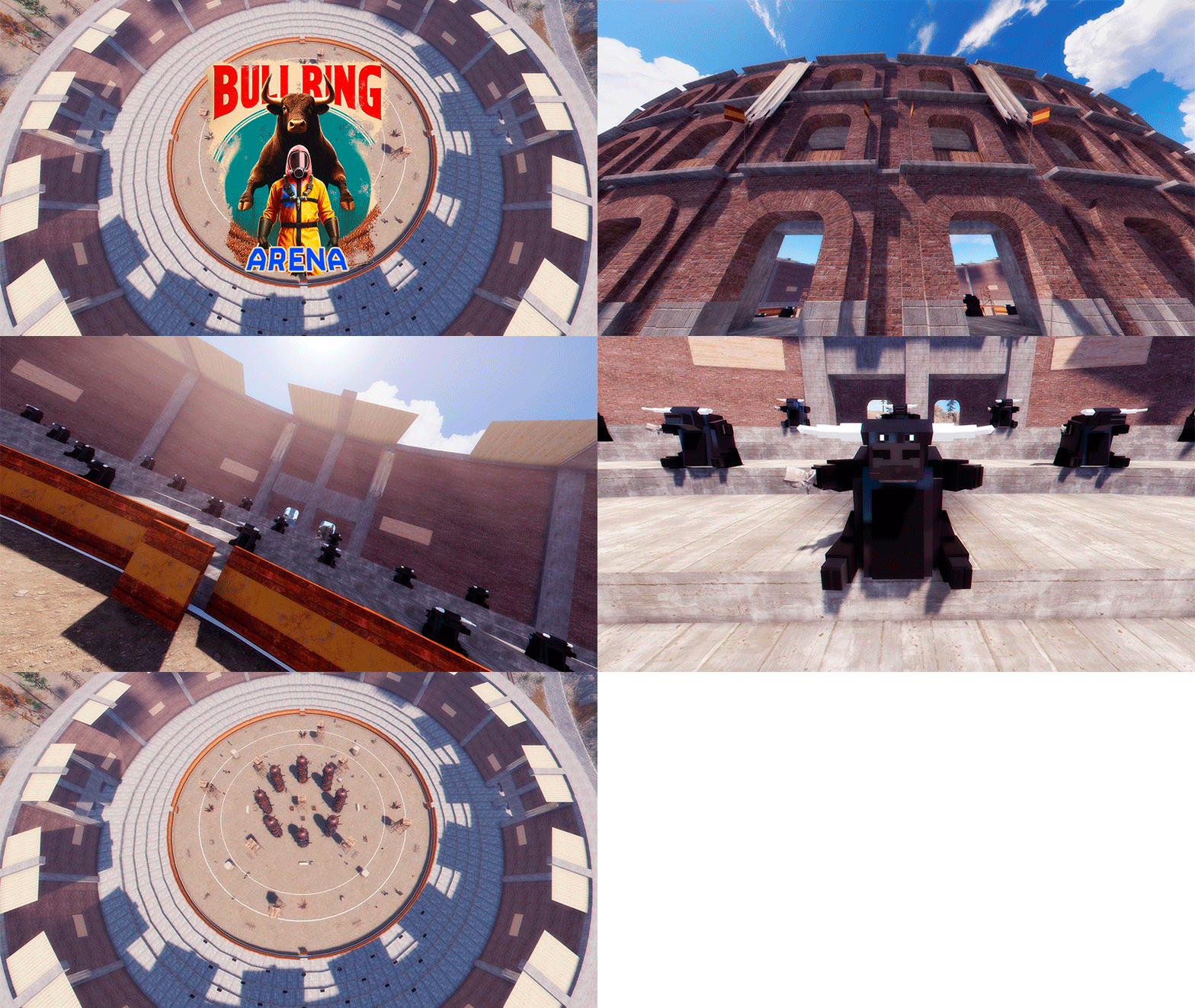
BullRing Arena is a battlefield where your players can fight battles. With a Spanish style, this Arena represents a Bullring. I almost forgot, this time your players will be the victims, the Bull will be the spectator. Don't be horrified, it's just "Art and Culture”. - INCLUDES: Loots Locked Crates Elite Crates Tramps NPC Respawn Horse Respawns Image Posters - TIPS: Enjoy$12.90 -
Version 1.0.2
44 downloads
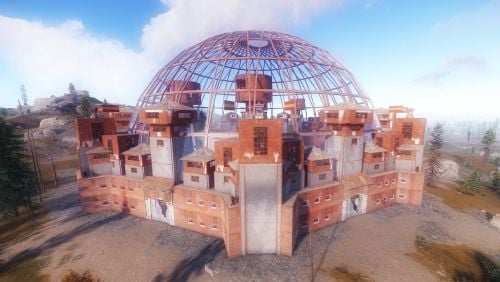
Create epic player vs. player battles with this original arena. Arena Dome is fully compatible with Zone Manager and Event Manager. Arena Dome contains NPCs, loot, walls for players to cover their backs, and several towers for players to shoot from above.$7.66 -
Version 1.0.1
21 downloads
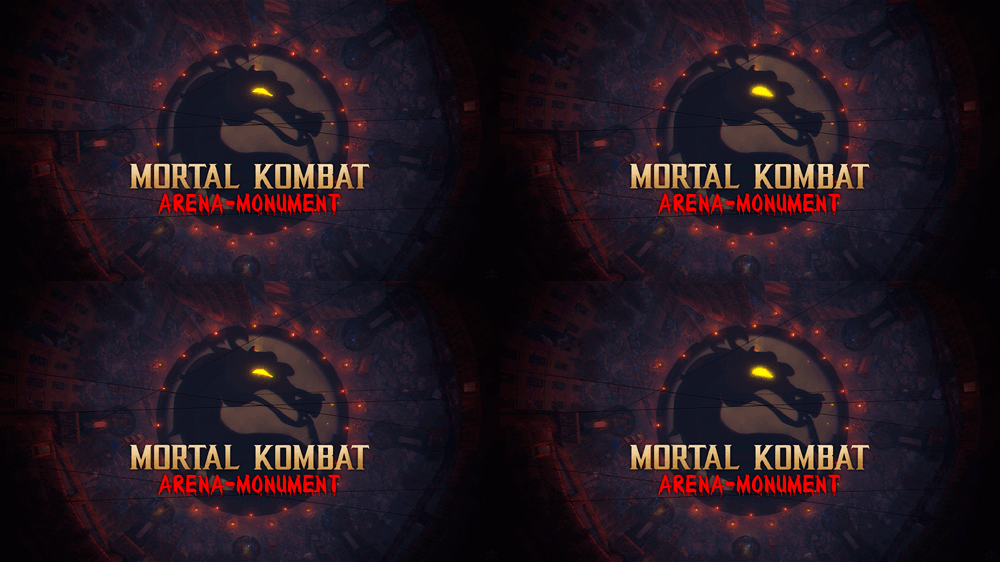
Legendary battlefield, Arena-Monument inspired by the Legendary game Mortal Kombat. Dive into the abyss of doom, a combat Arena forged in the shadows of nightmares inspired by the legendary Mortal Kombat. Wage a brutal battle where your soul is the price. Face hordes of ruthless zombies and relentless warriors. Fire consumes, you traps lurks and towers rise like twisted giants won tower lies ruined under a blanket of rubble. A reminder of the relentless doom reclaim your destiny, spill blood in the arena to achieve glory, prepare to plunge into the darkness in this battlefield, a descent into the depths of terror where only the darkest warriors will find immortality. - INCLUDES • Parkour • Traps • Ziplines • NPCs • Zombies • Towers • Loots • Hackable crates • Flags • Catapults • Siege Towers • Battering Ram • Ballistas • Mortal Kombat logotype - TIPS • You can also use this Arena as a monument for your server. • Use this image for the flags:$14.90- 5 comments
- 1 review
-
- 6
-
-
-
- #mortalkombat
- #mortal kombat
- (and 70 more)
-
![More information about "Skorm Arena [EVENT]"](https://codefling.com/uploads/monthly_2021_09/1585673294_1(9).thumb.jpg.55e6ccf804c9c03137a56424148edf90.jpg)
Version 1.0.2
28 downloads
This monument was created for holding events in it. The arena is made in such a way that players can be divided into 2 teams, red and blue. The administrator can manage the arena without leaving the place from which he watches the battle. Observers of the battle can sit on the stands, where I have installed invisible chairs. There are 2 entrances to the arena, entrance 1 and entrance 2, in order to get there, you need to open the kinetic doors from the inside, this could be your assistant. What can you manage? I have divided the control view into 2 parts, "light" and "doors". Which doors can be opened? - Doors in which gladiators sit - Doors to the store. - Doors for buying horses. - Doors for access to the arena doors(climb up). - Exit doors to the arena What kind of electricity can be used? - Light in the gladiator chambers - Light between the cameras and the store - Light at the horse spawn place -Light between the exit to the arena doors - Light at the Arena door - Light in the place where the administrator is sitting - Circular illumination on the battlefield inside the arena - Circular lighting around the arena - Turning on and off the cameras inside the arena All electricity is divided into 2 teams, you can separately open the doors of the blue or red ones. For greater historicity and convenience, I added an option called "pollice verso", which allows the administrator to give an order to spare or kill the loser, well, or just show everyone what decision he made. I thought that 2 teams would not be enough, and added 2 more exits "Bot1" and "Bot2", there you can spawn bots and open the doors for them to enter the arena. In the arena itself, I placed 2 traps, a barbed post and an electric pressure plate. What can players buy in the store and what are they like? - Food Store - Medical supplies Store - Weapons Store - Armor Shop - Clothing store The weapon is only melee, the armor is only wooden.But you can change the settings at your discretion. Clothing, weapons, can be sold at a price 2 times less. To do this, I divided the stores into "Buy" and "Sell"sections. The currency in the store is bones, gladiators can get bones from those killed in the arena. How do the cameras work? To turn off the cameras, the administrator should simply move the switch to the "off" position. Total of 20 cameras 4 cameras are located on the site of the gladiator battle. 5 cameras in the rooms of the red team. 5 cameras in the rooms of the blue team. 3 cameras at the exits of the red team. 3 cameras at the exits of the blue team. Camera names arena1 arena2 arena3 arena4 Blue Team Cameras bglad1 bglad2 bglad3 bglad4 bglad5 bglads bglads2 bglads2 Red Team Cameras rglad1 rglad2 rglad3 rglad4 rglad5 rglads rglads2 rglads2 There are 14500 objects in total.$9.00- 19 comments
-
- 5
-
-
-
- #arena
- #colosseum
- (and 15 more)
-
Version 1.1.1
30 downloads
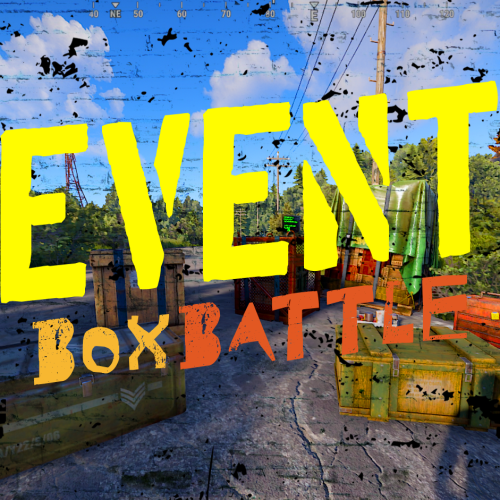
BoxBattle is an exciting and dynamic Event that brings a new level of interaction and competition to your server. This plugin transforms the simple act of looting into a thrilling competition, where players earn points by looting crates/boxes scattered across the map. Commands Console and /Chat = StartBoxBattle, permission: boxbattle.start Default config { "Only Command Start Event": false, "Minimum Players To Start Event": 1, "Show Leaderboard": true, "Leaderboard Location (top right, top center, top left | left center, right center | bottom left)": "top right", "How long will Event last (seconds)": 180.0, "How often will the event be launched(Seconds)": 1200.0, "Show Event GameTip Notifications": true, "Shown GameTip Duration (seconds)": 7.0, "Show Event Chat Notifications": true, "Notification of Event Start(Chat and GameTip)": "<color=#f7b731>Box</color><color=#e25822>Battle</color> event has started! Open <color=#f7b731>Crates</color> to gain points!", "Notification When nobody participates in the event": "No one participated in <color=#f7b731>Box</color><color=#e25822>Battle</color>", "Notification Sound of Event Start": true, "Winner Multiple Announcements Delay(seconds)": 3.0, "Box Types and Points Amount": { "crate_elite": 1, "crate_basic": 1, "crate_tools": 1, "bradley_crate": 1, "heli_crate": 1, "codelockedhackablecrate": 1, "codelockedhackablecrate_oilrig": 1, "crate_normal": 1, "crate_normal_2": 1, "crate_normal_2_food": 1, "crate_normal_2_medical": 1, "crate_food_1": 1, "crate_food 2": 1, "crate_fuel": 1, "crate_medical": 1, "supply_drop": 1, "vehicle_parts": 1, "crate_mine": 1 }, "Winner Rewards, make sure to change each value to your liking(1-6)": { "1": { "Reward Enabled": true, "Reward Type (1 = Item, 2 = Command, 3 = Economics(Plugin REQ), 4 = ServerRewards(Plugin REQ)": 1, "Reward Item": "scrap", "Reward Item Amount": 420, "Reward Item Custom Name": "", "Reward Item Skin ID": 0, "Reward Command": "oxide.usergroup add {player.id} vip", "Reward Command Display Name (Chat and GameTip)": "VIP", "Reward Economics Display Name (Chat and GameTip)": "Balance", "Reward ServerRewards Display Name (Chat and GameTip)": "RP", "Reward Economics Plugin Amount": 420.0, "Reward ServerRewards Plugin Amount": 420, "Notification of Who Won (supports {player_name}, {reward_display_name}, {crates_destroyed})": "<color=yellow>{player_name}</color> has won 1. place in <color=#f7b731>Box</color><color=#e25822>Battle</color> event and received a prize of <color=#f7b731>{reward_display_name}</color>!" }, "2": { "Reward Enabled": false, "Reward Type (1 = Item, 2 = Command, 3 = Economics(Plugin REQ), 4 = ServerRewards(Plugin REQ)": 1, "Reward Item": "scrap", "Reward Item Amount": 420, "Reward Item Custom Name": "", "Reward Item Skin ID": 0, "Reward Command": "oxide.usergroup add {player.id} vip", "Reward Command Display Name (Chat and GameTip)": "VIP", "Reward Economics Display Name (Chat and GameTip)": "Balance", "Reward ServerRewards Display Name (Chat and GameTip)": "RP", "Reward Economics Plugin Amount": 420.0, "Reward ServerRewards Plugin Amount": 420, "Notification of Who Won (supports {player_name}, {reward_display_name}, {crates_destroyed})": "<color=yellow>{player_name}</color> has won 1. place in <color=#f7b731>Box</color><color=#e25822>Battle</color> event and received a prize of <color=#f7b731>{reward_display_name}</color>!" }, "3": { "Reward Enabled": false, "Reward Type (1 = Item, 2 = Command, 3 = Economics(Plugin REQ), 4 = ServerRewards(Plugin REQ)": 1, "Reward Item": "scrap", "Reward Item Amount": 420, "Reward Item Custom Name": "", "Reward Item Skin ID": 0, "Reward Command": "oxide.usergroup add {player.id} vip", "Reward Command Display Name (Chat and GameTip)": "VIP", "Reward Economics Display Name (Chat and GameTip)": "Balance", "Reward ServerRewards Display Name (Chat and GameTip)": "RP", "Reward Economics Plugin Amount": 420.0, "Reward ServerRewards Plugin Amount": 420, "Notification of Who Won (supports {player_name}, {reward_display_name}, {crates_destroyed})": "<color=yellow>{player_name}</color> has won 1. place in <color=#f7b731>Box</color><color=#e25822>Battle</color> event and received a prize of <color=#f7b731>{reward_display_name}</color>!" }, "4": { "Reward Enabled": false, "Reward Type (1 = Item, 2 = Command, 3 = Economics(Plugin REQ), 4 = ServerRewards(Plugin REQ)": 1, "Reward Item": "scrap", "Reward Item Amount": 420, "Reward Item Custom Name": "", "Reward Item Skin ID": 0, "Reward Command": "oxide.usergroup add {player.id} vip", "Reward Command Display Name (Chat and GameTip)": "VIP", "Reward Economics Display Name (Chat and GameTip)": "Balance", "Reward ServerRewards Display Name (Chat and GameTip)": "RP", "Reward Economics Plugin Amount": 420.0, "Reward ServerRewards Plugin Amount": 420, "Notification of Who Won (supports {player_name}, {reward_display_name}, {crates_destroyed})": "<color=yellow>{player_name}</color> has won 1. place in <color=#f7b731>Box</color><color=#e25822>Battle</color> event and received a prize of <color=#f7b731>{reward_display_name}</color>!" }, "5": { "Reward Enabled": false, "Reward Type (1 = Item, 2 = Command, 3 = Economics(Plugin REQ), 4 = ServerRewards(Plugin REQ)": 1, "Reward Item": "scrap", "Reward Item Amount": 420, "Reward Item Custom Name": "", "Reward Item Skin ID": 0, "Reward Command": "oxide.usergroup add {player.id} vip", "Reward Command Display Name (Chat and GameTip)": "VIP", "Reward Economics Display Name (Chat and GameTip)": "Balance", "Reward ServerRewards Display Name (Chat and GameTip)": "RP", "Reward Economics Plugin Amount": 420.0, "Reward ServerRewards Plugin Amount": 420, "Notification of Who Won (supports {player_name}, {reward_display_name}, {crates_destroyed})": "<color=yellow>{player_name}</color> has won 1. place in <color=#f7b731>Box</color><color=#e25822>Battle</color> event and received a prize of <color=#f7b731>{reward_display_name}</color>!" }, "6": { "Reward Enabled": false, "Reward Type (1 = Item, 2 = Command, 3 = Economics(Plugin REQ), 4 = ServerRewards(Plugin REQ)": 1, "Reward Item": "scrap", "Reward Item Amount": 420, "Reward Item Custom Name": "", "Reward Item Skin ID": 0, "Reward Command": "oxide.usergroup add {player.id} vip", "Reward Command Display Name (Chat and GameTip)": "VIP", "Reward Economics Display Name (Chat and GameTip)": "Balance", "Reward ServerRewards Display Name (Chat and GameTip)": "RP", "Reward Economics Plugin Amount": 420.0, "Reward ServerRewards Plugin Amount": 420, "Notification of Who Won (supports {player_name}, {reward_display_name}, {crates_destroyed})": "<color=yellow>{player_name}</color> has won 1. place in <color=#f7b731>Box</color><color=#e25822>Battle</color> event and received a prize of <color=#f7b731>{reward_display_name}</color>!" } } }$6.97 -
Version 1.0.0
25 downloads
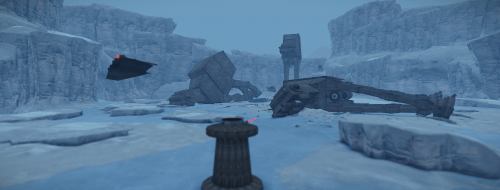
The Empire is out to squash the Alliance with a fierce attack of AT-AT walkers, but the Alliance will fight back with the Force on its side. Enjoy my vision on Rust of this epic battle of the Rebel Alliance against the Empire on the ice planet of Hoth. The arena battle contains three AT-AT Walkers, Imperial Probe Droid, Hoth Gun Turret, SnowSpeeder and Millennium Falcon.$14.99










.thumb.jpg.4abde6ce06035db4993ba98aa473b214.jpg)

